
1. บทนำ
Thank you for choosing the DELLA 12000 BTU Smart Inverter Window Air Conditioner. This manual provides essential information for the safe operation, installation, maintenance, and troubleshooting of your new appliance. Please read it thoroughly before use and keep it for future reference.

2. ข้อมูลด้านความปลอดภัย
ปฏิบัติตามข้อควรระวังด้านความปลอดภัยขั้นพื้นฐานเสมอเมื่อใช้เครื่องใช้ไฟฟ้า เพื่อลดความเสี่ยงต่อการเกิดไฟไหม้ ไฟฟ้าช็อต และการบาดเจ็บต่อบุคคล
- Ensure the power supply matches the unit's requirements (115V/60Hz).
- อย่าใช้งานเครื่องด้วยสายไฟหรือปลั๊กที่ชำรุด
- ห้ามปิดกั้นช่องรับหรือช่องระบายอากาศ
- ให้เด็กอยู่ห่างจากเครื่อง
- ผลิตภัณฑ์นี้ประกอบด้วยสารเคมีที่รัฐแคลิฟอร์เนียทราบว่าก่อให้เกิดมะเร็งและข้อบกพร่องทางการเกิดหรืออันตรายต่อการสืบพันธุ์อื่น ๆ
3. เนื้อหาบรรจุภัณฑ์
ตรวจสอบว่ามีรายการทั้งหมดอยู่ในแพ็คเกจ:
- เครื่องปรับอากาศแบบติดหน้าต่าง
- รีโมทคอนโทรล
- Installation Kit (including side panels, mounting hardware)
- คู่มือการใช้งาน
4. การตั้งค่าและการติดตั้ง
The DELLA window AC unit is designed for easy installation. It fits windows from 24 to 36 inches wide, with a minimum height of 14.5 inches. It is strongly recommended to install guide holes in some window frames for secure mounting.

ขั้นตอนการติดตั้ง:
- Secure into window frame: Carefully place the unit into the window opening, ensuring it is level and securely seated.
- Mount with four screws: Use the provided screws to firmly attach the unit to the window frame.
- Extend side panels into wall: Pull out the accordion side panels to fill the gaps between the unit and the window frame, then secure them.

5. คู่มือการใช้งาน
Your DELLA AC unit offers various modes and settings for optimal comfort. All functions can be set via the LED digital display on the unit or the included remote control.
แผงควบคุมและฟังก์ชั่นระยะไกล:
- การตั้งค่าอุณหภูมิ: Variable range from 61℉ (16℃) to 88℉ (31℃).
- ความเร็วพัดลม: 3 settings (Low, Mid, High).
- โหมด: Auto, Cool, Fan, Dry (Dehumidify).
- โหมดสลีป: Adjusts temperature for comfortable sleep and quiet operation.
- ตัวตั้งเวลา 24 ชั่วโมง: ตั้งโปรแกรมให้เครื่องเปิดหรือปิดอัตโนมัติ
- โหมด ECO: เพิ่มประสิทธิภาพการใช้พลังงาน

6. คุณสมบัติอันชาญฉลาด
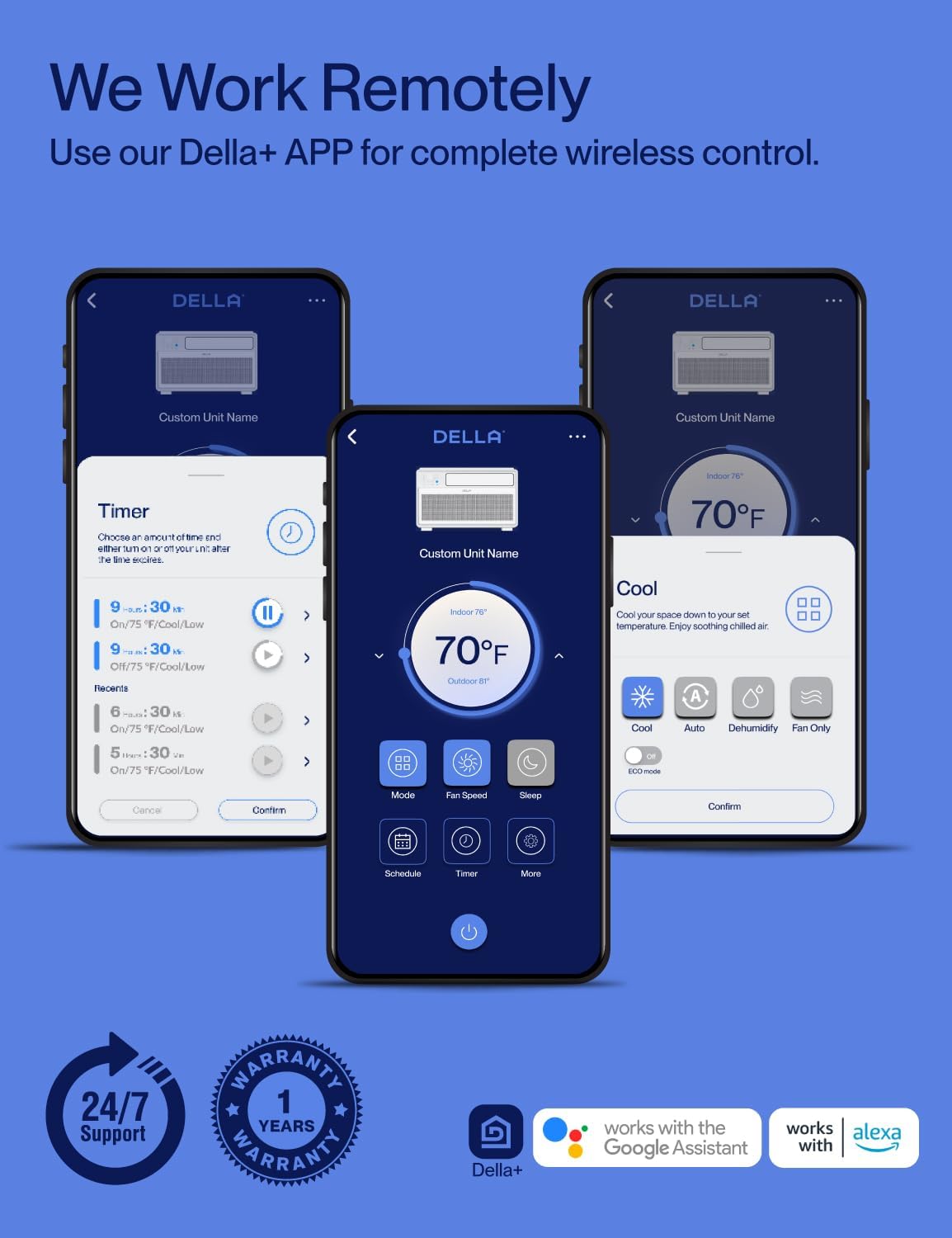
This Wi-Fi enabled unit offers advanced control options through the DELLA+ application and voice assistants.
DELLA+ App Control:
- Download the DELLA+ app for iOS or Android.
- Control all settings from your smartphone, including mode, fan speed, temperature, and timer.
- Manage your unit from anywhere with an internet connection.
GEO Location Feature:
The GEO Location feature allows the unit to automatically turn on or off based on your proximity to home, ensuring your space is comfortable upon arrival without manual intervention.

การควบคุมด้วยเสียง:
The unit is compatible with Alexa and Google Assistant, allowing for hands-free control using voice commands.
7. Energy Saving and Quiet Operation
The DELLA 12000 BTU unit incorporates advanced technology for efficiency and quiet performance.
เทคโนโลยี DC Inverter:
With advanced DC Inverter technology, this unit achieves over 35% energy savings compared to traditional AC units. It provides faster and more efficient cooling, reaching set temperatures quickly and maintaining them with minimal fluctuations.

การทำงานที่เงียบเป็นพิเศษ:
The highly efficient inverter system ensures ultra-low noise levels, as low as 42 dBA, making it ideal for bedrooms and quiet environments. The unit runs at a lower frequency once the set temperature is reached, maintaining comfort without disruptive noise.


8. การบำรุงรักษา
การบำรุงรักษาตามปกติจะช่วยให้เครื่องปรับอากาศของคุณทำงานได้อย่างเหมาะสมและมีอายุการใช้งานยาวนาน
การทำความสะอาดตัวกรองอากาศ:
The washable and reusable air filter can be easily slid out for cleaning. Clean it regularly with warm water and dishwashing soap, or use a vacuum cleaner. Ensure the filter is completely dry before reinstalling to maintain best performance.
9 การแก้ไขปัญหา
If you encounter issues with your DELLA air conditioner, refer to the following common problems and solutions:
| ปัญหา | สาเหตุที่เป็นไปได้ | สารละลาย |
|---|---|---|
| เครื่องไม่เปิด | ไม่มีไฟ, เบรกเกอร์ตัดวงจร, ปลั๊กหลวม. | Check power connection, reset circuit breaker, ensure plug is fully inserted. |
| การระบายความร้อนไม่เพียงพอ | Dirty air filter, blocked air vents, room too large, windows/doors open. | ทำความสะอาดตัวกรองอากาศ ขจัดสิ่งกีดขวาง ตรวจสอบให้แน่ใจว่าขนาดห้องอยู่ในขีดจำกัด ปิดหน้าต่าง/ประตู |
| การทำงานมีเสียงดัง | ติดตั้งหลวม มีวัตถุแปลกปลอมในพัดลม ตัวเครื่องไม่ได้ระดับ | Re-secure unit, check for obstructions, ensure unit is level. |
| ปัญหาการเชื่อมต่อ Wi-Fi | Incorrect Wi-Fi password, router too far, app not updated. | Verify password, move router closer, update DELLA+ app, restart unit and router. |
หากต้องการความช่วยเหลือเพิ่มเติม โปรดติดต่อฝ่ายสนับสนุนลูกค้า
10. ข้อมูลจำเพาะ
Key technical specifications for your DELLA 12000 BTU Smart Inverter Window Air Conditioner:
| คุณสมบัติ | รายละเอียด |
|---|---|
| หมายเลขรุ่น | 048-TL-W12KI_1 |
| BTU Cooling Capacity | 12000 บีทียู |
| แหล่งจ่ายไฟ | 115V/60Hz |
| วัดtage | 1190วัตต์ |
| อัตราส่วนประสิทธิภาพการใช้พลังงานรวม (CEER) | 15 (Energy Star Rated) |
| พื้นที่ทำความเย็น | สูงสุด 520 ตร.ฟุต |
| ระดับเสียง | 42 เดซิเบล |
| สารทำความเย็น | R32 |
| ขนาดสินค้า (ลึก x กว้าง x สูง) | 13.39 x 20.67 x 19.25 นิ้ว |
| น้ำหนักสินค้า | 58.6 ปอนด์ |
| ความเข้ากันได้ของหน้าต่าง | Width: 24-36 inches, Min. Height: 14.5 inches |
| คุณสมบัติพิเศษ | Dehumidifier, Fast Cooling, Inverter Compressor, WiFi Enabled |
11. การรับประกันและการสนับสนุน
DELLA is committed to providing reliable products and excellent customer service.
ข้อมูลการรับประกัน:
Your DELLA 12000 BTU Smart Inverter Window Air Conditioner comes with a รับประกัน 1 ปี นับจากวันที่ซื้อ ครอบคลุมถึงข้อบกพร่องในวัสดุและฝีมือการผลิตภายใต้การใช้งานปกติ

การสนับสนุนลูกค้า:
For any questions, technical assistance, or warranty claims, please contact DELLA customer support. We offer รองรับตลอด 24 ชม. เพื่อช่วยเหลือคุณ

You can also visit the official Della Store for more information and products: Della Store on Amazon