
สินค้าเกินview
The JTEMAN 360 Rotating Cell Phone Stand with Wireless Bluetooth Speaker with Light is a versatile device designed to enhance your mobile experience. It integrates a rotatable phone stand, a Bluetooth speaker, and an atmosphere light into a single unit. This manual provides detailed instructions for its setup, operation, and maintenance.
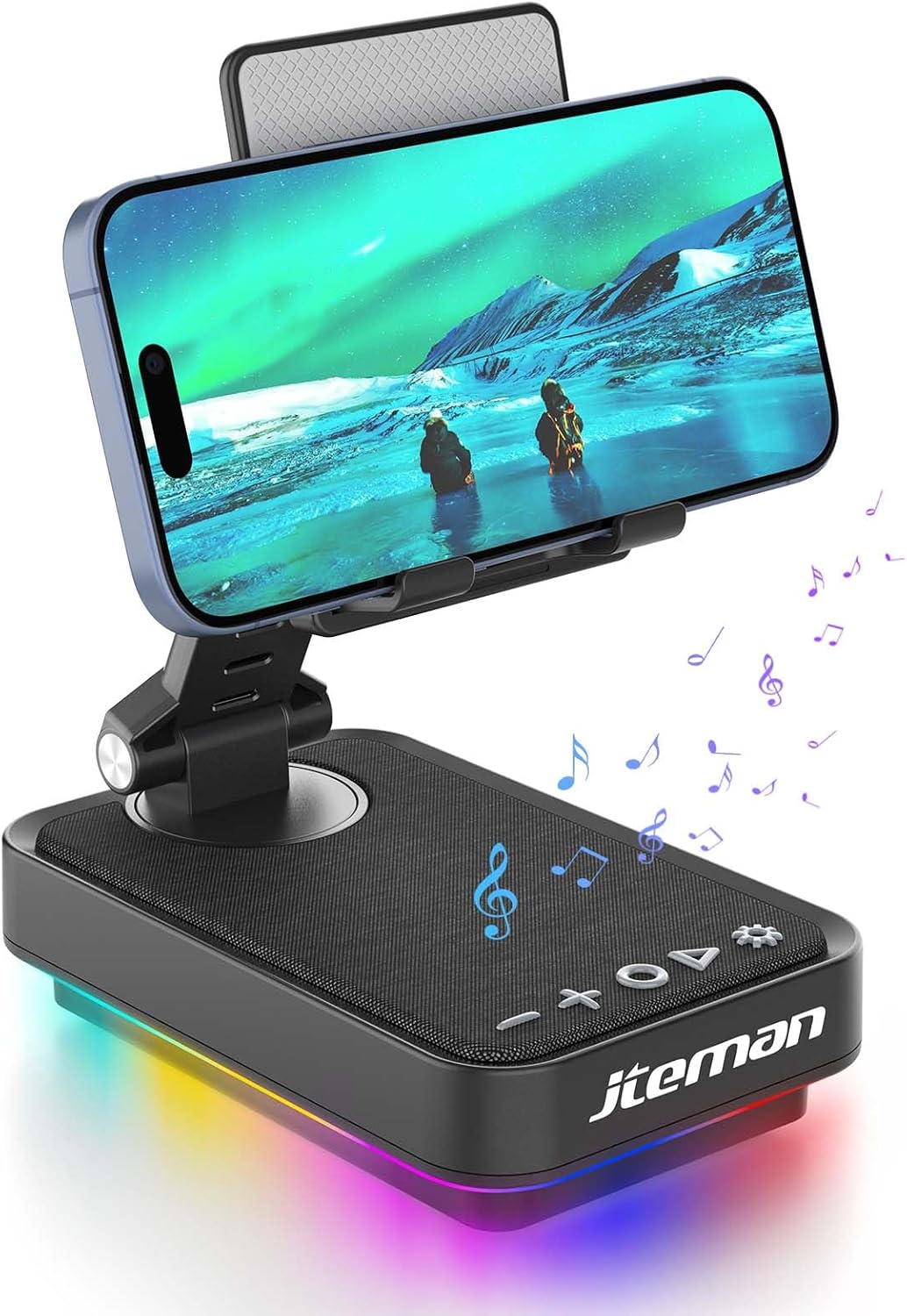
Figure 1: JTEMAN 360 Rotating Cell Phone Stand with Wireless Bluetooth Speaker with Light.
ส่วนประกอบที่รวมอยู่:
- Bluetooth Speaker (with integrated phone stand and light)
- สายเคเบิล Type-C
- คู่มือการใช้งาน
คู่มือการติดตั้ง
1. การแกะกล่องและการตรวจสอบเบื้องต้น:
Carefully remove all components from the packaging. Inspect the device and accessories for any signs of damage. Ensure all listed components are present.
Video 1: Unboxing and initial setup of the JTEMAN phone stand and Bluetooth speaker.
2. Preparing the Phone Stand:
Before first use, locate and remove the silicone protective patch from the device's base. This patch protects the surface during shipping.
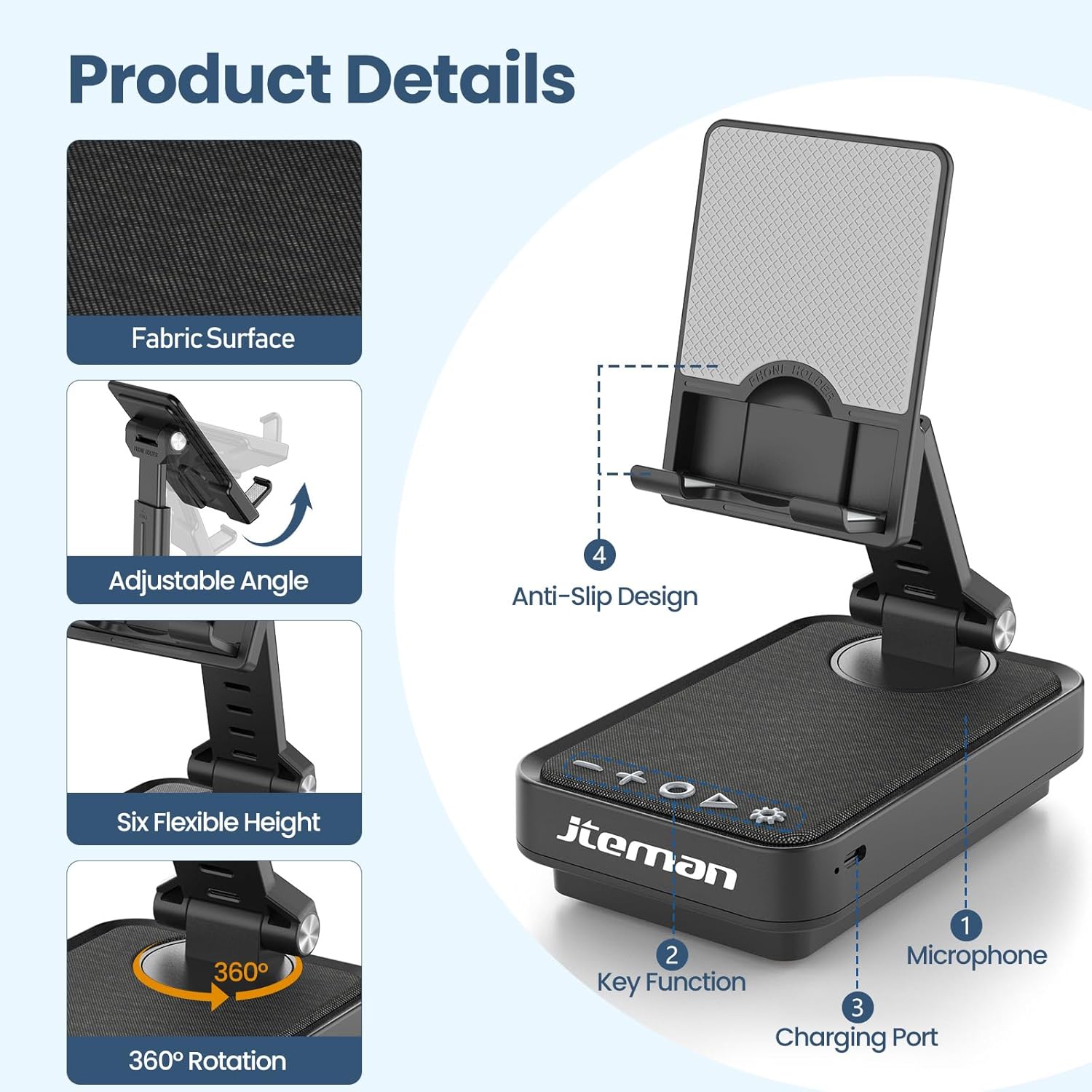
Figure 2: Product details and components. Note the anti-slip design and key functions.
3. การชาร์จอุปกรณ์:
Connect the provided Type-C cable to the charging port on the device and the other end to a compatible USB power adapter (not included). The power indicator light will show red during charging and turn green when fully charged.
- ไฟแดง: กำลังชาร์จแบตเตอรี่
- ไฟเขียว: แบตเตอรี่ชาร์จเต็มแล้ว

รูปที่ 3: ความจุแบตเตอรี่และเวลาใช้งานโดยประมาณ
4. การจับคู่บลูทูธ:
- Long press the Power ON/OFF button (3) for 3 seconds to turn on the speaker. The speaker will enter pairing mode, indicated by a flashing blue light.
- บนสมาร์ทโฟนหรือแท็บเล็ตของคุณ ให้ไปที่การตั้งค่าบลูทูธ
- Select "L39-1" from the list of available devices.
- Once connected, the blue light will become solid.

Figure 4: Bluetooth connection with a laptop, demonstrating wireless audio playback.
คำแนะนำการใช้งาน
แผงควบคุมโอเวอร์view:

รูปที่ 5: รายละเอียด view ของแผงควบคุมและฟังก์ชันต่างๆ
- VOL- (1): กดเพื่อลดระดับเสียง
- VOL+ (2): กดเพื่อเพิ่มระดับเสียง
- Answer/Hang up/Play/Pause/Next (4):
- กดสั้นเพื่อเล่น/หยุดเพลง
- Short press to answer/hang up calls.
- กดค้างเพื่อข้ามไปยังเพลงถัดไป
- Power ON/OFF (3):
- กดค้าง 3 วินาทีเพื่อเปิด/ปิดลำโพง
- Double press to switch between Bluetooth and AUX modes.
- Short press to adjust the brightness of the atmosphere lights (4 levels).
- Atmosphere Light (5):
- Long press for 3 seconds to turn on/off the light.
- Short press to switch lighting mode (11 modes available, 3 modes sync with music).
- ไมโครโฟน (6): สำหรับการโทรแบบแฮนด์ฟรี
- พอร์ตชาร์จ (7): Type-C input for charging.
- Power Indicator Light (8): แสดงสถานะการชาร์จและสถานะการเชื่อมต่อบลูทูธ
Phone Stand Adjustment:
The phone stand features 360° rotation and adjustable height and angle to suit various viewing needs. The anti-slip silicone pads ensure device stability.

Figure 6: The phone stand supports a wide range of devices, including smartphones and tablets (4-13 inches).
The stand is foldable for easy portability.

Figure 7: The foldable design allows for easy storage and transport.
การซ่อมบำรุง
การทำความสะอาด:
Wipe the device with a soft, dry cloth. Do not use abrasive cleaners, solvents, or harsh chemicals, as these may damage the surface or internal components. Avoid exposing the device to excessive moisture.
พื้นที่จัดเก็บ:
When not in use for extended periods, store the device in a cool, dry place away from direct sunlight and extreme temperatures. Ensure the device is fully charged before storing to prolong battery life.
การดูแลแบตเตอรี่
To maximize battery lifespan, avoid fully discharging the battery frequently. Charge the device regularly, even if not in constant use. Do not expose the battery to high temperatures.
การแก้ไขปัญหา
| ปัญหา | สาเหตุที่เป็นไปได้ | สารละลาย |
|---|---|---|
| อุปกรณ์ไม่เปิดเครื่อง | แบตเตอรี่อ่อน | ชาร์จอุปกรณ์โดยใช้สาย Type-C ที่ให้มา |
| ไม่สามารถเชื่อมต่อผ่านบลูทูธได้ | ไม่ได้เปิดใช้งานบลูทูธบนอุปกรณ์ ลำโพงไม่ได้อยู่ในโหมดจับคู่ อยู่ไกลจากลำโพงมากเกินไป | Ensure Bluetooth is enabled on your phone/tablet. Long press Power ON/OFF button to enter pairing mode (flashing blue light). Move device closer to the speaker. |
| ไม่มีเสียงจากลำโพง | Volume too low; device not connected; AUX mode active. | Increase volume on both the speaker and your connected device. Verify Bluetooth connection. Double press Power ON/OFF button to switch to Bluetooth mode if in AUX mode. |
| Atmosphere lights not working. | ไฟดับ; แบตเตอรี่เหลือน้อย | Long press the Atmosphere Light button (5) to turn on. Charge the device. |
ข้อมูลจำเพาะ
| คุณสมบัติ | รายละเอียด |
|---|---|
| ชื่อรุ่น | L39-1 |
| ประเภทการติดตั้ง | ที่วางบนโต๊ะ |
| ประเภทลำโพง | ระบบเสียงรอบทิศทาง |
| คุณสมบัติพิเศษ | ไฟ LED |
| การใช้ที่แนะนำ | สำหรับสมาร์ทโฟนหรือแท็บเล็ต |
| อุปกรณ์ที่รองรับ | Smartphone, Tablet (4-13 inches) |
| ประเภทตัวควบคุม | ปุ่มสัมผัส |
| ช่องเสียงรอบทิศทาง | 2.0 |
| ขนาดสินค้า | ลึก 5.3 นิ้ว x กว้าง 3.5 นิ้ว x สูง 2.3 นิ้ว |
| กันน้ำได้ | เท็จ |
| แหล่งพลังงาน | ใช้พลังงานจากแบตเตอรี่ |
| ประเภทแบตเตอรี่ | ลิเธียมไอออน 1 อัน (รวมอยู่ด้วย) |
| ประเภทไดร์เวอร์เสียง | ไดร์เวอร์แบบไดนามิก |
| การเชื่อมต่อแบบไร้สาย | บลูทูธ 5.3 |
| กำลังขับสูงสุดของลำโพง | 5 วัตต์ |
| การตอบสนองความถี่ | ความถี่ 1 กิโลเฮิรตซ์ |
| น้ำหนักสินค้า | 15.5 ออนซ์ |
ข้อมูลการรับประกัน
This JTEMAN product comes with a รับประกันหนึ่งปี นับจากวันที่ซื้อสินค้า การรับประกันนี้ครอบคลุมถึงข้อบกพร่องจากการผลิตและการทำงานผิดปกติภายใต้การใช้งานปกติ ไม่ครอบคลุมถึงความเสียหายที่เกิดจากการใช้งานผิดวิธี อุบัติเหตุ การดัดแปลงโดยไม่ได้รับอนุญาต หรือการสึกหรอตามปกติ
Please retain your proof of purchase for warranty claims. For detailed warranty terms and conditions, refer to the official JTEMAN webไซต์หรือติดต่อฝ่ายสนับสนุนลูกค้า
การสนับสนุนลูกค้า
If you encounter any issues or have questions not covered in this manual, please contact JTEMAN customer support. Provide your product model number (L39-1) and a detailed description of the issue to assist our support team.
For the most up-to-date contact information, please visit the official JTEMAN webเว็บไซต์: JTEMAN Store on Amazon