
ELECTROPRIME Zealot S30
ELECTROPRIME Zealot S30 Portable Bluetooth Speaker User Manual
Model: Zealot S30 (IP7G8266R)
การแนะนำ
Thank you for choosing the ELECTROPRIME Zealot S30 Portable Bluetooth Speaker. This manual provides essential information for setting up, operating, and maintaining your speaker to ensure optimal performance and longevity. Please read this manual thoroughly before using the product.
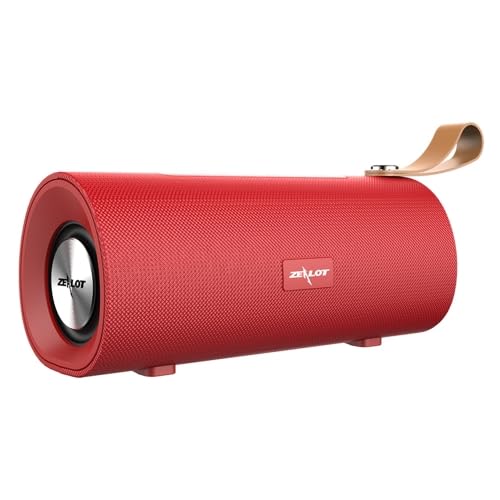
รูปที่ 1 : ด้านหน้า view of the ELECTROPRIME Zealot S30 Portable Bluetooth Speaker, showcasing its red finish and integrated leather carrying strap.
The Zealot S30 is a versatile portable speaker designed for high-quality audio on the go. Key features include:
- การออกแบบพกพา: Equipped with a durable leather hand strap for easy carrying.
- เสียงที่เหนือกว่า: Features subwoofer dual speakers for stereo surround sound with heavy bass.
- ตัวเลือกการเล่นหลายแบบ: Supports Bluetooth 5.0, TF card playback, and AUX audio input for wired connections.
- การโทรแบบแฮนด์ฟรี: Built-in sensitive microphone with intelligent noise reduction for clear calls.
- อายุการใช้งานแบตเตอรี่ยาวนาน: Integrated 1800mAh battery provides extended music playback and standby time.
เนื้อหาแพ็คเกจ
กรุณาตรวจสอบแพ็คเกจสำหรับรายการต่อไปนี้:
- ELECTROPRIME Zealot S30 Portable Bluetooth Speaker
- สายชาร์จไมโคร USB
- AUX Audio Cable (if included, check packaging)
- คู่มือการใช้งาน (เอกสารนี้)
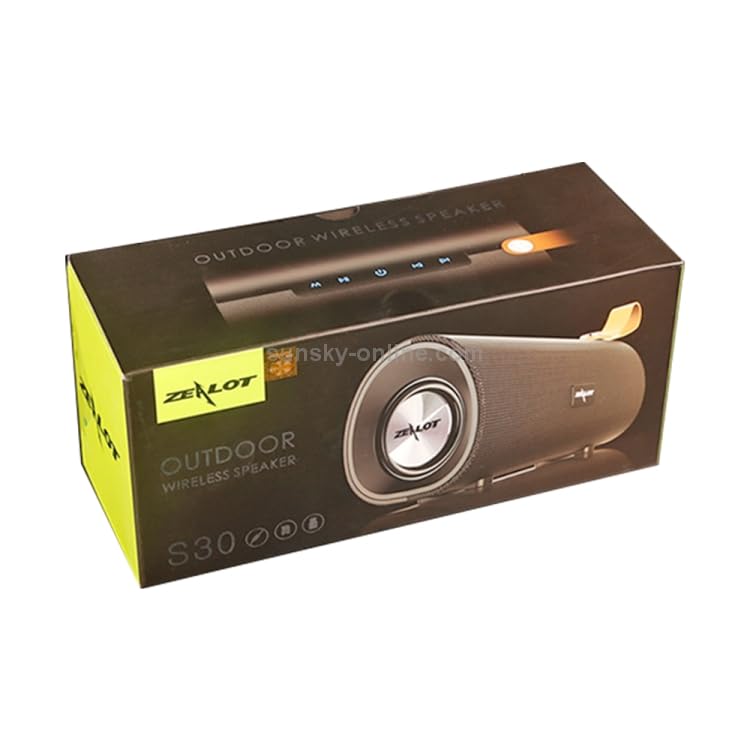
Figure 2: The retail packaging for the Zealot S30 speaker, indicating its "Outdoor Wireless Speaker" designation.
การตั้งค่า
1. ชาร์จลำโพง
Before first use, fully charge the speaker. Use the provided Micro USB cable to connect the speaker's charging port to a DC5V power source (e.g., a USB wall adapter or computer USB port).
- พอร์ตชาร์จ: ไมโคร USB
- ปริมาณการชาร์จtage: กระแสตรง5โวลต์
- เวลาในการชาร์จ: Approximately 2.5 hours (may vary with charger specifications).
โดยปกติไฟแสดงสถานะการชาร์จจะดับลงหรือเปลี่ยนสีเมื่อการชาร์จเสร็จสมบูรณ์
2. การเปิด/ปิดเครื่อง
Locate the power button on the speaker. Press and hold the power button for a few seconds to turn the speaker on or ปิด. A voice prompt or indicator light will confirm the status.
3. การจับคู่บลูทู ธ
วิธีเชื่อมต่อลำโพงของคุณกับอุปกรณ์ที่รองรับบลูทูธ:
- ตรวจสอบให้แน่ใจว่าลำโพงเปิดอยู่และอยู่ในโหมดจับคู่บลูทูธ (โดยปกติจะมีไฟ LED สีน้ำเงินกะพริบ)
- บนอุปกรณ์ของคุณ (สมาร์ทโฟน แท็บเล็ต ฯลฯ) เปิดใช้งานบลูทูธและค้นหาอุปกรณ์ที่มีอยู่
- Select "Zealot S30" from the list of found devices.
- เมื่อเชื่อมต่อแล้ว ลำโพงจะส่งเสียงยืนยัน และไฟแสดงสถานะบลูทูธจะติดสว่าง
The effective transmission distance for Bluetooth is approximately 10 meters (33 feet) without obstacles.
4. ช่องเสียบสัญญาณเสียง AUX
For wired connection, use a 3.5mm AUX audio cable (not always included) to connect the speaker's AUX port to the audio output of your device. The speaker will automatically switch to AUX mode.
5. การเล่นการ์ด TF
ใส่การ์ด TF (Micro SD) ที่มีไฟล์เสียงบันทึกไว้ล่วงหน้า files into the designated TF card slot on the speaker. The speaker will automatically detect the card and begin playing music. This mode does not require a Bluetooth connection.
คำแนะนำการใช้งาน
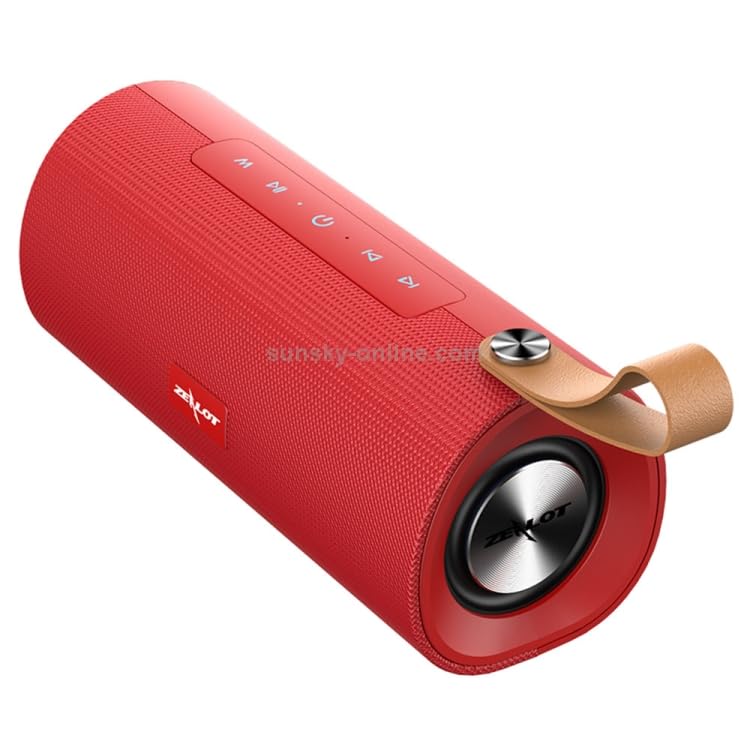
รูปที่ 3: ด้านบน view of the Zealot S30 speaker, highlighting the control panel with buttons for playback and mode selection.
The Zealot S30 speaker features intuitive controls located on its top panel. While specific button functions may vary slightly, common operations include:
- เล่น/หยุดชั่วคราว: กดปุ่ม เล่น/หยุดชั่วคราว button to start or pause music playback.
- การควบคุมระดับเสียง: ใช้ เพิ่มระดับเสียง (+) และ ลดเสียงลง (-) ปุ่มปรับระดับเสียง
- เพลงถัดไป / ก่อนหน้า: Long press or short press the เพิ่มระดับเสียง (+) or ลดเสียงลง (-) buttons to skip to the next or previous track, respectively.
- ปุ่มโหมด (M): กดปุ่ม โหมด button to switch between Bluetooth, TF Card, and AUX input modes.
- การโทรแบบแฮนด์ฟรี:
- รับ/วางสาย: กดปุ่ม เล่น/หยุดชั่วคราว button to answer an incoming call or end an ongoing call.
- ปฏิเสธสาย: กดปุ่มค้างไว้ เล่น/หยุดชั่วคราว ปุ่มเพื่อปฏิเสธสายเรียกเข้า
- โทรซ้ำ: กดสองครั้ง เล่น/หยุดชั่วคราว ปุ่มโทรซ้ำหมายเลขสุดท้าย
The built-in microphone with intelligent noise reduction ensures clear communication during hands-free calls.
การซ่อมบำรุง
Proper care will extend the life of your ELECTROPRIME Zealot S30 speaker.
- การทำความสะอาด: Use a soft, dry cloth to wipe the speaker's surface. Do not use abrasive cleaners, alcohol, or solvents.
- พื้นที่จัดเก็บ: เก็บลำโพงไว้ในที่แห้งและเย็น หลีกเลี่ยงแสงแดดโดยตรง อุณหภูมิที่สูงและสูงเกินไป และความชื้นสูง
- การดูแลแบตเตอรี่
- หลีกเลี่ยงการปล่อยแบตเตอรี่จนหมดบ่อยครั้ง
- If storing for a long period, charge the battery to about 50% every few months to prevent deep discharge.
- อย่าให้แบตเตอรี่โดนความร้อนหรือความเย็นมากเกินไป
- ความต้านทานน้ำ: This speaker is not specified as water-resistant. Avoid exposure to water or excessive moisture.
การแก้ไขปัญหา
หากคุณพบปัญหาเกี่ยวกับลำโพง โปรดดูวิธีแก้ไขปัญหาทั่วไปต่อไปนี้:
| ปัญหา | สาเหตุที่เป็นไปได้ | สารละลาย |
|---|---|---|
| ลำโพงไม่เปิดเครื่อง | แบตเตอรี่อ่อน | ชาร์จลำโพงให้เต็ม |
| ไม่มีเสียงจากลำโพง | ระดับเสียงต่ำเกินไป; โหมดไม่ถูกต้อง; อุปกรณ์ไม่ได้เชื่อมต่อ | Increase speaker and device volume. Ensure correct mode (Bluetooth/AUX/TF Card). Re-pair Bluetooth or check AUX cable connection. |
| การเชื่อมต่อบลูทูธไม่เสถียรหรือล้มเหลว | Speaker too far from device; interference; device Bluetooth issue. | Move speaker closer to device (within 10m). Avoid obstacles. Turn off and on Bluetooth on both devices. Forget and re-pair "Zealot S30" on your device. |
| การ์ด TF เล่นไม่ได้ | เสียบการ์ดไม่ถูกต้อง ไม่รองรับ file รูปแบบไฟล์เสียหาย; การ์ดเสียหาย | Reinsert TF card. Ensure audio fileไฟล์เสียงอยู่ในรูปแบบที่รองรับ (เช่น MP3) ลองใช้การ์ด TF อื่นดู |
หากปัญหายังคงมีอยู่หลังจากลองวิธีแก้ไขเหล่านี้แล้ว โปรดติดต่อฝ่ายสนับสนุนลูกค้า
ข้อมูลจำเพาะ
| คุณสมบัติ | รายละเอียด |
|---|---|
| ยี่ห้อ | อิเล็คโตรไพรม์ |
| ชื่อรุ่น | คลั่ง S30 |
| หมายเลขรุ่น | IP7G8266R |
| เวอร์ชันบลูทูธ | วี5.0 |
| เอาท์พุตของลำโพง | 4 ohm 5W x2 (Dual Speakers) |
| ระยะการส่งข้อมูล | ประมาณ 10m |
| การตอบสนองความถี่ | 20เฮิรตซ์-20กิโลเฮิรตซ์ |
| อัตราส่วนสัญญาณต่อสัญญาณรบกวน | 90เดซิเบล |
| ฉบับทำงานtage | 3.7โวลต์ |
| ปริมาณการชาร์จtage | กระแสตรง5โวลต์ |
| พอร์ตชาร์จ | ไมโคร USB |
| ความจุของแบตเตอรี่ | 1800mAh |
| เวลาสนทนา | ประมาณ 3 ชั่วโมง |
| เวลาเล่นเพลง | ประมาณ 3.5 ชั่วโมง |
| เวลาสแตนด์บาย | ประมาณ 30 วัน |
| เวลาในการชาร์จ | ประมาณ 2.5 ชั่วโมง |
| ขนาด (กว้าง x ยาว x สูง) | 198มม. x 80มม. x 90มม. |
| อุปกรณ์ที่รองรับ | สมาร์ทโฟน, แท็บเล็ต |
| คุณสมบัติพิเศษ | Bluetooth, Portable, Wireless, Built-in Mic |
| โหมดเอาต์พุตเสียง | สเตอริโอ |
| แหล่งพลังงาน | ใช้พลังงานจากแบตเตอรี่ |
| ประเภทขั้วต่อ | อุปกรณ์เสริม, บลูทูธ, USB |
| ประเภทการติดตั้ง | โต๊ะวางของ |
การรับประกันและการสนับสนุน
ELECTROPRIME products are designed for reliability and performance. For information regarding warranty coverage and customer support, please refer to the warranty card included with your product or visit the official ELECTROPRIME webเว็บไซต์.
For technical assistance or inquiries, please contact ELECTROPRIME customer service. Keep your purchase receipt and model number (Zealot S30 / IP7G8266R) ready when contacting support.
Manufacturer: ELECTROGADGETSSTORE
Ask a question about this manual
Ask about setup, troubleshooting, compatibility, parts, safety, or missing instructions. Manuals+ will review the question and use this page’s manual context to help answer it.