
1. บทนำ
Thank you for choosing the NXGKET Walkie Talkies. This 6-pack set is designed for reliable long-range communication, featuring NOAA weather alerts, 22 FRS channels, and a built-in 1800mAh Li-ion battery for extended use. This manual provides detailed instructions for setup, operation, maintenance, and troubleshooting to ensure optimal performance and safety.
2. อะไรอยู่ในกล่อง
- Walkie Talkies x 6
- แบตเตอรี่ (ในตัว)
- คลิปหนีบเข็มขัด
- สาย USB 3-in-1 จำนวน 2 เส้น
- เครื่องชาร์จ

Figure 2.1: Package Contents of the NXGKET Walkie Talkies.
3. คุณสมบัติของผลิตภัณฑ์
- Powerful Long Range Coverage: Up to 5-mile communication range, depending on terrain and conditions. FRS 22 channels and 121 privacy codes (2,662 combinations) for easy channel finding.
- NOAA Weather Scan and Alert: Scans 10 NOAA radio channels for weather alerts. Features an upgraded speaker for clear audio, 150% increased maximum volume, Vibrate Alert, and 9 levels of VOX.
- Rechargeable 1800mAh Li-ion Battery: Built-in 1800mAh lithium battery, eliminating the need for disposable batteries. Charge 3 walkie talkies simultaneously with the included 3-in-1 USB-C cable.
- Easy to Use with Multi-features: Bright color finish for visibility, large LCD screen, volume adjustment, Voice-activated (iVOX), Auto squelch, Auto memory, Auto scan, Low battery alert, Keypad lock (Channel-lock), Adjustable power, Drop-protection, and built-in flashlight.
- การใช้งานอเนกประสงค์: Suitable for men, women, kids, and elders. Ideal for skiing, hiking, bicycling, camping, road trips, cruises, commercial use, and job sites.

Figure 3.1: Key Components and Controls of the Walkie Talkie.
4. การตั้งค่า
4.1 การชาร์จเริ่มต้น
Before first use, fully charge all walkie talkies. The built-in 1800mAh Li-ion battery is not removable. Use the provided 3-in-1 USB-C cables and chargers to charge up to three units simultaneously.

Figure 4.1: Charging the Walkie Talkie via USB-C.
4.2 การเปิด/ปิด
To turn the radio on or off, rotate the Volume/Power knob clockwise or counter-clockwise until you hear a click and the display illuminates or turns off.
5. คู่มือการใช้งาน
5.1 การเลือกช่องสัญญาณ
The NXGKET Walkie Talkies operate on 22 FRS channels. To select a channel:
- กดปุ่ม เมนู button. The channel number will flash on the LCD.
- ใช้ ขึ้น (▲) or ลง (▼) ปุ่มสำหรับเลือกช่องที่คุณต้องการ
- กดปุ่ม ปตท. button to confirm your selection and exit the menu.
5.2 รหัสความเป็นส่วนตัว (CTCSS/DCS)
To ensure private communication and minimize interference, you can set privacy codes (121 available). All radios in your group must be on the same channel and privacy code to communicate.
- กดปุ่ม เมนู button twice to enter the privacy code setting.
- ใช้ ขึ้น (▲) or ลง (▼) buttons to select a privacy code.
- กดปุ่ม ปตท. ปุ่มเพื่อยืนยันและออก
5.3 การส่งและรับ
หากต้องการส่งสัญญาณ ให้กดปุ่มค้างไว้ ปตท. (กดเพื่อพูด) ปุ่มที่อยู่ด้านข้างวิทยุ พูดให้ชัดเจนในไมโครโฟน ปล่อย ปตท. button to receive. Ensure the microphone is close to your mouth for clear transmission.
5.4 การแจ้งเตือนสภาพอากาศของ NOAA
The walkie talkies can scan 10 NOAA radio channels to provide real-time weather alerts.
- กดปุ่ม จันทร์ button (or dedicated NOAA button if available) to activate NOAA weather scan.
- The radio will automatically scan for active weather channels.
- An alert will sound if a weather warning is detected.

Figure 5.1: NOAA Weather Scan and Alert Feature.
5.5 VOX (การส่งสัญญาณด้วยเสียง)
VOX allows hands-free operation. The radio transmits when it detects your voice.
- กดปุ่ม เมนู button until the VOX icon appears on the display.
- ใช้ ขึ้น (▲) or ลง (▼) buttons to select a VOX sensitivity level (1-9, with 9 being most sensitive).
- กดปุ่ม ปตท. ปุ่มเพื่อยืนยันและออก

Figure 5.2: VOX Talk and Long Range Capability.
5.6 ไฟฉาย
The walkie talkie includes a built-in LED flashlight for convenience in low-light conditions.
- To turn on/off the flashlight, press the dedicated flashlight button (usually located below the PTT button).
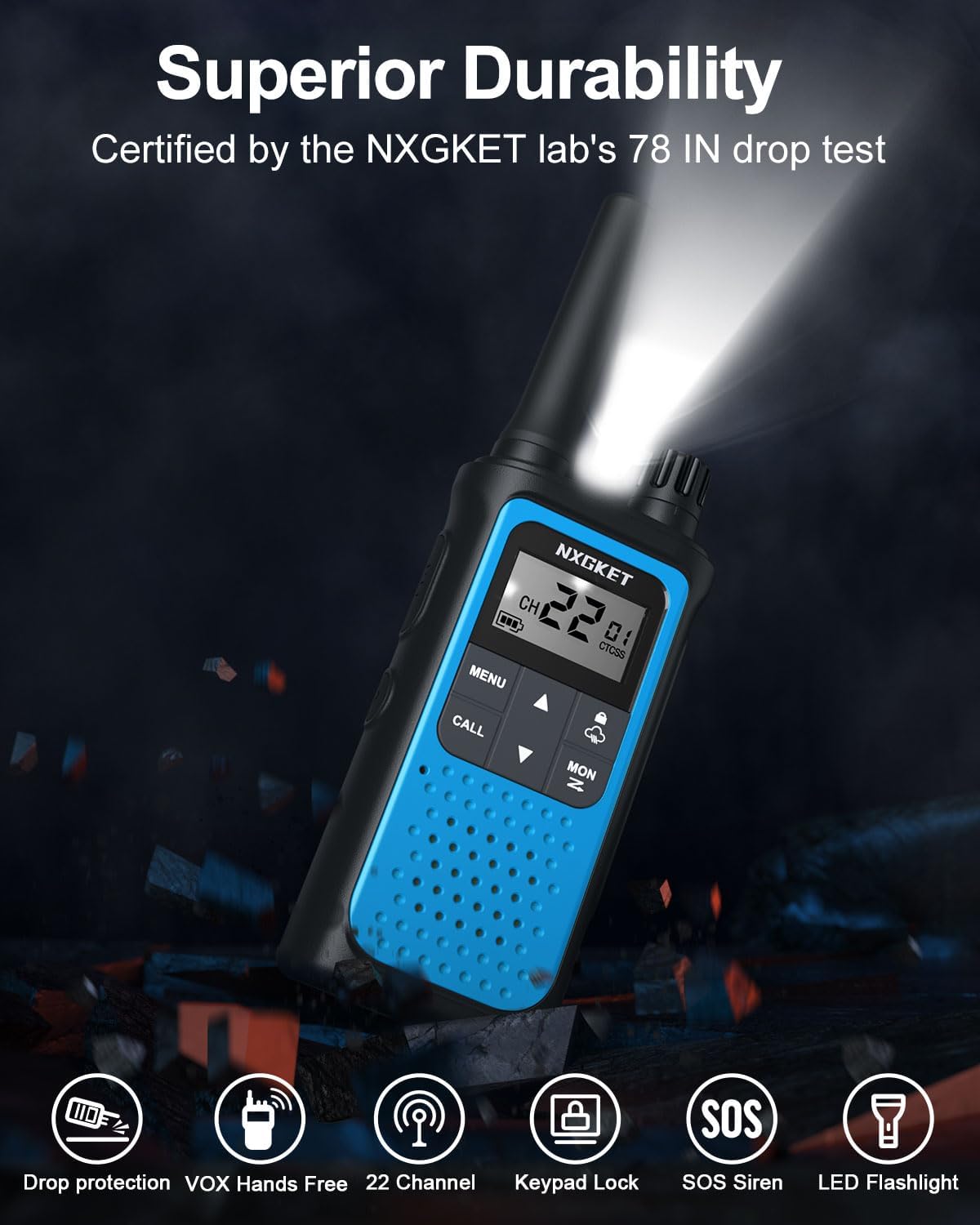
Figure 5.3: Walkie Talkie with LED Flashlight Activated.
5.7 ล็อคปุ่มกด
ระบบล็อกแป้นพิมพ์ช่วยป้องกันการเปลี่ยนแปลงการตั้งค่าโดยไม่ตั้งใจ
- To lock/unlock the keypad, press and hold the ล็อค button (often indicated by a padlock icon) until the lock icon appears/disappears on the display.
6. การบำรุงรักษา
6.1 การทำความสะอาด
ทำความสะอาดวิทยุด้วยผ้านุ่มๆamp ผ้า ห้ามใช้น้ำยาทำความสะอาดหรือสารละลายที่มีฤทธิ์กัดกร่อน ตรวจสอบให้แน่ใจว่าฝาปิดพอร์ต USB-C ปิดสนิทเพื่อป้องกันฝุ่นและความชื้นเข้า
6.2 การดูแลแบตเตอรี่
To prolong battery life, avoid fully discharging the battery frequently. Charge the walkie talkies regularly, especially if they will not be used for an extended period.
7 การแก้ไขปัญหา
| ปัญหา | สาเหตุที่เป็นไปได้ | สารละลาย |
|---|---|---|
| ไม่มีไฟฟ้า | แบตเตอรี่เหลือน้อยหรือหมด | Charge the walkie talkie. |
| ไม่สามารถสื่อสารกับวิทยุอื่นได้ | Different channel or privacy code. | Ensure all radios are on the same channel and privacy code. |
| สัญญาณอ่อนหรือไม่มีเลย | Out of range or obstructions. | Move closer to other radios or to an open area. Avoid large obstacles like buildings or dense foliage. |
| ไฟฟ้าสถิตหรือการรบกวน | Interference from other devices or channels. | Change to a different channel or privacy code. Ensure no other electronic devices are too close. |
| ปุ่มกดถูกล็อค | ระบบล็อกปุ่มกดถูกเปิดใช้งานแล้ว | Press and hold the Lock button to unlock the keypad. |
8. ข้อมูลจำเพาะ
| คุณสมบัติ | ข้อมูลจำเพาะ |
|---|---|
| ยี่ห้อ | NXGKET |
| หมายเลขรุ่น | ZX-808 |
| จำนวนช่องสัญญาณ | 22 ช่อง FRS |
| รหัสความเป็นส่วนตัว | 121 (CTCSS/DCS) |
| แบตเตอรี่ | 1800mAh Li-ion (included, non-removable) |
| พอร์ตชาร์จ | ยูเอสบี-ซี |
| ระยะการสนทนาสูงสุด | 5 Miles (terrain and conditions dependent) |
| ช่วงความถี่ | 300 เมกะเฮิร์ตซ์ - 3 กิกะเฮิร์ตซ์ |
| คุณสมบัติพิเศษ | Digital Display, Emergency Alarm, Long Range, Rechargeable, Voice Operated Transmission (VOX), NOAA Weather Alerts, Flashlight, Keypad Lock |
| น้ำหนักสินค้า | 4.8 ออนซ์ |
| ขนาดสินค้า | 0.9 x 2 x 7.6 นิ้ว |
| ระดับความต้านทานต่อน้ำ | กันน้ำ |
9. การรับประกันและการสนับสนุน
9.1 ข้อมูลการรับประกัน
The NXGKET Walkie Talkies come with a รับประกัน 1 ปี and free replacement for manufacturing defects. Please retain your proof of purchase for warranty claims.
9.2 การสนับสนุนลูกค้า
For any questions, technical assistance, or warranty claims, please contact NXGKET customer support through the retailer's platform or visit the official NXGKET store page on Amazon: NXGKET Store.