
1. บทนำ
The Machenike K500W is a versatile mechanical gaming keyboard designed for performance and flexibility. It features a compact 94-key layout, tri-mode connectivity (Bluetooth, 2.4G wireless, and wired USB), hot-swappable switches, and customizable RGB backlighting. This manual provides essential information for setting up, operating, maintaining, and troubleshooting your K500W keyboard.
คุณสมบัติหลัก:
- Tri-Mode Connectivity: Bluetooth 5.0, 2.4G Wireless, and Wired USB.
- 94-Key Compact Layout.
- 100% Anti-Ghosting & N-Key Rollover.
- Hot-Swappable Switches (compatible with 3/5-pin switches).
- PBT Doubleshot Keycaps.
- Customizable RGB Backlighting (20 effects, 16.8 million colors).
- Programmable Driver Software.
- Built-in 2500mAh Lithium Battery.
- เสียง Damping Silicone Pad for improved acoustics.
2. การตั้งค่า
2.1 การชาร์จเริ่มต้น
Before first use, ensure the keyboard is fully charged. Connect the keyboard to a USB power source using the provided USB-C cable. The charging indicator will show the charging status.
2.2 การเชื่อมต่อคีย์บอร์ด
Machenike K500W รองรับโหมดการเชื่อมต่อสามโหมด:
2.2.1 โหมดแบบมีสาย
- เสียบสาย USB-C เข้ากับแป้นพิมพ์ และอีกด้านหนึ่งเข้ากับพอร์ต USB ของคอมพิวเตอร์
- แป้นพิมพ์จะถูกจดจำและพร้อมใช้งานโดยอัตโนมัติ
2.2.2 โหมดไร้สาย 2.4G
- ค้นหาตัวรับสัญญาณ USB 2.4G ซึ่งโดยปกติจะอยู่ในช่องเสียบเฉพาะบนแป้นพิมพ์
- เสียบตัวรับสัญญาณ USB 2.4G เข้ากับพอร์ต USB ที่ว่างอยู่บนคอมพิวเตอร์ของคุณ
- สลับตัวเลือกโหมดของแป้นพิมพ์เป็นโหมดไร้สาย 2.4G แป้นพิมพ์จะเชื่อมต่อโดยอัตโนมัติ
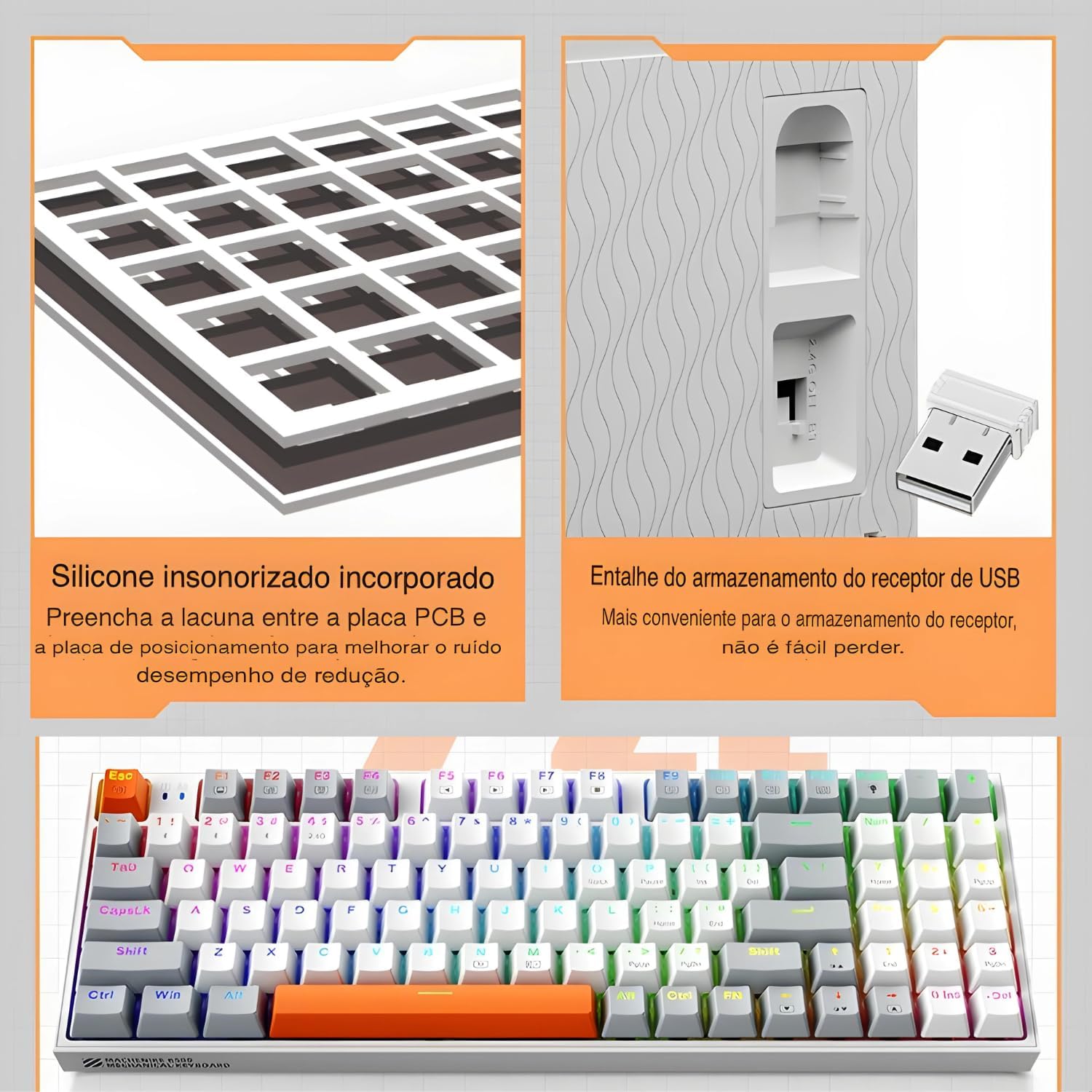
The keyboard features a silicone sound damping pad and a convenient storage slot for the 2.4G USB receiver.
2.2.3 โหมดบลูทู ธ
- สลับตัวเลือกโหมดของแป้นพิมพ์ไปที่โหมดบลูทูธ
- บนคอมพิวเตอร์หรืออุปกรณ์ของคุณ เปิดใช้งานบลูทูธและค้นหาอุปกรณ์ใหม่
- Select "Machenike K500W" from the list of available devices to pair.
- หากได้รับแจ้ง ให้ป้อนรหัสการจับคู่ที่ปรากฏบนหน้าจอของคุณ

The Machenike K500W supports tri-mode connectivity, allowing connection to multiple devices like PCs, laptops, and smartphones.
3. คู่มือการใช้งาน
3.1 รูปแบบปุ่มและฟังก์ชัน
The K500W features a compact 94-key layout, providing essential keys while saving desk space. Familiarize yourself with the key positions, especially the function (Fn) key combinations for multimedia and lighting controls.
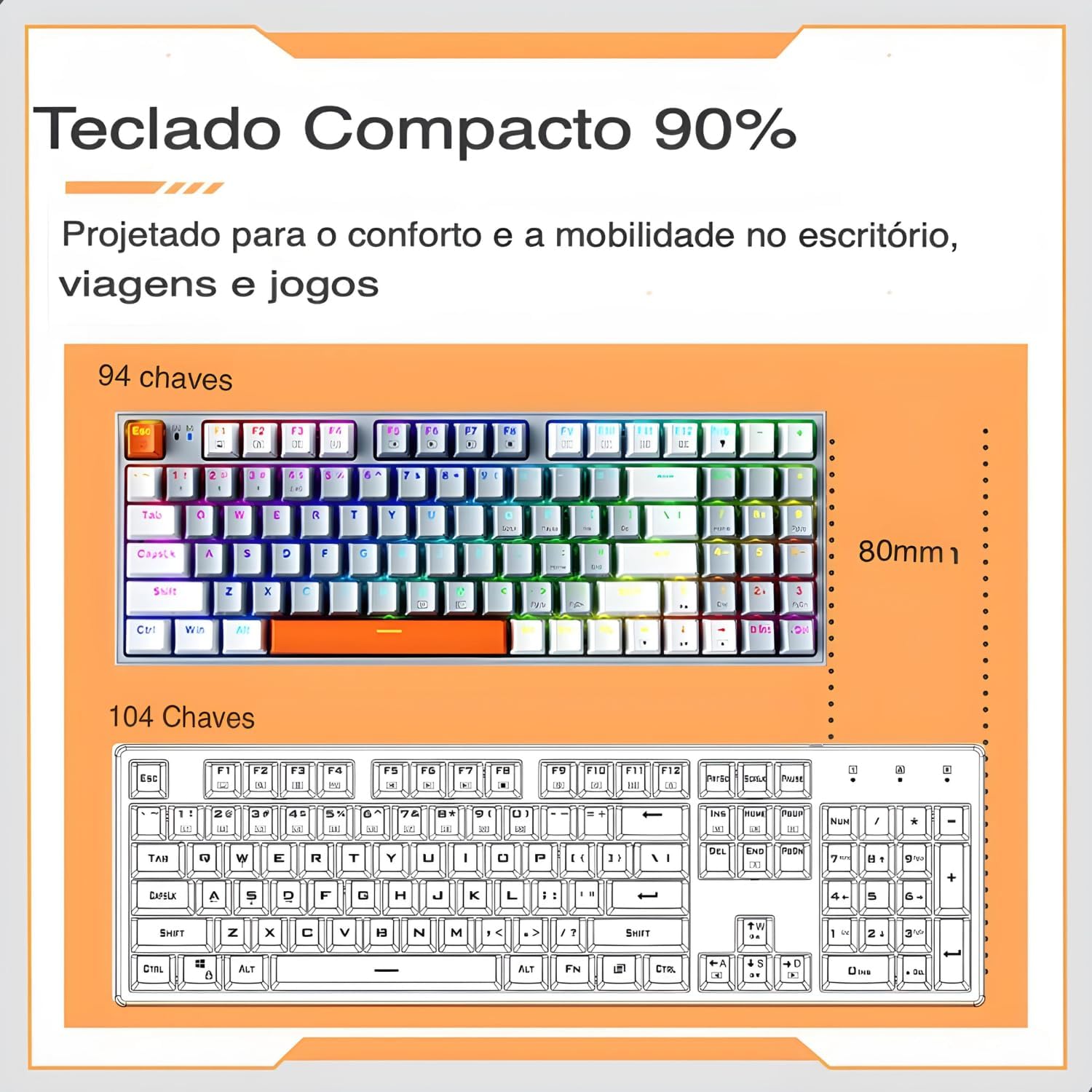
The 94-key compact layout offers more space for mouse movement compared to a 104-key keyboard.
3.2 RGB แบ็คไลท์
The keyboard features dynamic RGB backlighting with 20 lighting effects and approximately 16.8 million programmable colors. Use the dedicated function keys (often combined with the Fn key) to cycle through lighting modes, adjust brightness, and change speed.
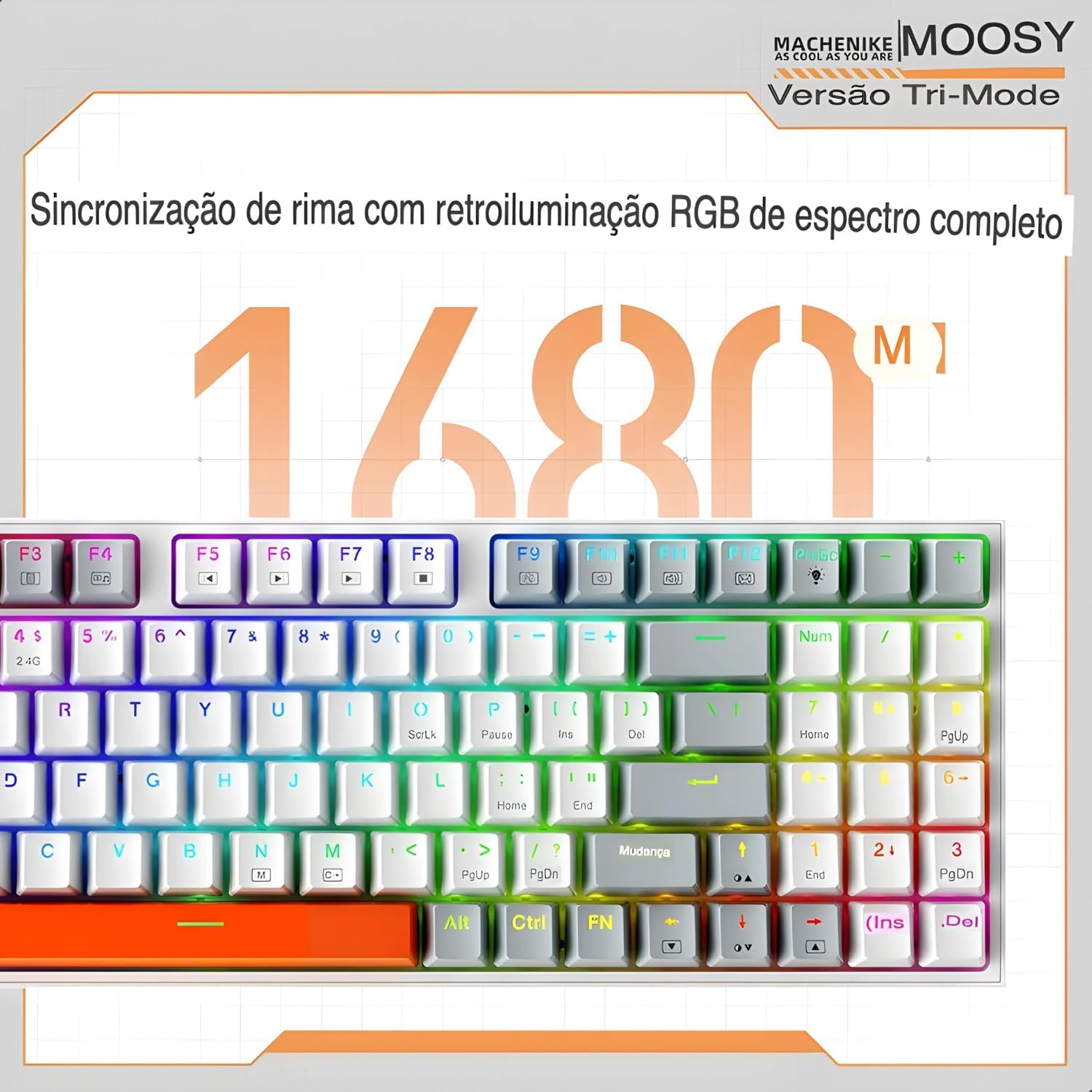
Experience full-spectrum RGB backlighting with 16.8 million colors and various dynamic effects.
3.3 สวิตช์แบบ Hot-Swappable
The K500W allows you to easily change mechanical switches without soldering. This feature enables customization of your typing experience. Use the included switch puller to remove existing switches and insert new 3-pin or 5-pin compatible switches.

The hot-swap feature allows for easy installation and replacement of mechanical switches.
3.4 Programmable Driver Software
For advanced customization, download and install the Machenike K500W programmable driver software. This software allows you to remap keys, create macros, and fine-tune RGB lighting effects to your preference.
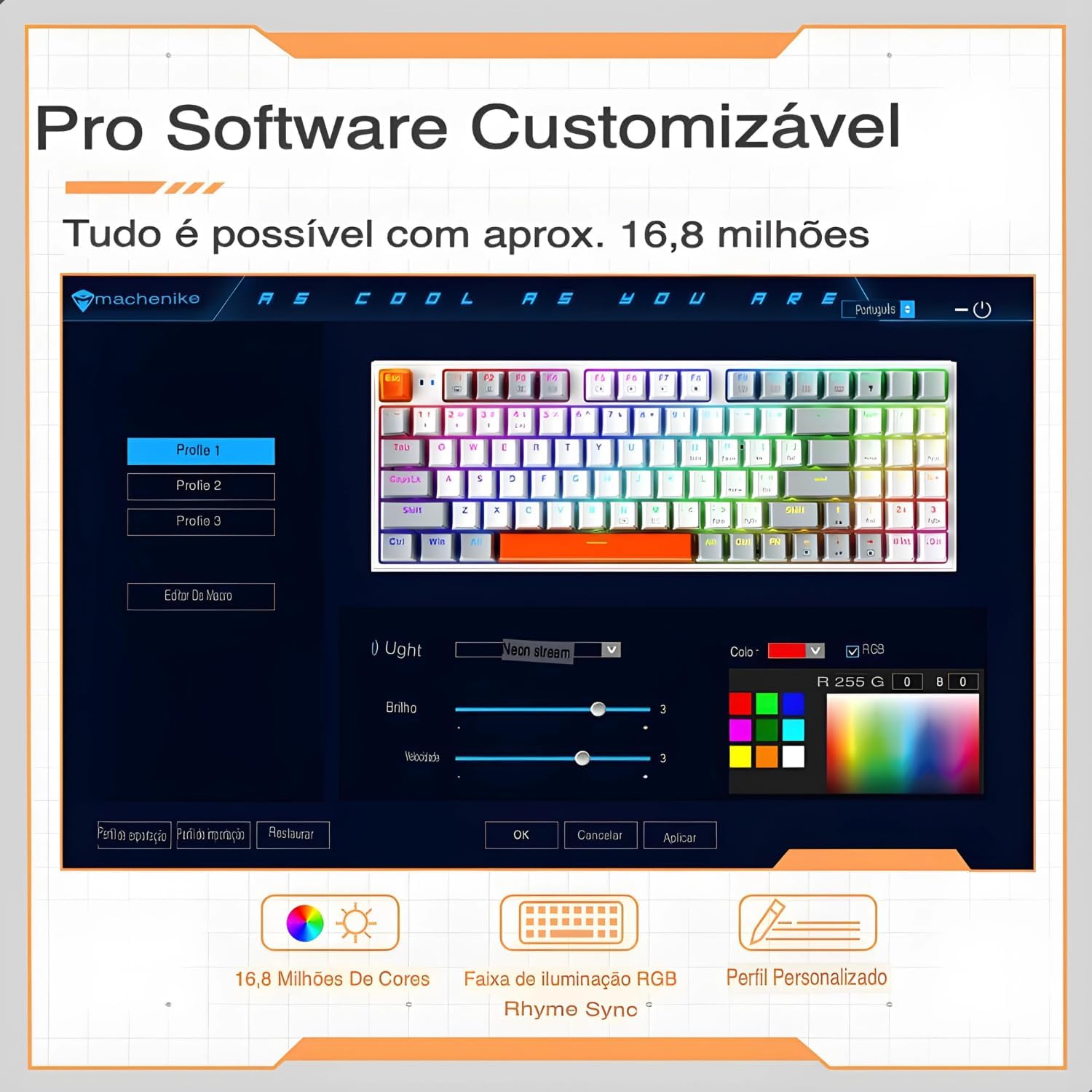
The professional software allows for customizable RGB lighting, macro creation, and personalized profiles.
4. การบำรุงรักษา
การบำรุงรักษาอย่างถูกต้องจะช่วยให้แป้นพิมพ์ของคุณมีอายุการใช้งานยาวนานและมีประสิทธิภาพเหมาะสมที่สุด
- หลีกเลี่ยงการหกเลอะ: Keep liquids away from your mechanical keyboard, as spills can damage the internal circuits.
- Gentle Disconnection: When disconnecting the cable, always pull the plug, not the cable itself, to prevent damage.
- การทำความสะอาดปกติ: Dust and debris can accumulate and affect performance. Regularly clean your keyboard using compressed air and a soft cloth. For keycaps, you can remove them for a deeper clean.
- ป้องกันขั้วต่อ USB: When not in use, disconnect and store the keyboard properly to protect the USB connector from damage.
- การอัปเดตซอฟต์แวร์: Keep the keyboard's software and drivers updated to ensure optimal performance and access to new features.
- หลีกเลี่ยงการหยด: While mechanical keyboards are durable, severe impacts can still cause damage. Handle with care.
5 การแก้ไขปัญหา
If you encounter issues with your Machenike K500W keyboard, refer to the following troubleshooting steps:
5.1 Connectivity Issues (Bluetooth or 2.4G Wireless)
- อะแดปเตอร์บลูทู ธ : Use a reputable brand Bluetooth adapter. Other adapters may cause compatibility issues. Refer to your adapter's instructions for installation details.
- การเปิดใช้งานบลูทูธ: Before connecting, ensure your computer's Bluetooth adapter is correctly installed and Bluetooth is enabled.
- จับคู่ใหม่: If you cannot connect, disable or delete the existing keyboard connection from your device's Bluetooth settings, then re-pair according to the setup instructions.
- Device Change: If your computer's Bluetooth device has changed, you must re-pair the keyboard.
- การรบกวน: If your computer's Bluetooth is connected to other devices, check if the Bluetooth speed is adequate or if there's interference.
- 2.4G Anomaly: For 2.4G mode issues, re-pair the keyboard and device by removing the 2.4G receiver and inserting it into another valid USB port.
- ช่วงการทำงาน: Ensure the keyboard is used within a 10-meter working range from the receiver/device.
5.2 ตัวบ่งชี้แบตเตอรี่ต่ำ
If the keyboard shows a low battery indication, connect it to a USB power source using the provided cable to charge it. Refer to section 2.1 for initial charging instructions.
6. ข้อมูลจำเพาะ
| คุณสมบัติ | รายละเอียด |
|---|---|
| ยี่ห้อ | มาเชนิเก |
| หมายเลขรุ่น | K500W |
| เทคโนโลยีการเชื่อมต่อ | บลูทูธ 5.0, ไร้สาย 2.4G, แบบมีสาย (USB-C) |
| คำอธิบายแป้นพิมพ์ | เครื่องจักรกล |
| จำนวนคีย์ | 94 คีย์ |
| ประเภทสวิตซ์ | Hot-swappable (3/5-pin compatible) |
| วัสดุปุ่มกด | PBT Doubleshot Plastic |
| รองรับแบ็คไลท์ | RGB (20 โหมด, 16.8 ล้านสี) |
| ความจุของแบตเตอรี่ | แบตเตอรี่ลิเธียม 2500mAh |
| อุปกรณ์ที่รองรับ | พีซี แล็ปท็อป แท็บเล็ต |
| ขนาด | 36 x 13 x 5 ซม. (โดยประมาณ) |
| คุณสมบัติพิเศษ | Anti-ghosting, N-key rollover, Programmable, Sound Dampอิงแพด |

เกินview of the Machenike K500W's main features and specifications.
7. การรับประกันและการสนับสนุน
7.1 ข้อมูลการรับประกัน
ผลิตภัณฑ์นี้มาพร้อมกับ รับประกัน 90 วัน from the date of purchase. The warranty covers manufacturing defects and malfunctions under normal use. It does not cover damage caused by misuse, accidents, unauthorized modifications, or normal wear and tear.
7.2 การสนับสนุนลูกค้า
For technical assistance, warranty claims, or any questions regarding your Machenike K500W keyboard, please contact the seller or manufacturer's customer support. Refer to your purchase documentation for contact details.