
การแนะนำ
Thank you for choosing the SUNJOM Inspire Over-Ear Bluetooth Headphones. These headphones are designed to provide an immersive audio experience with the latest Bluetooth 5.3 technology, Hi-Fi stereo sound, and versatile connectivity options including wired mode and FM radio. This manual will guide you through the setup, operation, and maintenance of your new headphones.
ข้อมูลด้านความปลอดภัย
โปรดอ่านคำเตือนและคำแนะนำด้านความปลอดภัยทั้งหมดอย่างละเอียดก่อนใช้งานผลิตภัณฑ์นี้ เพื่อให้มั่นใจถึงความปลอดภัยในการใช้งานและป้องกันความเสียหาย โปรดเก็บคู่มือนี้ไว้เพื่อใช้อ้างอิงในอนาคต
- อย่าให้หูฟังสัมผัสกับอุณหภูมิที่สูงหรือต่ำเกินไป ความชื้นสูง หรือสารกัดกร่อน
- หลีกเลี่ยงการทำหูฟังตกหรือได้รับแรงกระแทกรุนแรง
- ห้ามถอดประกอบหรือพยายามซ่อมแซมหูฟังด้วยตนเอง การกระทำดังกล่าวจะทำให้การรับประกันเป็นโมฆะ
- ทำความสะอาดหูฟังด้วยผ้าแห้งนุ่มๆ ห้ามใช้สารเคมีรุนแรงหรือวัสดุที่มีฤทธิ์กัดกร่อน
- การฟังเสียงดังเป็นเวลานานอาจทำให้เกิดความเสียหายต่อการได้ยิน โปรดปรับระดับเสียงให้อยู่ในระดับที่ปลอดภัย
เนื้อหาแพ็คเกจ
กรุณาตรวจสอบสิ่งของภายในบรรจุภัณฑ์เมื่อเปิดออก หากมีสินค้าใดสูญหายหรือเสียหาย โปรดติดต่อฝ่ายสนับสนุนลูกค้า
- SUNJOM Inspire Over-Ear Bluetooth Headphones
- สายชาร์จ USB-C
- สายสัญญาณเสียงขนาด 3.5 มม.
- คู่มือการใช้งาน
สินค้าเกินview

Figure 1: Headphone Controls and Ports.
This diagram illustrates the various buttons, ports, and indicators on your SUNJOM Inspire headphones for easy identification and operation.
- ปุ่มเปิด/ปิด: ใช้สำหรับเปิดหรือปิดหูฟัง
- Next Track / Volume Up / Voice Assistant Button: Short press for next track, long press for volume up, double press for voice assistant.
- Play/Pause / Call / Mode Switch Button: Short press to play/pause music or answer/end calls. Long press to switch between Bluetooth, FM Radio, and TF/SD Card modes.
- ปุ่มเล่นเพลงก่อนหน้า / ปุ่มลดระดับเสียง: กดสั้นๆ เพื่อเล่นเพลงก่อนหน้า กดค้างเพื่อลดระดับเสียง
- ช่องเสียบการ์ด TF: Insert a TF/Micro SD card for direct music playback.
- ไฟแสดงสถานะ: แสดงสถานะพลังงาน การชาร์จ และการจับคู่บลูทูธ
- พอร์ตชาร์จ USB-C: เสียบสาย USB-C เพื่อชาร์จไฟ
- ไมโครโฟน: ไมโครโฟนในตัวสำหรับการโทรแบบแฮนด์ฟรี
- ช่องต่อ AUX (3.5 มม.): Connect the 3.5mm audio cable for wired listening.
การตั้งค่า
1. การชาร์จหูฟัง
ก่อนใช้งานครั้งแรก โปรดชาร์จหูฟังให้เต็ม การชาร์จเต็มหนึ่งครั้งจะใช้งานได้ประมาณ 28 ชั่วโมง
- เชื่อมต่อสายชาร์จ USB-C เข้ากับพอร์ตชาร์จ USB-C บนหูฟัง
- เชื่อมต่อปลายสายอีกด้านหนึ่งเข้ากับอะแดปเตอร์ไฟ USB (ไม่รวมอยู่ด้วย) หรือพอร์ต USB ของคอมพิวเตอร์
- ไฟแสดงสถานะจะแสดงสถานะการชาร์จ (เช่น สีแดงขณะชาร์จ ดับ หรือสีน้ำเงินเมื่อชาร์จเต็มแล้ว)

Figure 2: Charging the SUNJOM Inspire Headphones.
The headphones are equipped with a USB-C port for convenient charging. Ensure the cable is securely connected to both the headphones and a power source.
2. การจับคู่บลูทู ธ
The Inspire headphones utilize Bluetooth 5.3 for a stable and seamless wireless connection.
- ตรวจสอบให้แน่ใจว่าหูฟังชาร์จเต็มแล้ว
- Press and hold the Power On/Off button until the indicator light flashes (e.g., blue and red alternately), indicating pairing mode.
- บนอุปกรณ์ของคุณ (สมาร์ทโฟน แท็บเล็ต คอมพิวเตอร์) เปิดใช้งาน Bluetooth และค้นหาอุปกรณ์ที่มีอยู่
- Select "SUNJOM INSPIRE" from the list of found devices.
- Once paired, the indicator light will stop flashing and remain solid blue.

Figure 3: Bluetooth Pairing Process.
The headphones offer a reliable Bluetooth connection up to 33 feet, allowing freedom of movement while enjoying your audio.
3. การเชื่อมต่อแบบมีสาย (โหมด AUX)
คุณสามารถใช้หูฟังในโหมดเสียบสายได้แม้ว่าแบตเตอรี่จะหมดก็ตาม
- Connect one end of the 3.5mm audio cable to the AUX input port on the headphones.
- ต่อปลายอีกด้านหนึ่งเข้ากับช่องเสียบหูฟังขนาด 3.5 มม. ของอุปกรณ์ของคุณ
- หูฟังจะเปลี่ยนเป็นโหมดสายโดยอัตโนมัติ

Figure 4: Wired Connection via 3.5mm AUX.
The 3.5mm audio cable provides a reliable wired connection, ensuring uninterrupted listening regardless of battery life.
4. การตั้งค่าวิทยุ FM
The headphones feature a built-in FM radio with high reception sensitivity.
- เปิดหูฟัง
- Press and hold the Play/Pause/Mode Switch button to cycle through modes until you hear the FM radio.
- Short press the Play/Pause/Mode Switch button to auto-scan and save available FM stations.
- Use the Next/Previous Track buttons to switch between saved stations.
คำแนะนำการใช้งาน
เปิด/ปิดเครื่อง
- เปิดเครื่อง: Press and hold the Power On/Off button for approximately 3 seconds until the indicator light turns on.
- หมดแรง: กดปุ่มเปิด/ปิดค้างไว้ประมาณ 3 วินาที จนกว่าไฟแสดงสถานะจะดับลง
Music Playback (Bluetooth/TF Card)
- เล่น/หยุดชั่วคราว: Short press the Play/Pause/Mode Switch button.
- เพลงถัดไป: กดปุ่ม Next Track สั้นๆ
- แทร็กก่อนหน้า: กดปุ่มเพลงก่อนหน้าสั้นๆ
- ปรับระดับเสียงขึ้น: กดปุ่มเพิ่มระดับเสียงค้างไว้
- ลดเสียงลง: กดปุ่มลดระดับเสียงค้างไว้
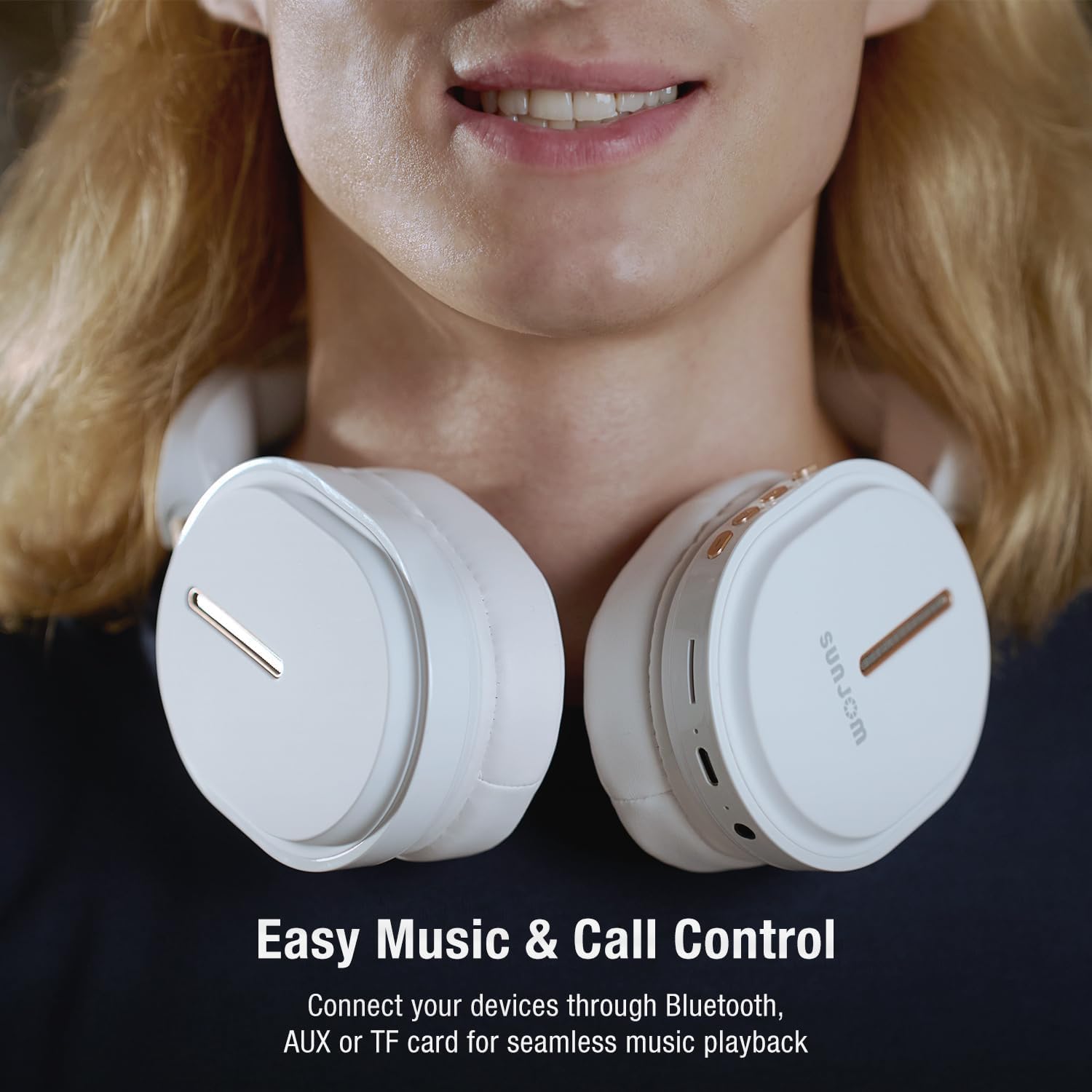
Figure 5: Easy Music and Call Control.
The intuitive controls on the headphones allow for seamless management of your music and calls.
การจัดการการโทร
- รับ/วางสาย: Short press the Play/Pause/Mode Switch button when a call comes in.
- ปฏิเสธสาย: Long press the Play/Pause/Mode Switch button when a call comes in.
- โทรซ้ำหมายเลขล่าสุด: Double press the Play/Pause/Mode Switch button.

Figure 6: Built-in Microphone for Clear Calls.
The integrated microphone ensures clear voice transmission during phone calls and video conferences.
ผู้ช่วยเสียง
- เปิดใช้งาน Voice Assistant: Double press the "Next Track / Volume Up" button to activate your device's voice assistant (e.g., Siri, Google Assistant).
การสลับโหมด
- สลับโหมด: Long press the Play/Pause/Mode Switch button to cycle between Bluetooth, FM Radio, and TF/SD Card playback modes.
การซ่อมบำรุง
- การทำความสะอาด: Use a soft, lint-free cloth to wipe the headphones. Do not use liquids or aerosol cleaners directly on the headphones.
- พื้นที่จัดเก็บ: Store the headphones in a cool, dry place away from direct sunlight and extreme temperatures. When not in use for extended periods, it is recommended to fully charge them every few months to preserve battery life.
- การพับ: The headphones are foldable for easy storage and portability. Fold them carefully to avoid damaging the hinges.

Figure 7: Lightweight and Comfortable Design.
The foldable design enhances portability, making them easy to store and carry.
การแก้ไขปัญหา
| ปัญหา | สาเหตุที่เป็นไปได้ | สารละลาย |
|---|---|---|
| หูฟังไม่สามารถเปิดเครื่องได้ | แบตเตอรี่อ่อน | ชาร์จหูฟังให้เต็ม |
| ไม่สามารถจับคู่ผ่านบลูทูธได้ | หูฟังไม่ได้อยู่ในโหมดจับคู่ อุปกรณ์ Bluetooth ปิดอยู่ ห่างจากอุปกรณ์มากเกินไป | Ensure headphones are in pairing mode (flashing indicator). Turn device Bluetooth off and on. Move headphones closer to device (within 33 feet). |
| ไม่มีเสียงในโหมดบลูทูธ | Volume too low; headphones not connected; incorrect audio output on device. | เพิ่มระดับเสียงหูฟังและอุปกรณ์ เชื่อมต่อหูฟังอีกครั้ง ตรวจสอบการตั้งค่าเอาต์พุตเสียงของอุปกรณ์ |
| การรับสัญญาณวิทยุ FM ไม่ดี | สัญญาณอ่อน; มีสัญญาณรบกวน | เคลื่อนไปยังพื้นที่โล่ง สแกนหาสถานีอีกครั้ง |
| ไมโครโฟนไม่ทำงาน | Microphone muted on device; software issue. | Check device's microphone settings. Restart device. |
ข้อมูลจำเพาะ
| คุณสมบัติ | รายละเอียด |
|---|---|
| ชื่อรุ่น | แรงบันดาลใจ |
| ยี่ห้อ | ซันจอม |
| เทคโนโลยีการเชื่อมต่อ | ไร้สาย (บลูทูธ 5.3), แบบมีสาย (ช่องต่อ AUX 3.5 มม.) |
| ช่วงสาย | สูงถึง 33 ฟุต |
| ขนาดไดร์เวอร์ | ไดรเวอร์ไดนามิกขนาด 40 มม. |
| ช่วงความถี่ | 20 เฮิรตซ์ - 20,000 เฮิรตซ์ |
| อิมพีแดนซ์ | 32 โอห์ม |
| อายุการใช้งานแบตเตอรี่ | Approx. 28 hours playtime |
| พอร์ตชาร์จ | ยูเอสบี-ซี |
| ไมโครโฟนในตัว | ใช่ |
| วิทยุเอฟเอ็ม | Yes (RF range: FM87.5-108MHz) |
| TF/SD Card Support | ใช่ |
| ประเภทการควบคุม | Button, Touch (Voice Assistant) |
| ขนาดสินค้า | 7.48 x 3.35 x 8.07 นิ้ว |
| น้ำหนักสินค้า | 14.1 ออนซ์ (399 กรัม) |

Figure 8: 40mm Dynamic Drivers for Immersive Sound.
The 40mm dynamic drivers are engineered to deliver premium Hi-Fi stereo sound with balanced deep bass.
วิดีโอผลิตภัณฑ์อย่างเป็นทางการ
Video 1: SUNJOM Inspire Bluetooth Headphones Overview.
วิดีโอนี้ให้ภาพที่ชัดเจนview of the SUNJOM Inspire Bluetooth Headphones, showcasing their design, features, and usage scenarios. It highlights key aspects such as comfort, portability, and sound quality.
การรับประกันและการสนับสนุน
SUNJOM products are designed and manufactured to the highest quality standards. For warranty information, technical support, or customer service inquiries, please refer to the contact information provided on the product packaging or visit the official SUNJOM webไซต์ โปรดเก็บใบเสร็จรับเงินไว้เป็นหลักฐานการซื้อ
ผู้ผลิต: ซันจอม