
1. บทนำ
Thank you for choosing the TIATUA Kids Instant Print Camera, Model S10. This camera is designed to provide a fun and interactive photographic experience for children aged 3-14. It combines digital photography with instant printing capabilities, allowing young users to capture and print memories immediately. This manual provides essential information for safe operation, setup, usage, and maintenance of your new camera.
คุณสมบัติหลัก:
- เทคโนโลยีการพิมพ์ทันใจ: Print photos instantly without ink or toner.
- การจับภาพความละเอียดสูง: 12MP lens for clear images and 1080P HD video recording.
- ฟังก์ชั่นอเนกประสงค์: Includes photography, video recording, black and white printing, music playback, games, and playback modes.
- เครื่องมือสร้างสรรค์: Fun frames, filters, and DIY coloring options for printed photos.
- การออกแบบที่ทนทาน: Covered with a protective silicone case to prevent damage from drops and bumps.
- อายุการใช้งานแบตเตอรี่ยาวนาน: Built-in 1000mAh battery provides up to 4 hours of continuous use.
- พื้นที่เก็บข้อมูลที่ขยายได้: Comes with an extra 32GB memory card for ample photo and video storage.
2. ข้อมูลด้านความปลอดภัย
Please read and understand all safety precautions before using the camera. Failure to follow these instructions may result in injury or damage to the device.
- การดูแลผู้ใหญ่: This camera is designed for children, but adult supervision is recommended during use, especially for younger children.
- อันตรายจากการสำลัก: Keep small parts, such as the memory card, out of reach of very young children to prevent choking.
- ความปลอดภัยของแบตเตอรี่: The camera contains a built-in lithium polymer battery. Do not attempt to replace the battery. Do not expose the camera to extreme temperatures, direct sunlight, or fire.
- การชาร์จ: Use only the provided USB charging cable. Ensure the charging port is dry before connecting the cable.
- การสัมผัสน้ำ: This camera is not waterproof. Avoid contact with water or other liquids.
- การทำความสะอาด: Clean the camera with a soft, dry cloth. Do not use liquid cleaners or solvents.
- การกำจัด: Do not dispose of the camera in household waste. Follow local regulations for electronic waste disposal.
3. ส่วนประกอบผลิตภัณฑ์
The TIATUA Kids Instant Print Camera package includes the following items:
- TIATUA Kids Instant Print Camera (Pink)
- 3 Rolls of Thermal Print Paper
- การ์ดหน่วยความจำ 32GB
- สายชาร์จ USB
- สายคล้องคอ
- Set of Color Pens

Image: The TIATUA Kids Instant Print Camera in pink, shown with included accessories: three rolls of thermal paper, a 32GB memory card, a USB charging cable, a lanyard, and a set of five color pens.
4. การตั้งค่า
4.1 การชาร์จกล้อง
Before first use, fully charge the camera. Connect the provided USB charging cable to the camera's charging port and the other end to a USB power adapter (not included), computer, or power bank. The charging indicator light will show the charging status. A full charge typically takes a few hours and provides up to 4 hours of usage time.

Image: The TIATUA Kids Instant Print Camera connected via USB cable to a power source, illustrating the charging process and highlighting the 1000mAh battery capacity and 32GB memory card slot.
4.2 การใส่การ์ดหน่วยความจำ
The camera comes with a 32GB memory card. Locate the memory card slot on the side of the camera. Insert the memory card with the gold contacts facing down until it clicks into place. To remove, gently push the card in until it springs out.
4.3 การใส่กระดาษพิมพ์
The camera uses thermal print paper. Follow these steps to load the paper:
- Open the paper slot cover on the front of the camera.
- Insert a roll of thermal paper into the compartment, ensuring the paper feeds from the bottom and the leading edge is straight.
- Pull a small length of paper (about 1-2 inches) out of the slot.
- ปิดฝาช่องใส่กระดาษให้แน่นจนได้ยินเสียงคลิก
Image: A three-step diagram illustrating how to open the paper slot, insert the thermal paper roll with the correct orientation, and close the cover to prepare for printing.
5. คู่มือการใช้งาน
5.1 เปิด/ปิดเครื่อง
Press and hold the power button (usually marked with a power symbol) for a few seconds to turn the camera on or off.
5.2 การถ่ายภาพ
In photo mode, frame your shot using the 2.4-inch display. Press the shutter button to capture an image. The camera supports continuous shooting and timer shooting.
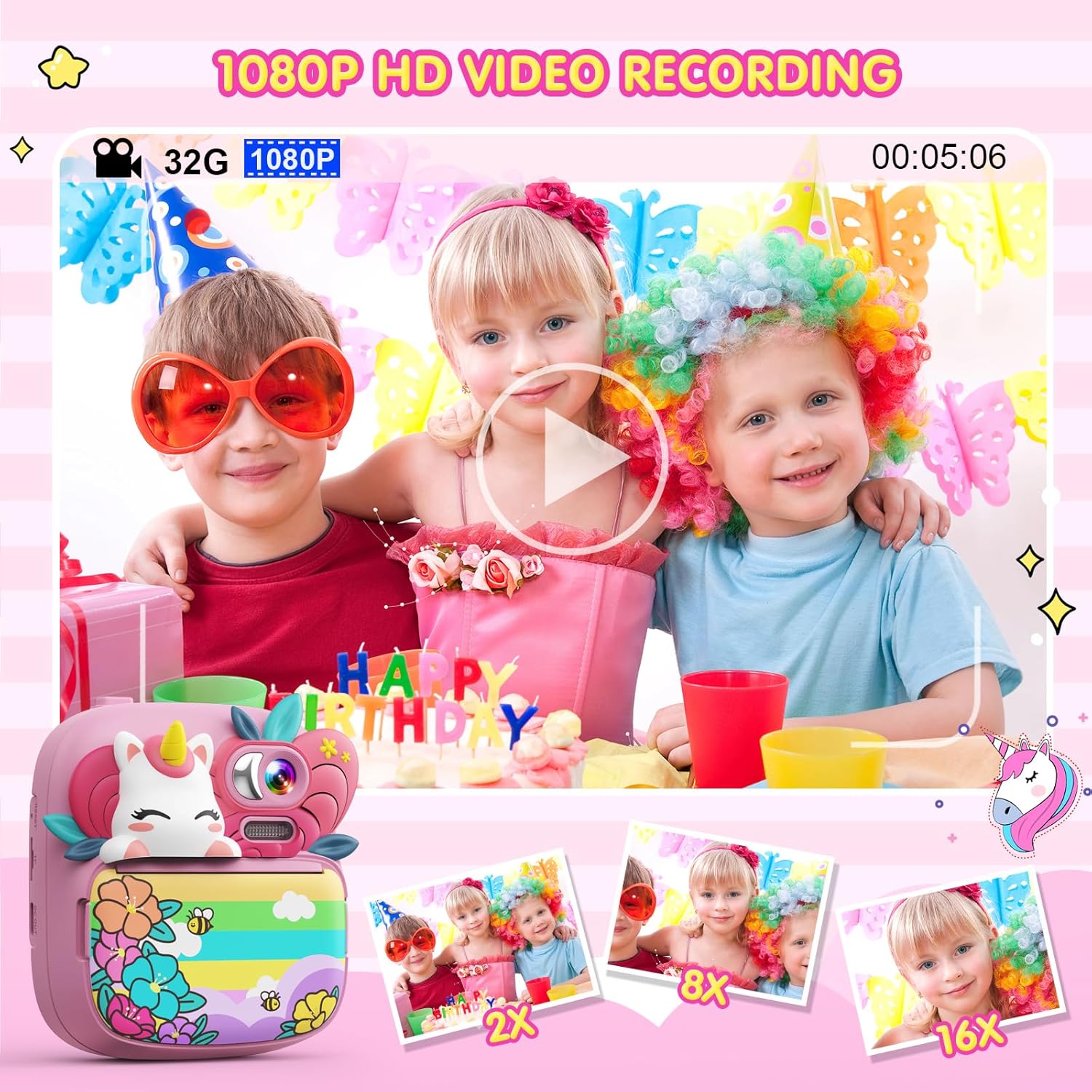
Image: A child holding the TIATUA Kids Instant Print Camera, demonstrating the one-click print photo feature as a black and white photo emerges from the camera.
5.3 การบันทึกวิดีโอ
Switch to video recording mode. Press the record button to start and stop recording. The camera supports 1080P HD video recording.

Image: Three children posing for a video being recorded by the TIATUA Kids Instant Print Camera, highlighting its 1080P HD video recording capability and 16x zoom function.
5.4 การพิมพ์ทันที
After taking a photo, you can choose to print it instantly. The camera uses inkless thermal printing technology. You can also adjust print density (Low, Middle, High) and choose between Grayscale Mode and Dot Matrix Mode for printing.

Image: An illustration showing the two printing modes (Grayscale and Dot Matrix) and three print density options (Low, Middle, High) available on the TIATUA Kids Instant Print Camera.
5.5 คุณสมบัติเชิงสร้างสรรค์
- Photo Frames & Filters: Apply various fun frames and filters to your photos before printing or saving.
- DIY Coloring: Use the included color pens to decorate your black and white printed photos.
- เกม: The camera includes 5 puzzle games for entertainment.
- เครื่องเล่น MP3: The camera supports music playback. Transfer MP3 files to the memory card to use this feature.

Image: A child using the TIATUA Kids Instant Print Camera, with a display of various cute photo frames and color filters that can be applied to images.
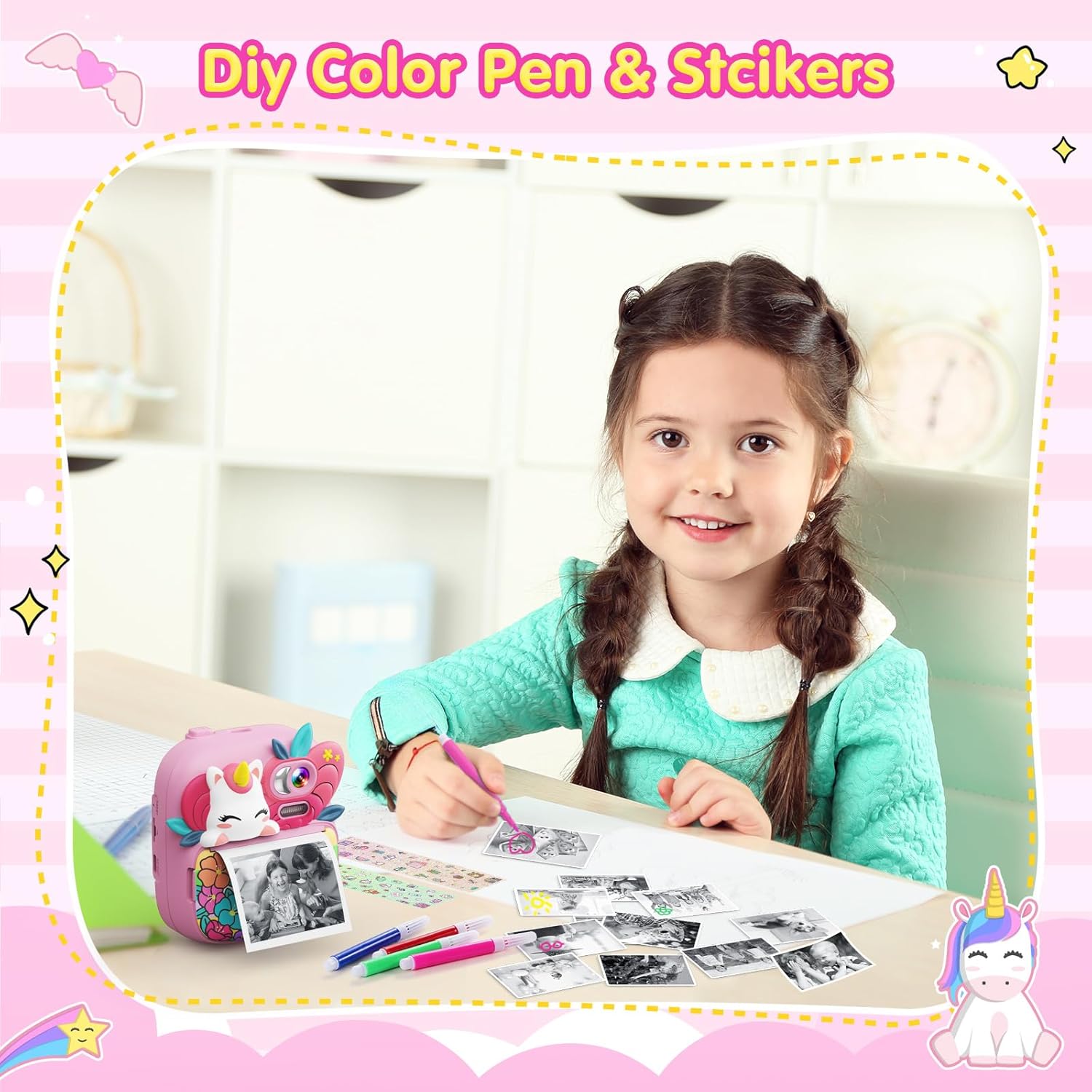
Image: A young girl happily coloring a black and white photo printed from her TIATUA Kids Instant Print Camera, with color pens and stickers laid out.
Image: Two children engaged in playing one of the five built-in puzzle games on the TIATUA Kids Instant Print Camera.
5.6 การโอนย้าย Files
Connect the camera to a computer using the provided USB cable to transfer photos and videos. The camera will appear as a removable disk drive, allowing you to access its contents.
6. การบำรุงรักษา
- การทำความสะอาด: Use a soft, lint-free cloth to clean the camera body and screen. Do not use abrasive cleaners or solvents.
- พื้นที่จัดเก็บ: เก็บกล้องไว้ในที่แห้งและเย็น หลีกเลี่ยงแสงแดดโดยตรงและอุณหภูมิที่สูงหรือต่ำเกินไปเมื่อไม่ได้ใช้งาน
- การดูแลแบตเตอรี่ เพื่อยืดอายุการใช้งานแบตเตอรี่ ควรหลีกเลี่ยงการปล่อยให้แบตเตอรี่หมดจนเกลี้ยงบ่อยๆ ชาร์จกล้องเป็นประจำ แม้ว่าจะไม่ได้ใช้งานเป็นเวลานานก็ตาม
- ที่เก็บเอกสาร: Store thermal paper rolls in a cool, dark place to prevent degradation and ensure print quality.
7 การแก้ไขปัญหา
| ปัญหา | สาเหตุที่เป็นไปได้ | สารละลาย |
|---|---|---|
| กล้องไม่สามารถเปิดได้ | แบตเตอรี่หมด | ชาร์จกล้องให้เต็มโดยใช้สาย USB ที่ให้มา |
| Screen is white or black. | ความผิดพลาดของซอฟต์แวร์หรือปัญหาฮาร์ดแวร์ | Try restarting the camera. If the problem persists, contact customer support. |
| Photos are not printing or print quality is poor. | Paper loaded incorrectly, paper roll empty, or print head issue. | Ensure paper is loaded correctly and not empty. Check print density settings. If issues persist, contact support. |
| ไม่สามารถโอนได้ fileไปที่คอมพิวเตอร์ | USB cable connection issue or camera not recognized. | ตรวจสอบให้แน่ใจว่าสาย USB เชื่อมต่อกับกล้องและคอมพิวเตอร์อย่างแน่นหนาแล้ว ลองใช้พอร์ต USB อื่นดู |
| กล้องหยุดนิ่งหรือไม่ตอบสนอง | Temporary software error. | Press and hold the power button to force a shutdown, then restart the camera. |
8. ข้อมูลจำเพาะ
| คุณสมบัติ | รายละเอียด |
|---|---|
| ชื่อรุ่น | S10 |
| ยี่ห้อ | ไทอาตัว |
| ความละเอียดของเลนส์ | 12 ล้านพิกเซล |
| ความละเอียดวิดีโอ | ความคมชัดระดับ 1080P |
| ขนาดหน้าจอ | 2.4-inch HD Eye-care Screen |
| ซูมออปติคอล | ซูมดิจิตอล 16 เท่า |
| ความจุของแบตเตอรี่ | ลิเธียมโพลิเมอร์ 1000mAh (รวมอยู่ด้วย) |
| ระยะเวลาการใช้งาน | นานถึง 4 ชั่วโมง |
| การ์ดหน่วยความจำ | หน่วยความจำ 32GB (รวมอยู่ด้วย) |
| เทคโนโลยีการพิมพ์ | การพิมพ์ความร้อนแบบไม่ใช้หมึก |
| รองรับ File รูปแบบ | เจพีเจ |
| น้ำหนักสินค้า | 14 ออนซ์ (ประมาณ 397 กรัม) |
| ขนาดแพ็คเกจ | 8.27 x 5.63 x 2.2 นิ้ว |
9. การรับประกันและการสนับสนุน
The TIATUA Kids Instant Print Camera comes with a one-year after-sales maintenance period. For any product-related issues, technical support, or warranty claims, please contact TIATUA customer service through the retailer where you purchased the product or visit the official TIATUA store page on Amazon for further assistance.
สำหรับข้อมูลเพิ่มเติมและการสนับสนุน คุณสามารถเยี่ยมชมได้ที่ TIATUA Store on Amazon.