
Scatach S-Q16-5000
Scatach Q16 5000A Car Jump Starter with Air Compressor Instruction Manual
Brand: Scatach | Model: S-Q16-5000
1. บทนำ
The Scatach Q16 is a versatile portable device designed to provide emergency jump-starting for vehicles, inflate tires, and serve as a power bank for electronic devices. This manual provides essential information for safe and effective use of your Scatach Q16 unit.

Image: Scatach Q16 Jump Starter unit with included accessories.
2. ข้อมูลด้านความปลอดภัย
- โปรดอ่านและทำความเข้าใจคู่มือการใช้งานก่อนใช้งานอุปกรณ์ทุกครั้ง
- Ensure the unit is at least ชาร์จไปแล้ว 70% before attempting to jump-start a vehicle.
- Do not run the air compressor for more than ต่อเนื่อง 20 นาที. Allow the unit to cool down for at least 10 minutes after 20 minutes of use.
- Connect jumper cables correctly: Red to positive (+), Black to negative (-). Incorrect connection may cause damage or injury.
- Remove jumper cables from the unit immediately after jump-starting the vehicle.
- เก็บอุปกรณ์ให้ห่างจากเด็ก
- เก็บไว้ในที่แห้งและเย็น

Image: The Scatach Q16 unit highlighting its 9 integrated safety protections.
3. สินค้าหมดview
The Scatach Q16 is a powerful 5000A car jump starter and a 150PSI air compressor, designed for emergency roadside assistance and convenience. It features a large LED display for easy monitoring of pressure and battery status. The unit also includes a 3-mode LED flashlight and serves as a portable power bank.

Image: Close-up of the Scatach Q16's high-definition LED display showing battery percentage and PSI readings.
4. เนื้อหาบรรจุภัณฑ์
- Scatach Q16 Jump Starter with Air Compressor Unit
- สายจัมเปอร์อัจฉริยะ (สีแดงและสีดำ)amps)
- ท่อยางคอมเพรสเซอร์แอร์
- อะแดปเตอร์หัวฉีดแบบต่างๆ (สำหรับลูกบอล จักรยาน ฯลฯ)
- สายชาร์จ USB-C
- กระเป๋าใส่อุปกรณ์
5. การตั้งค่าและการชาร์จ
การชาร์จครั้งแรก:
Before first use, fully charge the Scatach Q16 unit using the provided USB-C charging cable. The LED display will indicate the charging progress.
การชาร์จไฟ:
After each use, especially after jump-starting a vehicle, recharge the unit to ensure it's ready for the next emergency. The unit features USB-C input for convenient charging.
6. คู่มือการใช้งาน
6.1. การสตาร์ทเครื่องยนต์ด้วยจั๊มพ์สตาร์ท
Ensure the Scatach Q16 unit has at least ชาร์จแบตเตอรี่ 70% before attempting to jump-start.
- Open the orange weather-proof cover on the unit and firmly plug in the smart jumper cables.
- เชื่อมต่อ สีแดง (+) clamp ต่อเข้ากับขั้วบวกของแบตเตอรี่รถยนต์
- เชื่อมต่อ สีดำ (-) clamp ต่อเข้ากับขั้วลบของแบตเตอรี่รถยนต์
- The LED indicator on the smart jumper cables will turn solid green when correctly connected and ready.
- สตาร์ทเครื่องยนต์รถของคุณ
- Once the vehicle starts, immediately disconnect the jumper cables from the Scatach Q16 unit, then from the vehicle battery terminals.

Image: The Scatach Q16 unit with jumper cables connected to a car battery.
6.2. การใช้เครื่องอัดอากาศ
- Screw the air compressor hose firmly into the designated port on the Scatach Q16 unit. Ensure a tight seal to prevent air leakage.
- Attach the appropriate nozzle adapter to the hose if inflating items other than standard car tires.
- Press and hold the power button to turn on the unit. The LED display will activate.
- Use the 'Mode' button to select the desired inflation mode (Car, Bike, Motorcycle, Ball).
- Use the '+' and '-' buttons to set the target PSI. The unit features an auto-shutoff function once the target PSI is reached.
- Press the 'Go' button (usually the power button again) to start inflation.
- สำคัญ: Do not operate the compressor for more than 20 minutes continuously. Allow it to cool down for 10 minutes before resuming use.

Image: The Scatach Q16 unit connected to a car tire, demonstrating its inflation capability.
6.3. ฟังก์ชั่นไฟฉาย LED
The Scatach Q16 features a 400-lumen LED flashlight with 3 modes:
- แสงที่เป็นของแข็ง: สำหรับให้แสงสว่างทั่วไป
- ไฟสีแดงกะพริบ: For emergency signaling or as a hazard light.
- Fast Blinking Red Light (SOS): เพื่อส่งสัญญาณขอความช่วยเหลือ
Press the 'Light' button to cycle through the modes. Press and hold to turn off.
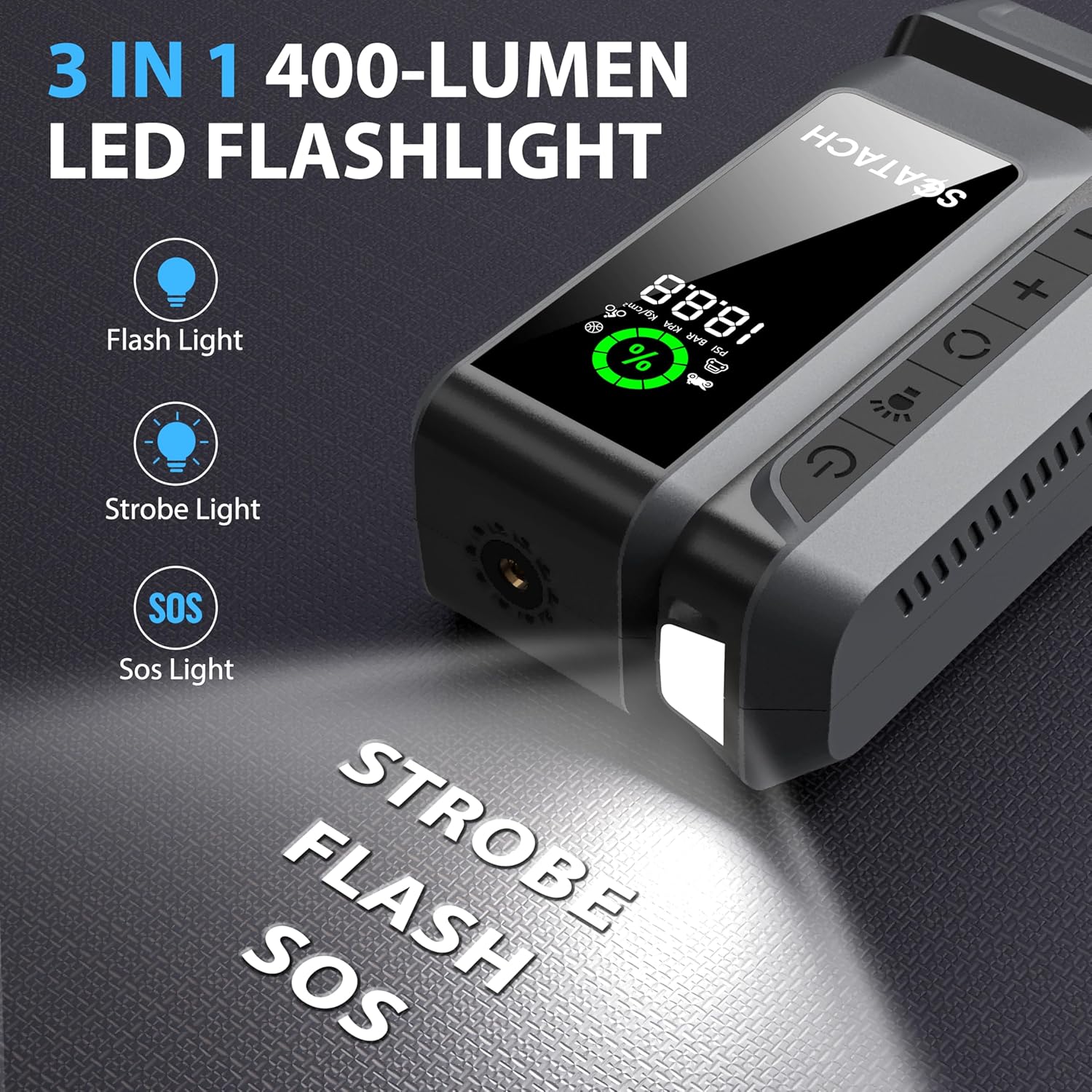
Image: The Scatach Q16 unit displaying its 3-mode LED flashlight feature.
6.4. พาวเวอร์แบงค์แบบพกพา
The unit is equipped with USB-A and USB-C output ports to charge your mobile devices, flashlights, and other USB-chargeable electronics.
- Connect your device's charging cable to the appropriate USB output port (USB-A or USB-C).
- เครื่องจะเริ่มชาร์จอุปกรณ์ของคุณโดยอัตโนมัติ

Image: The Scatach Q16 unit acting as a portable power bank, charging a smartphone and wireless earbuds.
7. การบำรุงรักษา
- Always keep the unit charged, especially after use, to ensure readiness for emergencies.
- Store the device and its accessories in the provided carrying case in a cool, dry place.
- Regularly check the unit's charge level, particularly if stored for extended periods.
8 การแก้ไขปัญหา
| ปัญหา | สาเหตุที่เป็นไปได้ | สารละลาย |
|---|---|---|
| เครื่องไม่เปิด | Low battery or unit is off. | ชาร์จเครื่อง กดปุ่มเปิด/ปิดค้างไว้สองสามวินาที |
| รถสตาร์ทไม่ติดเพราะใช้สายพ่วงแบตเตอรี่ | Insufficient battery charge, incorrect cable connection, or severely dead battery. | Ensure unit is >70% charged. Check cable connections (Red to +, Black to -). If battery is severely dead, allow a few minutes for the unit to transfer some charge before attempting to start. |
| เครื่องอัดอากาศไม่ทำงาน | Hose not securely attached, incorrect PSI setting, or unit overheated. | Ensure air hose is tightly screwed in. Verify PSI setting. If used for >20 mins, allow to cool. |
9. ข้อมูลจำเพาะ
- ยี่ห้อ: Scatach
- แบบอย่าง: S-Q16-5000
- Ampอายุ: 5000 Ampพูด)
- แรงดันลมของเครื่องอัดอากาศ: แรงดัน 150 ปอนด์/ตารางนิ้ว
- ขนาดสินค้า : ลึก 5 นิ้ว x กว้าง 5 นิ้ว x สูง 5 นิ้ว
- น้ำหนักสินค้า: 1.65 ปอนด์ (0.75 กิโลกรัม)
- ประเภทแบตเตอรี่: ลิเธียมโพลิเมอร์ (ต้องใช้ 1 อัน รวมอยู่ด้วย)
- เอาท์พุต USB: USB-A, USB-C (for charging devices)
- ไฟฉาย LED: 3 Modes (Solid, Blinking Red, Fast Blinking Red)
10. การรับประกันและการสนับสนุน
The Scatach Q16 comes with การสนับสนุนทางเทคนิค 24 เดือน. For any questions or concerns, please contact our dedicated customer service team.
Ask a question about this manual
Ask about setup, troubleshooting, compatibility, parts, safety, or missing instructions. Manuals+ will review the question and use this page’s manual context to help answer it.