
การแนะนำ
This manual provides detailed instructions for the installation, operation, and maintenance of your GENBOLT GB-PTZ-4G-Indoor 3G/4G LTE Security Camera. Please read this manual thoroughly before using the product to ensure proper functionality and safety.
The GENBOLT GB-PTZ-4G-Indoor camera is designed for indoor security, offering 2.5K resolution, 3G/4G LTE connectivity, human detection, auto-tracking, two-way audio, and color night vision. It is ideal for monitoring pets, babies, or general indoor spaces where Wi-Fi may not be available.
สินค้าเกินview
เนื้อหาแพ็คเกจ
โดยทั่วไปแพ็คเกจจะประกอบด้วยรายการต่อไปนี้:
- GENBOLT GB-PTZ-4G-Indoor Camera
- Power Adapter (USB 5V/1A)
- สายเคเบิลเครือข่าย
- Mounting Brackets (Bracket 1, Bracket 2)
- สกรู
- คู่มือการใช้งาน

คุณสมบัติหลัก
- 3G/4G LTE & Wired Connectivity: Operates without Wi-Fi, using a 3G/4G LTE SIM card or an Ethernet cable.
- 2.5K Resolution & Color Night Vision: ให้ภาพวิดีโอที่คมชัดtage day and night, with enhanced color night vision capabilities.
- ระบบตรวจจับและติดตามมนุษย์อัตโนมัติ: Intelligently identifies human motion and automatically tracks the subject within its field of view.
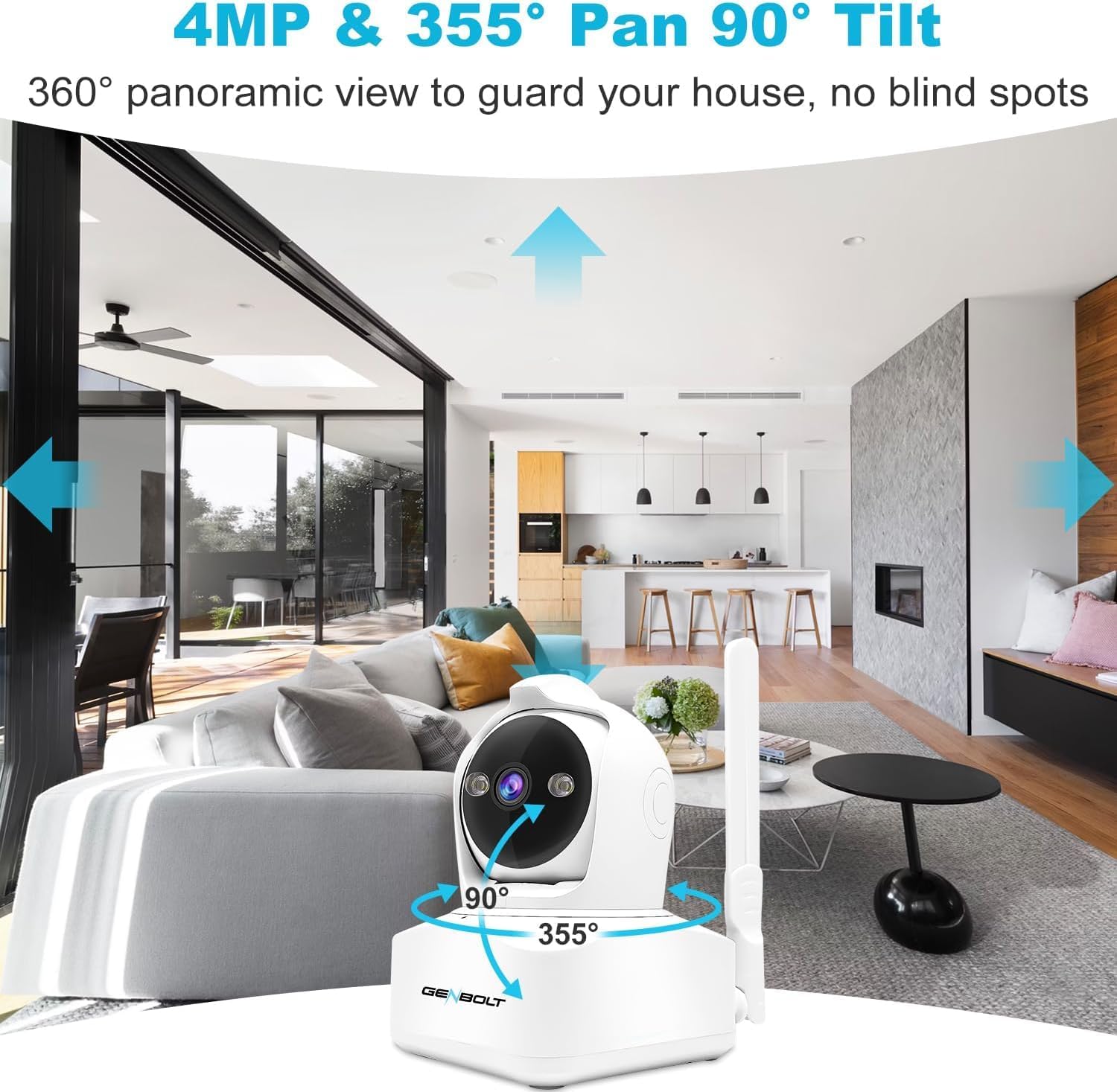
- 360 °พาโนรามา View (Pan/Tilt/Zoom): Offers 355° horizontal pan and 90° vertical tilt for comprehensive coverage, with 4x digital zoom.
- เสียงสองทาง: มีไมโครโฟนและลำโพงในตัวสำหรับการสื่อสารแบบเรียลไทม์
- Active Alarm Siren & Light Defense: Deters intruders with an audible siren and flashing lights upon detection.
- การเข้าถึงระยะไกล: Monitor and control the camera via a smartphone app.
คำแนะนำการตั้งค่า
1. SIM Card Installation (for 3G/4G LTE connectivity)
- Locate the SIM card slot on the camera. Refer to Figure 1 for component identification.
- Insert a compatible 3G/4G LTE SIM card into the slot. Ensure the SIM card is activated and has data.
- The camera will attempt to connect to the cellular network automatically.
บันทึก: This camera is not battery-powered and requires a wired power connection. It does not support Wi-Fi connectivity.

2. การเชื่อมต่อไฟฟ้า
- Connect the provided USB power adapter to the camera's USB power port.
- เสียบอะแดปเตอร์เข้ากับเต้ารับไฟฟ้ามาตรฐาน
- กล้องจะเปิดเครื่องและเริ่มลำดับการเริ่มต้นระบบ
3. ดาวน์โหลดแอปและการจับคู่
- Download the official GENBOLT app from your smartphone's app store (compatible with Android and likely iOS).
- สร้างบัญชีหรือเข้าสู่ระบบหากคุณมีบัญชีอยู่แล้ว
- ทำตามคำแนะนำในแอปเพื่อเพิ่มกล้องตัวใหม่ของคุณ โดยปกติแล้วจะต้องสแกนคิวอาร์โค้ดบนกล้องหรือป้อนรหัสประจำตัวของกล้องด้วยตนเอง
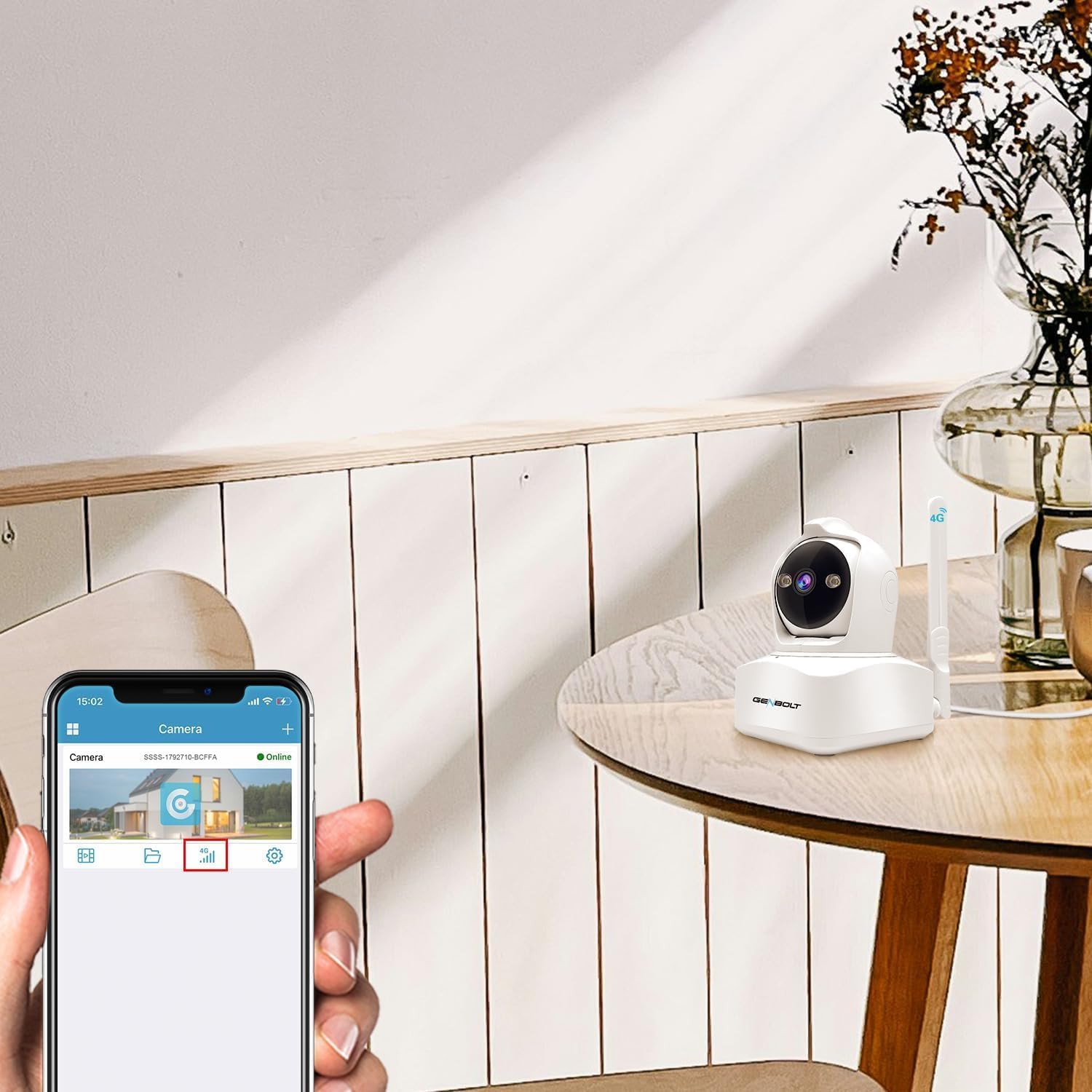
- Once paired, you should see the camera listed as "Online" in the app.
4. การติดตั้งกล้อง
The camera can be mounted on a wall, ceiling, or placed on a table. Use the provided brackets and screws for secure installation.
- ตำแหน่งตาราง: เพียงวางกล้องบนพื้นผิวเรียบและมั่นคง
- การติดตั้งบนผนัง/เพดาน:
- เลือกสถานที่ที่เหมาะสมเพื่อให้ได้ผลลัพธ์ที่ดีที่สุด viewการไอเอ็นจี
- Attach the desired mounting bracket to the camera.
- Mark the drill holes on the wall or ceiling using the bracket as a template.
- Drill pilot holes and secure the bracket using the provided screws.
- Attach the camera with the bracket to the secured mounting point.

คำแนะนำการใช้งาน
1. สด View และการควบคุมแพน/เอียง
- Open the GENBOLT app and select your camera to view ฟีดสด
- Use the on-screen controls to pan (355° horizontal) and tilt (90° vertical) the camera lens for a 360° panoramic view.
- Pinch to zoom in/out (4x digital zoom) on the live feed.
2. Human Detection and Auto Tracking
- In the app settings, navigate to "Detection Settings".
- Enable "Human Detection" to allow the camera to distinguish human shapes from other movements.
- Activate "Auto Tracking" to make the camera follow detected human subjects.
- You can define specific detection zones (1-4 areas) to minimize false alarms.

3. เสียงสองทาง
- ขณะถ่ายทอดสด viewแตะไอคอนไมโครโฟนในแอปเพื่อพูดผ่านลำโพงของกล้อง
- The camera's built-in microphone will capture audio from the environment, allowing you to hear through the app.
4. Active Alarm and Notifications
- Configure alarm settings in the app to enable the siren and flashing lights upon motion detection.
- Customize the alarm sound if desired.
- Ensure push notifications are enabled in your phone's settings and the GENBOLT app to receive alerts when motion is detected.

5. โหมดการมองเห็นตอนกลางคืน
- The camera supports both standard IR night vision and 2.5K color night vision.
- In the app, you can select between "Normal" (IR), "Color", or "Auto" mode for night vision. "Auto" mode will switch between IR and color based on ambient light conditions.

6. Data Management (for 4G SIM)
- The GENBOLT app allows you to monitor and recharge your 4G data plan directly.
- The camera utilizes a smart algorithm to optimize data usage for surveillance.
การซ่อมบำรุง
- การทำความสะอาด: ใช้ผ้านุ่มและแห้งเช็ดเลนส์และตัวกล้อง หลีกเลี่ยงน้ำยาทำความสะอาดหรือสารละลายที่มีฤทธิ์กัดกร่อน
- อัพเดตเฟิร์มแวร์: Regularly check the GENBOLT app for available firmware updates to ensure optimal performance and security.
- พื้นที่จัดเก็บ: If using a TF card (not included), ensure it is properly inserted and has sufficient storage space. Back up important recordings regularly.
- แหล่งจ่ายไฟ: ตรวจสอบให้แน่ใจว่ากล้องเชื่อมต่อกับแหล่งจ่ายไฟที่เสถียรแล้ว
การแก้ไขปัญหา
| ปัญหา | สาเหตุที่เป็นไปได้ | สารละลาย |
|---|---|---|
| กล้องไม่เปิดเครื่อง | ไม่มีไฟเข้า อะแดปเตอร์เสีย การเชื่อมต่อหลวม | Check power outlet, ensure adapter is securely connected to camera and outlet. Try a different outlet. |
| No 3G/4G LTE connection | SIM card not inserted correctly, no data plan, poor signal, incompatible SIM. | Reinsert SIM card, check data plan status, move camera to an area with better cellular coverage. Ensure SIM card is compatible with the camera and local networks. |
| ไม่สามารถเชื่อมต่อกับแอพได้ | Incorrect pairing process, app issues, camera offline. | Ensure camera is powered on and has network connection. Re-attempt pairing process. Restart the app or reinstall it. |
| สัญญาณเตือนที่ผิดพลาด | Sensitive detection settings, environmental factors. | ปรับความไวในการตรวจจับในแอป กำหนดโซนการตรวจจับเฉพาะเพื่อยกเว้นพื้นที่ที่ไม่เกี่ยวข้อง |
| คุณภาพวิดีโอไม่ดี | Dirty lens, poor network signal, low light. | Clean the camera lens. Ensure strong 3G/4G LTE signal. Adjust night vision settings if applicable. |
ข้อมูลจำเพาะ
| คุณสมบัติ | รายละเอียด |
|---|---|
| ยี่ห้อ | เจนโบลท์ |
| แบบอย่าง | GB-PTZ-4G-Indoor |
| ข้อแนะนำการใช้ | การรักษาความปลอดภัยในร่ม |
| เทคโนโลยีการเชื่อมต่อ | 3G/4G LTE Cellular, Wired LAN (Ethernet) |
| คุณสมบัติพิเศษ | 2-Way Audio, Human Detection, Auto Tracking, Color Night Vision, Active Alarm Siren & Light |
| การใช้งานในร่ม/กลางแจ้ง | ในร่ม |
| อุปกรณ์ที่รองรับ | สมาร์ทโฟน (Android, iOS) |
| แหล่งพลังงาน | Corded Electric (USB 5V/1A) |
| ประเภทการติดตั้ง | ผนัง เพดาน โต๊ะ |
| ช่วงแพน/เอียง | แพน 355° เอียง 90° |
| ซูมดิจิตอล | 4x |
การรับประกันและการสนับสนุน
For warranty information and technical support, please refer to the official GENBOLT website or contact their customer service directly. Contact details are usually provided on the product packaging or within the GENBOLT app.
You can visit the GENBOLT store on Amazon for more products and support: GENBOLT Amazon Store.