
การแนะนำ
This manual provides comprehensive instructions for the ASWEE P4 Smart Watch, a versatile fitness tracker with call capabilities, a 1.85" TFT display, and various health monitoring features. Please read this manual thoroughly before using your device.
มีอะไรอยู่ในกล่อง
- ASWEE P4 Smart Watch
- สายชาร์จ
- คู่มือการใช้งาน
สินค้าเกินview
The ASWEE P4 Smart Watch features a rectangular 1.85-inch TFT-LCD display with a 240x280 resolution. It includes a physical button on the side for navigation and interaction. The watch is designed for comfortable wear and easy access to its functions.
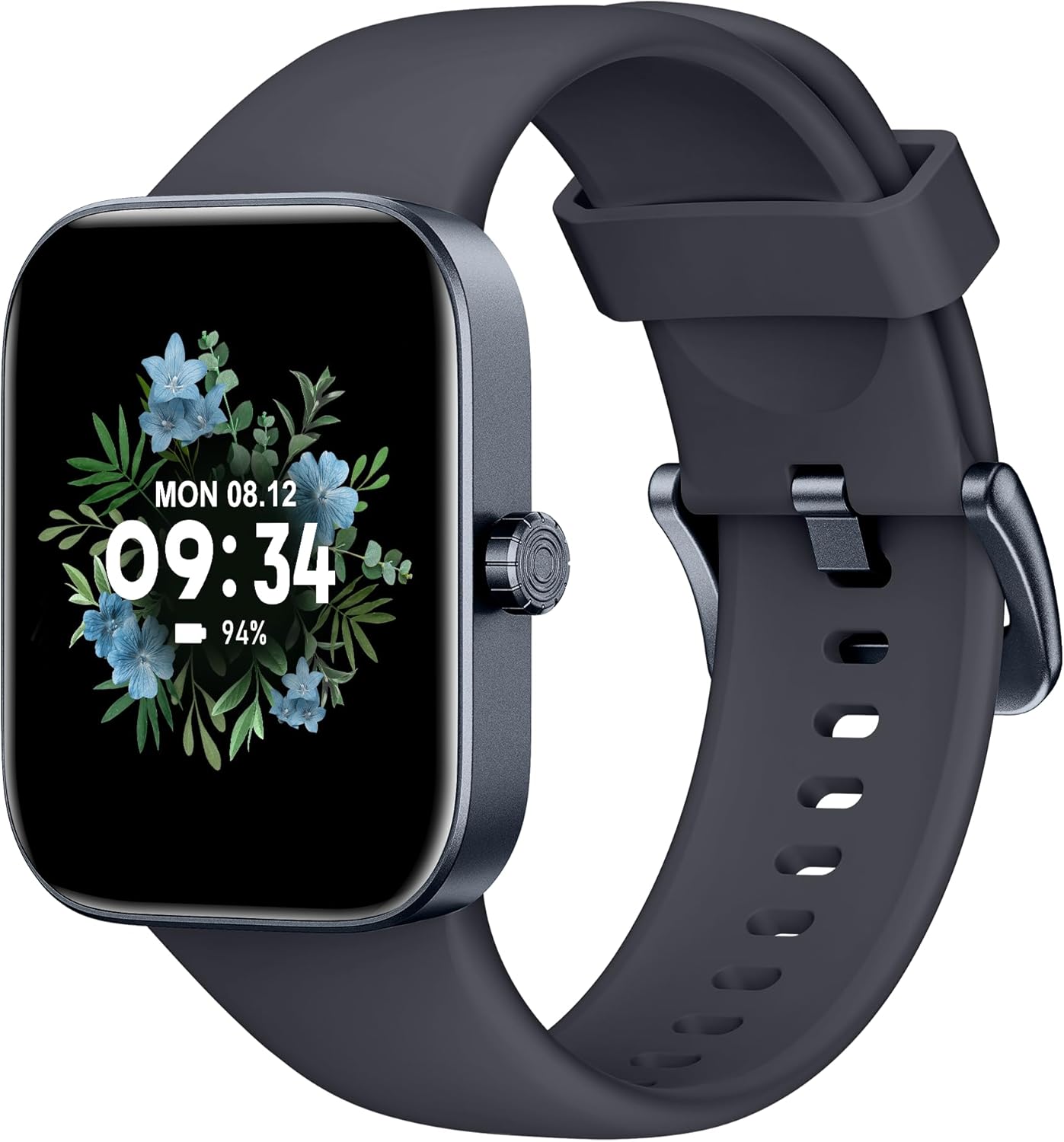
ด้านหน้า view of the ASWEE P4 Smart Watch, displaying time and date with a floral background.
การตั้งค่า
การชาร์จอุปกรณ์
The ASWEE P4 Smart Watch comes with a magnetic charging cable. Align the magnetic end of the cable with the charging contacts on the back of the watch. The watch will indicate when it is charging. A full charge typically takes approximately 2 hours and provides up to 7 days of active use or 15 days on standby.

Illustration showing the magnetic charging cable connected to the back of the ASWEE P4 Smart Watch, highlighting battery life indicators.
การติดตั้งและจับคู่แอพ
To utilize all features of your ASWEE P4 Smart Watch, you need to download and install the "FitPro" application on your smartphone. Scan the QR code provided in the watch's packaging or search for "FitPro" in your device's app store.
จับคู่กับ iPhone
Follow these steps to pair your watch with an iPhone:
- ตรวจสอบให้แน่ใจว่าเปิดใช้งาน Bluetooth บน iPhone ของคุณ
- Open the "FitPro" app.
- Navigate to "Setting" and then "Bind device".
- Select your watch (e.g., KM13Pro) from the scan results.
- Confirm the pairing request by clicking "Pair" and then "Allow" for notifications.
- Go to your iPhone's Bluetooth settings and connect to "KM13Pro Audio" for call functionality.
Video tutorial demonstrating how to bind the ASWEE P4 Smart Watch to an iPhone and how to unbind it.
Pairing with Android Phone
Follow these steps to pair your watch with an Android phone:
- ตรวจสอบให้แน่ใจว่าได้เปิดใช้งานบลูทูธบนโทรศัพท์ Android ของคุณแล้ว
- Open the "FitPro" app.
- Navigate to "Set" and then "Bind device".
- Select your watch (e.g., KM13Pro) from the scan results.
- Confirm the pairing request by clicking "Pair".
Video tutorial demonstrating how to bind the ASWEE P4 Smart Watch to an Android phone and how to unbind it.
คำแนะนำการใช้งาน
การนำทางพื้นฐาน
The watch features a touch-sensitive screen for navigation. Swipe left/right or up/down to access different functions and menus. The side button typically serves as a home or back button.
Call and Text Functionality
With its built-in speaker and microphone, the ASWEE P4 allows you to answer/dial calls directly from your wrist when connected via Bluetooth. You can also receive SMS text and SNS messages (Facebook, Twitter, WhatsApp, etc.) with vibration alerts.

Image showing the ASWEE P4 Smart Watch on a wrist, with notification icons for various messaging apps, indicating Bluetooth 5.0 connectivity for calls and texts.
การติดตามสุขภาพ
นาฬิกาเรือนนี้มีระบบตรวจสอบสุขภาพแบบครบวงจร:
- อัตราการเต้นของหัวใจ: 24-hour tracking with a high-precision PPG sensor. Stores 7 days of resting heart rate data.
- ออกซิเจนในเลือด: Measures SpO2 levels using a reflective-light based sensor.
- การติดตามการนอนหลับ: Tracks sleep quality through Awake, Light, and Deep sleep stages, helping to improve sleep duration and quality.
- การติดตามความเครียด: ให้ข้อมูลเชิงลึกเกี่ยวกับระดับความเครียด

Image illustrating the ASWEE P4 Smart Watch's 24-hour data tracking capabilities, including heart rate, stress level, and blood oxygen monitoring.

Image depicting the ASWEE P4 Smart Watch's sleep health assistant feature, showing sleep duration and patterns.
โหมดฟิตเนส
The ASWEE P4 supports multiple workout modes, including running, bike riding, basketball, and tennis. It accurately monitors data points like heart rate, time, and calories burned to enhance workout efficiency.

แสดงรูปภาพasing the ASWEE P4 Smart Watch's various sports modes, including running, bike riding, basketball, and jumping jack, with activity data like steps, distance, and calories.
การปรับแต่ง
Choose from over 100 stylish watch faces or create your own using photos from your phone gallery.
การซ่อมบำรุง
การทำความสะอาด
ทำความสะอาดนาฬิกาและสายนาฬิกาของคุณเป็นประจำด้วยผ้านุ่มๆamp ผ้า. หลีกเลี่ยงการใช้สารเคมีรุนแรงหรือวัสดุกัดกร่อน
พื้นที่จัดเก็บ
ควรเก็บนาฬิกาไว้ในที่แห้งและเย็นเมื่อไม่ได้ใช้งาน
การแก้ไขปัญหา
นาฬิกาไม่เปิด
- ตรวจสอบให้แน่ใจว่านาฬิกาชาร์จเต็มแล้ว เสียบนาฬิกาเข้ากับสายชาร์จและแหล่งจ่ายไฟอย่างน้อย 30 นาที
ปัญหาการจับคู่
- ตรวจสอบให้แน่ใจว่าได้เปิดใช้งานบลูทูธบนโทรศัพท์ของคุณแล้ว และนาฬิกาอยู่ในระยะที่สามารถใช้งานได้
- รีสตาร์ททั้งโทรศัพท์และนาฬิกาของคุณ
- If previously paired, try "forgetting" the device in your phone's Bluetooth settings and re-pairing through the FitPro app.
- Ensure the FitPro app has necessary permissions (Bluetooth, location).
ข้อมูลสุขภาพที่ไม่ถูกต้อง
- ตรวจสอบให้แน่ใจว่าสวมนาฬิกาให้พอดีกับข้อมือ ไม่แน่นหรือหลวมเกินไป
- ทำความสะอาดเซ็นเซอร์ที่ด้านหลังของนาฬิกา
- Environmental factors and individual physiology can affect readings.
การแจ้งเตือนไม่ปรากฏ
- Check app permissions for FitPro to ensure it can access notifications.
- Verify that notification push settings are enabled within the FitPro app for desired applications.
- ตรวจสอบให้แน่ใจว่านาฬิกาเชื่อมต่อกับโทรศัพท์ของคุณผ่านบลูทูธ
ข้อมูลจำเพาะ
| คุณสมบัติ | รายละเอียด |
|---|---|
| ชื่อรุ่น | P4 |
| ยี่ห้อ | สวัสดี |
| ขนาดหน้าจอ | 1.85 นิ้ว |
| เทคโนโลยีการแสดงผล | จอแสดงผล TFT-LCD |
| ปณิธาน | 240 x 280 PPI |
| ระบบปฏิบัติการ | แวร์โอเอส |
| การเชื่อมต่อ | บลูทูธ 5.3 |
| ความต้านทานต่อน้ำ | IP68, 5 ATM |
| อายุการใช้งานแบตเตอรี่ (การใช้งานทั่วไป) | นานถึง 7 วัน |
| เวลาสแตนด์บาย | นานถึง 15 วัน |
| เวลาในการชาร์จ | ประมาณ 2 ชั่วโมง |
| คุณสมบัติพิเศษ | Fitness Tracker, Sleep Monitor, Reminders, Multimedia control, Answer/Dial Call, Heart Rate Monitor, Blood Oxygen Monitor, Stress Monitor |
| น้ำหนักสินค้า | 2.89 ออนซ์ |
หมายเหตุ: ข้อมูลจำเพาะอาจมีการเปลี่ยนแปลงได้โดยไม่ต้องแจ้งให้ทราบล่วงหน้า
การรับประกันและการสนับสนุน
For warranty information and technical support, please refer to the official ASWEE webหรือติดต่อฝ่ายบริการลูกค้า เก็บใบเสร็จรับเงินไว้เป็นหลักฐานการซื้อ