
MYZONE MZ-20
MYZONE MZ-20 Bluetooth Digital Bathroom Scale User Manual
รุ่น : MZ-20
การแนะนำ
This manual provides essential information for the safe and effective use of your MYZONE MZ-20 Bluetooth Digital Bathroom Scale. Please read these instructions thoroughly before use and retain for future reference.
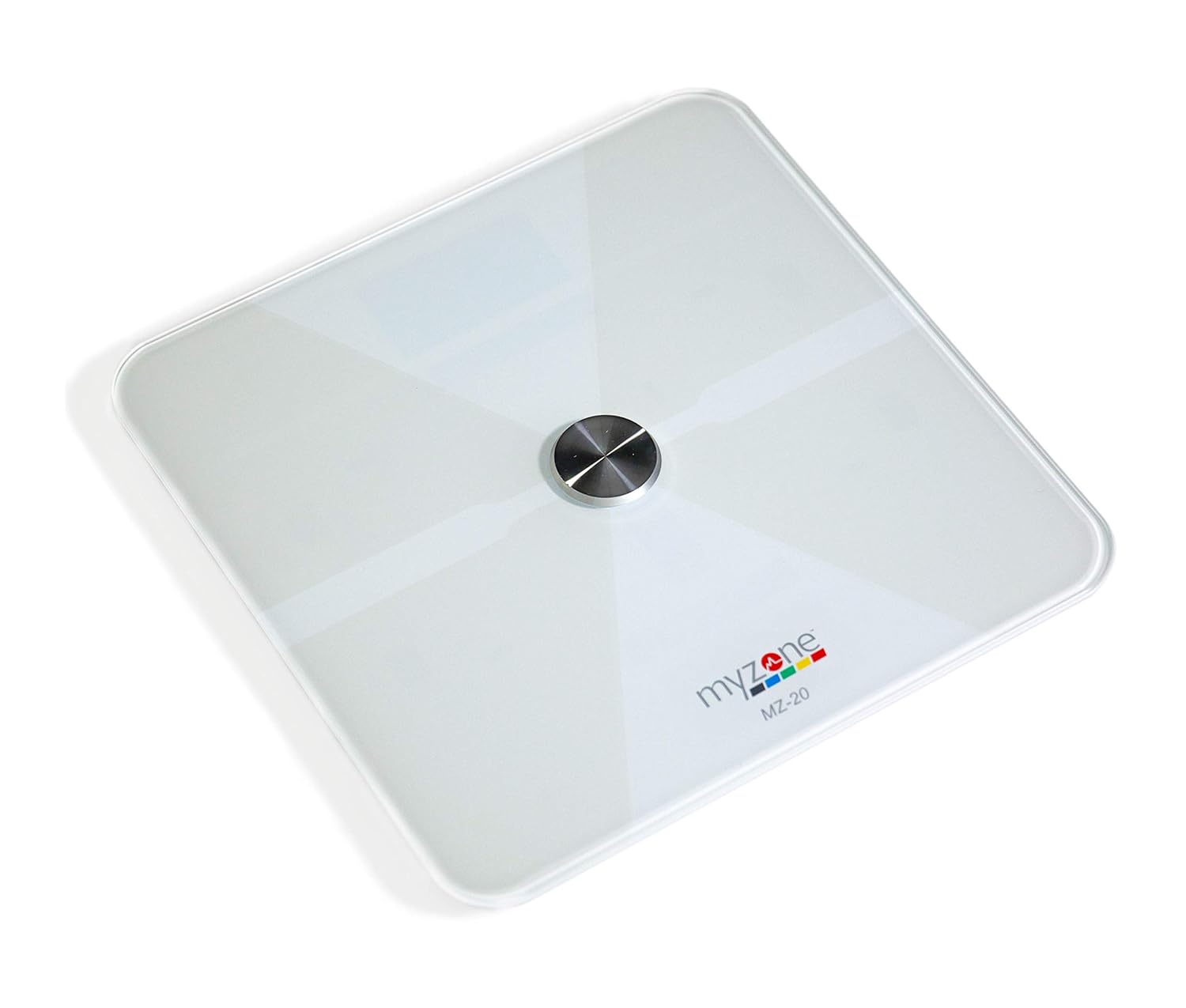
ภาพ: จากบนลงล่าง view of the MYZONE MZ-20 Digital Bathroom Scale, white with a central metallic sensor and MYZONE logo.
ข้อมูลด้านความปลอดภัยที่สำคัญ
- ห้ามใช้หากคุณมีเครื่องกระตุ้นหัวใจหรืออุปกรณ์ทางการแพทย์ภายในร่างกายอื่นๆ
- อย่าใช้หากคุณกำลังตั้งครรภ์
- วางเครื่องชั่งบนพื้นผิวที่แข็งและเรียบเสมอเพื่อการวัดที่แม่นยำ
- Keep the scale dry. Do not immerse in water.
- The glass surface can be slippery when wet. Step on and off carefully.
- This device is for home use only and should not be used for medical diagnosis or treatment.
เนื้อหาแพ็คเกจ
- MYZONE MZ-20 Digital Bathroom Scale
- แบตเตอรี่ AAA 4 ก้อน (รวมอยู่ด้วย)
- คู่มือการใช้งาน (เอกสารนี้)
การตั้งค่า
1. การติดตั้งแบตเตอรี่
- เปิดช่องใส่แบตเตอรี่ที่ด้านล่างของเครื่องชั่ง
- ใส่แบตเตอรี่ AAA 4 ก้อน โดยตรวจสอบให้แน่ใจว่าขั้วถูกต้อง (+/-)
- ปิดช่องใส่แบตเตอรี่ให้แน่น
2. ดาวน์โหลดแอปและการจับคู่
To utilize the full features of the MZ-20 scale, including body composition analysis and progress tracking, download the MYZONE app on your mobile device.
- Download the "MYZONE" app from your device's app store (iOS or Android).
- Create an account or log in to your existing MYZONE account.
- เปิดใช้งานบลูทูธบนอุปกรณ์เคลื่อนที่ของคุณ
- Open the MYZONE app and navigate to the device pairing section.
- Step onto the scale to activate it. The scale will automatically attempt to pair with the app via Bluetooth Low Energy (BLE).
- ทำตามคำแนะนำบนหน้าจอในแอปเพื่อทำการจับคู่ให้เสร็จสมบูรณ์
3. การสอบเทียบเบื้องต้น
For the most accurate readings, it is recommended to perform an initial calibration. Place the scale on a hard, flat surface. Step on the scale briefly until a reading appears, then step off. The scale will display "0.0" or similar, indicating it is ready for use. Some users may observe slight variations in initial readings which stabilize after a few uses.
คำแนะนำการใช้งาน
1. การวัดผล
- วางเครื่องชั่งบนพื้นผิวที่แข็งและเรียบ
- ตรวจสอบให้แน่ใจว่าเท้าของคุณสะอาดและแห้ง
- Step onto the scale barefoot, centering your feet on the metallic pads. Stand still until the display shows your weight.
- If connected to the MYZONE app, open the app before stepping on the scale. Your measurements (weight, body fat, muscle mass, body water, bone mass, Basal Metabolic Rate) will automatically sync to the app.

Image: A person stands barefoot on the MYZONE MZ-20 scale, demonstrating how to take a measurement. An overlay graphic illustrates the various body metrics recorded, including weight, body fat, muscle mass, and visceral fat.
2. Understanding Body Metrics
The MZ-20 scale provides comprehensive tracking of various physical characteristics:
- น้ำหนัก: มวลร่างกายรวมของคุณ
- เปอร์เซ็นต์ไขมันในร่างกาย: เปอร์เซ็นต์tagไขมันคิดเป็นร้อยละ 1 ของน้ำหนักตัวทั้งหมดของคุณ
- มวลกล้ามเนื้อ: น้ำหนักรวมของกล้ามเนื้อในร่างกายของคุณ
- น้ำในร่างกาย%: เปอร์เซ็นต์tagร้อยละ 1 ของน้ำหนักตัวทั้งหมดของคุณคือน้ำ
- มวลกระดูก: น้ำหนักรวมของกระดูกในร่างกายของคุณ
- อัตราการเผาผลาญพื้นฐาน (BMR): จำนวนแคลอรีที่ร่างกายต้องการเพื่อรักษาสภาพการทำงานในขณะพักผ่อน

Image: An infographic displaying icons and labels for the various body metrics measured by the MZ-20 scale, including Weight, Body Fat, Muscle Mass, Body Water, Bone Mass, and Basal Metabolic Rate. It also highlights features like included batteries, Bluetooth connectivity, digital display, and support for multiple users.
3. Using the MYZONE App
The MYZONE app allows you to view, track, and analyze your body metrics over time. Data is saved directly to the app for easy access and progress monitoring.

Image: A smartphone screen shows the MYZONE app interface, displaying a user's body metrics such as Resting Heart Rate, Weight, Basal Metabolic Rate, Body Fat Percentage, and Body Mass Index (BMI).
4. ผู้ใช้หลายราย
The MYZONE MZ-20 scale supports multiple users. Each user should create their own profile within the MYZONE app. When a user steps on the scale, the app will attempt to identify the user based on their weight history. If multiple users have similar weights, the app may prompt you to select the correct user.
การซ่อมบำรุง
1. การทำความสะอาด
เช็ดพื้นผิวขนาดด้วยโฆษณาamp cloth and mild detergent. Do not use abrasive cleaners or immerse the scale in water. Ensure the scale is dry before storage or next use.
2. การเปลี่ยนแบตเตอรี่
When the battery indicator appears on the display, replace all 4 AAA batteries. Always replace with new batteries of the same type. Remove batteries if the scale will not be used for an extended period.
การแก้ไขปัญหา
| ปัญหา | สาเหตุที่เป็นไปได้ / วิธีแก้ไข |
|---|---|
| เครื่องชั่งไม่เปิดหรือหน้าจอแสดงผลว่างเปล่า |
|
| การอ่านค่าที่ไม่ถูกต้องหรือไม่สม่ำเสมอ |
|
| Scale reading does not match app reading. |
|
| Body metrics (fat, muscle, etc.) seem inaccurate. |
|
| Cannot connect to MYZONE app via Bluetooth. |
|
ข้อมูลจำเพาะ
| คุณสมบัติ | รายละเอียด |
|---|---|
| ยี่ห้อ | MYZONE |
| แบบอย่าง | เอ็มแซด-20 |
| สี | สีขาว |
| คุณสมบัติพิเศษ | Body Fat, Bone Mass, Muscle Mass, Smart (Bluetooth connectivity) |
| ประเภทจอภาพ | นำ |
| ฟอร์มแฟกเตอร์ | มินิ |
| ขนาดสินค้า | 12.2 x 12.2 x 0.79 นิ้ว |
| น้ำหนักสินค้า | 4.18 ปอนด์ (1.9 กิโลกรัม) |
| แบตเตอรี่ | แบตเตอรี่ AAA จำนวน 4 ก้อน (รวมอยู่ด้วย) |
| การเชื่อมต่อ | บลูทู ธ พลังงานต่ำ (BLE) |

Image: The MYZONE MZ-20 scale shown with its dimensions: 13.4 inches in length and width, and 1.97 inches in height.
สินค้าเกินview วีดีโอ
วิดีโอ: เจ้าหน้าที่ผ่านview of the MYZONE MZ-20 Home Scales, demonstrating its sleek design, live body metric data streaming to a mobile device, and progress tracking features within the MYZONE app.
ข้อมูลการรับประกัน
Warranty claims on any MYZONE product can only be approved by Myzone.org. Please refer to the official MYZONE webเว็บไซต์สำหรับข้อกำหนดและเงื่อนไขการรับประกันโดยละเอียด
สนับสนุน
For further assistance, technical support, or frequently asked questions, please visit the official MYZONE support page or contact customer service:
- เป็นทางการ Webเว็บไซต์: www.myzone.org
- บริการลูกค้า: โปรดดูข้อมูลการติดต่อในเว็บไซต์ทางการ webเว็บไซต์.
Ask a question about this manual
Ask about setup, troubleshooting, compatibility, parts, safety, or missing instructions. Manuals+ will review the question and use this page’s manual context to help answer it.