
1. บทนำ
Thank you for choosing the GoveeLife Wireless Smart Pool Thermometer B5109. This device provides accurate, real-time water temperature monitoring for various aquatic environments, including pools, spas, aquariums, and bathtubs. With its IPX7 waterproof rating, app connectivity, and remote monitoring capabilities, you can easily keep track of water conditions from anywhere. This manual will guide you through the setup, operation, and maintenance of your new thermometer.
2. ข้อมูลด้านความปลอดภัย
- อ่านคำแนะนำทั้งหมดอย่างละเอียดก่อนใช้อุปกรณ์
- เก็บอุปกรณ์ให้พ้นจากมือเด็ก
- Ensure the battery compartment is securely sealed before placing the thermometer in water to maintain its IPX7 waterproof rating.
- Do not expose the Wi-Fi gateway to water or extreme humidity. It is designed for indoor use.
- Use only specified AAA batteries. Do not mix old and new batteries or different types of batteries.
- ทิ้งแบตเตอรี่ตามระเบียบข้อบังคับในท้องถิ่น
- ห้ามถอดประกอบหรือดัดแปลงอุปกรณ์ เนื่องจากจะทำให้การรับประกันเป็นโมฆะและอาจทำให้เกิดความเสียหายได้
3. เนื้อหาบรรจุภัณฑ์
โปรดตรวจสอบว่ามีส่วนประกอบครบถ้วนหรือไม่:
- 1 x GoveeLife Wireless Smart Pool Thermometer
- 1 x Wi-Fi Gateway
- 2 x Rubber Rings (one pre-installed, one spare)
- เชือก 1 เส้น
- 1 x AAA Battery (for thermometer)
- 1 x คู่มือผู้ใช้ (เอกสารนี้)
4. สินค้าหมดview
The GoveeLife B5109 system consists of a floating wireless thermometer and a Wi-Fi gateway. The thermometer measures water temperature and transmits data to the gateway, which then sends it to the Govee Home app on your smartphone.

Figure 4.1: GoveeLife Wireless Smart Pool Thermometer in use.
คุณสมบัติหลัก:
- IPX7 กันน้ำ: Designed to withstand immersion in water, ensuring accurate readings without damage.
- ความแม่นยำสูง: Measures temperatures from -4°F to 158°F (-20°C to 70°C) with an accuracy of ±0.9°F (±0.5°C).
- อัตราการรีเฟรชที่รวดเร็ว: Temperature updates every 2 seconds for near real-time monitoring.
- การตรวจสอบระยะไกล: Connects to the Govee Home app via a Wi-Fi gateway, allowing you to check water temperature from anywhere.
- ระบบที่ขยายได้: The Wi-Fi gateway can support up to 10 sensors, expanding your monitoring capabilities.
- การจัดเก็บและส่งออกข้อมูล: View 20-day data charts online and export up to 2 years of historical data.
- การใช้งานอเนกประสงค์: Suitable for swimming pools, spas, hot tubs, aquariums, fish ponds, and baby baths.
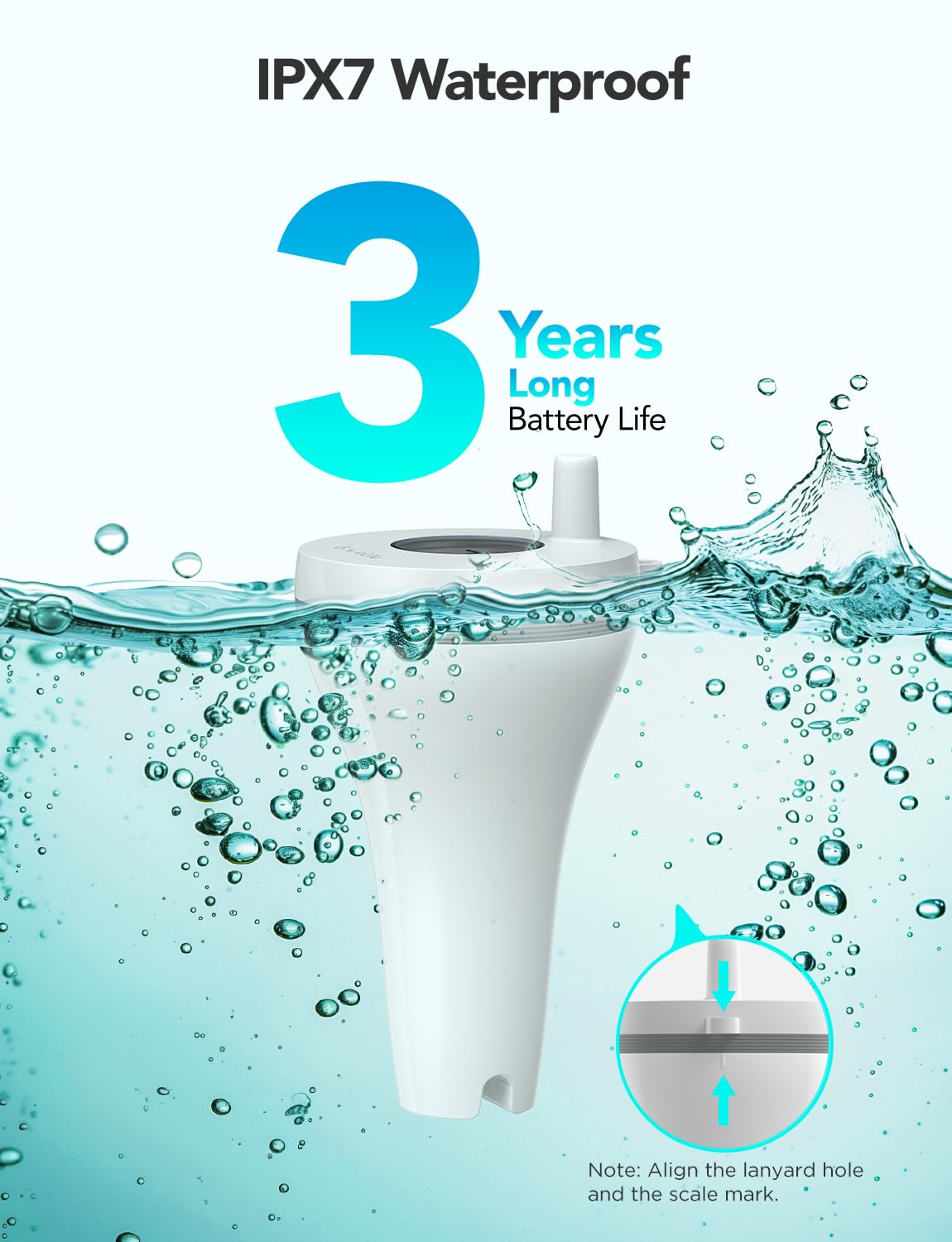
Figure 4.2: IPX7 Waterproof design and long battery life.

Figure 4.3: Internal components highlighting fast 2-second screen refresh and ±0.5°C accuracy.
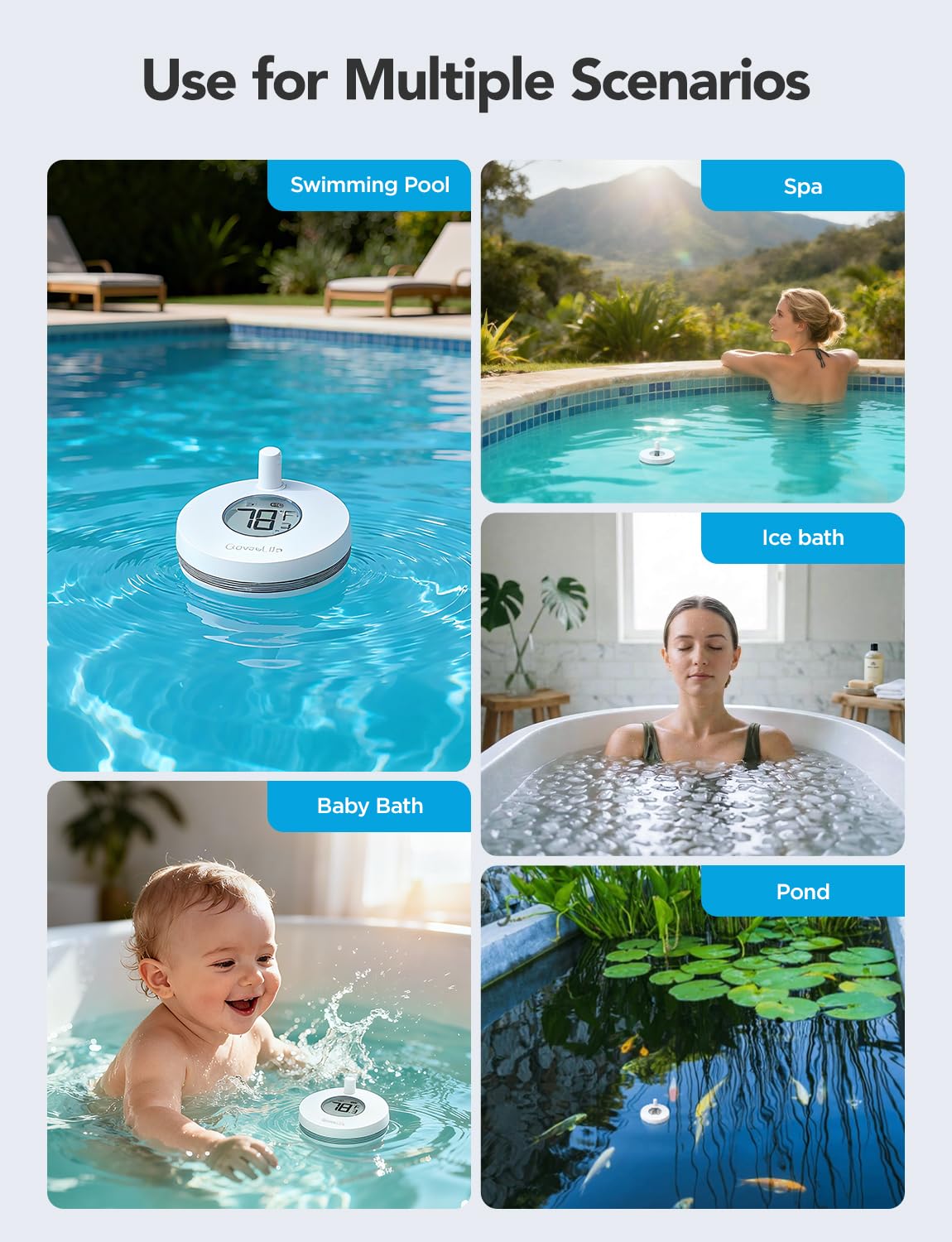
Figure 4.4: Versatile applications of the GoveeLife thermometer.
5. คู่มือการติดตั้ง
Follow these steps to set up your GoveeLife Wireless Smart Pool Thermometer:
5.1 Download the Govee Home App
- Scan the QR code provided in the quick start guide (or search "Govee Home" in your app store) to download the Govee Home app.
- สร้างบัญชีหรือเข้าสู่ระบบหากคุณมีบัญชีอยู่แล้ว
5.2 Install Battery in Thermometer
- Unscrew the cap of the thermometer to access the battery compartment.
- Insert the provided AAA battery, ensuring correct polarity.
- Carefully screw the cap back on, ensuring it is perfectly straight and tight to maintain the waterproof seal. This is crucial for IPX7 protection.
5.3 Connect the Wi-Fi Gateway
- Plug the Wi-Fi gateway into a power outlet indoors, within range of your Wi-Fi router (2.4 GHz Wi-Fi only).
- Ensure your smartphone is connected to your 2.4 GHz Wi-Fi network.
- Open the Govee Home app, tap the "+" icon in the top right corner.
- The app should automatically detect the gateway. If not, select the gateway model from the device list.
- Follow the in-app instructions to connect the gateway to your Wi-Fi network. The gateway's indicator light should flash blue during pairing and turn solid blue once connected.

Figure 5.1: Connection diagram of the thermometer, gateway, and app, illustrating up to 328ft (100m) connection distance.
5.4 Pair the Thermometer with the Gateway
- Once the gateway is connected, the app should prompt you to add the thermometer.
- With the thermometer's cap removed (from battery installation), locate the small button next to the battery compartment.
- Press and hold this button for approximately 3 seconds until the thermometer's indicator light flashes.
- The app should automatically detect and pair with the thermometer. Once paired, the water temperature will appear in the app.
5.5 Placement of the Thermometer
- Place the thermometer in the water body you wish to monitor (pool, spa, pond, etc.).
- Use the provided rope to secure the thermometer if necessary, preventing it from floating away.
- The orange loop rubber can be interchanged to enhance visibility of the thermometer on the water surface.
6. คู่มือการใช้งาน
6.1 การตรวจสอบอุณหภูมิ
- Open the Govee Home app on your smartphone.
- Select your GoveeLife Wireless Smart Pool Thermometer from the device list.
- The current water temperature will be displayed on the main screen, updating every 2 seconds.
6.2 การสลับหน่วยอุณหภูมิ (°F/°C)
- To switch between Fahrenheit (°F) and Celsius (°C), double-click the internal button on the thermometer (the same button used for pairing).
- Alternatively, this setting can often be adjusted within the Govee Home app settings for the device.
6.3 การบันทึกและส่งออกข้อมูล
- The Govee Home app provides access to historical temperature data.
- View 20-day data charts directly in the app.
- คุณสามารถส่งออกข้อมูลที่บันทึกไว้ในช่วง 2 ปีที่ผ่านมาเพื่อนำไปวิเคราะห์ได้
6.4 การแจ้งเตือนอัจฉริยะ
- Set custom temperature thresholds within the Govee Home app.
- Receive push notifications on your smartphone if the water temperature goes above or below your set limits.
- The device supports integration with voice assistants like Alexa for convenient temperature inquiries.

รูปที่ 6.1: อดีตample of a smart alert notification on the Govee Home app.
7. การบำรุงรักษา
7.1 การทำความสะอาด
- Regularly clean the exterior of the thermometer with a soft, damp ผ้า.
- หลีกเลี่ยงการใช้สารทำความสะอาดที่มีฤทธิ์กัดกร่อนหรือตัวทำละลาย เนื่องจากอาจทำให้เครื่องเสียหายได้
- Ensure the display screen is kept clean for optimal readability.
7.2 การเปลี่ยนแบตเตอรี่
- When the battery level is low, the app will notify you.
- To replace the battery, carefully unscrew the cap of the thermometer.
- Replace the old AAA battery with a new one, observing polarity.
- Crucially, ensure the cap is screwed back on perfectly straight and tight to maintain the IPX7 waterproof seal. The device comes with a spare rubber gasket; inspect the gasket for wear and replace if necessary.
7.3 พื้นที่จัดเก็บ
- If storing the thermometer for an extended period, remove the battery to prevent leakage.
- เก็บอุปกรณ์ไว้ในที่แห้งและเย็น ห่างจากแสงแดดโดยตรง
8 การแก้ไขปัญหา
8.1 Device Not Pairing with Gateway
- ตรวจสอบ Wi-Fi: Ensure your phone and gateway are connected to a 2.4 GHz Wi-Fi network. The Govee Home app only supports 2.4 GHz for initial setup.
- สถานะเกตเวย์: Verify the gateway's indicator light is solid blue, indicating a successful connection to your Wi-Fi. If not, try unplugging and replugging the gateway.
- Thermometer Battery: Ensure the thermometer has a fresh AAA battery and is correctly inserted.
- ความใกล้ชิด: Bring the thermometer closer to the gateway during the pairing process.
- Reset Thermometer: If issues persist, try resetting the thermometer by pressing and holding the internal button for a longer duration (e.g., 5-10 seconds) or removing and reinserting the battery. Then attempt pairing again.
8.2 การอ่านอุณหภูมิที่ไม่แม่นยำ
- ตำแหน่งเซนเซอร์: Ensure the thermometer is fully immersed in the water and not near any heat sources or direct sunlight that could affect readings.
- การสอบเทียบ: The Govee Home app may offer a calibration option. Refer to the app's settings for your device.
- การเปรียบเทียบ: Compare readings with another reliable thermometer to confirm accuracy discrepancies.
8.3 No Data in App / Connection Lost
- การเชื่อมต่อเกตเวย์: Check if the Wi-Fi gateway is powered on and connected to your home Wi-Fi (solid blue light).
- พิสัย: Ensure the thermometer is within the 328ft (100m) range of the gateway. Obstructions like thick walls can reduce this range.
- รีเฟรชแอป: Close and reopen the Govee Home app.
- ปัญหาเกี่ยวกับเราเตอร์: รีสตาร์ทเราเตอร์ Wi-Fi ของคุณ
9. ข้อมูลจำเพาะ
| แบบอย่าง | B5109 |
| ช่วงอุณหภูมิ | -4°F ถึง 158°F (-20°C ถึง 70°C) |
| ความแม่นยำของอุณหภูมิ | ± 0.9 ° F (± 0.5 ° C) |
| เวลาตอบสนอง | 2 วินาที |
| ระดับการกันน้ำ | IPX7 |
| การเชื่อมต่อแบบไร้สาย | 433MHz (thermometer to gateway), 2.4GHz Wi-Fi (gateway to router/app) |
| ระยะทางการเชื่อมต่อ | Up to 328ft (100m) in unobstructed conditions |
| Power Source (Thermometer) | แบตเตอรี่ AAA 1 ก้อน (รวมอยู่ด้วย) |
| แหล่งจ่ายไฟ (เกตเวย์) | AC Power (plug-in) |
| ขนาด (เทอร์โมมิเตอร์) | Approx. 8.8 cm (Length) |
| ส่วนประกอบที่รวมอยู่ | Thermometer, Wi-Fi Gateway, 2 Rubber Rings, Rope, AAA Battery |
10. การรับประกันและการสนับสนุนลูกค้า
GoveeLife products come with a limited warranty. For detailed warranty information, please refer to the warranty card included with your product or visit the official GoveeLife webเว็บไซต์.
If you encounter any issues or have questions regarding your GoveeLife Wireless Smart Pool Thermometer B5109, please contact GoveeLife Customer Support:
- Webเว็บไซต์: www.govee.com (หรือเว็บไซต์ระดับภูมิภาคที่เกี่ยวข้อง)
- อีเมล: Refer to the Govee Home app or product packaging for support email.
- การสนับสนุนภายในแอป: Access support directly through the Govee Home app.
โปรดเตรียมหมายเลขรุ่น (B5109) และข้อมูลการสั่งซื้อให้พร้อมเมื่อติดต่อฝ่ายสนับสนุน