
Walfront WALFRONT47605q1f9g-11
Walfront Smart Circuit Breaker 100A User Manual
Model: WALFRONT47605q1f9g-11
1. บทนำ
This manual provides essential information for the safe and effective use of your Walfront Smart Circuit Breaker 100A. Please read this manual thoroughly before installation and operation.
สินค้าเกินview
The Walfront Smart Circuit Breaker is a 2P 100A device designed for smart home applications, featuring integrated Bluetooth and Wi-Fi connectivity for remote control via a mobile application. It offers robust protection against overloads and short circuits, ensuring the safety and longevity of your electrical systems.

รูปที่ 1 : ด้านหน้า view of the Walfront Smart Circuit Breaker 100A.
คุณสมบัติหลัก
- ฟังก์ชั่นการควบคุมระยะไกล: Equipped with connectivity, this smart circuit breaker allows you to remotely control and monitor your electrical devices using a smartphone or other smart devices.
- เสาอากาศในตัว: With an integrated antenna, this smart circuit breaker ensures stable transmission and reception while maintaining a simple appearance, minimizing interference.
- ประสิทธิภาพที่โดดเด่น: ด้วยปริมาณสูงtage withstand capacity of 6000V, this circuit breaker effectively enhances the lifespan of your devices, even under overvoltagอีเงื่อนไข
- ความทนทาน: This smart circuit breaker has undergone rigorous testing for electromagnetic interference, including electrical transient immunity tests and electrostatic discharge. It meets standard requirements and remains undamaged.
- ติดตั้งง่าย: Designed for simple and hassle-free installation, it can be seamlessly integrated into your existing electrical panel.

Figure 2: The circuit breaker highlighting its integrated WiFi antenna for stable connectivity.
2. ข้อมูลจำเพาะ
The following table details the technical specifications of the Walfront Smart Circuit Breaker 100A.
| ข้อมูลจำเพาะ | ค่า |
|---|---|
| ประเภทสินค้า | 2P Circuit Breaker |
| วัสดุ | PA66 Flame Retardant |
| ความถี่ที่กำหนด | 50/60เฮิรตซ์ |
| จำนวนเสา | 2P |
| ระดับมลพิษ | 2 |
| ระดับ | IP20 |
| หมวดหมู่การติดตั้ง | II, III |
| Designated Working Temperature | -25°C ถึง +65°C |
| Rack Rated Current | 80A-125A |
| กระแสไฟฟ้าที่ได้รับการจัดอันดับ | 100เอ |
| Short Circuit Breaking Capacity | 6kA |
| จัดอันดับแรงกระตุ้นต้านทานVoltage | 6 กิโลโวลต์ |
| ชีวิตเครื่องจักร | มากกว่า 10000 ครั้ง |
| ชีวิตไฟฟ้า | มากกว่า 6000 ครั้ง |
| ประสิทธิภาพของ EMC | Complies with GB/T 18449 |
| Withstand Capability | Complies with GB/T 17626.5 Voltagอี 4.0KV |
| เกลือสเปรย์ | Complies with GB/T 2423.17 48h |
| Dustproof Performance | Complies with GB 4208 8h |
| Maximum Wiring Capacity | Up to 50mm² |
| Tightening Torsion | 4 to 5Nm |

Figure 3: Dimensional drawing of the circuit breaker with measurements in millimeters and inches.
3. การตั้งค่าและการติดตั้ง
Proper installation is crucial for the safe and reliable operation of your smart circuit breaker. It is recommended that installation be performed by a qualified electrician.
การติดตั้งทางกายภาพ
- การตระเตรียม: Ensure the main power supply to the electrical panel is turned off before beginning installation. Verify with a voltagอีผู้ทดสอบ
- การติดตั้ง: The circuit breaker is designed for DIN rail mounting. Securely clip the device onto the DIN rail within your electrical panel.
- การเดินสายไฟ: Connect the incoming and outgoing electrical wires to the appropriate terminals. Ensure all connections are tight, with a tightening torsion of 4 to 5Nm, to prevent loose connections and overheating. The maximum wiring capacity is up to 50mm².
- ล็อคความปลอดภัย: Utilize the mechanical lock feature to secure the breaker in the OFF position during maintenance or repair. Pull out the yellow safety lock when repair is needed.
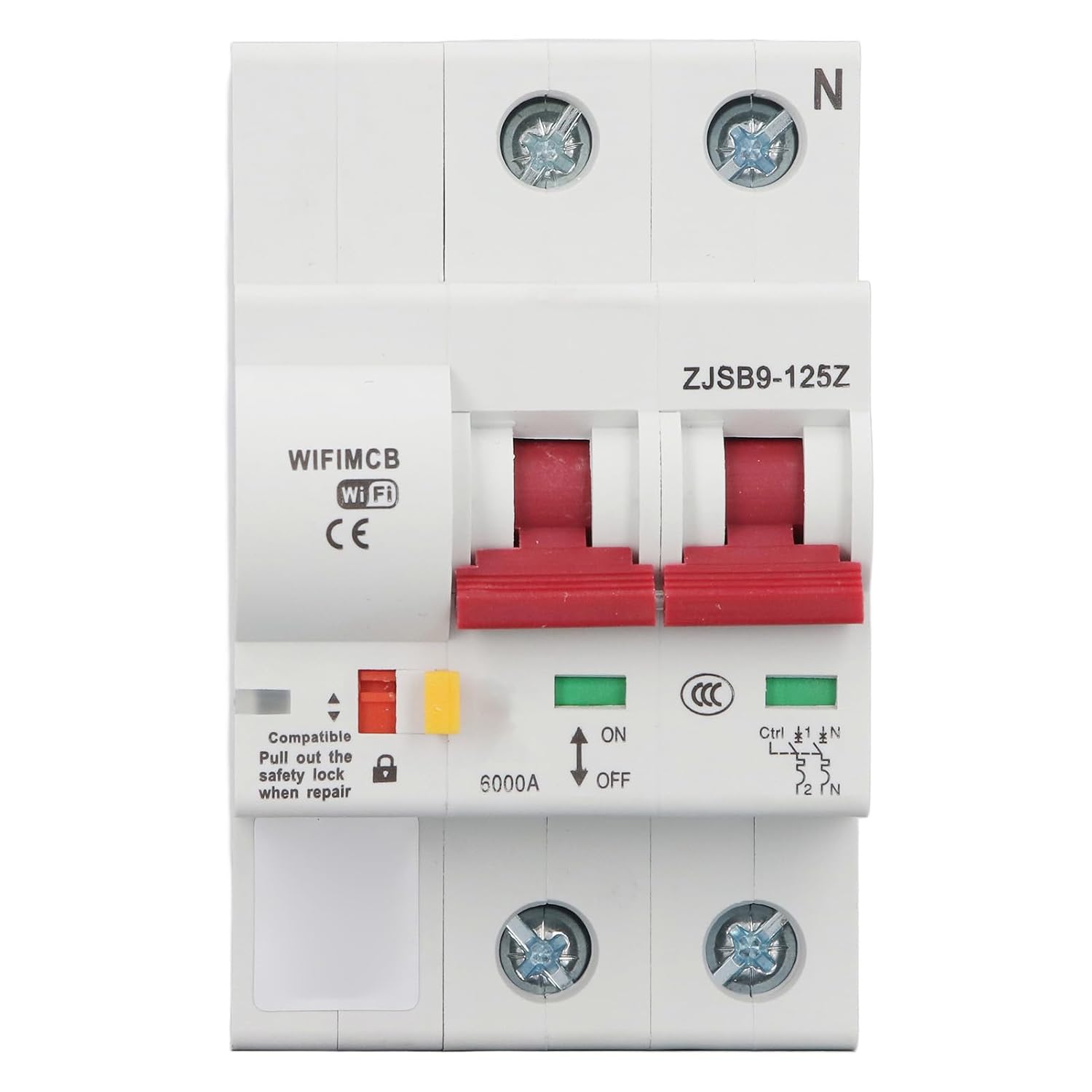
รูปที่ 4: รายละเอียดด้านหน้า view showing the ON/OFF switch, safety lock, and indicator lights.

รูปที่ 5: ด้านข้าง view of the circuit breaker, illustrating its compact design for panel integration.
App Pairing and Configuration (TUYA App)
To utilize the smart features, download the TUYA Smart app on your smartphone and follow the in-app instructions to pair the circuit breaker. Ensure your Wi-Fi network is active and stable during the pairing process.
4. คู่มือการใช้งาน
The Walfront Smart Circuit Breaker offers both manual and remote operation capabilities.
การดำเนินการด้วยตนเอง
- การเปิด/ปิด: Use the physical switch on the front of the circuit breaker to manually turn the connected circuit ON or OFF. The green indicator light signifies ON, and the red signifies OFF.
- ล็อคแบบกลไก: The mechanical lock can be engaged to prevent accidental operation, ensuring safety during maintenance.
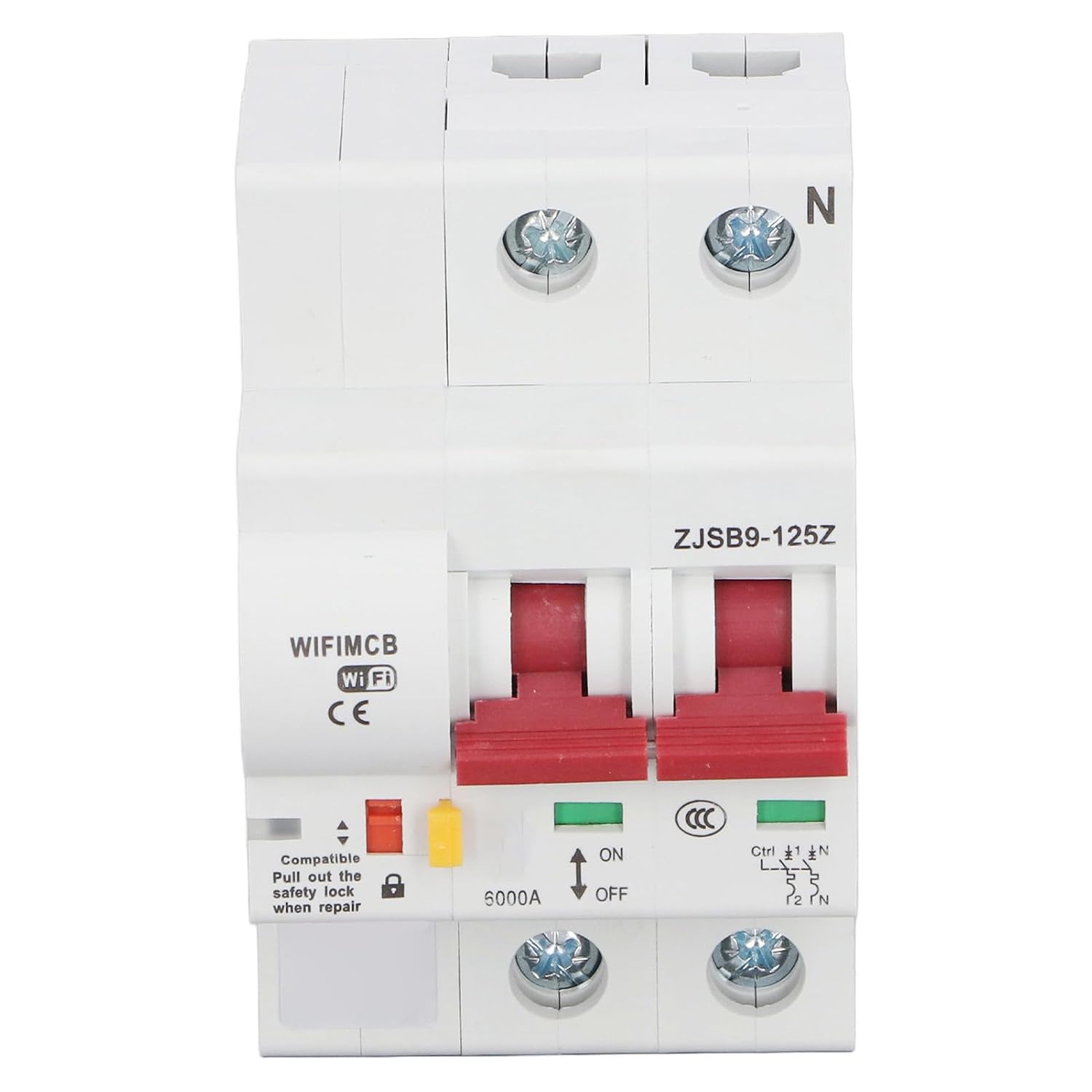
Figure 6: The circuit breaker's front panel showing the ON/OFF switch and status indicators.
Smart Functions (via TUYA App)
- Remote Opening and Closing: Control the circuit breaker remotely from anywhere using the TUYA app on your smartphone.
- Overload Function: The breaker automatically trips in case of an overload to protect connected devices and wiring.
- Short Circuit Function: Provides immediate protection by tripping the circuit in the event of a short circuit.
- ไฟแสดงสถานะ LED: Monitor the status of the circuit breaker through the LED indicator, which can be viewed remotely via the app.
- Timing Control Function: Schedule the circuit breaker to turn ON or OFF at specific times, automating your electrical devices.
- Sharing Control Function: Share control of the circuit breaker with other family members or authorized users through the app.
5. การบำรุงรักษา
The Walfront Smart Circuit Breaker is designed for durability and requires minimal maintenance. However, regular checks can ensure optimal performance and safety.
- การตรวจสอบภาพ: ตรวจสอบเบรกเกอร์วงจรเป็นระยะๆ เพื่อดูว่ามีร่องรอยความเสียหายทางกายภาพ การเปลี่ยนสี หรือการเชื่อมต่อหลวมหรือไม่
- การทำความสะอาด: Ensure the device is free from dust and debris. Use a dry, soft cloth for cleaning. Do not use liquid cleaners.
- ตรวจสอบการเชื่อมต่อ: If accessible and safe to do so (with power off), periodically check the tightness of the wiring terminals.
- อัพเดตเฟิร์มแวร์: Check the TUYA app for any available firmware updates for the device to ensure you have the latest features and security enhancements.
Always ensure power is disconnected before performing any physical maintenance or inspection.
6 การแก้ไขปัญหา
If you encounter issues with your Walfront Smart Circuit Breaker, refer to the following common troubleshooting steps:
- อุปกรณ์ไม่ตอบสนอง:
- Check if the circuit breaker is manually switched ON.
- Verify the power supply to the circuit breaker.
- Ensure the Wi-Fi network is active and the device is within range.
- Restart the circuit breaker by cycling its power (turn off, wait 10 seconds, turn on).
- ปัญหาการเชื่อมต่อแอพ:
- ตรวจสอบให้แน่ใจว่าสมาร์ทโฟนของคุณมีการเชื่อมต่ออินเทอร์เน็ตที่เสถียร
- Verify that the TUYA app is updated to the latest version.
- Try re-pairing the device with the app if connectivity is lost.
- Check your router settings to ensure no firewall or security settings are blocking the device.
- เบรกเกอร์สะดุดบ่อยครั้ง:
- This indicates an overload or short circuit condition. Disconnect some devices from the circuit or inspect wiring for faults.
- หากปัญหายังคงอยู่ โปรดปรึกษาช่างไฟฟ้าที่มีคุณสมบัติเหมาะสม
- ไฟ LED ไม่ทำงาน:
- ตรวจสอบให้แน่ใจว่าอุปกรณ์เปิดอยู่
- If the device functions otherwise, the LED might be faulty. Contact support.
For issues not covered here, please refer to the TUYA app's help section or contact Walfront customer support.
7. การรับประกันและการสนับสนุน
Walfront products are manufactured to high-quality standards. While specific warranty details are typically provided at the point of purchase or within the product packaging, general support information is available.
แผนการคุ้มครอง
Extended protection plans may be available for your product, offering additional coverage beyond the standard manufacturer's warranty. Please check your purchase documentation for details on available 3-Year or 4-Year Protection Plans, or comprehensive plans like 'Complete Protect'.
ข้อมูลผู้ผลิต
ยี่ห้อ: Walfront
ผู้ผลิต: WALFRONT
For further assistance, technical support, or warranty claims, please refer to the contact information provided with your product packaging or visit the official Walfront store online: Walfront Store.
Ask a question about this manual
Ask about setup, troubleshooting, compatibility, parts, safety, or missing instructions. Manuals+ will review the question and use this page’s manual context to help answer it.