
1. บทนำ
This manual provides detailed instructions for the proper use and maintenance of your QUANSHENG UVK5(99) Two-Way Radio. Please read this manual thoroughly before operating the device to ensure safe and efficient communication. Keep this manual for future reference.
2. สินค้าหมดview
2.1. ส่วนประกอบที่รวมอยู่
- QUANSHENG UVK5(99) Two-Way Radio Unit
- เสาอากาศ
- แบตเตอรี่แบบชาร์จไฟได้
- สายชาร์จ (Type-C)
2.2. คุณสมบัติหลัก
- ช่วงความถี่: 20-1000 MHz (Receive), 20-1000 MHz (Transmit)
- ช่องทางการรับชม: ช่องโปรแกรมได้ 200 ช่อง
- โหมด: AM/FM/DTMF reception
- การแจ้งเตือนสภาพอากาศ: NOAA Weather Forecast functionality (10 NOAA channels)
- Quick Frequency Copy: Flash Copy Frequency feature
- แสดง: Clear LCD screen
- การชาร์จ: พอร์ตชาร์จ USB Type-C
- แบตเตอรี่: ความจุ 1600mAh
- กำลังขับ: กำลังส่ง 5W
- ความปลอดภัย: Startup password protection
- เฟิร์มแวร์: Supports firmware updates for enhanced functionality

Figure 2.2.1: QUANSHENG UVK5(99) Two-Way Radio highlighting key features like 200 channels, 20-1000MHz RX, 5W TX, 1600mAh battery, LCD, AM/FM, DTMF, and Type-C charging.
3. การตั้งค่า
3.1. การติดตั้งแบตเตอรี่
- ตรวจสอบให้แน่ใจว่าวิทยุปิดอยู่
- ค้นหาช่องใส่แบตเตอรี่ที่ด้านหลังของวิทยุ
- วางแบตเตอรี่ให้ตรงกับขั้ว แล้วค่อยๆ ดันเข้าไปในช่องจนกระทั่งได้ยินเสียงคลิกเข้าที่
- ปิดฝาครอบแบตเตอรี่ให้แน่น
3.2. การติดเสาอากาศ
- หมุนเสาอากาศตามเข็มนาฬิกาเข้ากับขั้วต่อที่ด้านบนของวิทยุจนแน่นพอดีมือ อย่าขันแน่นเกินไป
3.3. การชาร์จแบตเตอรี่
- เสียบสายชาร์จ Type-C เข้ากับพอร์ตชาร์จของวิทยุ
- เสียบปลายอีกด้านของสายเคเบิลเข้ากับอะแดปเตอร์แปลงไฟ USB ที่ใช้งานร่วมกันได้ (ไม่ได้รวมอยู่ในชุด) หรือพอร์ต USB ของคอมพิวเตอร์
- The charging indicator on the radio will illuminate. Charging is complete when the indicator changes color or turns off (refer to specific model behavior).

Figure 3.3.1: Quick Start Guide illustrating the initial steps: Charge, Select Channel, Set Frequency, and Save Memory.
4. คู่มือการใช้งาน
4.1. เปิด/ปิดเครื่องและปรับระดับเสียง
- To power on, rotate the power/volume knob clockwise.
- หากต้องการปิดเครื่อง ให้หมุนปุ่มทวนเข็มนาฬิกาจนกระทั่งได้ยินเสียงคลิก
- ปรับระดับเสียงโดยหมุนปุ่มเดียวกัน
4.2. Channel Selection and Frequency Setting
- Use the keypad to directly input channel numbers or frequencies.
- Navigate through channels using the up/down arrow buttons.
- The radio supports 200 channels and a frequency range of 20-1000MHz.
4.3. AM/FM/DTMF Reception
- The radio can receive AM and FM broadcasts. Refer to the on-screen menu for mode selection.
- DTMF (Dual-Tone Multi-Frequency) functions are available for specific communication needs. Consult the advanced settings menu for configuration.
4.4. การพยากรณ์อากาศของ NOAA
- Access the NOAA weather channels through the menu to receive local weather forecasts and alerts. The device supports 10 NOAA channels.
4.5. Flash Copy Frequency
- This feature allows for quick copying of frequencies from another radio. Follow the on-screen prompts or refer to the detailed menu options for this function.
4.6. ฟังก์ชั่นขั้นสูง
- การสแกน: The radio can scan through frequencies or channels to find active transmissions.
- หน่วยความจำ: Save frequently used frequencies or channels into memory for quick access.
- อัพเดตเฟิร์มแวร์: The device supports firmware updates, which can introduce new features or improve performance. Visit the official QUANSHENG webเว็บไซต์สำหรับเฟิร์มแวร์ล่าสุดและคำแนะนำ
- การป้องกันด้วยรหัสผ่าน: Enable a startup password for enhanced security.

Figure 4.6.1: User operating the QUANSHENG UVK5(99) radio during an outdoor activity.

รูปที่ 4.6.2: รายละเอียด view of the radio's interface, including the LCD screen and keypad for operation.
5. การบำรุงรักษา
5.1. การทำความสะอาด
- เช็ดพื้นผิววิทยุด้วยผ้านุ่มๆamp ผ้า. อย่าใช้สารเคมีที่รุนแรงหรือน้ำยาทำความสะอาดที่มีฤทธิ์กัดกร่อน
- Ensure the charging port and other connectors are free from dust and debris.
5.2. การดูแลแบตเตอรี่
- ชาร์จแบตเตอรี่ให้เต็มก่อนใช้งานครั้งแรก
- หลีกเลี่ยงการชาร์จมากเกินไปหรือทำให้แบตเตอรี่หมดเพื่อยืดอายุการใช้งาน
- เก็บวิทยุและแบตเตอรี่ไว้ในที่แห้งและเย็นเมื่อไม่ได้ใช้งานเป็นเวลานาน
5.3. การพิจารณาด้านสิ่งแวดล้อม
- The QUANSHENG UVK5(99) is ไม่กันน้ำ. Avoid exposure to water or heavy rain.
- Operate the device in dry conditions to prevent damage.
- ควรเก็บรักษาเครื่องรับวิทยุให้ห่างจากอุณหภูมิที่สูงจัดและแสงแดดโดยตรง

Figure 5.3.1: Important notice regarding the radio's water resistance: it is not waterproof and should be used in dry conditions, avoiding heavy rain.
6 การแก้ไขปัญหา
6.1. ปัญหาทั่วไปและวิธีแก้ไข
| ปัญหา | สาเหตุที่เป็นไปได้ | สารละลาย |
|---|---|---|
| วิทยุไม่เปิด | Low or dead battery; incorrect battery installation | Charge the battery; re-install battery correctly |
| ไม่มีสัญญาณหรือรับสัญญาณไม่ดี | Antenna not attached; out of range; interference; incorrect frequency/channel | Attach antenna; move to an open area; check frequency/channel settings |
| คุณภาพเสียงไม่ดี | Low volume; interference; damaged speaker/microphone | Adjust volume; move away from interference sources; contact support if hardware issue |
| ไม่สามารถส่งต่อได้ | Incorrect frequency; low battery; transmission lockout (TOT) | Verify frequency; charge battery; check TOT settings |
If problems persist after attempting these solutions, consider performing a factory reset (refer to the radio's menu for this option) or checking for available firmware updates.
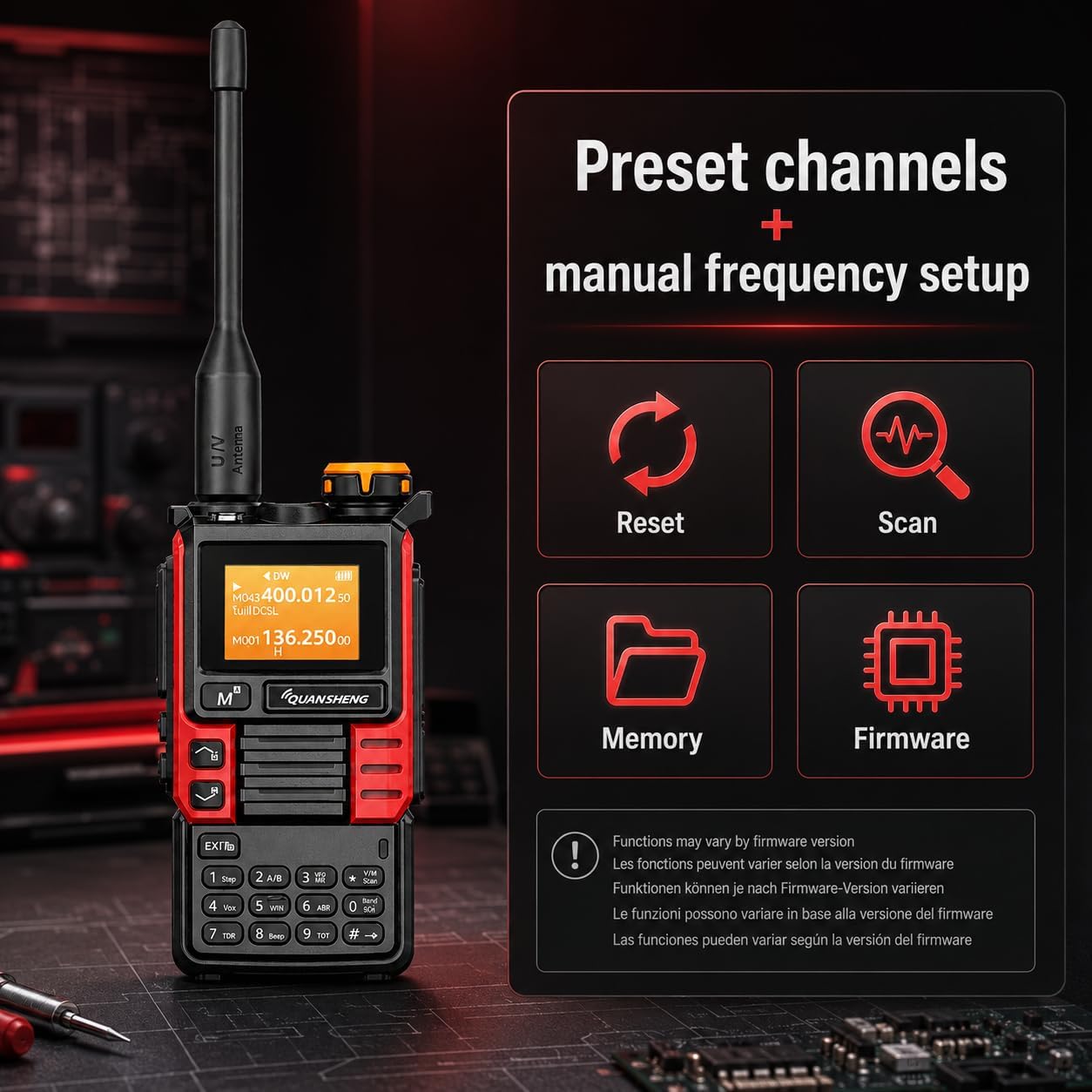
Figure 6.1.1: Radio display showing options for Reset, Scan, Memory, and Firmware, which can be useful for troubleshooting and customization.
7. ข้อมูลจำเพาะ
| คุณสมบัติ | ข้อมูลจำเพาะ |
|---|---|
| ยี่ห้อ | Quansheng |
| หมายเลขรุ่น | UVK5(99) |
| จำนวนช่องสัญญาณ | 200 |
| ช่วงความถี่ | 20-1000 เมกะเฮิรตซ์ |
| ระยะสูงสุด | 10 กิโลเมตร (ประมาณ 6.2 ไมล์) |
| ระดับความต้านทานต่อน้ำ | ไม่กันน้ำ |
| ประเภทแบตเตอรี่ | 1 AAA (included, likely refers to internal battery type, not external AAA cells) |
| ความจุของแบตเตอรี่ | 1600mAh |
| กำลังส่ง | 5W |
| กระแสเกียร์ | ≤1.5A |
| ค่าเบี่ยงเบนความถี่สูงสุด | ≤5KHz (25KHz) และ ≤2.5KHz (12.5KHz) |
| การบิดเบือนการปรับสัญญาณ | ≤5% |
| พลังเสียง | ≥0.5วัตต์ |
| การบิดเบือนเสียง | ≤10% |
| โปรโตคอลการเชื่อมต่อ | ยูเอชเอฟ |
| อุปกรณ์ที่รองรับ | Other two-way radios on the same frequency band (20-1000 MHz) and channel (200CH), earphones and standard two-way radio accessories using Type-C connector. |
| ยูพีซี | 717206452785 |
| ประเทศต้นกำเนิด | จีน |
8. การรับประกันและการสนับสนุน
8.1. ข้อมูลการรับประกัน
ผลิตภัณฑ์นี้มาพร้อมกับ รับประกัน 2 ปี from the date of purchase. Please retain your proof of purchase for warranty claims. The warranty covers manufacturing defects but does not cover damage caused by misuse, accidents, unauthorized modifications, or normal wear and tear.
8.2. Responsible Use and Legal Compliance
The QUANSHENG UVK5(99) is designed for amateur radio use and other licensed communication purposes. It is not a toy. Users are responsible for understanding and complying with all local laws and regulations regarding radio frequency usage in their respective regions. In many areas, operating this device for transmission may require a valid amateur radio license. A programming cable (optional, not included unless sold separately) may be required for advanced configuration.
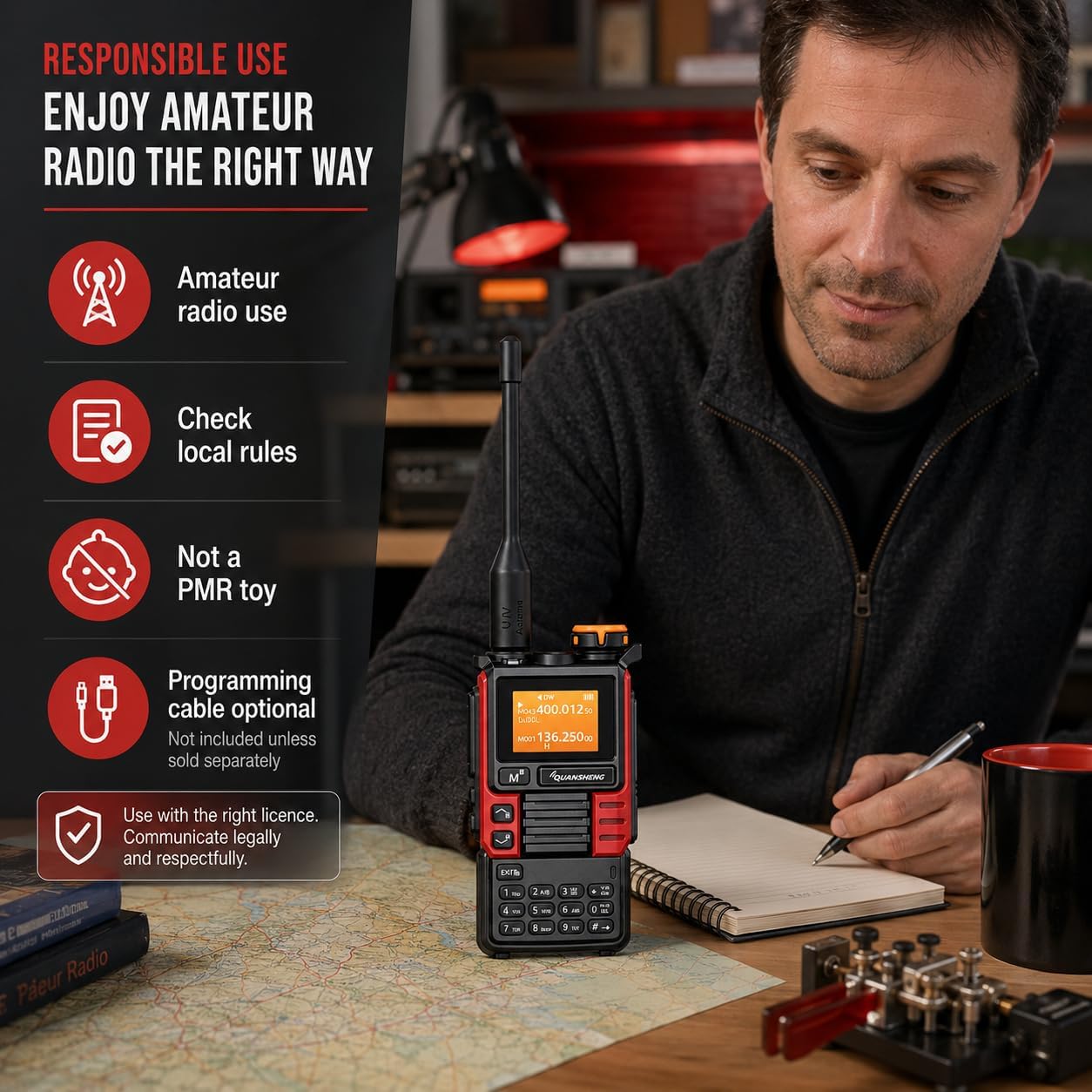
Figure 8.2.1: Guidelines for responsible amateur radio use, emphasizing checking local rules and communicating legally.
8.3. การสนับสนุนลูกค้า
For technical assistance, warranty claims, or further inquiries, please contact your retailer or visit the official QUANSHENG webเว็บไซต์สำหรับทรัพยากรสนับสนุน

Figure 8.3.1: Certification documents confirming compliance with relevant standards for the two-way radio.