
1. บทนำ
This manual provides detailed instructions for the safe and effective operation of your K&F CONCEPT RGB Video Light, Model USKF34.036. Please read this manual thoroughly before use and retain it for future reference. This device is designed to provide versatile lighting for photography and videography applications.

Image 1.1: K&F CONCEPT RGB Video Light (Model USKF34.036)
2. คุณสมบัติของผลิตภัณฑ์
- Professional RGB Lighting: Equipped with 60 high-quality LED beads (20 white, 20 warm, 20 RGB) for accurate color reproduction with a Color Rendering Index (CRI) of 96+.
- โหมดแสงคู่:
- โหมด CCT: Adjustable color temperature from 2500K (warm) to 9900K (cool) and brightness from 1% to 100%.
- โหมด HSI: Full 360° hue adjustment and saturation control for creative color effects.
- เอฟเฟกต์แสงในตัว 21 แบบ: Pre-programmed special effects to enhance creative shooting scenarios.
- แบตเตอรี่แบบชาร์จไฟได้แบบบูรณาการ: 2000mAh lithium battery provides up to 2 hours of operation at maximum brightness or 7.5 hours at minimum brightness. Charges via Type-C port in approximately 2 hours.
- การควบคุมที่ใช้งานง่าย: Features an LCD display for clear parameter viewing and infinitely variable metal knobs for precise adjustments.
- ตัวเลือกการติดตั้งหลายตัว: Includes two 1/4" screw holes for light stands, cold shoe adapter compatibility for camera mounting, a magnetic back for attachment to metal surfaces, and lanyard holes for portability.
3. เนื้อหาบรรจุภัณฑ์
ตรวจสอบว่ามีรายการทั้งหมดอยู่ในแพ็คเกจของคุณ:
- 1 x K&F CONCEPT RGB Video Light (Model USKF34.036)
- สายชาร์จ 1 x USB Type-C
- 1 x อะแดปเตอร์สำหรับหัวเสียบแบบ Cold Shoe
- 1 x คู่มือผู้ใช้
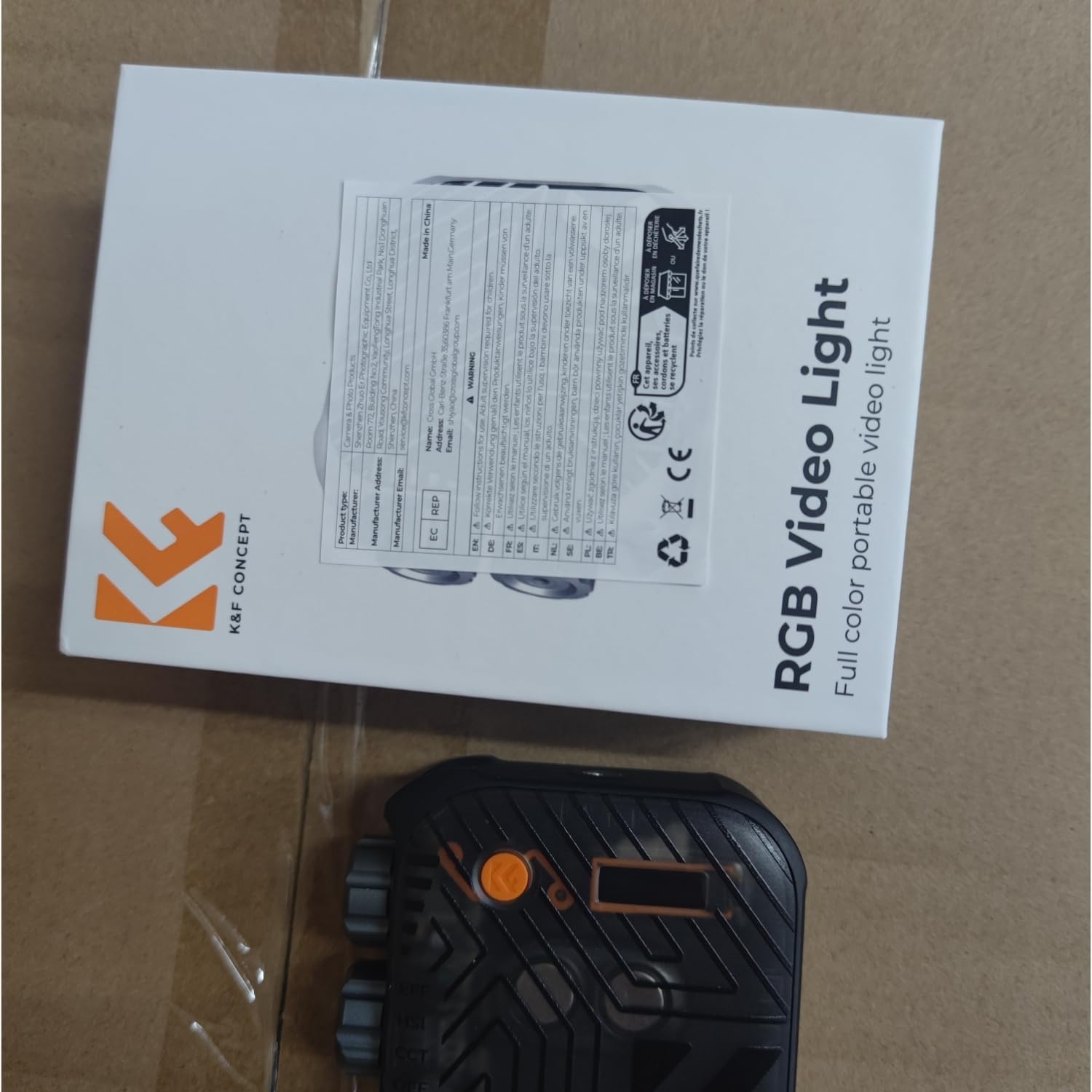
Image 3.1: K&F CONCEPT RGB Video Light with its retail packaging.
4. สินค้าหมดview
Familiarize yourself with the components of your RGB Video Light:
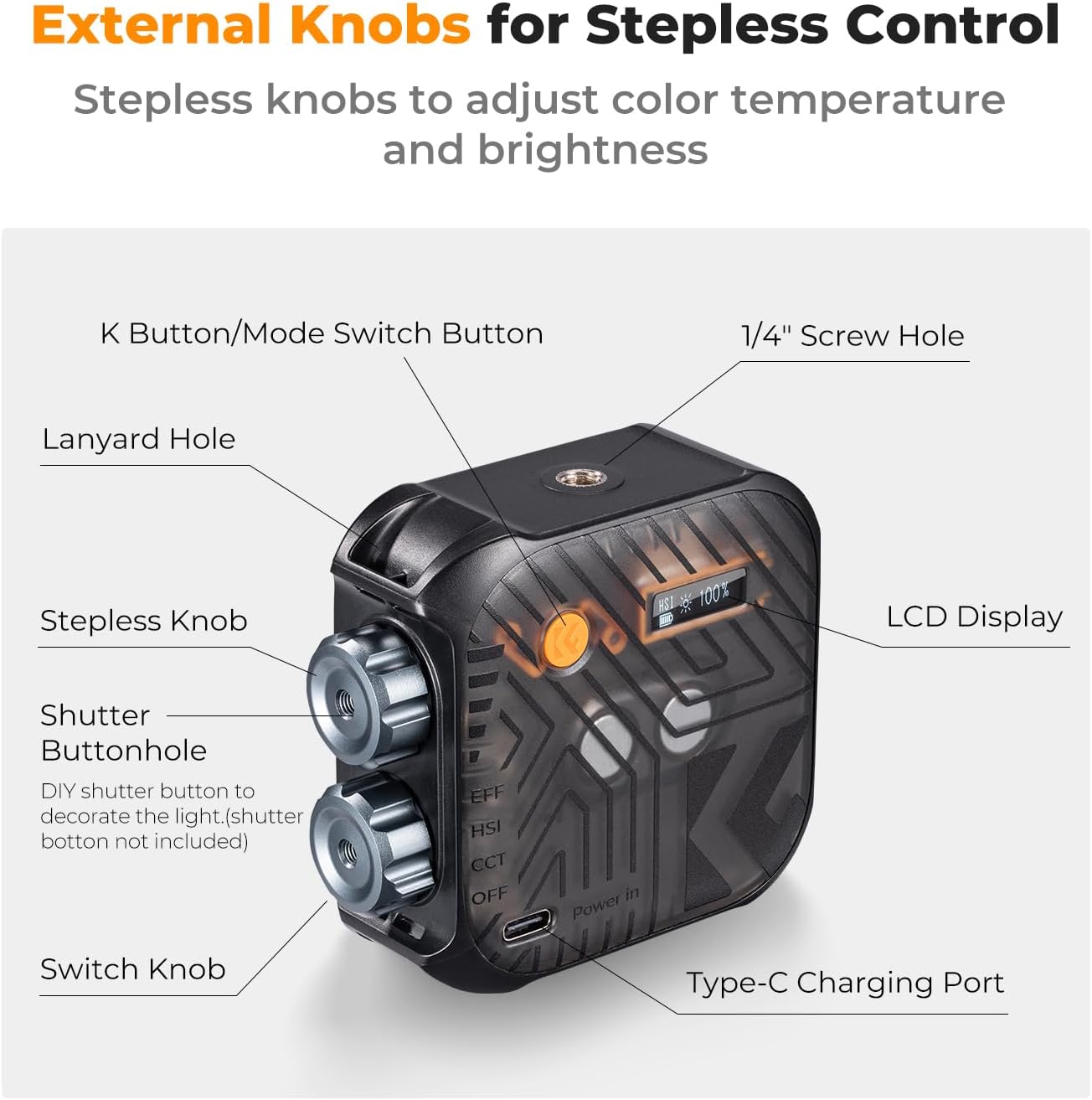
Image 4.1: Labeled diagram of the K&F CONCEPT RGB Video Light components.
- K Button/Mode Switch Button: Press to cycle through CCT, HSI, and Effect modes. Long press to power on/off.
- รูสกรู 1/4": For mounting on tripods, light stands, or other accessories.
- รูเชือกเส้นเล็ก: For attaching a wrist lanyard for secure carrying.
- Stepless Knob: Adjusts brightness, color temperature, hue, or saturation depending on the selected mode.
- Shutter Buttonhole: Designed for installing an external shutter button (not included).
- ลูกบิดสวิตช์: Used in conjunction with the K button for fine adjustments and mode navigation.
- พอร์ตชาร์จ Type-C: สำหรับชาร์จแบตเตอรี่ภายใน
- จอแสดงผล LCD: Shows current mode, brightness, color temperature/hue, and battery status.
5. การตั้งค่า
5.1 การชาร์จเริ่มต้น
Before first use, fully charge the device. Connect the supplied USB Type-C cable to the charging port on the light and to a compatible USB power source (e.g., wall adapter, computer USB port, power bank). The LCD display will indicate charging status. A full charge takes approximately 2 hours.
5.2 การติดตั้งไฟ
The RGB Video Light offers several mounting options:
- วางบนขาตั้งไฟ/ขาตั้งกล้อง: Use the 1/4" screw holes located on the top and bottom of the light to attach it to a compatible light stand or tripod.
- ในกล้อง: Attach the included cold shoe adapter to one of the 1/4" screw holes, then slide the adapter into your camera's hot shoe or cold shoe mount.
- การติดแม่เหล็ก: The back of the light contains a magnet, allowing it to be securely attached to suitable metal surfaces.
- เชือกเส้นเล็ก: Thread a lanyard (not included) through the lanyard hole for wrist carrying or hanging.

Image 5.1: Various mounting methods for the RGB Video Light.
6. คู่มือการใช้งาน
6.1 เปิด/ปิดเครื่อง
- การเปิดเครื่อง: กดค้างไว้ K Button/Mode Switch Button until the LCD display illuminates.
- วิธีปิดเครื่อง: กดค้างไว้ K Button/Mode Switch Button ทำซ้ำไปเรื่อยๆ จนกว่าหน้าจอจะดับลง
การเลือกโหมด 6.2
กดสั้น ๆ K Button/Mode Switch Button to cycle through the three main lighting modes:
- CCT Mode (Color Temperature Mode): For white and warm light adjustments.
- HSI Mode (Hue, Saturation, Intensity Mode): For full-color RGB adjustments.
- EFF Mode (Effect Mode): For special lighting effects.

ภาพที่ 6.1: จบแล้วview of the three light modes.
6.3 CCT Mode Operation
In CCT Mode, the LCD displays 'CCT', color temperature (K), and brightness (%).
- ปรับความสว่าง: หมุน Stepless Knob to adjust brightness from 1% to 100%.
- ปรับอุณหภูมิสี: กดปุ่ม สวิตช์ลูกบิด to toggle to color temperature adjustment. Rotate the Stepless Knob to change the color temperature from 2500K to 9900K.
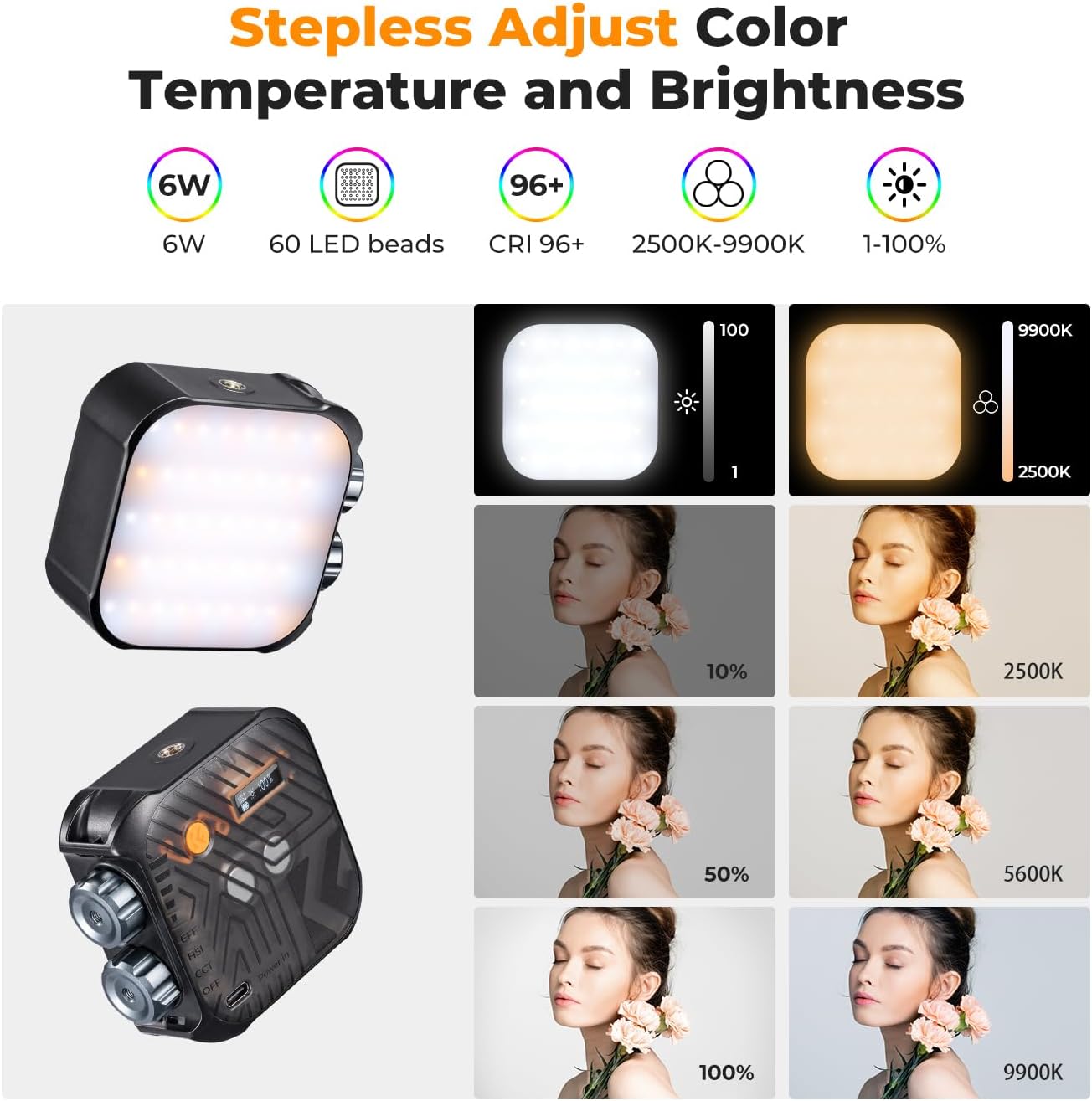
Image 6.2: CCT mode for color temperature and brightness adjustment.
6.4 HSI Mode Operation
In HSI Mode, the LCD displays 'HSI', hue (H: 0°-360°), and saturation (S: 0-100%).
- Adjust Hue: หมุน Stepless Knob to change the hue from 0° to 360° for full-color spectrum selection.
- Adjust Saturation: กดปุ่ม สวิตช์ลูกบิด to toggle to saturation adjustment. Rotate the Stepless Knob to adjust color saturation.
- ปรับความสว่าง: กดปุ่ม สวิตช์ลูกบิด again to toggle to brightness adjustment. Rotate the Stepless Knob to adjust brightness from 1% to 100%.

Image 6.3: HSI mode for 360° full color adjustment.
6.5 EFF Mode Operation (Light Effects)
In EFF Mode, the LCD displays 'EFF' and the current effect number/name.
- เลือกเอฟเฟกต์: หมุน Stepless Knob to cycle through the 21 built-in light effects.
- Adjust Effect Parameters: For some effects, pressing the สวิตช์ลูกบิด may allow adjustment of parameters like speed or intensity.
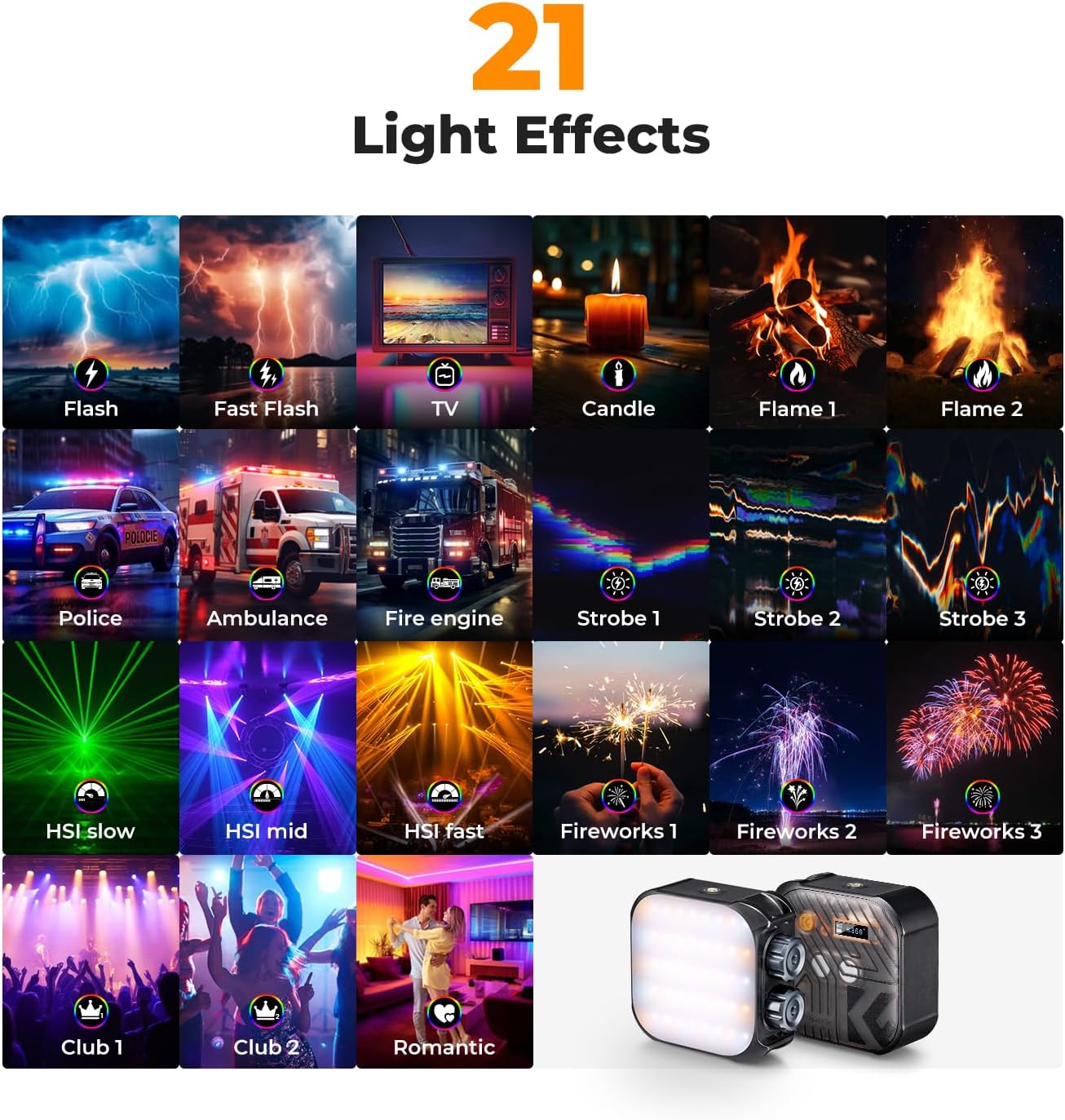
Image 6.4: Visual representation of the 21 available light effects.
6.6 จอแสดงผล LCD
The LCD display provides real-time information about the light's settings and battery status. It shows the active mode (CCT, HSI, EFF), brightness percentage, color temperature or hue/saturation values, and a battery level indicator.

Image 6.5: LCD screen displaying current settings.
7. การชาร์จไฟ
The K&F CONCEPT RGB Video Light features a built-in 2000mAh rechargeable lithium battery. To charge the device, connect the provided USB Type-C cable to the charging port on the light and to a standard USB power adapter (5V/2A recommended).
- เวลาในการชาร์จ: ประมาณ 2 ชั่วโมงสำหรับการชาร์จเต็ม
- อายุการใช้งานแบตเตอรี่: Up to 2 hours at 100% brightness, and up to 7.5 hours at minimum brightness.
- Operation While Charging: The light can be used while it is connected to a power source and charging.
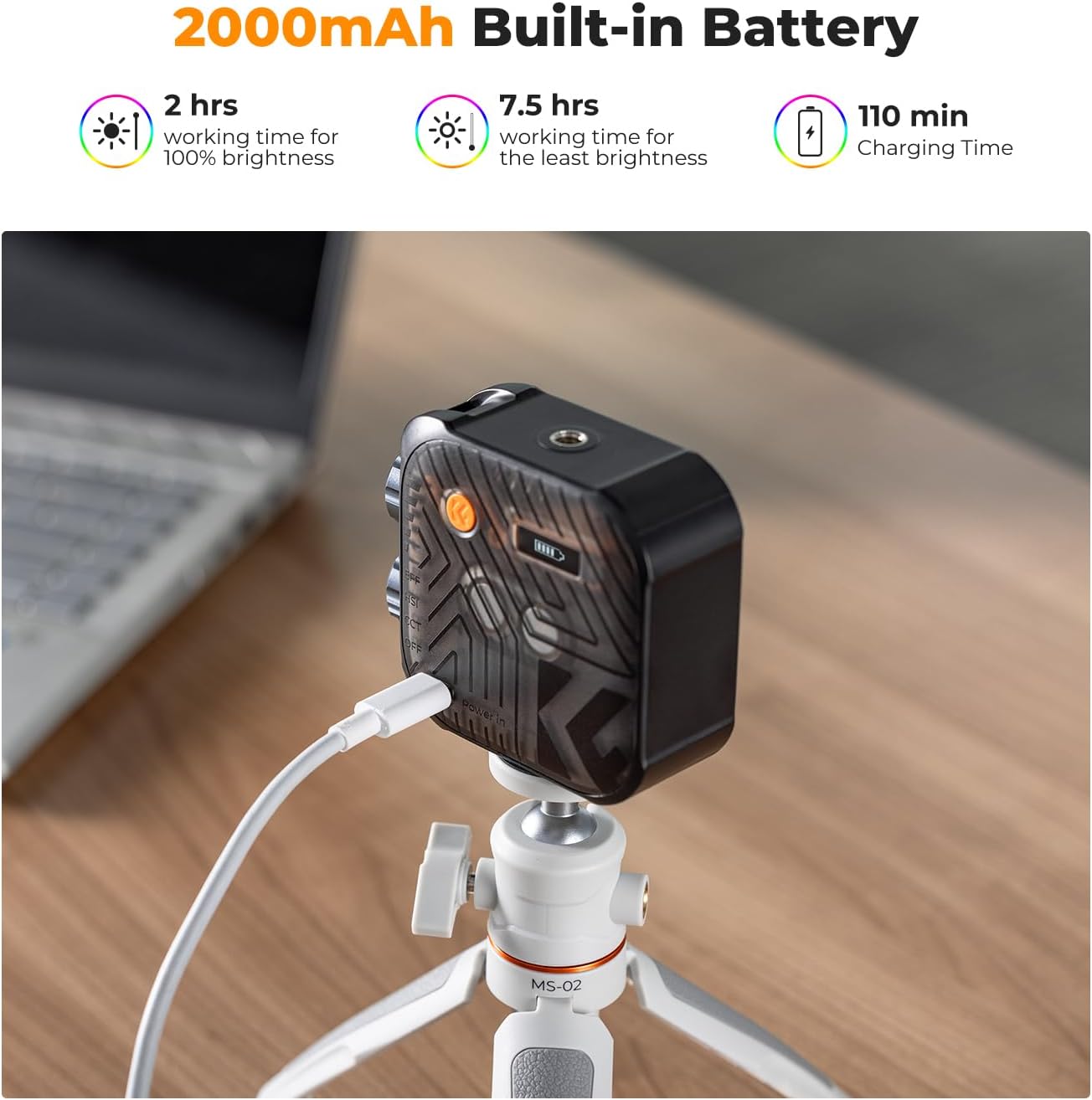
Image 7.1: Charging the RGB Video Light.
8. การบำรุงรักษา
- การทำความสะอาด: ใช้ผ้าแห้งเนื้อนุ่มเช็ดทำความสะอาดภายนอกของโคมไฟ ห้ามใช้สารทำความสะอาดที่มีฤทธิ์กัดกร่อนหรือตัวทำละลาย
- พื้นที่จัดเก็บ: Store the light in a cool, dry place away from direct sunlight and extreme temperatures. If storing for extended periods, ensure the battery is partially charged (around 50%) to prolong its lifespan.
- การดูแลแบตเตอรี่ Avoid fully discharging the battery frequently. Recharge the battery regularly, even if the light is not in use, to maintain battery health.
- หลีกเลี่ยงผลกระทบ: Protect the light from drops and impacts, which can damage internal components or the LED panel.
9 การแก้ไขปัญหา
| ปัญหา | สาเหตุที่เป็นไปได้ | สารละลาย |
|---|---|---|
| ไฟไม่ติด | แบตเตอรี่หมด | Charge the light using the Type-C cable. |
| ไฟไม่ชาร์จ | สายเคเบิลหรืออะแดปเตอร์ไฟฟ้าชำรุด | Try a different USB Type-C cable and power adapter. Ensure the connection is secure. |
| เอาต์พุตแสงไม่สม่ำเสมอ | ระดับแบตเตอรี่ต่ำ | ชาร์จแบตเตอรี่ |
| Controls are unresponsive | ข้อผิดพลาดซอฟต์แวร์ชั่วคราว | Power off the device and then power it back on. |
10. ข้อมูลจำเพาะ
| คุณสมบัติ | รายละเอียด |
|---|---|
| หมายเลขรุ่น | USKF34.036 |
| ลูกปัด LED | 60 (20 White, 20 Warm, 20 RGB) |
| ช่วงอุณหภูมิสี | 2500K - 9900K |
| CRI (ดัชนีการแสดงสี) | 96 ปีขึ้นไป |
| การปรับสี | 0° - 360° |
| การปรับความสว่าง | 1% - 100% |
| เอฟเฟกต์แสง | เอฟเฟกต์ในตัว 21 แบบ |
| ความจุของแบตเตอรี่ | แบตเตอรี่ลิเธียม 2000mAh |
| พอร์ตชาร์จ | ยูเอสบี ไทป์ ซี |
| เวลาในการชาร์จ | ประมาณ 2 ชั่วโมง |
| อายุการใช้งานแบตเตอรี่ (ความสว่างสูงสุด) | นานถึง 2 ชั่วโมง |
| อายุการใช้งานแบตเตอรี่ (ความสว่างต่ำสุด) | นานถึง 7.5 ชั่วโมง |
| น้ำหนักสินค้า | 5.9 ออนซ์ (167 กรัม) |
| ขนาดแพ็คเกจ | 5.12 x 3.7 x 1.85 นิ้ว |
| เทคโนโลยีการเชื่อมต่อ | ยูเอสบี |
| ฮาร์ดแวร์อินเตอร์เฟซ | ยูเอสบี |
| ผู้ผลิต | ภาพถ่ายเซินเจิ้นจั่วเอ๋อร์ |
| วันที่พร้อมใช้งานครั้งแรก | 21 กุมภาพันธ์ 2024 |
11. การรับประกันและการสนับสนุน
For warranty information and technical support, please refer to the documentation included with your purchase or contact K&F CONCEPT directly through their official webโปรดเก็บหลักฐานการซื้อไว้เพื่อใช้ในการเคลมประกันสินค้า