
1. บทนำ
This manual provides comprehensive instructions for the PTHTECHUS 4G Kids Smart Watch, model LT49. It covers product setup, operation, maintenance, and troubleshooting to ensure optimal use of the device. Please read this manual thoroughly before using the watch.
2. อะไรอยู่ในกล่อง
- PTHTECHUS 4G Kids Smart Watch (Model LT49)
- สายชาร์จ
- คู่มือการใช้งาน
- วงนาฬิกา
- SpeedTalk Mobile SIM Kit (includes SIM card)
3. สินค้าหมดview
Familiarize yourself with the physical components of your PTHTECHUS 4G Kids Smart Watch.
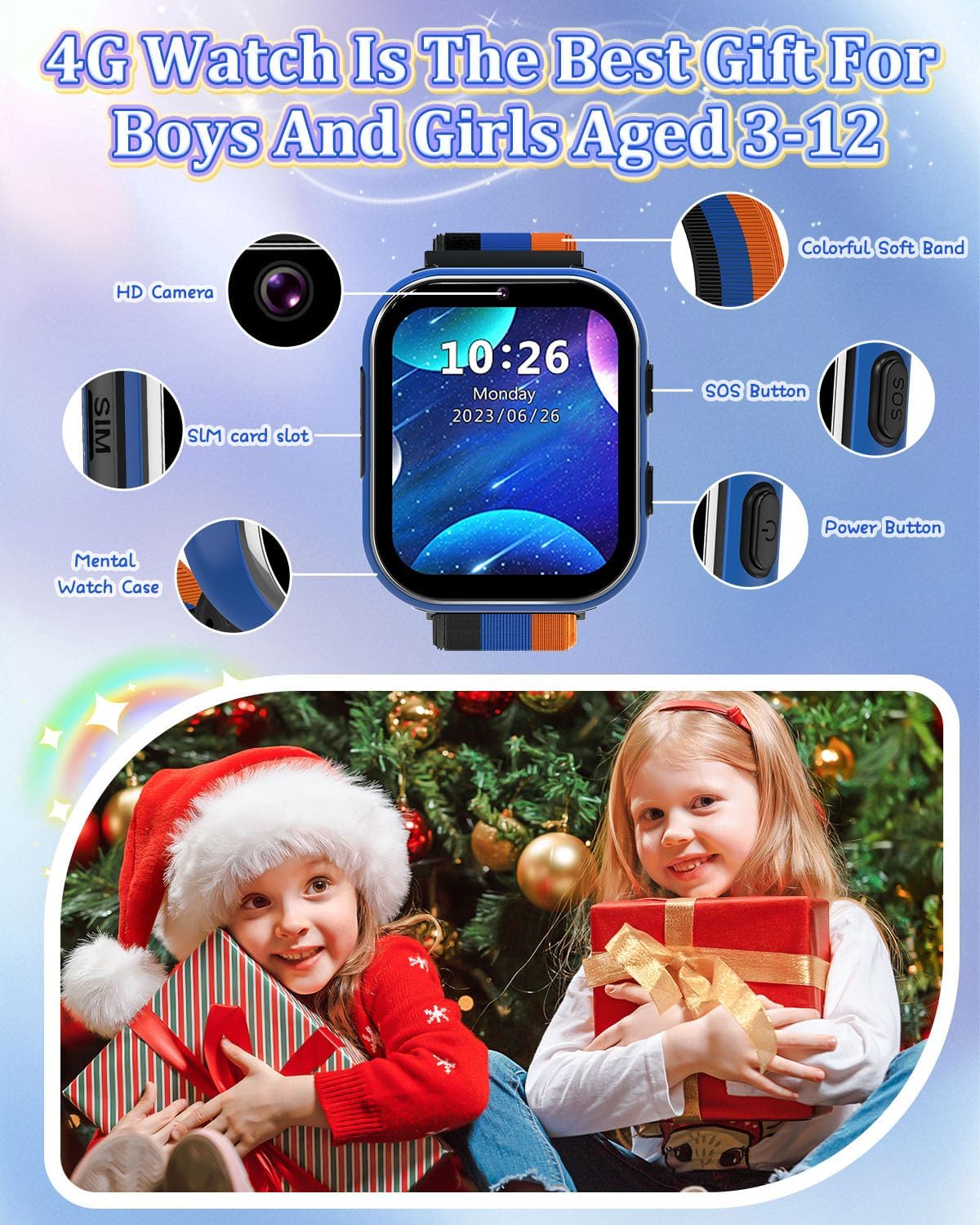
Image: PTHTECHUS 4G Kids Smart Watch LT49 showing its HD Camera, SIM card slot, Mental Watch Case, Colorful Soft Band, SOS Button, and Power Button.
- กล้อง HD: Located at the top of the watch face, used for taking photos and videos.
- ช่องใส่ซิมการ์ด: Located on the side, for inserting the Nano SIM card.
- ปุ่ม SOS: A dedicated button for emergency calls.
- ปุ่มเปิด/ปิด: Used to power on/off the device and navigate.
- หน้าจอสัมผัส: 1.54-inch display for interaction.
4. คำแนะนำในการตั้งค่า
4.1. การติดตั้งซิมการ์ด
The PTHTECHUS 4G Kids Smart Watch requires a Nano SIM card for 4G network functionality, including calling. A SpeedTalk Mobile SIM kit is included.

Image: Illustration of a Nano SIM card and its correct orientation for insertion into the watch's SIM card slot, alongside information about SpeedTalk Mobile service.
- Ensure the watch is powered off.
- หาช่องใส่ซิมการ์ดที่ด้านข้างของนาฬิกา
- Carefully insert the Nano SIM card into the slot with the gold contacts facing up and the notched corner aligned correctly.
- ค่อยๆ ดันเข้าไปจนกระทั่งซิมการ์ดเข้าที่และมีเสียงคลิก
4.2. การชาร์จและเปิดเครื่องครั้งแรก
- Connect the charging cable to the watch's charging port and a compatible USB power adapter.
- Allow the watch to charge fully before first use. The battery indicator will show charging status.
- To power on, press and hold the Power Button until the screen illuminates.
4.3. Network Activation (SpeedTalk Mobile)
The included SpeedTalk Mobile SIM card requires activation to enable calling and data features. Visit the SpeedTalk Mobile website to activate the service. Support is available 7 days a week.
5. คู่มือการใช้งาน
5.1. การนำทางพื้นฐาน
The watch features an HD touch screen for navigation. Swipe left/right or up/down to access different applications and settings. Tap icons to select.
5.2. การโทรออกและรับสาย
With an activated 4G SIM card, the watch supports two-way calling.

Image: The PTHTECHUS 4G Kids Smart Watch displaying an incoming call, illustrating its two-way calling capability.
- การโทร: Navigate to the 'Phone' application, select a contact from the pre-set list, and initiate the call.
- รับสาย: เมื่อมีสายเรียกเข้า ให้แตะไอคอนรับสายสีเขียวบนหน้าจอ
5.3. การโทรฉุกเฉิน SOS
In an emergency, the SOS function allows the child to quickly contact pre-set numbers.
- เปิดใช้งานสัญญาณขอความช่วยเหลือ: Press and hold the SOS button for 3-5 seconds.
- The watch will automatically dial up to 3 pre-set emergency contacts in a loop until one answers.
- An emergency text message will also be sent to these contacts.
5.4. การใช้กล้อง
The built-in camera allows for capturing photos and videos.
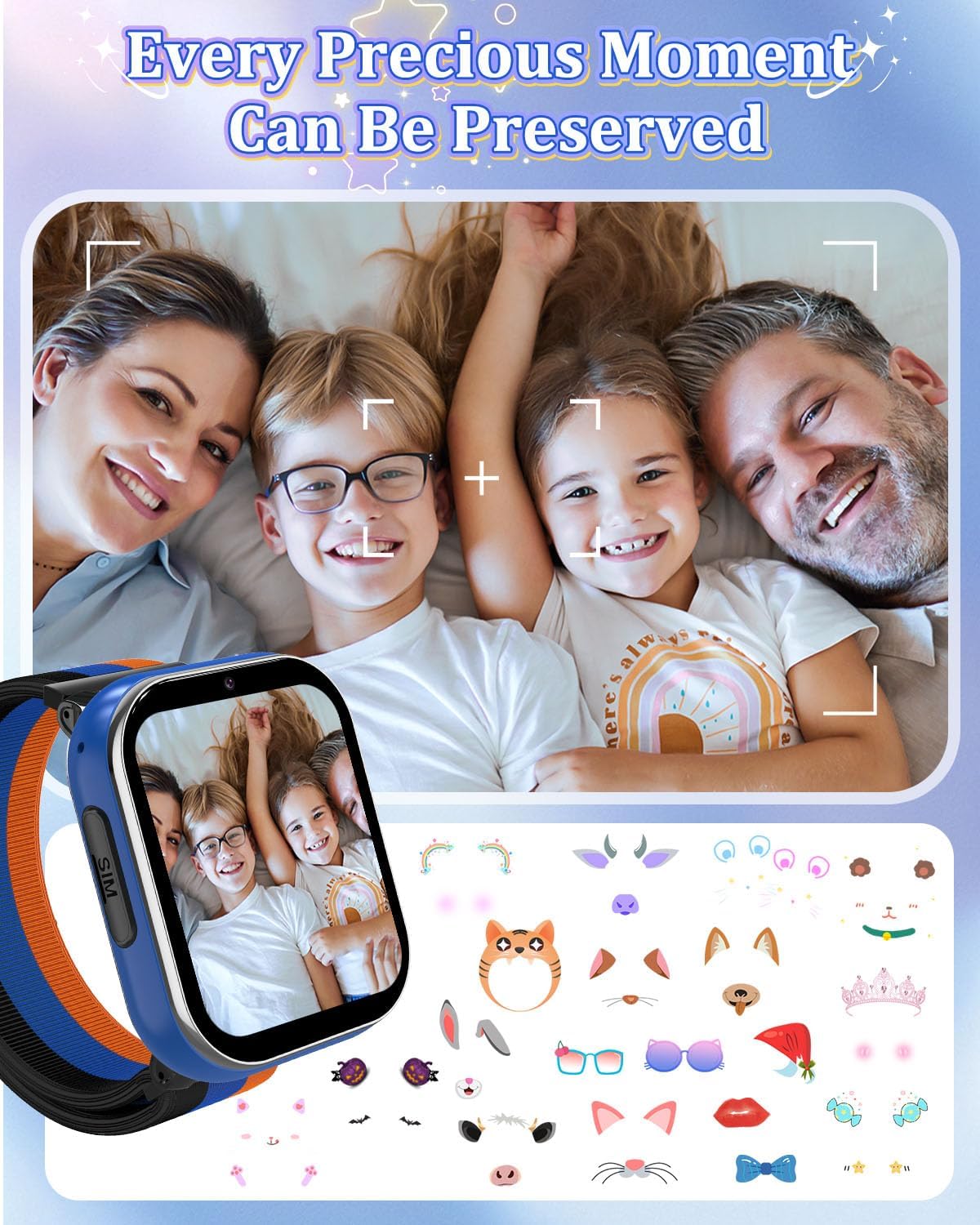
Image: A family portrait displayed on the watch screen, demonstrating the watch's camera function and ability to preserve moments.
- เข้าไปที่แอปพลิเคชัน 'กล้อง'
- Tap the screen to take a photo or start/stop video recording.
- Photos and videos are saved to the watch's internal memory.
5.5. การเล่นเพลง
The watch supports MP3 music playback.
- โอนไฟล์ MP3 files to the watch's storage via USB connection to a computer.
- Access the 'Music' application to browse and play stored audio files.
5.6. เกม
The watch includes 8 pre-installed puzzle games designed to engage children and develop logical thinking.
- Access games through the 'Games' application.
- โหมดโรงเรียน: To prevent distractions during study times, activate 'School Mode' in the settings. This temporarily disables game functions.
5.7 pedometer
The built-in pedometer tracks daily steps.
- Access the 'Pedometer' application to view นับก้าว
5.8. Alarm Clock and Habit Tracker
Set up to 13 different alarm clock modes to help establish daily routines.

Image: A visual representation of 13 alarm clock modes, including 'Get Up', 'Brush Your Teeth', 'Breakfast', 'Walk the Dog', 'Go to School', 'Lunch', 'Sports', 'Homework', 'Dinner', 'Housework', 'Reading', and 'Go to Bed', displayed around the watch face.
- Navigate to the 'Alarm' or 'Habit' application to set and manage alarms.
5.9. Learning Features
The watch includes learning cards and audio stories.

Image: Display of various learning cards (e.g., animals, plants) and icons representing audio stories, designed to aid learning.
- Access 'Learning Cards' for educational content.
- Access 'Audio Stories' for pre-loaded narratives.
5.10. คุณสมบัติอื่น ๆ
- เครื่องคิดเลข: ฟังก์ชันเลขคณิตพื้นฐาน
- นาฬิกาจับเวลาและตัวจับเวลา: สำหรับการจับเวลาในการทำกิจกรรม
- การบันทึก: ฟังก์ชันบันทึกเสียง
- วอลเปเปอร์ : Customize the watch face with multiple wallpaper options.
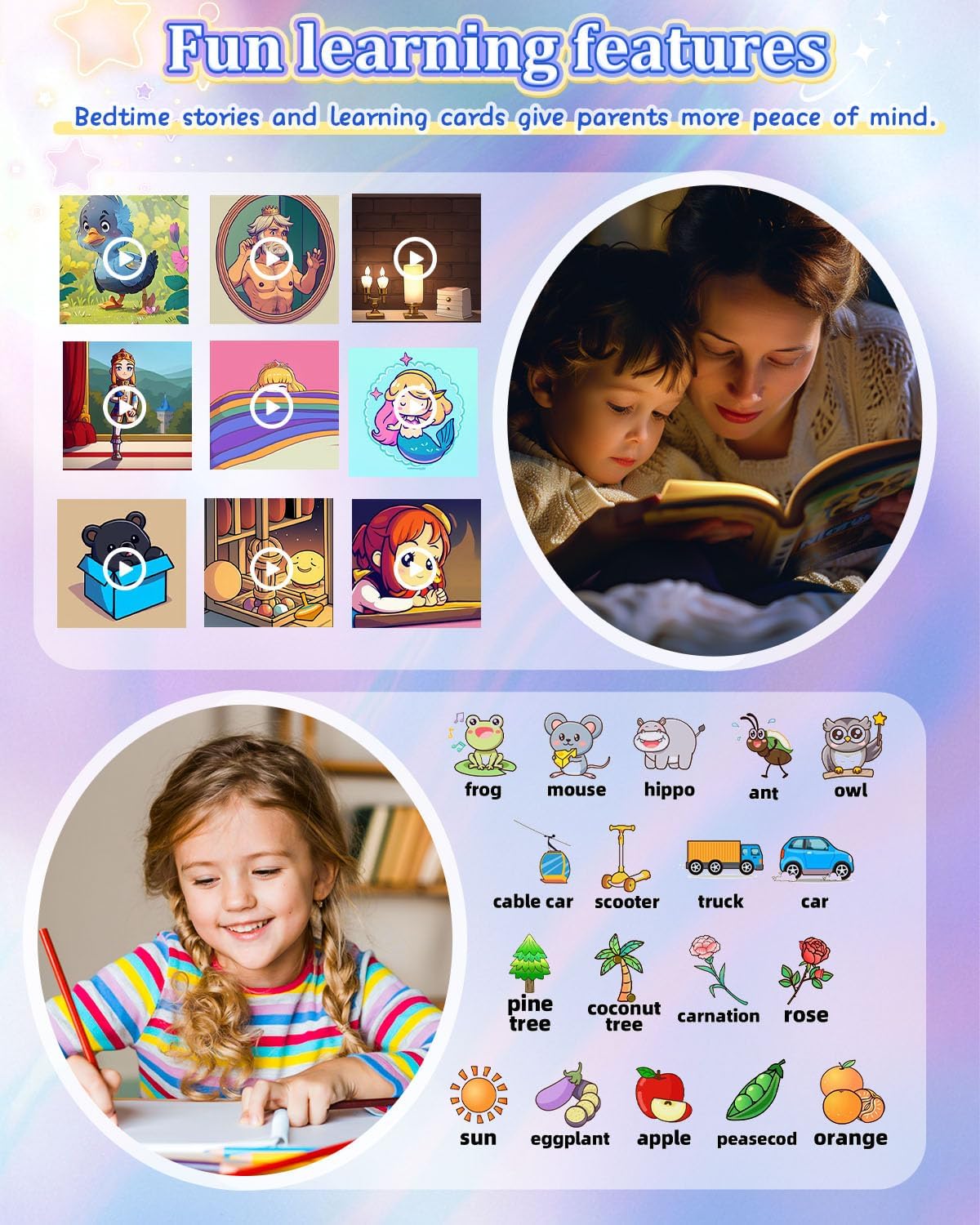
Image: A grid of diverse wallpaper designs available for customization on the watch screen.
6. การบำรุงรักษา
6.1. การชาร์จไฟ
- ใช้เฉพาะสายชาร์จที่ให้มาเท่านั้น
- ควรชาร์จนาฬิกาเป็นประจำเพื่อรักษาอายุการใช้งานของแบตเตอรี่
- ควรหลีกเลี่ยงการชาร์จแบตเตอรี่มากเกินไปหรือปล่อยให้แบตเตอรี่หมดจนเกลี้ยงบ่อยๆ
6.2. การทำความสะอาด
- เช็ดหน้าจอและตัวเรือนนาฬิกาด้วยผ้าแห้งเนื้อนุ่ม
- หลีกเลี่ยงการใช้สารเคมีรุนแรงหรือวัสดุที่มีฤทธิ์กัดกร่อน
6.3. การดูแลแบตเตอรี่
- The watch is equipped with a 700mAh Lithium Metal battery.
- เก็บนาฬิกาไว้ในที่แห้งและเย็นเมื่อไม่ได้ใช้งานเป็นเวลานาน
- หากไม่ได้ใช้งานนาฬิกาเป็นเวลานาน ควรชาร์จแบตเตอรี่ให้ได้ประมาณ 50% ก่อนเก็บรักษา
7 การแก้ไขปัญหา
- นาฬิกาไม่เปิดเครื่อง: ตรวจสอบให้แน่ใจว่านาฬิกาชาร์จเต็มแล้ว กดปุ่มเปิด/ปิดค้างไว้อย่างน้อย 10 วินาที
- ไม่สามารถโทรออก/รับสายได้: Verify that the SIM card is correctly inserted and activated with a 4G plan. Check network signal strength.
- หน้าจอไม่ตอบสนอง: รีสตาร์ทนาฬิกา หากปัญหายังคงอยู่ โปรดตรวจสอบให้แน่ใจว่าหน้าจอสะอาดและแห้ง
- คุณภาพการโทรไม่ดี: Check network signal. Ensure the microphone and speaker are not obstructed.
- แบตเตอรี่หมดเร็ว: Reduce screen brightness, close unused applications, and ensure no background processes are consuming excessive power.
8. ข้อมูลจำเพาะ
| คุณสมบัติ | ข้อมูลจำเพาะ |
|---|---|
| ชื่อรุ่น | LT49 |
| ขนาดหน้าจอ | 1.54 นิ้ว |
| ความจุของแบตเตอรี่ | 700 มิลลิวินาทีamp Hours (Lithium Metal) |
| ความจุของหน่วยความจำ | 3.3GB |
| เทคโนโลยีการเชื่อมต่อ | ยูเอสบี |
| คุณสมบัติพิเศษ | Alarm Clock, Camera, Music Player, Phone Call, SOS Button |
| จีพีเอส | ไม่มีจีพีเอส |
| น้ำหนักสินค้า | 60 กรัม (2.12 ออนซ์) |
| ขนาดแพ็คเกจ | 3.94 x 2.36 x 1.57 นิ้ว |
9. การรับประกันและการสนับสนุน
PTHTECHUS is committed to providing quality products. For any questions or issues regarding your PTHTECHUS 4G Kids Smart Watch LT49, please contact our customer support. We are available to assist you with product inquiries and troubleshooting.