
1. บทนำ
Thank you for choosing the MASINGO Allegro X8 2.0 Professional Karaoke Machine. This manual provides essential information for the safe and efficient operation of your device. Please read it thoroughly before use and retain it for future reference.
2. อะไรอยู่ในกล่อง
พวกเขาASINGO Allegro X8 2.0 package includes the following components:
- เครื่องคาราโอเกะ Allegro X8
- ไมโครโฟนไร้สาย 2 ตัว
- อะแดปเตอร์ชาร์จไฟ
- คู่มือการใช้งาน
- สายเสริม

Image: The MASINGO Allegro X8 2.0 Karaoke Machine with its included accessories: two wireless microphones, a power adapter, a remote control, and the user manual.
3. สินค้าหมดview
3.1 คุณสมบัติหลัก
- 15-inch Touch-Screen Tablet: Integrated display for lyrics and app navigation.
- ไมโครโฟนไร้สายคู่: Two rechargeable microphones with individual displays for volume, echo, and EQ control.
- โหมดการเล่นหลายโหมด: Supports Tablet, Bluetooth, USB, AUX-out, Micro-SD, HDMI, and Guitar inputs.
- การออกแบบพกพา: Equipped with wheels and a telescoping handle for easy transport.
- เอฟเฟกต์เสียง: 'Magic Mode' allows voice alteration (e.g., Man, Woman, Electric, Shout).
- แบตเตอรี่ใช้งานได้ยาวนาน: Features a 12V 5000 mAh rechargeable battery providing 3-4 hours of operation.
3.2 ส่วนประกอบทางกายภาพ

Image: The MASINGO Allegro X8 2.0 Karaoke Machine, showcasing its overall design with the integrated touchscreen and speaker grille.
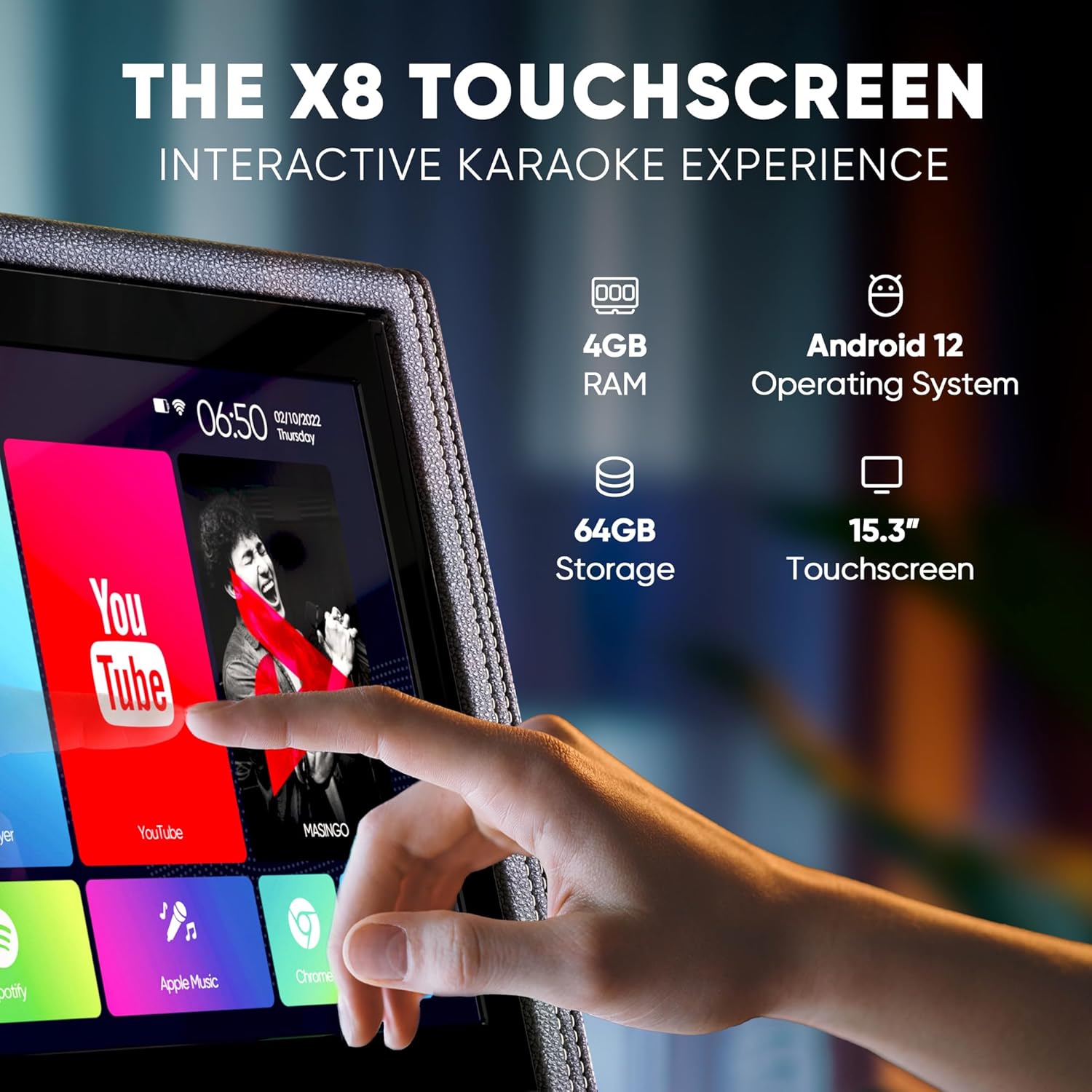
ภาพ: รายละเอียด view of the 15-inch touchscreen tablet, highlighting its Android 12 operating system, 4GB RAM, and 64GB storage. The screen displays various app icons like YouTube and Spotify.

Image: Two wireless microphones are shown, emphasizing their visual control displays for battery levels and frequency, and the easy AA battery setup.

Image: A close-up of the top control panel, showing HDMI, WiFi, Bluetooth 5.0, USB, and Micro SD connectivity options.

Image: A person is shown easily transporting the karaoke machine using its telescoping handle and wheels, highlighting its portability and 12V 5000 mAh battery capacity.
Product Video: Introducing the Allegro X8 2.0 Karaoke Machine
Video Description: This official seller video provides an introduction to the MASINGO Allegro X8 2.0 Karaoke Machine, showcasing its features and design. It highlights the integrated touchscreen, dual wireless microphones, and portable nature of the device.
4. การตั้งค่า
4.1 การชาร์จเริ่มต้น
- Before first use, fully charge the karaoke machine using the provided charging adapter.
- Connect the charging adapter to the DC 15V input port on the control panel.
- ใช้เวลาประมาณ 3-4 ชั่วโมงในการชาร์จจนเต็ม
4.2 การตั้งค่าไมโครโฟน
- Insert 2 AA batteries into each wireless microphone.
- Press the power button on each microphone to turn it on. The microphones will automatically pair with the karaoke machine.
5. คู่มือการใช้งาน
5.1 เปิด/ปิดเครื่อง
- To power on the machine, locate the power switch on the control panel and toggle it to the 'ON' position.
- To power off, toggle the switch to the 'OFF' position.
5.2 การใช้หน้าจอสัมผัส
- The 15-inch touchscreen operates like a standard Android tablet.
- Navigate through pre-installed apps (e.g., YouTube, Spotify, Google Chrome) or download new ones from the Play Store.
- Use the remote control for basic navigation and volume adjustments from a distance.
5.3 ตัวเลือกการเชื่อมต่อ
- บลูทูธ: Pair your smartphone or tablet wirelessly to stream music.
- USB/Micro-SD: Insert a USB drive or Micro-SD card with your music files.
- ช่องรับสัญญาณเสียงเข้า: เชื่อมต่ออุปกรณ์เสียงภายนอกโดยใช้สาย AUX ที่ให้มา
- ช่องต่อ HDMI: Connect the machine to an external display (e.g., TV) to show lyrics on a larger screen.
- อินพุตกีตาร์: Plug in a guitar to use the machine as an ampชีวิต.
5.4 การควบคุมไมโครโฟน
- Adjust individual microphone volume, echo, and EQ settings using the dedicated controls on the microphone itself or the main control panel.
- Utilize 'Magic Mode' to change your voice with various effects like 'Man', 'Woman', 'Electric', or 'Shout'.
6. การบำรุงรักษา
- Keep the machine clean by wiping it with a soft, dry cloth. Avoid using abrasive cleaners or solvents.
- เก็บเครื่องไว้ในที่แห้งและเย็น หลีกเลี่ยงแสงแดดโดยตรงและอุณหภูมิที่สูงหรือต่ำเกินไป
- Ensure microphones are stored securely in their designated sleeves when not in use.
7 การแก้ไขปัญหา
7.1 ไม่มีเสียงออกจากลำโพง
- ตรวจสอบว่าได้เปิดเสียงหลักไว้หรือไม่
- Ensure the correct playback mode (Bluetooth, USB, AUX) is selected.
- Verify that the connected device's volume is also turned up.
7.2 ไมโครโฟนไม่ทำงาน
- Confirm microphones are powered on and have fresh batteries.
- Check microphone volume levels on both the mic and the main control panel.
- Ensure microphones are paired correctly (usually automatic upon power-on).
7.3 Display Lagging or Unresponsive
- รีสตาร์ทเครื่อง
- Clear cache or uninstall unused apps from the Android tablet interface.
- Ensure a stable Wi-Fi connection for streaming content.
8. ข้อมูลจำเพาะ
| คุณสมบัติ | ข้อมูลจำเพาะ |
|---|---|
| หมายเลขรุ่น | เอ็กซ์วัน 8 |
| ขนาดสินค้า | 15.3 x 9.4 x 25.1 นิ้ว |
| น้ำหนักสินค้า | 35 ปอนด์ |
| แบตเตอรี่ | 1 12V 5000 mAh battery (included) |
| ระยะเวลาการทำงานของแบตเตอรี่ | 3-4 ชั่วโมง |
| คุณสมบัติพิเศษ | Portable, Touchscreen |
| สี | Black faux leather |
9. การรับประกันและการสนับสนุน
พวกเขาASINGO Allegro X8 2.0 Karaoke Machine comes with a 60-day warranty. For support or warranty claims, please refer to the contact information provided in your product packaging or visit the MASINGO official webเว็บไซต์.