
การแนะนำ
Thank you for choosing the ADE WS2322 Digital Indoor Thermometer and Hygrometer. This device is designed to provide accurate measurements of indoor temperature and humidity, along with timekeeping and alarm functions. Please read this manual carefully before use to ensure proper operation and to maximize the lifespan of your device.
ข้อมูลด้านความปลอดภัย
- เก็บอุปกรณ์ให้ห่างจากอุณหภูมิที่สูง แสงแดดโดยตรง และความชื้นสูง
- อย่าให้อุปกรณ์โดนน้ำหรือของเหลวอื่นๆ
- อย่าพยายามถอดประกอบหรือซ่อมแซมอุปกรณ์ด้วยตนเอง โปรดติดต่อเจ้าหน้าที่บริการที่มีคุณสมบัติเหมาะสม
- เก็บแบตเตอรี่ให้พ้นมือเด็ก และทิ้งแบตเตอรี่ที่ใช้แล้วอย่างถูกต้องตามระเบียบข้อบังคับของท้องถิ่น
- ทำความสะอาดอุปกรณ์ด้วยผ้านุ่มและแห้ง ห้ามใช้น้ำยาทำความสะอาดหรือสารละลายที่มีฤทธิ์กัดกร่อน
เนื้อหาแพ็คเกจ
กรุณาตรวจสอบเนื้อหาในแพ็คเกจเพื่อให้แน่ใจว่ามีสินค้าครบทั้งหมด:
- 1 x ADE WS2322 Digital Indoor Thermometer and Hygrometer
- แบตเตอรี่ AAA 1 ก้อน
- 1 x คู่มือการใช้งาน
สินค้าเกินview
The ADE WS2322 features a clear LCD display showing temperature, humidity, and time. It includes buttons for mode selection, setting adjustments, and switching between Celsius/Fahrenheit.
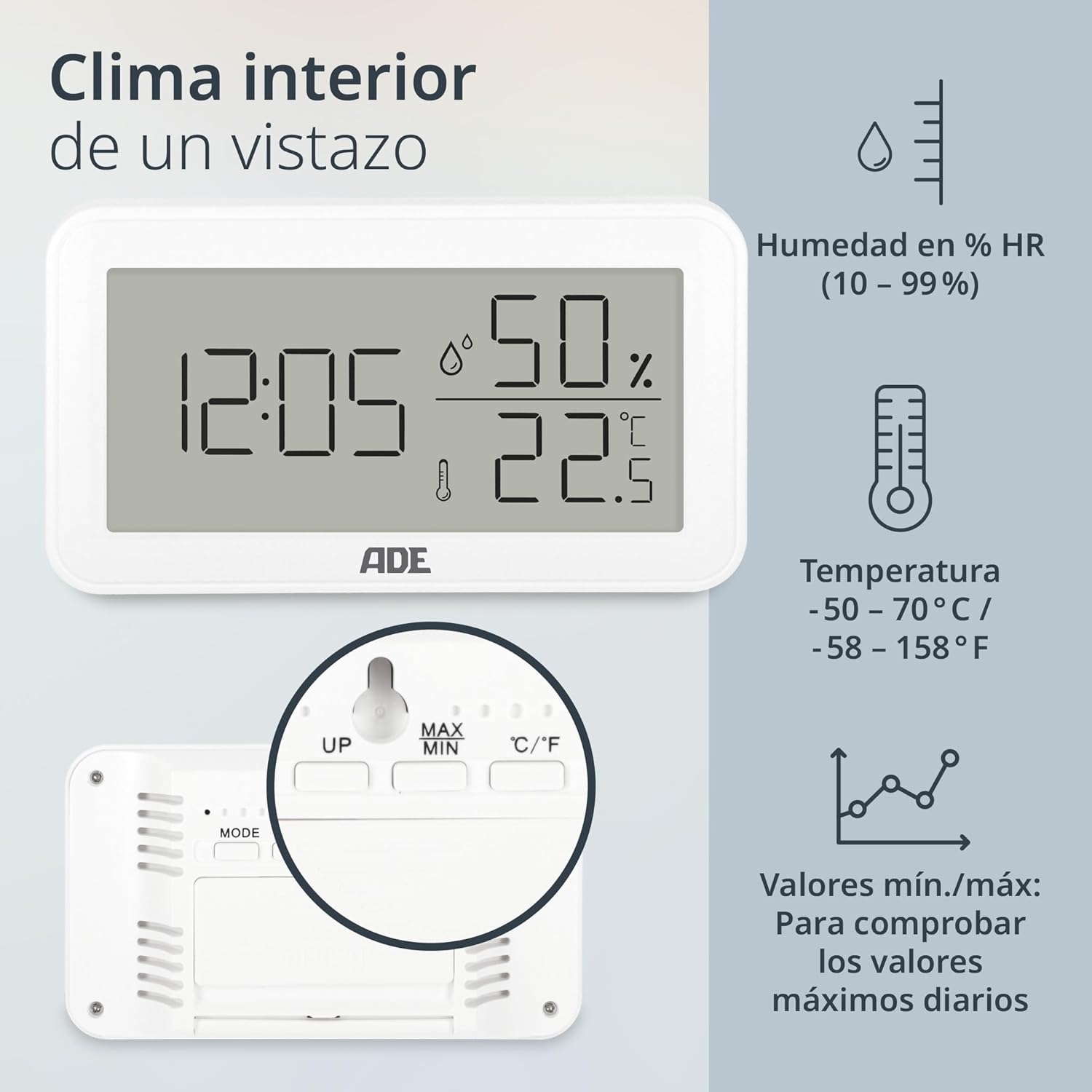
ภาพ: ด้านหน้า view of the ADE WS2322 display, illustrating current time, humidity percentage, and temperature in Celsius. The display also shows icons indicating humidity, temperature, and the min/max value tracking feature. This image highlights the primary information presented on the device's screen.
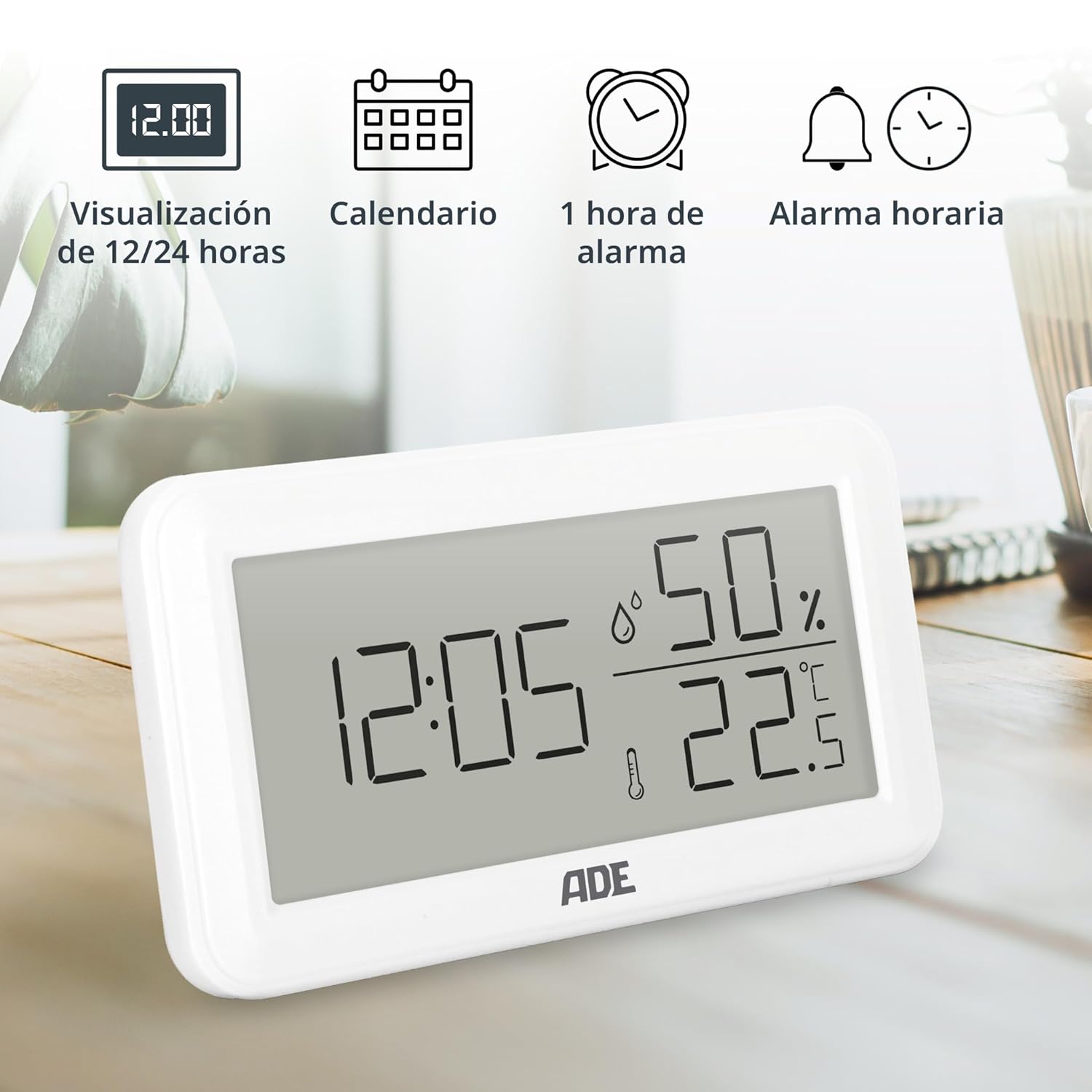
ภาพ: The ADE WS2322 display, showcasing its various time-related functions. This includes the ability to switch between 12 and 24-hour time formats, a calendar display, a 1-hour alarm, and an hourly chime function. The image emphasizes the device's versatility beyond just temperature and humidity monitoring.
การตั้งค่า
1. การติดตั้งแบตเตอรี่
- ค้นหาช่องใส่แบตเตอรี่ที่ด้านหลังของอุปกรณ์
- เปิดฝาช่องใส่แบตเตอรี่
- ใส่แบตเตอรี่ AAA หนึ่งก้อน โดยตรวจสอบให้แน่ใจว่าขั้วถูกต้อง (+/-)
- ปิดฝาช่องใส่แบตเตอรี่ให้แน่น
2. การจัดวางเริ่มต้น
The device can be placed on a flat surface using its integrated stand or mounted on a wall using the hanging loop.

ภาพ: หลัง view of the ADE WS2322, highlighting its design for flexible placement. The image shows both the integrated stand for tabletop use and the hanging loop for wall mounting, demonstrating how the device can be adapted to various environments.
คำแนะนำการใช้งาน
1. เปิด/ปิดเครื่อง
The device powers on automatically once batteries are inserted. There is no manual power off button; remove batteries to power off.
2. การตั้งเวลาและวันที่
- กดปุ่มค้างไว้ โหมด กดปุ่มค้างไว้ 3 วินาทีเพื่อเข้าสู่โหมดตั้งเวลา ตัวเลขชั่วโมงจะกะพริบ
- ใช้ UP or สูงสุด/ต่ำสุด ปุ่มเพื่อปรับชั่วโมง
- กด โหมด again to move to minute setting, then year, month, and day. Adjust each with UP or สูงสุด/ต่ำสุด.
- กด โหมด กดอีกครั้งเพื่อออกจากโหมดการตั้งค่า
3. การเลือกรูปแบบเวลา 12/24 ชั่วโมง
ในโหมดการแสดงผลปกติ ให้กดปุ่ม UP ปุ่มสำหรับสลับระหว่างรูปแบบเวลา 12 ชั่วโมงและ 24 ชั่วโมง
4. การเลือกหน่วยอุณหภูมิ (°C/°F)
ในโหมดการแสดงผลปกติ ให้กดปุ่ม ° C / ° F ปุ่มสำหรับสลับระหว่างหน่วยอุณหภูมิเซลเซียสและฟาเรนไฮต์
5. การตั้งค่านาฬิกาปลุก
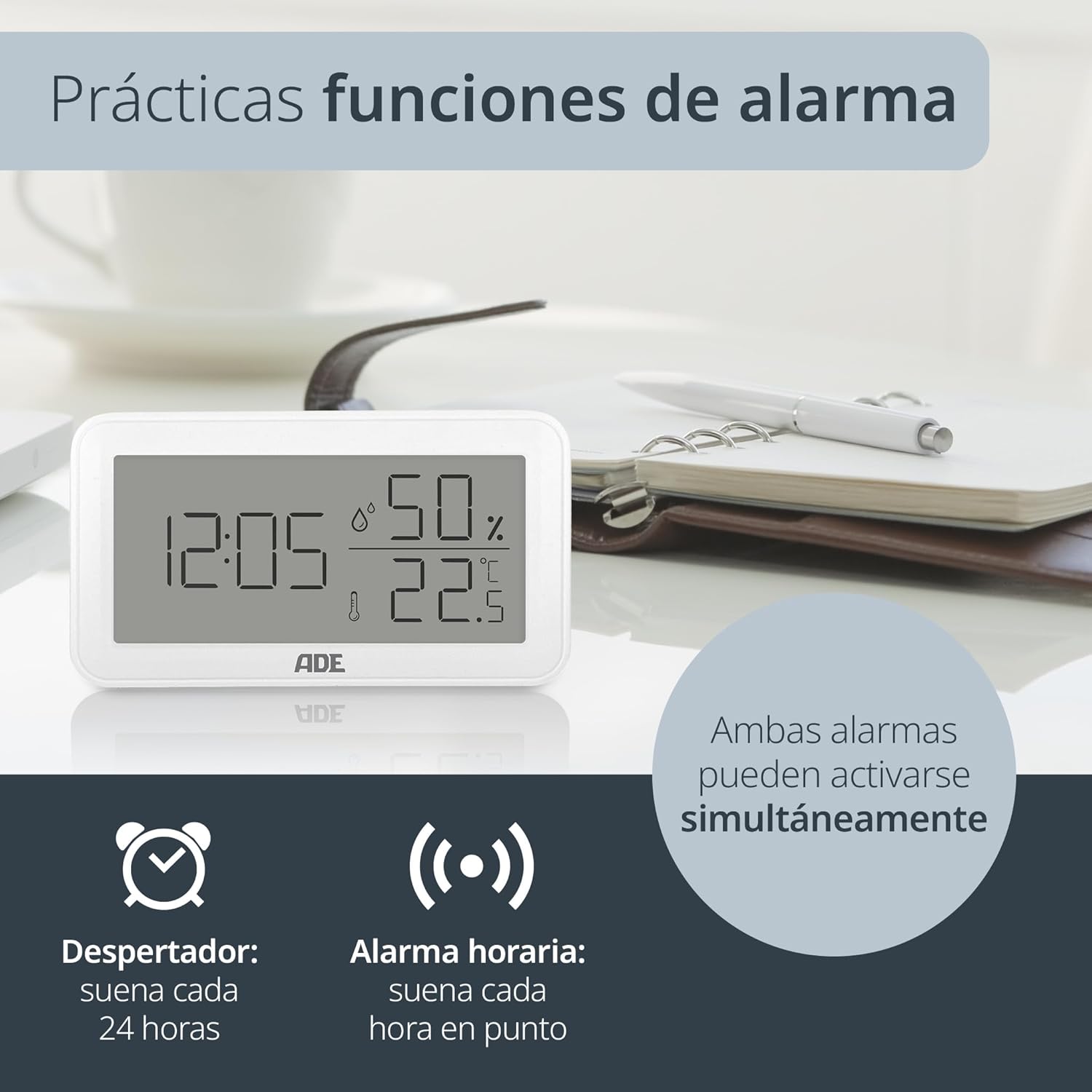
ภาพ: The ADE WS2322 display, illustrating its practical alarm functions. It shows icons for both a daily alarm clock and an hourly chime, emphasizing that these two features can be activated concurrently to suit user preferences.
- Setting the Daily Alarm:
- กดปุ่ม โหมด button once to enter alarm display mode (AL).
- กดค้างไว้ โหมด for 3 seconds. The alarm hour digits will flash.
- ใช้ UP or สูงสุด/ต่ำสุด เพื่อปรับเวลาปลุก
- กด โหมด again to set the alarm minute. Adjust with UP or สูงสุด/ต่ำสุด.
- กด โหมด เพื่อยืนยันและออก
- Activating/Deactivating Daily Alarm: In alarm display mode (AL), press the UP button to toggle the alarm ON/OFF. An alarm icon will appear/disappear on the display.
- การเปิด / ปิดการใช้งาน Hourlใช่ เสียงระฆัง: ในโหมดการแสดงผลปกติ ให้กดปุ่ม สูงสุด/ต่ำสุด ปุ่มเพื่อสลับโฮurly chime ON/OFF. A chime icon will appear/disappear.
6. Min/Max Temperature and Humidity Display
The device records the minimum and maximum temperature and humidity values over a period. To view ค่าเหล่านี้:
- กดปุ่ม สูงสุด/ต่ำสุด button once to display the maximum recorded temperature and humidity.
- กด สูงสุด/ต่ำสุด again to display the minimum recorded temperature and humidity.
- กด สูงสุด/ต่ำสุด a third time to return to the current temperature and humidity display.
- หากต้องการรีเซ็ตค่าต่ำสุด/สูงสุด ให้กดปุ่มค้างไว้ สูงสุด/ต่ำสุด ปุ่มเป็นเวลา 3 วินาทีในขณะที่ viewing the Min/Max values.
การซ่อมบำรุง
การทำความสะอาด
Wipe the device with a soft, dry cloth. Do not use liquid cleaners, aerosols, or abrasive materials, as these may damage the device.
การเปลี่ยนแบตเตอรี่
When the display becomes dim or the device stops functioning, replace the AAA battery. Follow the battery installation steps in the Setup section.
การแก้ไขปัญหา
| ปัญหา | สาเหตุที่เป็นไปได้ | สารละลาย |
|---|---|---|
| ไม่มีจอแสดงผลหรือจอแสดงผลมืด | Low or dead battery; incorrect battery polarity. | เปลี่ยนแบตเตอรี่ AAA โดยตรวจสอบให้แน่ใจว่าขั้วถูกต้อง |
| การอ่านค่าอุณหภูมิ/ความชื้นไม่ถูกต้อง | Device placed near heat/cold sources or in direct sunlight; sensor obstruction. | Relocate the device to a stable environment; ensure sensors are clear. |
| นาฬิกาปลุกไม่ส่งเสียง | ระบบเตือนภัยไม่ทำงาน | Ensure the alarm icon is displayed (refer to "Activating/Deactivating Daily Alarm"). |
| ไม่สามารถตั้งเวลา/วันที่ได้ | Not in setting mode; buttons not pressed correctly. | กดปุ่มค้างไว้ โหมด กดปุ่มค้างไว้ 3 วินาทีเพื่อเข้าสู่โหมดการตั้งค่า |
ข้อมูลจำเพาะ

ภาพ: The ADE WS2322 device, illustrating its compact dimensions. The image clearly labels the length (12 cm), height (6.8 cm), and depth (2.5 cm), emphasizing its suitability for various spaces due to its small footprint and clear, large-digit display.
- แบบอย่าง: WS2322
- ขนาด : 12 x 6.8 x 2.5 cm (Length x Height x Depth)
- น้ำหนัก: 110 กรัม
- ช่วงอุณหภูมิ: -50°C ถึง 70°C (-58°F ถึง 158°F)
- ความแม่นยำของอุณหภูมิ: ±1 องศาเซลเซียส
- ช่วงความชื้น: ความชื้นสัมพัทธ์ 10% ถึง 99%
- แหล่งพลังงาน: แบตเตอรี่ AAA 1 ก้อน (รวมอยู่ด้วย)
- ฟังก์ชั่น: Thermometer, Hygrometer, Digital Clock (12/24h), Daily Alarm, Hourly Chime, Min/Max Value Display
- ประเภทการติดตั้ง: Wall mount or tabletop stand
- ประเทศต้นกำเนิด: จีน
การรับประกันและการสนับสนุน
For warranty information or technical support, please refer to the official ADE website or contact your retailer. You can also find additional language manuals and support resources by scanning the QR code in the printed instructions or visiting the product page on Amazon.
หากต้องการความช่วยเหลือเพิ่มเติม โปรดไปที่ ADE Brand Store.