
1. บทนำ
This manual provides essential information for the safe and efficient use of your Philips 32E1N3100LA monitor. Please read these instructions carefully before operating the device and retain them for future reference.
The Philips 32E1N3100LA is a 32-inch Full HD (1920x1080) monitor featuring a VA panel, 75Hz refresh rate, and 1ms MPRT response time, designed for a clear and smooth visual experience. It includes built-in speakers and supports Adaptive Sync technology.

ด้านหน้า view of the Philips 32E1N3100LA monitor.
2. ข้อมูลด้านความปลอดภัย
โปรดปฏิบัติตามข้อควรระวังด้านความปลอดภัยขั้นพื้นฐานเหล่านี้ทุกครั้งเมื่อใช้งานจอภาพ:
- อย่าให้จอภาพโดนฝนหรือความชื้น
- อย่าเปิดจอภาพcasinก. ไม่มีชิ้นส่วนใดที่ผู้ใช้สามารถซ่อมบำรุงเองได้ภายใน
- ตรวจสอบให้แน่ใจว่ามีการระบายอากาศที่เหมาะสมรอบ ๆ จอภาพ
- ใช้เฉพาะอะแดปเตอร์ไฟฟ้าที่ให้มาพร้อมกับจอภาพเท่านั้น
- เก็บจอภาพให้ห่างจากแสงแดดโดยตรงและแหล่งความร้อน
- Refer to the official "Safety Information (PDF)" document for comprehensive safety guidelines.
For detailed safety instructions, please consult the official safety document: ข้อมูลด้านความปลอดภัย (PDF)
3. การตั้งค่า
3.1 การแกะกล่อง
Carefully remove all components from the packaging. Ensure all items listed in the packing list are present and undamaged.
3.2 การประกอบขาตั้ง
- วางจอภาพคว่ำหน้าลงบนพื้นผิวที่นุ่มและสะอาดเพื่อป้องกันรอยขีดข่วน
- ยึดคอขาตั้งเข้ากับจอภาพโดยใช้สกรูที่ให้มา
- ยึดฐานเข้ากับคอขาตั้ง

หลัง view of the monitor with the stand assembly.
3.3 สายเชื่อมต่อ
เชื่อมต่อสายเคเบิลที่จำเป็นเข้ากับพอร์ตด้านหลังของจอภาพ:
- สายไฟ: เชื่อมต่อสายไฟเข้ากับแหล่งจ่ายไฟของจอภาพ จากนั้นจึงเชื่อมต่อกับเต้ารับไฟฟ้าที่มีสายดิน
- สายวิดีโอ: Connect an HDMI cable from your computer's video output to the monitor's HDMI input. Alternatively, use a D-Sub (VGA) cable if your system supports it.

Rear ports of the monitor for power and video connections.
3.4 การจัดการสายเคเบิล
Utilize the integrated cable management feature on the stand to keep your workspace tidy.
Cable management feature on the monitor stand.
4. การใช้งานจอภาพ
4.1 เปิด/ปิดเครื่อง
Press the power button, usually located on the back or bottom edge of the monitor, to turn it on or off. The power LED will indicate the monitor's status.
4.2 เมนูการแสดงผลบนหน้าจอ (OSD)
The monitor features a micro joystick control, typically located on the rear right side, for navigating the OSD menu. This allows you to adjust various settings.
4.2.1 การตั้งค่าภาพ
- ความสว่าง/คอนทราสต์: ปรับการตั้งค่าเหล่านี้เพื่อเพิ่มความคมชัดของภาพ
- อุณหภูมิสี: Select predefined color modes or customize RGB levels.
- โหมด LowBlue: Reduces harmful blue light emissions for eye comfort during prolonged use.
- เทคโนโลยีปราศจากการกระพริบ: Minimizes screen flickering to reduce eye strain.

LowBlue Mode and Flicker-free technology for eye comfort.
4.2.2 การตั้งค่าเสียง
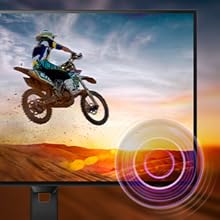
Adjust the volume of the built-in speakers through the OSD menu. An audio output jack is also available for connecting external headphones or speakers.

Monitor with built-in speakers.
4.3 ระบบซิงค์แบบปรับได้ (FreeSync)
This monitor supports Adaptive Sync technology, which synchronizes the display's refresh rate with your graphics card's frame rate. This helps eliminate screen tearing and stuttering for smoother gameplay and video playback. Ensure your graphics card supports FreeSync and that the feature is enabled in your graphics card settings and the monitor's OSD.

Adaptive Sync technology for smooth visuals.
5. การบำรุงรักษา
5.1 การทำความสะอาดหน้าจอ
เช็ดหน้าจอเบาๆ ด้วยผ้านุ่มที่ไม่เป็นขุย สำหรับรอยฝังแน่น ให้เช็ดเบาๆampen the cloth with a screen cleaner specifically designed for monitors. Do not spray cleaner directly onto the screen.
5.2 การทำความสะอาด Casing
ใช้ผ้าแห้งนุ่มเช็ดจอภาพasinก. หลีกเลี่ยงการใช้น้ำยาทำความสะอาดหรือตัวทำละลายที่มีฤทธิ์กัดกร่อน
5.3 การดูแลทั่วไป
- หลีกเลี่ยงการวางวัตถุหนักบนจอภาพหรือสายเคเบิล
- อย่าปิดกั้นช่องระบายอากาศ
- ถอดปลั๊กจอภาพออกจากเต้าเสียบไฟฟ้าในระหว่างที่มีพายุฝนฟ้าคะนองหรือเมื่อไม่ได้ใช้งานเป็นเวลานาน
6 การแก้ไขปัญหา
หากคุณพบปัญหาเกี่ยวกับจอภาพของคุณ โปรดดูปัญหาทั่วไปและวิธีแก้ไขต่อไปนี้:
| ปัญหา | วิธีแก้ปัญหาที่เป็นไปได้ |
|---|---|
| ไม่มีไฟฟ้า | Ensure the power cable is securely connected to the monitor and a working electrical outlet. Check the power adapter. |
| ไม่มีภาพบนหน้าจอ | Verify the video cable (HDMI/D-Sub) is correctly connected to both the monitor and your computer. Ensure the correct input source is selected in the OSD menu. |
| ภาพเบลอหรือบิดเบี้ยว | Adjust the resolution settings on your computer to match the monitor's native resolution (1920x1080). Check video cable quality and connection. |
| ไม่มีเสียงออกจากลำโพง | Check the volume settings in the OSD menu and on your computer. Ensure the audio source is correctly configured. |
| ระบบ Adaptive Sync ไม่ทำงาน | Confirm your graphics card supports FreeSync and that it is enabled in both your graphics card control panel and the monitor's OSD settings. |
7. ข้อมูลจำเพาะ
| คุณสมบัติ | รายละเอียด |
|---|---|
| หมายเลขรุ่น | 32E1N3100LA/00 |
| ขนาดหน้าจอ | 32 นิ้ว |
| ประเภทแผง | แผงเวอร์จิเนีย |
| ปณิธาน | FHD 1080p (1920 x 1080) |
| อัตราส่วนภาพ | 16:9 น. |
| อัตราการรีเฟรช | 75 เฮิรตซ์ |
| เวลาตอบสนอง | 1 Millisecond (MPRT) |
| อัตราส่วนคอนทราสต์ | 3000:1 น. |
| ความสว่าง | 300 ซีดี/ตรม. |
| การเชื่อมต่อ | 1x HDMI 1.4, 1x D-Sub (VGA) |
| เสียง | Built-in Speakers, Audio Out |
| การซิงค์แบบปรับตัว | ฟรีซิงค์ |
| การใช้พลังงาน | 30.5 วัตต์ |
| ขนาด (ลxกxส) | 25P x 72l x 52H ซม. |
| น้ำหนัก | 7 กิโลกรัม |
| แท่นยึด VESA | Yes (Wall Mount Type) |
8. การรับประกันและการสนับสนุน
8.1 ข้อมูลการรับประกัน
This Philips monitor comes with a limited warranty. For specific terms, conditions, and duration of your warranty, please refer to the documentation included with your product or visit the official Philips support webเว็บไซต์.
8.2 การสนับสนุนลูกค้า
For technical assistance, troubleshooting beyond this manual, or warranty claims, please contact Philips customer support. You can find contact information and additional resources on the official Philips webเว็บไซต์.
Additional detailed instructions are available in the official user manual: คู่มือการใช้งาน (PDF)