
1. บทนำ
This manual provides essential information for the safe and efficient use of your Google TV 7000 Series 4K Ultra HD LED Television. Please read these instructions thoroughly before operating the device and retain them for future reference.
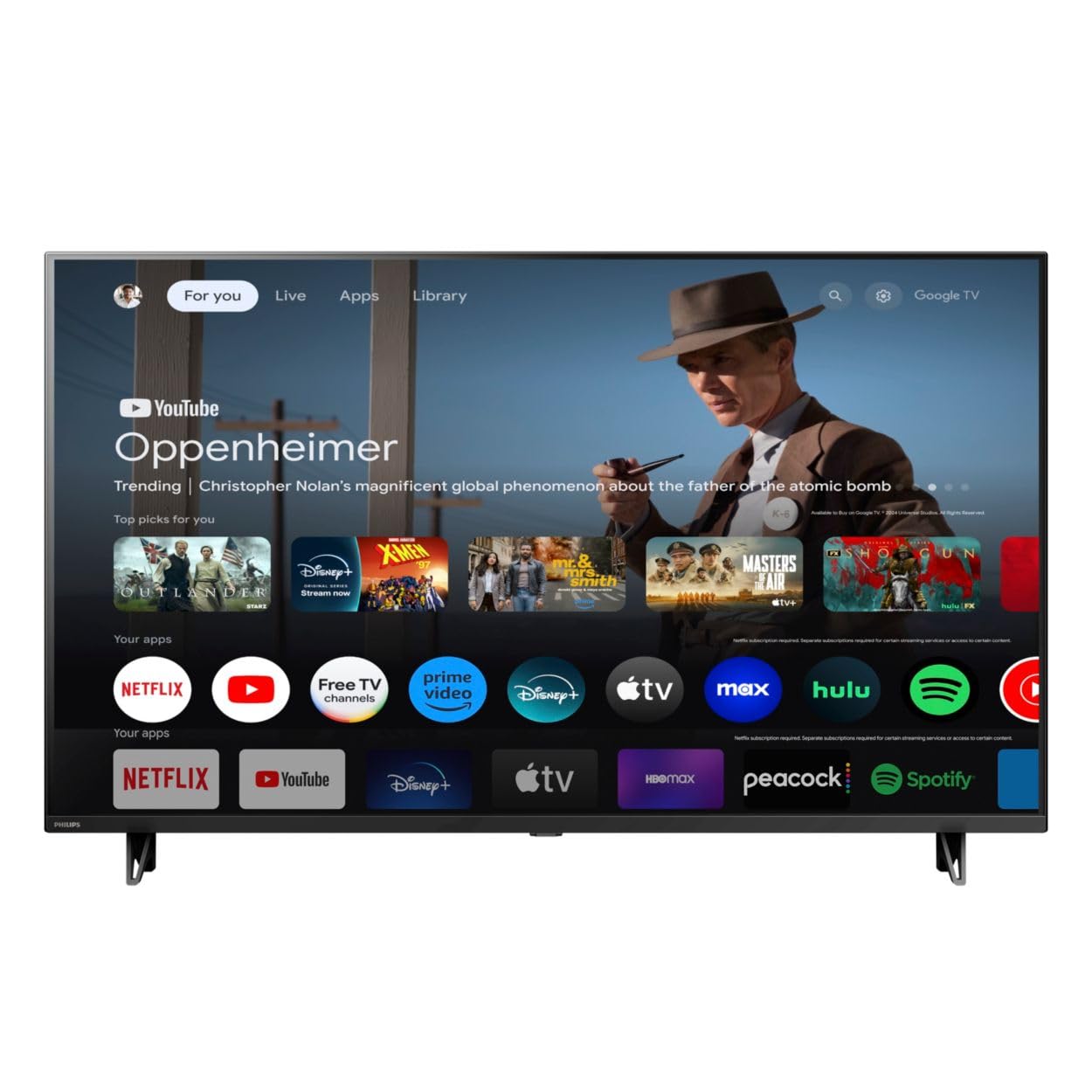
ด้านหน้า view of the Google TV 7000 Series 4K Ultra HD LED Television, showcasing ด้วยขอบจอที่บางเฉียบและหน้าจอแสดงผล
2. การตั้งค่า
2.1 การแกะกล่องและเนื้อหาภายในบรรจุภัณฑ์
นำสิ่งของทั้งหมดออกจากบรรจุภัณฑ์อย่างระมัดระวัง ตรวจสอบให้แน่ใจว่ามีส่วนประกอบครบถ้วน:
- Google TV 7000 Series Television
- รีโมทคอนโทรล
- แบตเตอรี่สำหรับรีโมทคอนโทรล
- ที่วางบนโต๊ะ
- Screws for tabletop stand
- คู่มือเริ่มต้นอย่างรวดเร็ว
- คู่มือการใช้งาน (เอกสารนี้)
2.2 การต่อสายไฟ
Connect the power cord to the TV's power input, then plug the other end into a wall outlet. Ensure the power outlet is easily accessible.
2.3 การเชื่อมต่ออุปกรณ์ภายนอก
Your television supports various connectivity options:
- ช่องต่อ HDMI: Connect devices like Blu-ray players, game consoles, or set-top boxes to the HDMI ports. This model features Audio Return Channel (HDMI 2).
- ยูเอสบี: Use the USB port for media playback or connecting compatible accessories.
- อีเธอร์เน็ต: เพื่อให้ได้การเชื่อมต่ออินเทอร์เน็ตแบบใช้สายที่เสถียร ให้เสียบสายอีเธอร์เน็ตเข้ากับพอร์ต LAN
- หูฟังออก: เชื่อมต่อหูฟังเพื่อการฟังแบบส่วนตัว
- เอาต์พุตเสียงดิจิตอล (ออปติคัล): สำหรับเชื่อมต่อกับระบบเสียงภายนอก
- CVBS+Audio L/R In: สำหรับเชื่อมต่ออุปกรณ์อนาล็อกรุ่นเก่า
2.4 การตั้งค่าเริ่มต้น
เมื่อเปิดเครื่องครั้งแรก ทีวีจะแนะนำคุณตลอดขั้นตอนการตั้งค่าเบื้องต้น ซึ่งรวมถึง:
- การเลือกภาษา
- Connecting to a Wi-Fi network or using Ethernet
- Signing in with your Google account to access Google TV features and apps
- Scanning for available channels (ATSC, NTSC)
2.5 ตัวเลือกการติดตั้ง
You can place your TV on a tabletop using the included stand or mount it on a wall.
- ขาตั้งแบบตั้งโต๊ะ: Attach the tabletop stand using the provided screws as per the quick start guide.
- ติดผนัง: For wall mounting, use a VESA compatible mount (600 x 400 mm). Consult a professional for wall mounting to ensure safety and proper installation.
3. คู่มือการใช้งาน
3.1 การควบคุมระยะไกลจบลงview
The remote control allows you to navigate the Google TV interface, adjust settings, and control playback. It supports voice control for Google Assistant.
3.2 ฟังก์ชั่นพื้นฐาน
- พลัง: กดปุ่มเปิด/ปิดเพื่อเปิดหรือปิดทีวี
- ปริมาณ: ใช้ปุ่มปรับระดับเสียงเพื่อปรับระดับเสียง
- ช่องทางการรับชม: Use the channel buttons to switch between TV channels.
- ป้อนข้อมูล: Select the desired input source (HDMI, USB, etc.).
3.3 การนำทางอินเทอร์เฟซ Google TV
Use the directional pad and 'OK' button on your remote to navigate the Google TV home screen. The home screen provides access to your installed apps, recommended content, and settings.
3.4 คุณสมบัติอัจฉริยะ
- Chromecast ในตัว: Cast content from your compatible mobile devices or computer directly to your TV.
- ผู้ช่วยของ Google ในตัว: Press the Google Assistant button on your remote to use voice commands for searching content, controlling smart home devices, getting information, and more.
- แอปสตรีมมิ่ง: Access popular streaming services like Netflix, YouTube, Discovery+, Tubi TV, and Prime Video directly from the Google TV interface.
3.5 การตั้งค่าภาพและเสียง
ปรับแต่งของคุณ viewปรับแต่งประสบการณ์การรับชมและการฟังผ่านเมนูการตั้งค่าของทีวี:
- Picture Style: Choose from various preset picture modes or customize settings like brightness, contrast, color, and sharpness. Features include Dynamic contrast, Film mode, Blue stretch, and Custom Color management.
- รองรับ HDR: ทีวีรองรับ HDR10 และ HLG เพื่อเพิ่มความคมชัดและสีสันให้กับเนื้อหาที่เข้ากันได้
- โหมดเกม: Optimize picture settings for gaming to reduce input lag.
- สไตล์เสียง: Select sound presets or adjust bass and treble. Features include Dolby Audio and Auto Volume Leveling.
- อัตราส่วนภาพ: Adjust the screen aspect ratio (e.g., Automatic, 4:3, Movie Expand, Full).
3.6 การเชื่อมต่อ
Your TV offers various ways to connect to networks and devices:
- ไวไฟ : เชื่อมต่อแบบไร้สายกับเครือข่ายภายในบ้านเพื่อเข้าถึงอินเทอร์เน็ต
- บลูทูธ: Connect compatible Bluetooth devices such as headphones or game controllers.
- อีเธอร์เน็ต: ให้การเชื่อมต่ออินเตอร์เน็ตแบบมีสายที่เสถียร
4. การบำรุงรักษา
4.1 การทำความสะอาดหน้าจอและตัวเครื่องทีวี
- ควรถอดปลั๊กทีวีทุกครั้งก่อนทำความสะอาด
- ใช้ผ้าแห้งเนื้อนุ่มที่ไม่เป็นขุยเช็ดหน้าจอและตัวเครื่องทีวีเบาๆ
- สำหรับรอยฝังแน่น ให้เช็ดเบาๆampชุบผ้าด้วยน้ำหรือน้ำยาทำความสะอาดหน้าจอชนิดพิเศษ ห้ามฉีดน้ำยาลงบนหน้าจอโดยตรง
- หลีกเลี่ยงการใช้สารทำความสะอาดที่มีฤทธิ์กัดกร่อน ขี้ผึ้งหรือตัวทำละลาย
4.2 การอัปเดตซอฟต์แวร์
Your Google TV may receive automatic software updates to improve performance and add new features. Ensure your TV is connected to the internet to receive these updates. You can also manually check for updates in the settings menu.
4.3 การดูแลรีโมทคอนโทรล
Replace batteries when the remote control's response becomes sluggish. Do not mix old and new batteries or different types of batteries. Keep the remote control away from moisture and direct sunlight.
5 การแก้ไขปัญหา
หากคุณประสบปัญหาเกี่ยวกับโทรทัศน์ โปรดดูวิธีแก้ไขทั่วไปต่อไปนี้:
| ปัญหา | วิธีแก้ปัญหาที่เป็นไปได้ |
|---|---|
| ไม่มีไฟฟ้า | ตรวจสอบว่าสายไฟเสียบแน่นทั้งกับทีวีและเต้ารับที่ผนังหรือไม่ ตรวจสอบให้แน่ใจว่าเต้ารับใช้งานได้ |
| ไม่มีภาพแต่มีเสียง | ตรวจสอบว่าเลือกแหล่งสัญญาณเข้าที่ถูกต้อง ตรวจสอบการเชื่อมต่ออุปกรณ์ภายนอก |
| ไม่มีเสียงแต่มีภาพ | ตรวจสอบระดับเสียงและสถานะปิดเสียง ตรวจสอบให้แน่ใจว่าระบบเสียงภายนอกเชื่อมต่อและเปิดใช้งานอย่างถูกต้อง |
| รีโมตคอนโทรลไม่ทำงาน | เปลี่ยนแบตเตอรี่ ตรวจสอบให้แน่ใจว่าไม่มีสิ่งกีดขวางระหว่างรีโมทและเซ็นเซอร์อินฟราเรดของทีวี |
| ปัญหาการเชื่อมต่อเครือข่าย | รีสตาร์ทเราเตอร์และโมเด็มของคุณ เชื่อมต่อกับเครือข่าย Wi-Fi อีกครั้ง หรือตรวจสอบการเชื่อมต่อสายอีเธอร์เน็ต |
| Picture quality issues (e.g., pixelation) | Check the signal strength for broadcast channels. For streaming content, ensure a stable internet connection. Adjust picture settings. |
5.1 รีเซ็ตเป็นค่าโรงงาน
If problems persist, a factory reset may resolve them. This will erase all personal settings and installed apps, returning the TV to its original factory state. Consult the on-screen menu for the factory reset option, usually found under System or Device Preferences in Settings.
6. ข้อมูลจำเพาะ
Key technical specifications for the Google TV 7000 Series 4K Ultra HD LED Television:
| คุณสมบัติ | ข้อมูลจำเพาะ |
|---|---|
| ขนาดหน้าจอ | 43 นิ้ว |
| เทคโนโลยีการแสดงผล | LCD UltraHD Display, LED Backlight |
| ปณิธาน | 4K (2160p) |
| อัตราการรีเฟรช | 120 PMR (Picture Motion Rate) |
| รองรับรูปแบบ HDR | HDR10,เอชแอลจี |
| ระบบปฏิบัติการ | Android 11 (กูเกิลทีวี) |
| เทคโนโลยีการเชื่อมต่อ | บลูทูธ, อีเธอร์เน็ต, ยูเอสบี, วิซิไฟ |
| คุณสมบัติด้านเสียง | Dolby Audio, Auto Volume Leveling |
| คุณสมบัติพิเศษ | Chromecast Built-in, Google Assistant Built-in, Game Mode, Digital Noise Reduction, MPEG artifact reduction, Dynamic contrast |
| ขนาดสินค้า (ลึก x กว้าง x สูง) | ลึก 9.8 นิ้ว x กว้าง 37.9 นิ้ว x สูง 23.9 นิ้ว |
| น้ำหนักสินค้า | 14.99 ปอนด์ |
| มาตรฐาน VESA Mount | 600 x 400 มม. |
| ผู้ผลิต | ฟิลิปส์ |
| หมายเลขรุ่น | 43PUL7652/F7 |
| ยูพีซี | 609585254893 |
7. การรับประกันและการสนับสนุน
7.1 ข้อมูลการรับประกัน
This product comes with a Limited Warranty. Please refer to the warranty card included in your package or contact the manufacturer for specific terms and conditions regarding coverage and duration.
7.2 การสนับสนุนลูกค้า
For technical assistance, troubleshooting beyond this manual, or warranty claims, please contact the manufacturer, Philips, or your retailer. Have your model number (43PUL7652/F7) and serial number ready when contacting support.