
1. บทนำ
Thank you for choosing the EasySMX T37 Wireless Switch Pro Controller. This manual provides detailed instructions for setting up, operating, maintaining, and troubleshooting your controller. Please read this manual carefully before use to ensure optimal performance and longevity of your device. This controller is compatible with Nintendo Switch, Switch Lite, and Switch OLED consoles.
2. สินค้าหมดview
The EasySMX T37 is a wireless gamepad designed for an enhanced gaming experience on Nintendo Switch systems. It features an ergonomic design, dual turbo vibration, and 6-axis gyro motion control.

ภาพที่ 2.1: ด้านหน้า view of the EasySMX T37 Wireless Switch Pro Controller, showcasinด้วยรูปทรงที่ออกแบบตามหลักสรีรศาสตร์และการจัดวางปุ่มต่างๆ
3. การตั้งค่า
3.1 การจับคู่กับ Nintendo Switch
- เปิดเครื่อง Nintendo Switch ของคุณ
- จากเมนู HOME เลือก ตัวควบคุม > เปลี่ยนกริป/สั่งซื้อ.
- On the EasySMX T37 controller, press and hold the ปุ่มซิงค์ (located on the top edge of the controller) for 3 seconds until the LED indicators start flashing rapidly.
- Once the controller is successfully paired, the player LED(s) on the bottom of the controller will light up solid.
3.2 การชาร์จคอนโทรลเลอร์
Connect the provided USB-C charging cable to the USB-C port on the controller and the other end to a USB power source (e.g., Switch dock, USB wall adapter, computer USB port). The LED indicators will show charging status and turn off when fully charged.
4. คู่มือการใช้งาน
4.1 การควบคุมขั้นพื้นฐาน
The controller features standard button layouts for Nintendo Switch compatibility:
- ปุ่ม A/B/X/Y: ปุ่มการกระทำ
- ดี-แพด: การป้อนข้อมูลแบบทิศทาง
- แท่งอนาล็อกซ้าย/ขวา: การเคลื่อนไหวและการควบคุมกล้อง
- ปุ่ม L/R/ZL/ZR: ปุ่มไหล่และปุ่มไกปืน
- ปุ่มหน้าแรก: กลับไปที่เมนูสวิตช์หน้าแรก
- ปุ่มบันทึกภาพ: ถ่ายภาพหน้าจอ
- PLUS (+) / MINUS (-) Buttons: ฟังก์ชันเริ่ม/เลือก

Image 4.1: A user holding the EasySMX T37 controller, demonstrating the comfortable grip and accessible button placement during gameplay.
4.2 ฟังก์ชันเทอร์โบ
The Turbo function allows for rapid, automatic pressing of a button, useful in action or arcade games.
- เปิดใช้งานเทอร์โบ: Press and hold the desired action button (A/B/X/Y/L/R/ZL/ZR), then press the ปุ่มเทอร์โบ (T button). The button will now auto-fire.
- ปรับความเร็วเทอร์โบ: ขณะที่ถือ ปุ่มเทอร์โบ, ย้าย Right Analog Stick Up or Down to cycle through three speeds: 5 shots/s, 12 shots/s, and 20 shots/s.
- ปิดใช้งานเทอร์โบ: Repeat the activation step (hold the action button, then press the Turbo button) or press and hold the ปุ่มเทอร์โบ for 5 seconds to clear all Turbo settings.
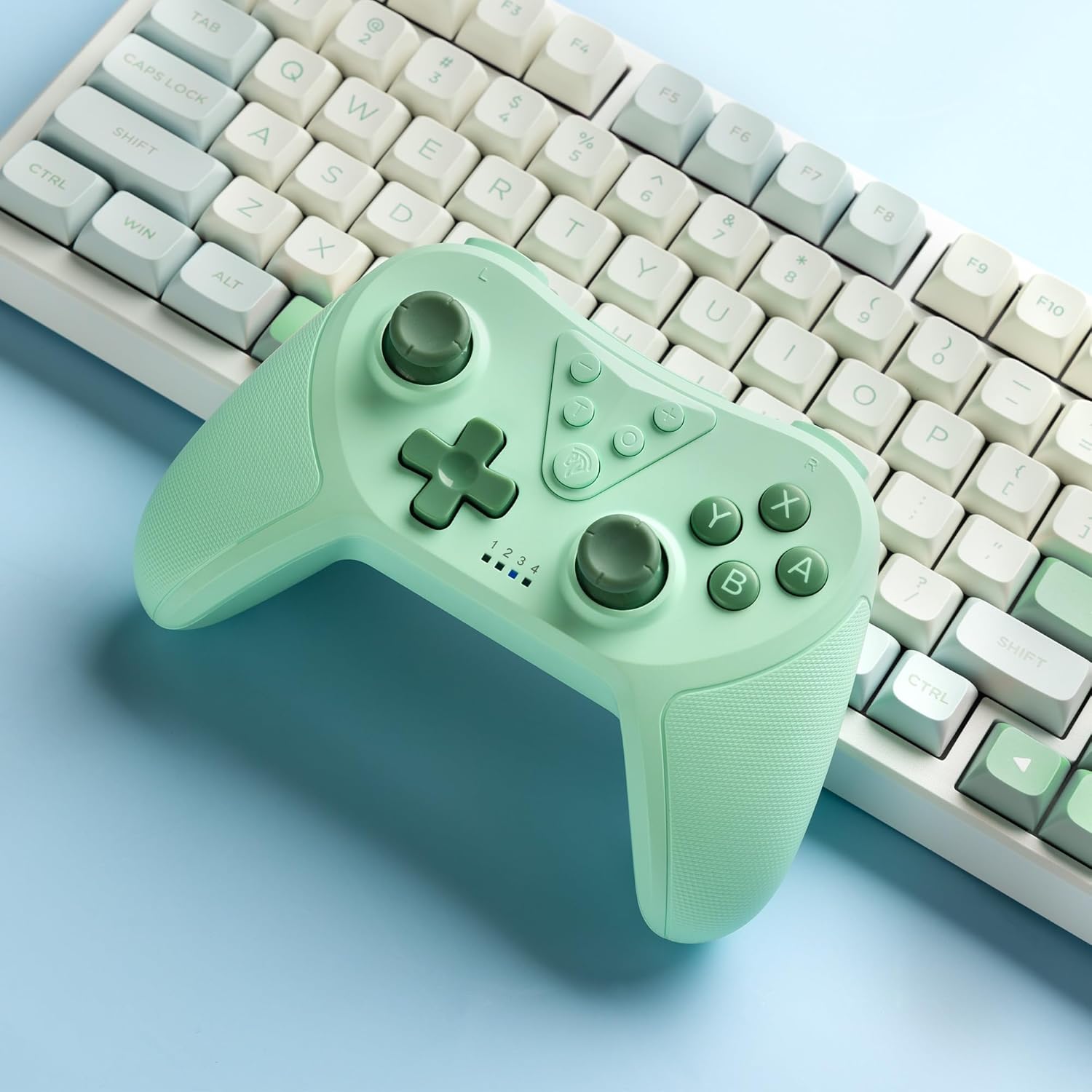
Image 4.2: Illustration of the Turbo function on the EasySMX T37 controller, showing the three adjustable speeds: 5, 12, and 20 shots per second.
4.3 การปรับการสั่นสะเทือน
The controller features dual motors for adjustable vibration feedback, enhancing immersion in games.
- ปรับความเข้มของการสั่นสะเทือน: กดปุ่มค้างไว้ ปุ่มเทอร์โบจากนั้นจึงย้าย Left Analog Stick Up or Down to cycle through four vibration levels: 0% (off), 30%, 70%, and 100%.

Image 4.3: Visual representation of the Dual Vibration feature on the EasySMX T37 controller, indicating four intensity levels from 0% to 100%.
4.4 การควบคุมการเคลื่อนไหวด้วยไจโร 6 แกน
The built-in 6-axis gyroscope provides precise motion sensing, allowing for intuitive control in games that support motion input.

Image 4.4: Illustration depicting the 6-Axis Gyro Motion Control feature of the EasySMX T37 controller, showing how it interacts with a game on the Nintendo Switch screen.
5. การบำรุงรักษา
- การทำความสะอาด: ใช้ผ้านุ่มและแห้งทำความสะอาดคอนโทรลเลอร์ หลีกเลี่ยงการใช้สารเคมีรุนแรงหรือวัสดุที่มีฤทธิ์กัดกร่อน
- พื้นที่จัดเก็บ: เก็บตัวควบคุมไว้ในที่แห้งและเย็น ห่างจากแสงแดดโดยตรงและอุณหภูมิที่สูงหรือต่ำมาก
- การดูแลแบตเตอรี่ เพื่อยืดอายุการใช้งานแบตเตอรี่ ควรหลีกเลี่ยงการปล่อยประจุแบตเตอรี่จนหมดบ่อยๆ ควรชาร์จเป็นประจำ แม้จะไม่ได้ใช้งานเป็นเวลานานก็ตาม
- หลีกเลี่ยงการหยด: ปกป้องตัวควบคุมจากการตกหล่นและแรงกระแทกซึ่งอาจทำให้ส่วนประกอบภายในเสียหายได้
6 การแก้ไขปัญหา
6.1 ตัวควบคุมไม่เชื่อมต่อ
- ตรวจสอบให้แน่ใจว่าได้ชาร์จคอนโทรลเลอร์แล้ว
- Verify the Switch console is updated to the latest system version.
- ลองเชื่อมต่อคอนโทรลเลอร์อีกครั้งโดยทำตามขั้นตอนในหัวข้อ 3.1
- If issues persist, try resetting the controller by inserting a thin object into the small reset hole (if present, usually on the back) for a few seconds.
6.2 Buttons Unresponsive or Lagging
- ตรวจสอบให้แน่ใจว่าตัวควบคุมมีประจุไฟเต็ม
- Move closer to the Switch console to ensure a strong wireless connection.
- ตรวจสอบดูว่ามีสิ่งกีดขวางหรือเศษสิ่งสกปรกใดๆ อยู่รอบๆ ปุ่มหรือไม่
- Re-pair the controller.
6.3 ตัวควบคุมไม่ชาร์จไฟ
- ตรวจสอบให้แน่ใจว่าสาย USB-C เชื่อมต่อกับตัวควบคุมและแหล่งจ่ายไฟอย่างแน่นหนาแล้ว
- ลองใช้สาย USB-C หรืออะแดปเตอร์ไฟอื่น
- ตรวจสอบให้แน่ใจว่าแหล่งจ่ายไฟสามารถใช้งานได้
7. ข้อมูลจำเพาะ
- แบบอย่าง: T37
- การเชื่อมต่อ: ไร้สาย (Bluetooth)
- ความเข้ากันได้: นินเทนโด สวิตช์, สวิตช์ไลท์, สวิตช์ OLED
- คุณสมบัติ: Dual Turbo Function, Adjustable Vibration, 6-Axis Gyro Motion Control, Ergonomic Design
- Product Identifier (ASIN): B0CTTWN84L
8. การรับประกันและการสนับสนุน
For warranty information, technical support, or further assistance, please refer to the official EasySMX webหรือติดต่อฝ่ายสนับสนุนลูกค้าโดยตรง เก็บใบเสร็จรับเงินไว้เพื่อใช้ในการเคลมประกัน