
การแนะนำ
This manual provides essential information for the installation, operation, and maintenance of your NVIDIA GeForce RTX 4070 Super 12GB GDDR6X Graphics Card. Designed for high-performance gaming and creative applications, this graphics card leverages the NVIDIA Ada Lovelace architecture to deliver advanced features such as fast ray tracing and AI-accelerated performance with DLSS 3. Please read this guide thoroughly before proceeding with installation or use.
การตั้งค่า
1. การแกะกล่องและเนื้อหาภายในบรรจุภัณฑ์
Carefully open the packaging and ensure all components are present. The package typically includes:
- NVIDIA GeForce RTX 4070 Super Graphics Card
- 16-pin (12VHPWR) to 2x 8-pin PCIe power adapter cable
- คู่มือเริ่มต้นอย่างรวดเร็ว
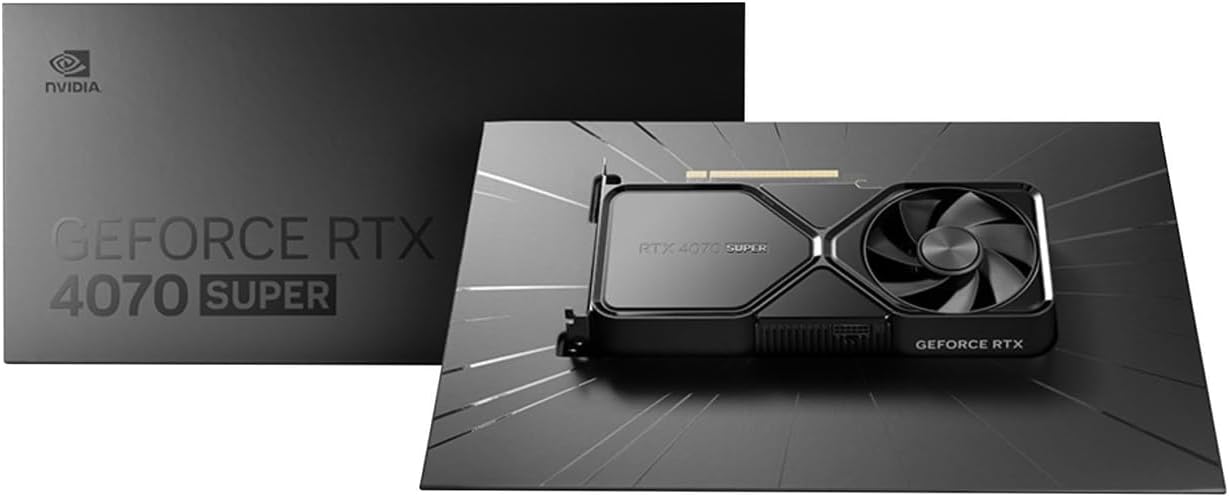
Image: Contents of the NVIDIA GeForce RTX 4070 Super package, including the graphics card and adapter cable.
2. การติดตั้งทางกายภาพ
Before installation, ensure your computer is powered off and unplugged from the wall outlet. Ground yourself to prevent electrostatic discharge.
- เปิดเคสคอมพิวเตอร์ของคุณ
- ค้นหาสล็อต PCI Express x16 ที่ว่างบนเมนบอร์ดของคุณ
- Remove the metal slot cover(s) corresponding to the chosen PCIe slot.
- ค่อยๆ วางการ์ดกราฟิกให้ตรงกับสล็อต PCIe แล้วกดลงให้แน่นจนกระทั่งเข้าที่ อาจได้ยินเสียงคลิก
- ยึดการ์ดจอเข้ากับเคสด้วยสกรูยึด

ภาพ: มุมด้านหน้า view of the NVIDIA GeForce RTX 4070 Super Graphics Card, showing its cooling fans and shroud.
3. การเชื่อมต่อไฟฟ้า
The GeForce RTX 4070 Super requires external power. Use the provided 16-pin (12VHPWR) to 2x 8-pin PCIe power adapter cable.
- Connect the 16-pin end of the adapter cable to the power connector on the graphics card. Ensure it is fully seated.
- Connect two separate 8-pin PCIe power cables from your power supply unit (PSU) to the two 8-pin connectors on the adapter cable. Do not use a single PCIe cable with a pigtail connector for both 8-pin inputs, as this may lead to insufficient power delivery and potential system instability or damage.
4. การติดตั้งไดร์เวอร์
After physical installation and power connection, close your computer case and reconnect all peripherals. Power on your computer.
- เมื่อระบบปฏิบัติการของคุณโหลดแล้ว ให้ไปที่ NVIDIA อย่างเป็นทางการ webงาน (www.nvidia.com/drivers).
- Select your product type (GeForce), product series (GeForce RTX 40 Series), product (GeForce RTX 4070 Super), and your operating system.
- ดาวน์โหลดไดร์เวอร์ที่แนะนำล่าสุด
- Run the installer and follow the on-screen instructions to complete the driver installation. A system restart may be required.
การดำเนินงาน
The NVIDIA GeForce RTX 4070 Super is designed to enhance your computing experience, particularly for gaming, content creation, and professional applications. Once drivers are installed, the card will be fully operational.
- การเล่นเกม: Experience high frame rates and advanced visual fidelity in modern games with features like Ray Tracing and DLSS 3. Ensure your games are updated to support these technologies for optimal performance.
- การสร้างเนื้อหา: Accelerate video editing, 3D rendering, and graphic design tasks with NVIDIA's powerful GPU architecture and dedicated AI cores.
- การเชื่อมต่อจอภาพ: Connect your monitor(s) to the DisplayPort or HDMI outputs on the graphics card. The card supports multiple displays and high resolutions up to 7680x4320.
การซ่อมบำรุง
1. การทำความสะอาด
การทำความสะอาดอย่างสม่ำเสมอจะช่วยรักษาประสิทธิภาพการทำงานให้อยู่ในระดับสูงสุดและยืดอายุการใช้งานของการ์ดจอของคุณได้
- Periodically use compressed air to remove dust from the fans and heatsink fins. Ensure the computer is powered off and unplugged before cleaning.
- จับใบพัดลมเบาๆ เพื่อป้องกันไม่ให้ใบพัดลมหมุนเร็วเกินไปขณะทำความสะอาด ซึ่งอาจทำให้ตลับลูกปืนเสียหายได้
- หลีกเลี่ยงการใช้น้ำยาทำความสะอาดโดยตรงกับบัตร
2. การอัปเดตไดรเวอร์
NVIDIA regularly releases new drivers that include performance optimizations, bug fixes, and support for new games and applications. It is recommended to keep your drivers updated.
- Use the NVIDIA GeForce Experience software (if installed) to automatically check for and install driver updates.
- Alternatively, manually check for updates on the NVIDIA webงาน (www.nvidia.com/drivers).
การแก้ไขปัญหา
หากคุณพบปัญหาเกี่ยวกับการ์ดแสดงผล โปรดพิจารณาขั้นตอนการแก้ไขปัญหาทั่วไปต่อไปนี้:
| ปัญหา | วิธีแก้ปัญหาที่เป็นไปได้ |
|---|---|
| ไม่มีเอาต์พุตแสดงผล |
|
| ระบบไม่เสถียรหรือเกิดข้อผิดพลาด |
|
| ประสิทธิภาพการเล่นเกมต่ำ |
|
If issues persist, consult the NVIDIA support webเว็บไซต์หรือติดต่อฝ่ายบริการลูกค้าของพวกเขา
ข้อมูลจำเพาะ
Key technical specifications for the NVIDIA GeForce RTX 4070 Super Graphics Card:
- ตัวประมวลผลร่วมกราฟิก: การ์ดจอ NVIDIA GeForce RTX 4070 SUPER
- ยี่ห้อ: NVIDIA
- Graphics RAM Size: 12GB
- ความเร็วสัญญาณนาฬิกา GPU: 2.48 กิกะเฮิรตซ์
- อินเตอร์เฟซเอาท์พุทวิดีโอ: พอร์ตแสดงผล, HDMI
- Graphics RAM Type: GDDR6X
- อุปกรณ์ที่รองรับ: เดสก์ท็อป, โน๊ตบุ๊ก
- ความละเอียดการแสดงผลสูงสุด: ขนาด 7680x4320
- อินเทอร์เฟซกราฟิกการ์ด: พีซีไอ เอ็กซ์เพรส
- ความเร็วนาฬิกาหน่วยความจำ: 21 กิกะเฮิรตซ์
- ชื่อรุ่น : GeForce RTX 4070 SUPER
- ยูพีซี: 812674025575

ภาพ: ด้านบน view of the NVIDIA GeForce RTX 4070 Super Graphics Card, highlighting its cooling design.
การรับประกันและการสนับสนุน
ข้อมูลการรับประกัน
NVIDIA graphics cards typically come with a limited manufacturer's warranty. The duration and terms of the warranty may vary by region and retailer. Please retain your proof of purchase for warranty claims. For detailed warranty information, refer to the official NVIDIA webไซต์หรือเอกสารที่รวมอยู่กับผลิตภัณฑ์ของคุณ
การสนับสนุนลูกค้า
For technical assistance, driver downloads, or further information, please visit the official NVIDIA support resources:
- การสนับสนุน NVIDIA Webเว็บไซต์: www.nvidia.com/support
- ดาวน์โหลดไดร์เวอร์: www.nvidia.com/drivers