
1. บทนำ
This manual provides detailed instructions for the proper use and maintenance of your TFA Dostmann LT202 Professional Digital Thermometer. This device is designed for precise temperature measurement in various environments, including refrigerators, freezers, aquariums, terrariums, pharmacies, laboratories, and supermarkets, where accurate temperature monitoring is crucial.
The thermometer features a waterproof cable sensor, permanent display of maximum and minimum values, and an adjustable optical and acoustic temperature alarm. It complies with EN13485 standards, making it suitable for professional applications.
2. คุณสมบัติของผลิตภัณฑ์
- Control Thermometer: Practical digital measuring device for temperature control in refrigerators, freezers, aquariums, terrariums, or other areas requiring precise temperature.
- Cable Probe: Features an approximately 2-meter long waterproof cable probe for fast response times (measurement interval every 10 seconds) and flexible placement options (magnet, stand, hanging eyelet).
- จอแสดงผลดิจิตอล: Permanent display of maximum and minimum values (manual reset) with an adjustable optical and acoustic temperature alarm, configurable to 3 volume levels (loud, normal, mute).
- ความแม่นยำสูง: Operates with high-quality sensors to display temperature with high precision and trigger the alarm within seconds. Accuracy: ±0.3 °C from -10 °C to +20 °C, ±0.5 °C from -20 °C to -10 °C and +20 °C to +40 °C, ±1 °C from -40 °C to -20 °C and +40 °C to +70 °C.
- การปฏิบัติตาม: The thermometer complies with EN13485 standards.
3. การตั้งค่า
- การติดตั้งแบตเตอรี่:
Open the battery compartment cover on the back of the device. Insert 2 x 1.5V AAA batteries, ensuring correct polarity (+/-). Close the battery compartment cover securely.
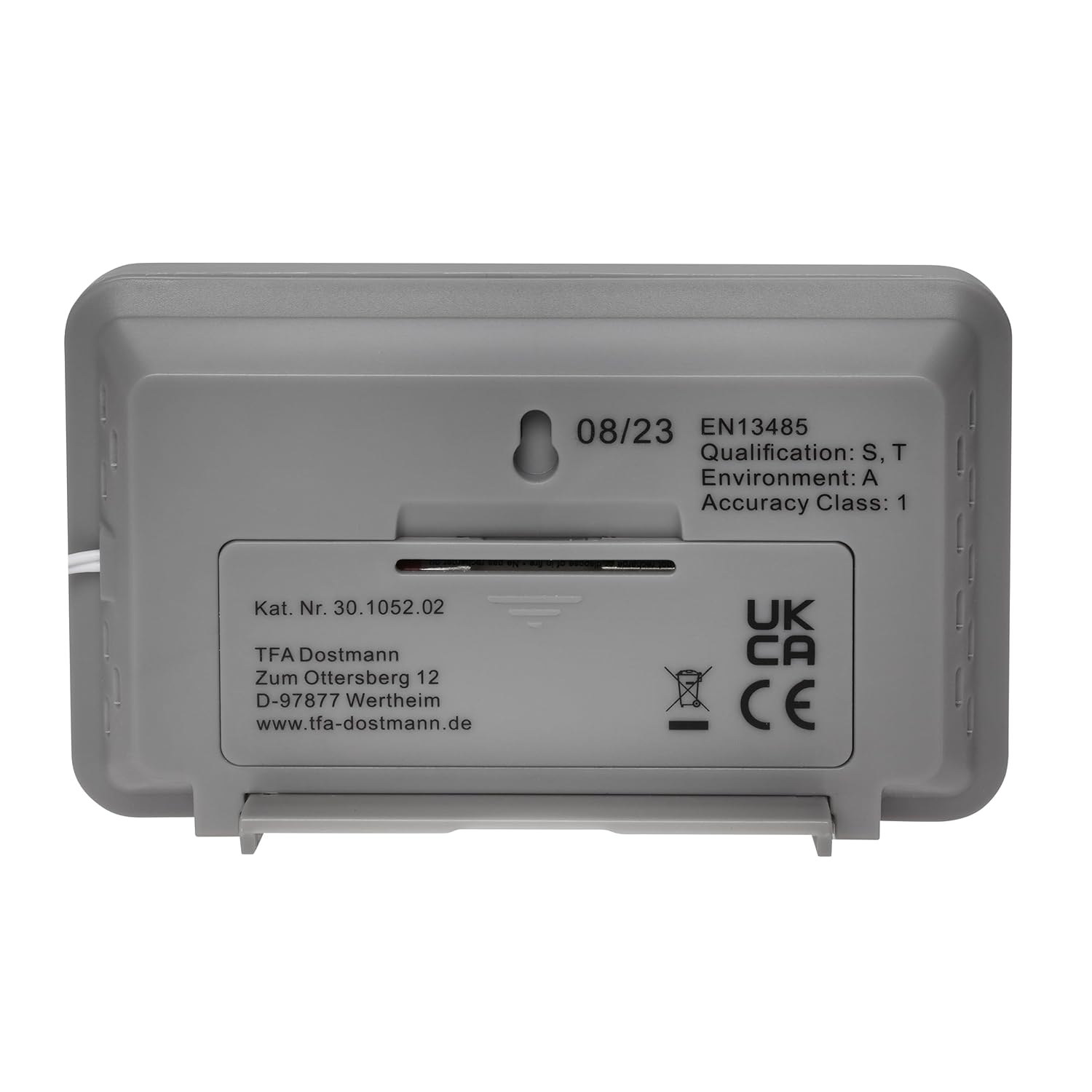
Image: Back of the thermometer with battery compartment.
- การเชื่อมต่อโพรบ:
Connect the waterproof cable probe to the designated port on the thermometer. Ensure the connection is firm.
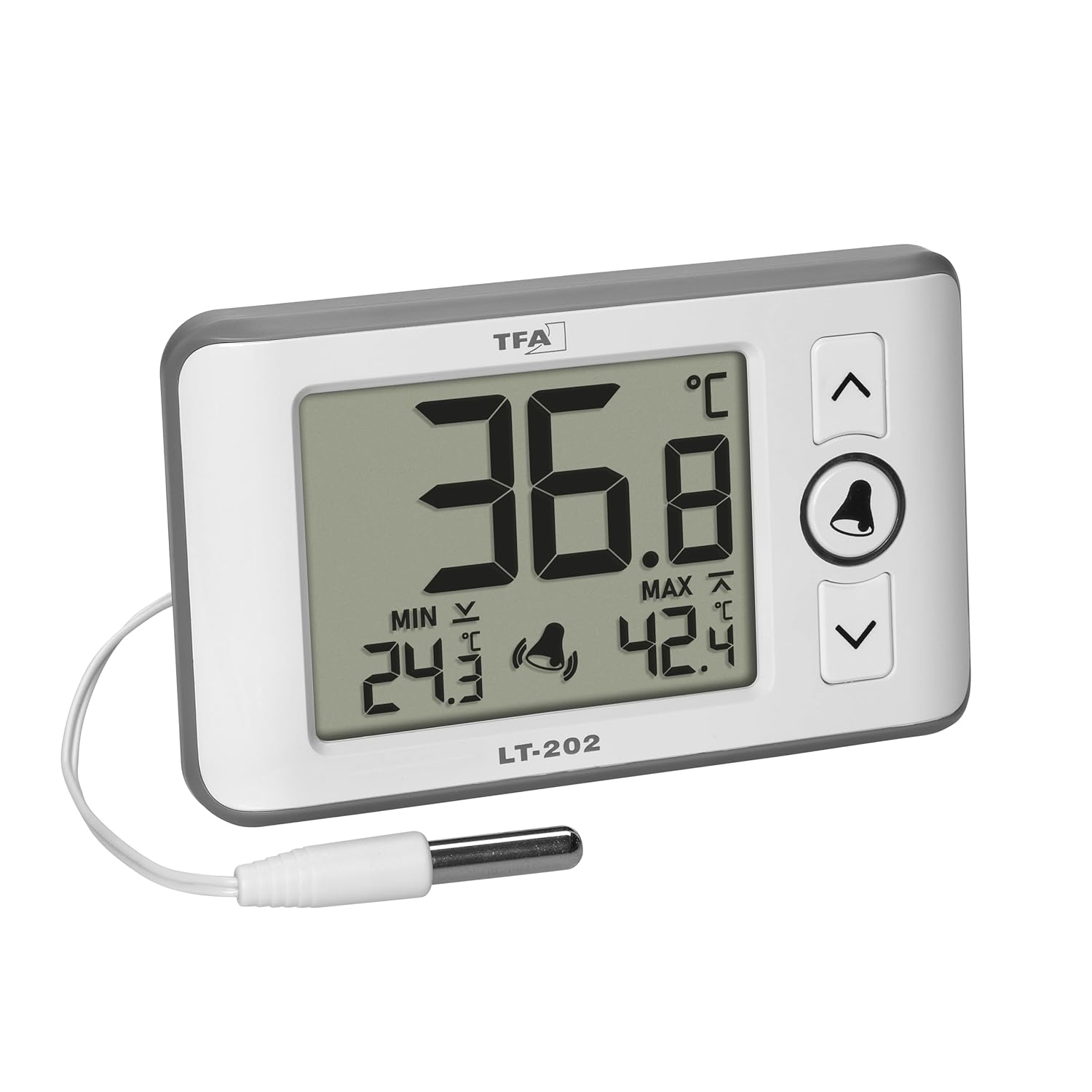
Image: Thermometer with connected probe.

ภาพ: รายละเอียด view of the waterproof probe tip.
- การจัดวาง:
The thermometer can be placed in various ways:
- ยืน: Use the integrated stand on the back of the device to place it on a flat surface.
- แขวน: Utilize the hanging eyelet on the back for wall mounting.
- การติดแม่เหล็ก: The device has a magnet for attaching to metallic surfaces.
Position the waterproof probe in the area where temperature measurement is required (e.g., inside a refrigerator, aquarium, or terrarium).

Image: Thermometer in a professional refrigerator setting.

Image: Thermometer used with an aquarium.

Image: Thermometer used with a terrarium.
4. คู่มือการใช้งาน

ภาพ: ด้านหน้า view of the thermometer display and controls.
- เปิด/ปิดเครื่อง: The device powers on automatically upon battery insertion. There is no dedicated power button.
- การแสดงอุณหภูมิปัจจุบัน: The large digits on the display show the current temperature measured by the probe.
- Maximum and Minimum Values (MAX/MIN):
The display permanently shows the highest (MAX) and lowest (MIN) temperatures recorded since the last reset.
To reset the MAX/MIN values, press and hold the กระดิ่ง button for approximately 3 seconds until the values clear and new recording begins.
- Temperature Alarm (HI/LO):
The device features an adjustable temperature alarm for both high (HI) and low (LO) temperature thresholds.
- Setting Alarm Thresholds:
- กดปุ่ม กระดิ่ง button once to enter alarm setting mode. The HI alarm value will flash.
- ใช้ UP (^) และ DOWN (v) buttons to adjust the HI temperature threshold.
- กดปุ่ม กระดิ่ง button again to confirm the HI setting and move to the LO alarm value, which will flash.
- ใช้ UP (^) และ DOWN (v) buttons to adjust the LO temperature threshold.
- กดปุ่ม กระดิ่ง button a third time to confirm the LO setting and exit alarm setting mode.
- การเปิด/ปิดระบบเตือนภัย:
ขณะอยู่ในโหมดแสดงผลปกติ ให้กดปุ่ม กระดิ่ง button briefly to toggle the alarm function on or off. A bell icon will appear on the display when the alarm is active.
- ระดับเสียงปลุก:
The alarm has 3 volume levels: loud, normal, and mute. To adjust, press and hold the UP (^) button while the alarm is sounding or when setting the alarm thresholds. Cycle through the volume options until desired level is reached.
- Setting Alarm Thresholds:
- การเลือกหน่วยอุณหภูมิ (°C/°F):
On the back of the device, locate the °C/°F switch. Slide the switch to select your preferred temperature unit.
5. การบำรุงรักษา
- การทำความสะอาด:
เช็ดเครื่องเบาๆงamp cloth. Do not use abrasive cleaners or solvents. Ensure no water enters the main unit.
The probe is waterproof and can be cleaned with mild soap and water.
- การเปลี่ยนแบตเตอรี่:
When the display becomes dim or the device stops functioning, replace the batteries. Open the battery compartment on the back and replace the 2 x 1.5V AAA batteries with new ones, observing polarity.
ทิ้งแบตเตอรี่ที่ใช้แล้วตามระเบียบข้อบังคับของท้องถิ่น
- พื้นที่จัดเก็บ:
หากเก็บรักษาอุปกรณ์ไว้เป็นเวลานาน ควรถอดแบตเตอรี่ออกเพื่อป้องกันการรั่วไหล
6 การแก้ไขปัญหา
| ปัญหา | สาเหตุที่เป็นไปได้ | สารละลาย |
|---|---|---|
| ไม่มีจอแสดงผลหรือจอแสดงผลมืด | Dead or low batteries; incorrect battery polarity. | Replace batteries with new 1.5V AAA batteries, ensuring correct polarity. |
| การอ่านอุณหภูมิไม่ถูกต้อง | Probe not properly connected; probe damaged; device exposed to extreme conditions. | Ensure probe is firmly connected. Inspect probe for damage. Avoid placing the main unit in extreme temperatures. |
| นาฬิกาปลุกไม่ส่งเสียง | Alarm deactivated; alarm volume set to mute; alarm thresholds not met. | Activate the alarm (bell icon visible). Adjust alarm volume. Verify alarm thresholds are set correctly relative to current temperature. |
| MAX/MIN values not resetting | BELL button not held long enough. | Press and hold the BELL button for approximately 3 seconds until values clear. |
7. ข้อมูลจำเพาะ
| คุณสมบัติ | รายละเอียด |
|---|---|
| หมายเลขรุ่น | 30.1052.02 |
| ช่วงวัดอุณหภูมิ | -40 ° C ถึง +70 ° C (-40 ° F ถึง +158 ° F) |
| ความแม่นยำ | ±0.3 °C (-10 °C ถึง +20 °C) ±0.5 °C (-20 °C to -10 °C and +20 °C to +40 °C) ±1 °C (-40 °C to -20 °C and +40 °C to +70 °C) |
| Cable Probe Length | 200 ซม. (2 เมตร) |
| เวลาตอบสนอง | 10 วินาที |
| แหล่งพลังงาน | แบตเตอรี่ AAA ขนาด 2 x 1.5V (ไม่รวม) |
| วัสดุ | พลาสติก |
| ขนาด (กว้าง x ยาว x สูง) | 100 x 21 (30) x 61 mm (approx. 10 x 2.1/3 x 6.1 cm) |
| น้ำหนัก | 78 กรัม |
| การปฏิบัติตาม | EN13485 |
| ประเภทจอภาพ | ดิจิตอล |
| ตัวเลือกการติดตั้ง | Hanging, Standing, Magnetic |
| คำแนะนำในการดูแล | เช็ดทำความสะอาด |
8. การรับประกัน
This TFA Dostmann product comes with a 1-year availability of spare parts. For specific warranty terms and conditions, please refer to the documentation included with your purchase or contact TFA Dostmann customer support.
9. การสนับสนุน
For further assistance, technical support, or inquiries regarding your TFA Dostmann Professional Digital Thermometer LT202 30.1052.02, please visit the official TFA Dostmann webเว็บไซต์หรือติดต่อฝ่ายบริการลูกค้าของพวกเขา
ผู้ผลิต: TFA-ดอสท์มันน์
Webเว็บไซต์: www.tfa-dostmann.de
โปรดเตรียมหมายเลขรุ่น (30.1052.02) ให้พร้อมเมื่อติดต่อฝ่ายสนับสนุน