
1. บทนำ
Thank you for choosing the Zeblaze Crystal 3 Smartwatch. This manual provides essential information for setting up, operating, maintaining, and troubleshooting your device. Please read it carefully to ensure proper use and optimal performance.
2. สินค้าหมดview
The Zeblaze Crystal 3 is a versatile smartwatch designed for fitness tracking and daily use. It features a vibrant HD color display and high-precision sensors to monitor various health metrics.
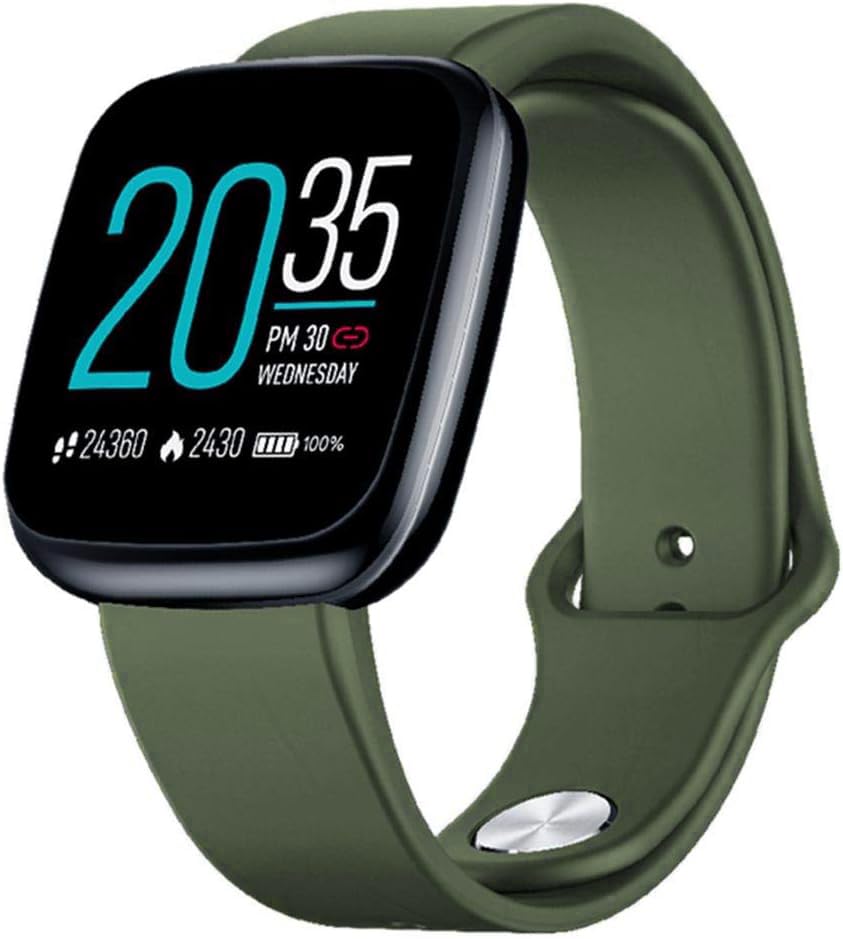
Image: Zeblaze Crystal 3 Smartwatch, showing the main display and green strap.
คุณสมบัติหลัก:
- 1.3-inch HD Color Screen: A vibrant IPS display with 240x240 pixel resolution for clear visuals.
- เซนเซอร์ความแม่นยำสูง: Equipped with a heart rate sensor, proximity sensor, and accelerometer for accurate data collection.
- ระดับการกันน้ำ IP67: Designed to withstand daily water exposure, such as splashes and rain.
- อายุการใช้งานแบตเตอรี่ยาวนาน: Up to 7 days of use on a single 2-hour charge, thanks to its 200 mAh battery.
- การติดตามกิจกรรม: Monitors steps, distance, calories burned, and supports various sports modes.
- การติดตามสุขภาพ: Includes heart rate and sleep tracking.
- ความเข้ากันได้ของสมาร์ทโฟน: Works with Android 4.4 or newer and iOS 8.0 or newer devices.
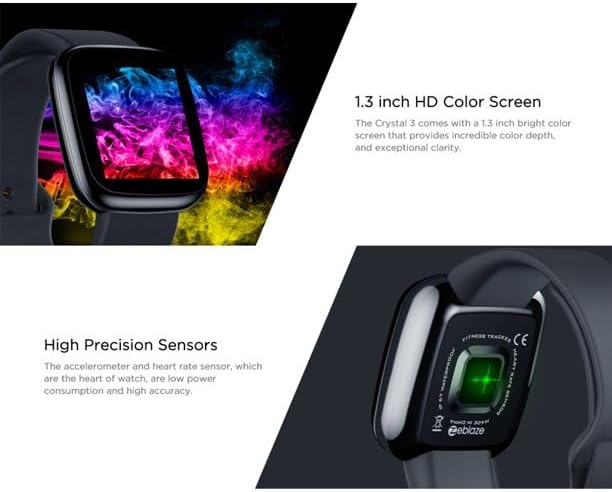
Image: Close-up of the 1.3-inch HD color screen and the high-precision heart rate sensor on the back of the watch.
3. การตั้งค่า
3.1 การชาร์จสมาร์ทวอทช์
Before first use, fully charge your Zeblaze Crystal 3. Connect the charging cable to the watch's charging port and a USB power source (e.g., computer USB port or a 5V/1A USB adapter). A full charge typically takes about 2 hours.
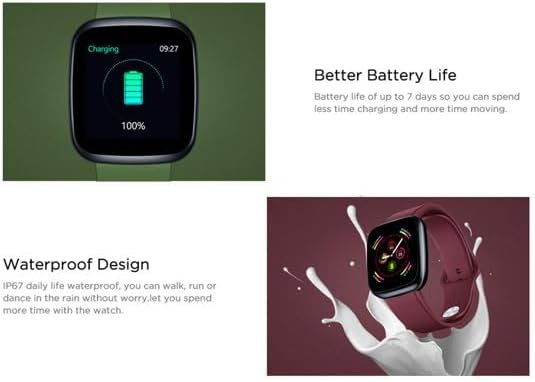
Image: Illustration showing how to connect the smartwatch to a USB port for charging.
3.2 การติดตั้งและการจับคู่แอป
- ดาวน์โหลดแอป: ค้นหา the official Zeblaze companion app on your smartphone's app store (Google Play Store for Android or Apple App Store for iOS).
- สร้างบัญชี: เปิดแอปและทำตามคำแนะนำบนหน้าจอเพื่อสร้างบัญชีหรือเข้าสู่ระบบ
- จับคู่อุปกรณ์: Ensure Bluetooth is enabled on your smartphone. In the app, navigate to the device pairing section and select "Zeblaze Crystal 3" from the list of available devices. Confirm the pairing request on both your phone and the smartwatch.
- โปรfile การตั้งค่า: กรอกข้อมูลส่วนตัวของคุณให้ครบถ้วนfile within the app to ensure accurate tracking of health and fitness data.
4. คู่มือการใช้งาน
4.1 การนำทางพื้นฐาน
- ปลุกหน้าจอ: Raise your wrist or press the side button to wake the screen.
- ปัดขึ้น/ลง: เข้าถึงการแจ้งเตือนหรือการตั้งค่าด่วน
- ปัดไปทางซ้าย/ขวา: Navigate through different functions and widgets (e.g., heart rate, activity data, weather).
- แตะ: เลือกสินค้าหรือยืนยันการดำเนินการ
- กดแบบยาว: On the main watch face, long press to change watch faces.
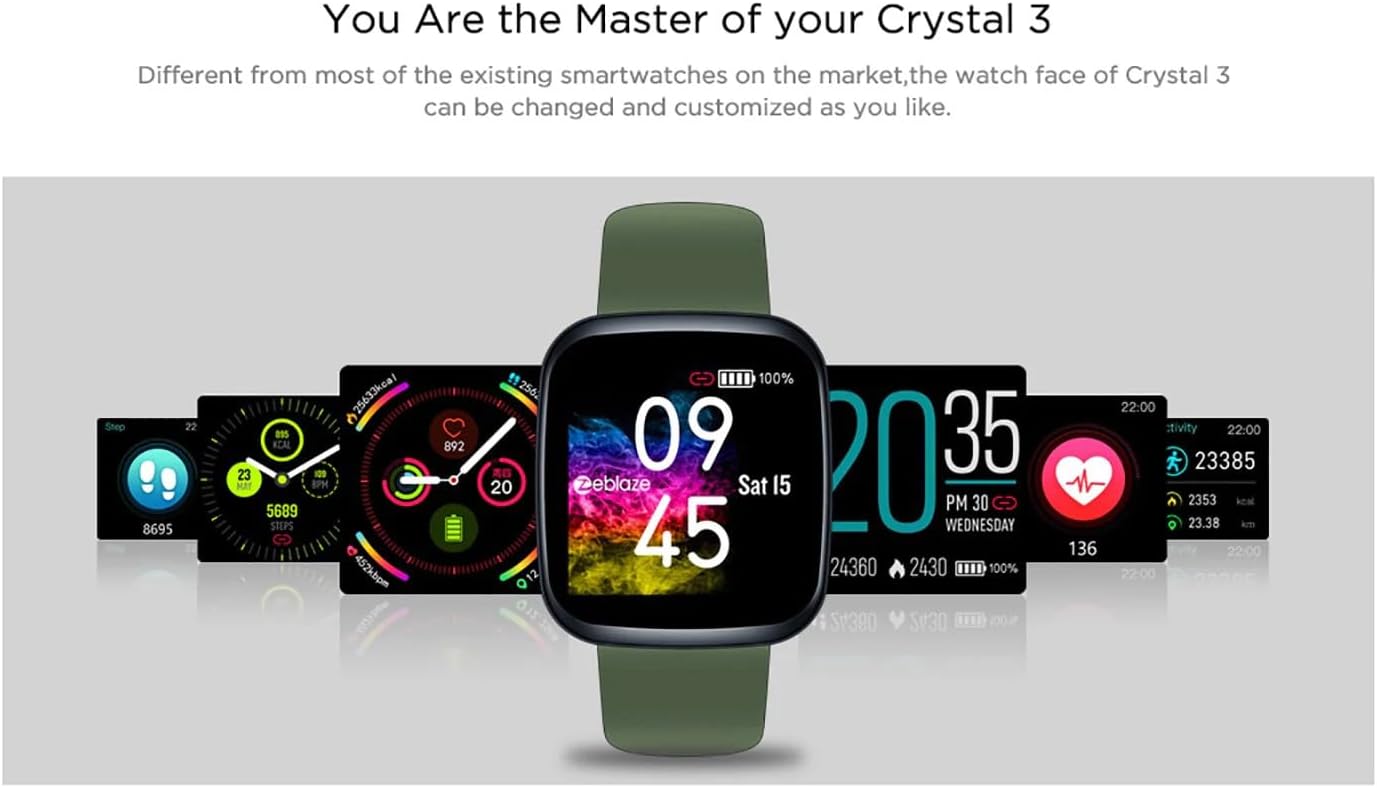
Image: The Zeblaze Crystal 3 displaying different customizable watch faces and data screens.
4.2 การติดตามกิจกรรม
สมาร์ทวอทช์จะติดตามจำนวนก้าว ระยะทาง และแคลอรี่ที่เผาผลาญในแต่ละวันโดยอัตโนมัติ คุณสามารถ view this data directly on the watch or in more detail within the companion app.
4.3 การตรวจวัดอัตราการเต้นของหัวใจ
The built-in heart rate sensor continuously monitors your heart rate. Ensure the watch is worn snugly on your wrist for accurate readings. View your current and historical heart rate data in the app.
4.4 การตรวจสอบการนอนหลับ
Wear the smartwatch to bed to track your sleep patterns. The device records sleep duration and quality, which can be reviewed in the app to help you understand and improve your sleep habits.
5. การบำรุงรักษา
5.1 การทำความสะอาดเครื่อง
ทำความสะอาดสมาร์ทวอทช์และสายนาฬิกาเป็นประจำเพื่อป้องกันการระคายเคืองผิวและรักษาประสิทธิภาพการใช้งาน ใช้ผ้าหรือวัสดุที่อ่อนนุ่มและแห้งamp ใช้ผ้าเช็ดทำความสะอาดหน้าจอและสายรัด หลีกเลี่ยงการใช้สารเคมีรุนแรงหรือวัสดุที่มีฤทธิ์กัดกร่อน
5.2 ความต้านทานน้ำ (IP67)
The Zeblaze Crystal 3 is IP67 water-resistant, meaning it is protected against dust and can withstand immersion in water up to 1 meter for up to 30 minutes. It is suitable for daily use, such as washing hands, rain, or light splashes. ไม่แนะนำให้ใช้ว่ายน้ำ อาบน้ำอุ่น หรือดำน้ำ

Image: Illustration highlighting the waterproof design of the Zeblaze Crystal 3 Smartwatch.
5.3 การดูแลแบตเตอรี่
- หลีกเลี่ยงอุณหภูมิที่สูงเกินไปซึ่งอาจทำให้แบตเตอรี่มีอายุการใช้งานลดลง
- อย่าปล่อยให้อุปกรณ์มีประจุไฟจนหมดเป็นเวลานาน
- ใช้เฉพาะสายชาร์จที่ให้มาหรือที่เทียบเท่าที่ได้รับการรับรองเท่านั้น
6 การแก้ไขปัญหา
6.1 อุปกรณ์ไม่เปิด
- ตรวจสอบให้แน่ใจว่าอุปกรณ์ชาร์จเต็มแล้ว เสียบอุปกรณ์เข้ากับเครื่องชาร์จอย่างน้อย 30 นาที
- ลองกดปุ่มด้านข้างค้างไว้ 10-15 วินาทีเพื่อบังคับให้รีสตาร์ท
6.2 ไม่สามารถจับคู่กับสมาร์ทโฟนได้
- Make sure Bluetooth is enabled on your phone and the smartwatch is within range.
- รีสตาร์ททั้งสมาร์ทโฟนและสมาร์ทวอทช์ของคุณ
- ตรวจสอบว่าแอปได้รับการอัปเดตเป็นเวอร์ชั่นล่าสุดหรือไม่
- ลบอุปกรณ์ออกจากเมนูบลูทูธของโทรศัพท์ แล้วลองจับคู่ใหม่อีกครั้งผ่านแอป
6.3 Inaccurate Heart Rate/Activity Data
- ตรวจสอบให้แน่ใจว่าสวมนาฬิกาให้พอดีกับข้อมือ ไม่แน่นหรือหลวมเกินไป
- ทำความสะอาดเซ็นเซอร์ที่ด้านหลังของนาฬิกา
- Update the smartwatch firmware via the companion app if an update is available.
7. ข้อมูลจำเพาะ
| คุณสมบัติ | รายละเอียด |
|---|---|
| ยี่ห้อ | เซเบลซ |
| ชื่อรุ่น | คริสตัล 3 |
| แสดง | หน้าจอสี IPS ขนาด 1.3 นิ้ว |
| ปณิธาน | 240*240 พิกเซล |
| เซ็นเซอร์ | Heart Rate Sensor, Proximity Sensor, Accelerometer |
| ความต้านทานต่อน้ำ | IP67 |
| ความจุของแบตเตอรี่ | 200 มิลลิแอมป์ |
| เวลาในการชาร์จ | ประมาณ 2 ชั่วโมง |
| อายุการใช้งานแบตเตอรี่ | นานถึง 7 วัน |
| ความเข้ากันได้ | แอนดรอยด์ 4.4+ / iOS 8.0+ |
| ขนาด | 4.05 x 3.55 x 1.2 ซม. (1.59 x 1.39 x 0.47 นิ้ว) |
| น้ำหนัก | 27 กรัม (0.95 ออนซ์) |
| การเชื่อมต่อ | Bluetooth (for app pairing), USB (for charging) |
| คุณสมบัติพิเศษ | เครื่องติดตามกิจกรรม, เครื่องวัดอัตราการเต้นของหัวใจ, เครื่องติดตามการนอนหลับ |
8. การรับประกันและการสนับสนุน
For warranty information and customer support, please refer to the documentation included with your purchase or visit the official Zeblaze website. If you encounter any issues not covered in this manual, please contact Zeblaze customer service for assistance.