
1. บทนำ
Thank you for choosing the LENVII R800 Portable 2D Barcode Scanner. This device is designed for efficient and versatile barcode scanning, supporting both 1D and 2D barcodes. It offers multiple connection options including Bluetooth, 2.4G wireless, and wired USB, making it compatible with a wide range of devices and operating systems. This manual provides detailed instructions for setup, operation, and maintenance to ensure optimal performance.

Image 1.1: LENVII R800 Barcode Scanner and included accessories (USB cable, 2.4G wireless receiver).
2. สินค้าหมดview
Familiarize yourself with the components and features of your LENVII R800 scanner.
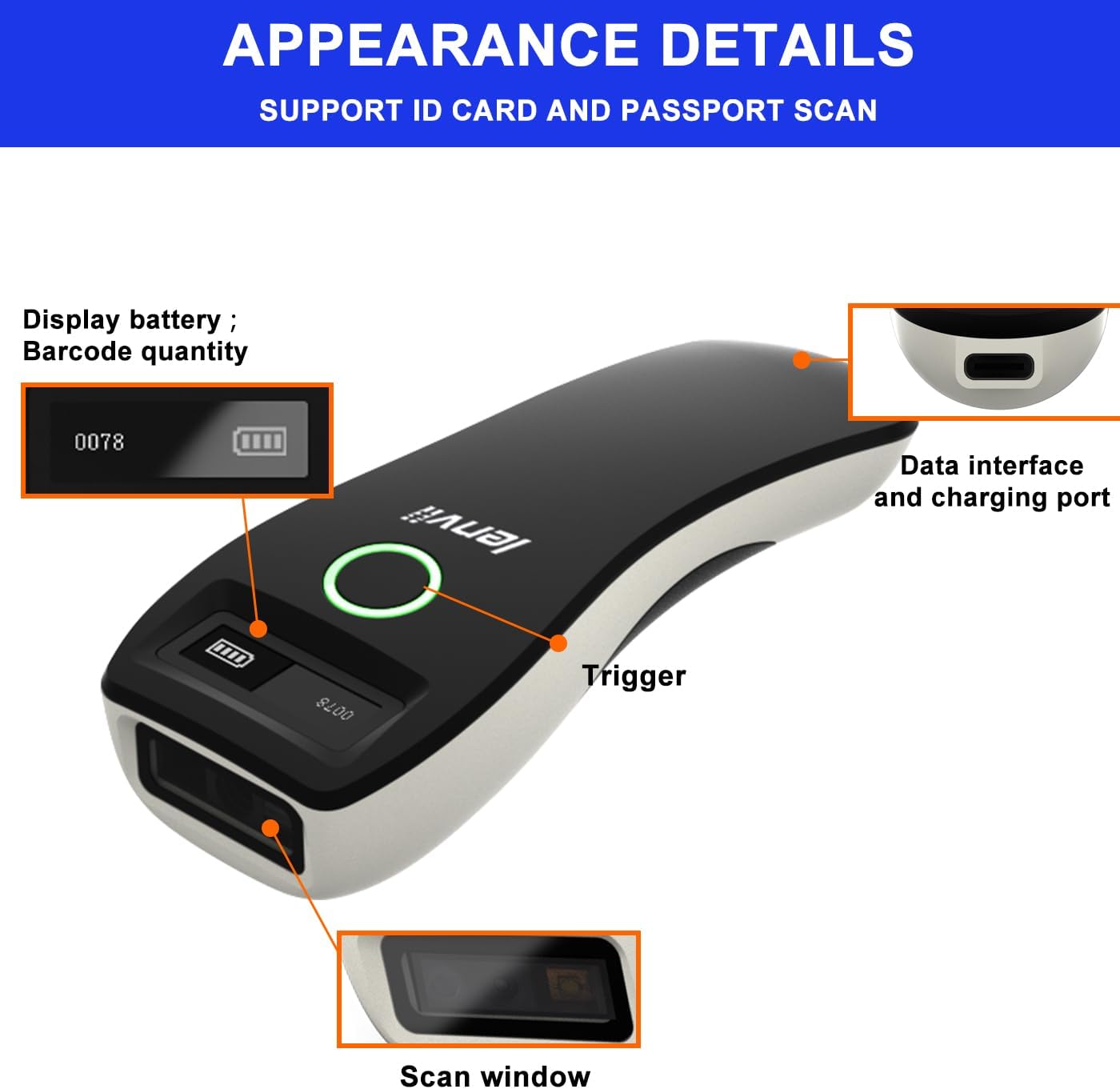
ภาพที่ 2.1: รายละเอียด view of the LENVII R800 scanner, highlighting the display (battery, barcode quantity), data interface/charging port, trigger button, and scan window.
- แสดง: Shows battery level and scanned barcode quantity.
- Data Interface/Charging Port: Type-C port for wired connection and charging.
- สิ่งกระตุ้น: Button to initiate scanning.
- หน้าต่างสแกน: Area through which barcodes are read.
3. การตั้งค่า
3.1 การชาร์จเครื่องสแกน
Before first use, fully charge the scanner. Connect the provided Type-C USB cable to the scanner's charging port and the other end to a USB power source (e.g., computer USB port, USB wall adapter). The charging indicator light will show the charging status.
The scanner is equipped with a 1500mAh rechargeable lithium battery.
3.2 โหมดการเชื่อมต่อ
The LENVII R800 offers three connection methods:

Image 3.1: Illustration of the three connection modes: 2.4GHz Wireless, USB Wired, and Bluetooth.
3.2.1 การเชื่อมต่อไร้สาย 2.4G
- Insert the 2.4G wireless receiver into a USB port on your computer or host device.
- Turn on the scanner. It should automatically connect to the receiver.
- A successful connection is indicated by a specific sound or light on the scanner.
3.2.2 การเชื่อมต่อบลูทูธ
- เปิดเครื่องสแกนเนอร์
- Activate Bluetooth on your host device (e.g., smartphone, tablet, laptop).
- Scan the Bluetooth pairing barcode (usually found in the full manual or quick start guide). The scanner will enter pairing mode.
- On your host device, search for Bluetooth devices and select "LENVII R800" (or similar name) to pair.
- A successful connection is indicated by a specific sound or light on the scanner.
3.2.3 การเชื่อมต่อแบบมีสาย
- Connect the scanner to your computer using the provided Type-C USB cable.
- เครื่องสแกนจะทำงานเหมือนอุปกรณ์เสียบสาย และยังสามารถชาร์จแบตเตอรี่ไปพร้อมกันได้ด้วย
- No additional drivers are typically required for this plug-and-play connection.
3.3 ความเข้ากันได้
The LENVII R800 scanner is compatible with various operating systems and devices:
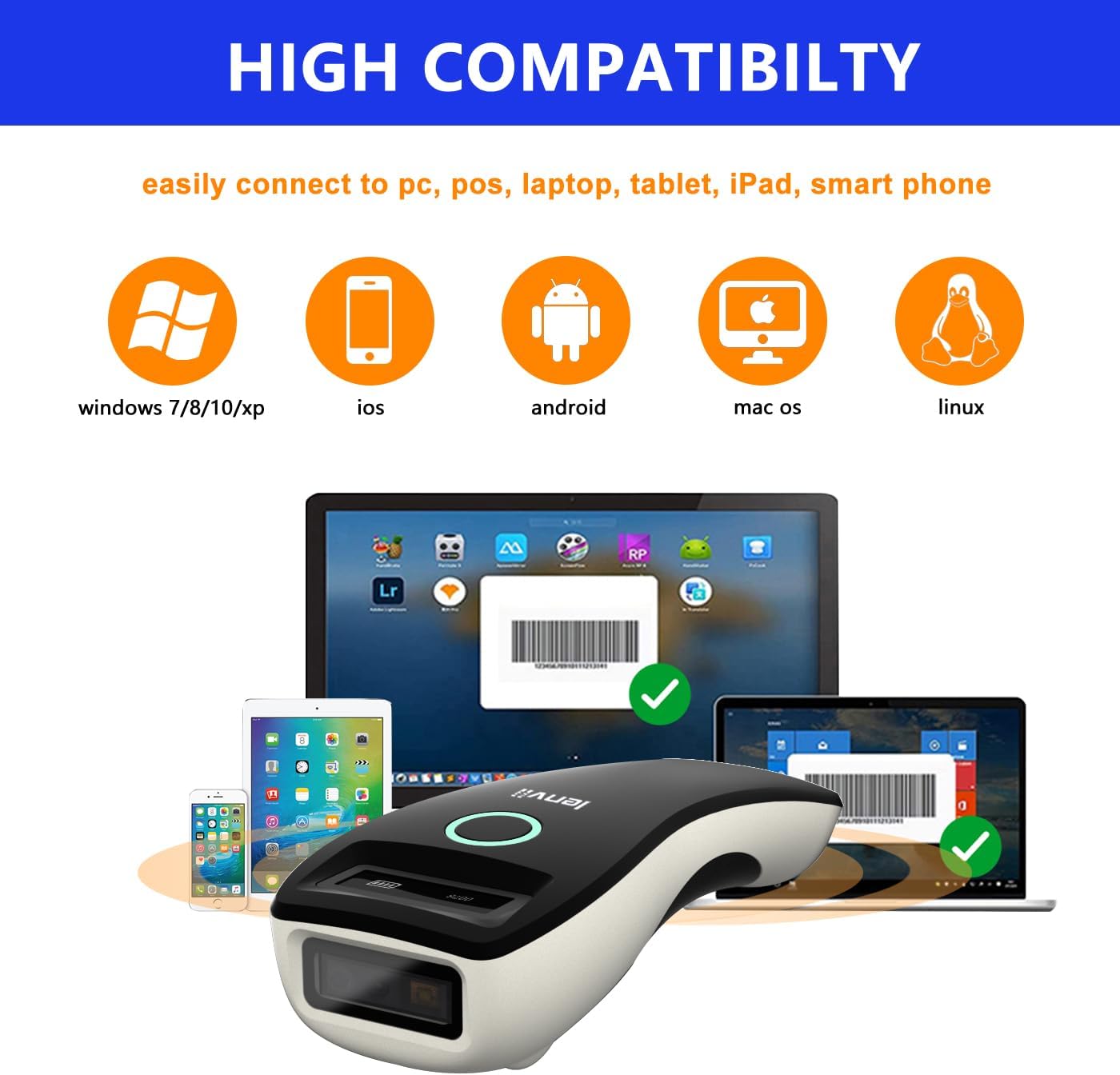
Image 3.2: Compatibility icons for Windows, iOS, Android, Mac OS, and Linux, indicating broad device support.
- ระบบปฏิบัติการ: Windows XP/7/8/10, Mac OS, Windows Mobile, Android OS, iOS, Linux.
- อุปกรณ์: Laptops, PCs, mobile phones, tablets, iPhones, iPads, POS systems.
4. คู่มือการใช้งาน
4.1 การสแกนพื้นฐาน
- Ensure the scanner is powered on and connected to your host device via your preferred method.
- Open an application on your host device where you want the scanned data to appear (e.g., a text editor, spreadsheet, or inventory software).
- Point the scan window of the scanner at the barcode.
- Press the trigger button. A successful scan will be indicated by a beep and/or a light confirmation.
- The scanned data will be transmitted to your host device.
4.2 Data Transfer Modes
เครื่องสแกนรองรับโหมดการอัปโหลดข้อมูลสองโหมด:

Image 4.1: Depiction of Instant Upload Mode (data sent immediately) and Offline Storage Mode (data stored for later upload).
- โหมดอัปโหลดทันใจ: Barcodes are transmitted to the connected device immediately after scanning. This is the default mode.
- โหมดจัดเก็บข้อมูล (โหมดออฟไลน์): Barcodes are stored in the scanner's internal memory (up to 35,000 EAN 13 codes) and can be uploaded later. This mode is useful when working out of range of the host device. To switch to storage mode and upload data, refer to the full programming manual for specific barcode commands.
4.3 ประเภทบาร์โค้ดที่รองรับ
The LENVII R800 is capable of scanning a wide array of 1D and 2D barcode symbologies:
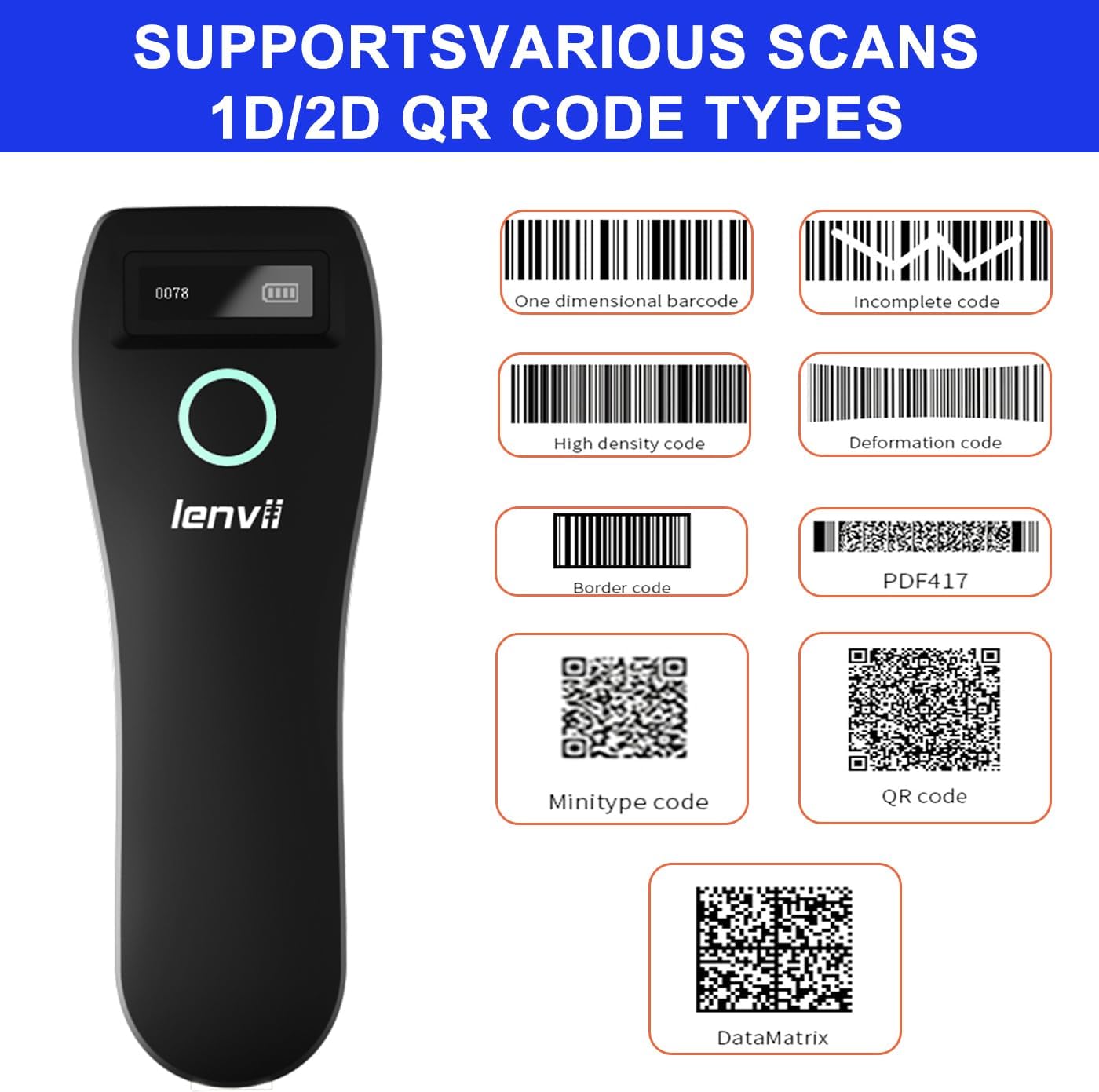
ภาพที่ 4.2: อดีตamples of supported barcode types including 1D (e.g., Code 39, Code 128) and 2D (e.g., QR Code, Data Matrix, PDF417).
- บาร์โค้ด 1 มิติ: UPC/EAN/JAN, UPC-A, UPC-E, EAN-8, EAN-13, JAN-8, JAN-13, ISBN/ISSN, Code 39 (with full ASCII), Codabar (NW7), Code 128 & EAN 128, Code 93, Interleaved 2 of 5 (ITF), Appendix 2 of 5 IATA code, MSI/Plessy, Chinese postal code, Code 32 (Italian Pharmacopoeia), RSS 14, RSS Limited, RSS Extension.
- บาร์โค้ด 2 มิติ: QR Code, Data Matrix, PDF417, Aztec, Maxicode, GS1 DataBar Stack.
4.4 การออกแบบตามหลักสรีรศาสตร์และความสะดวกในการพกพา
The LENVII R800 is designed for comfortable, one-handed operation and easy portability, making it suitable for various mobile business applications.
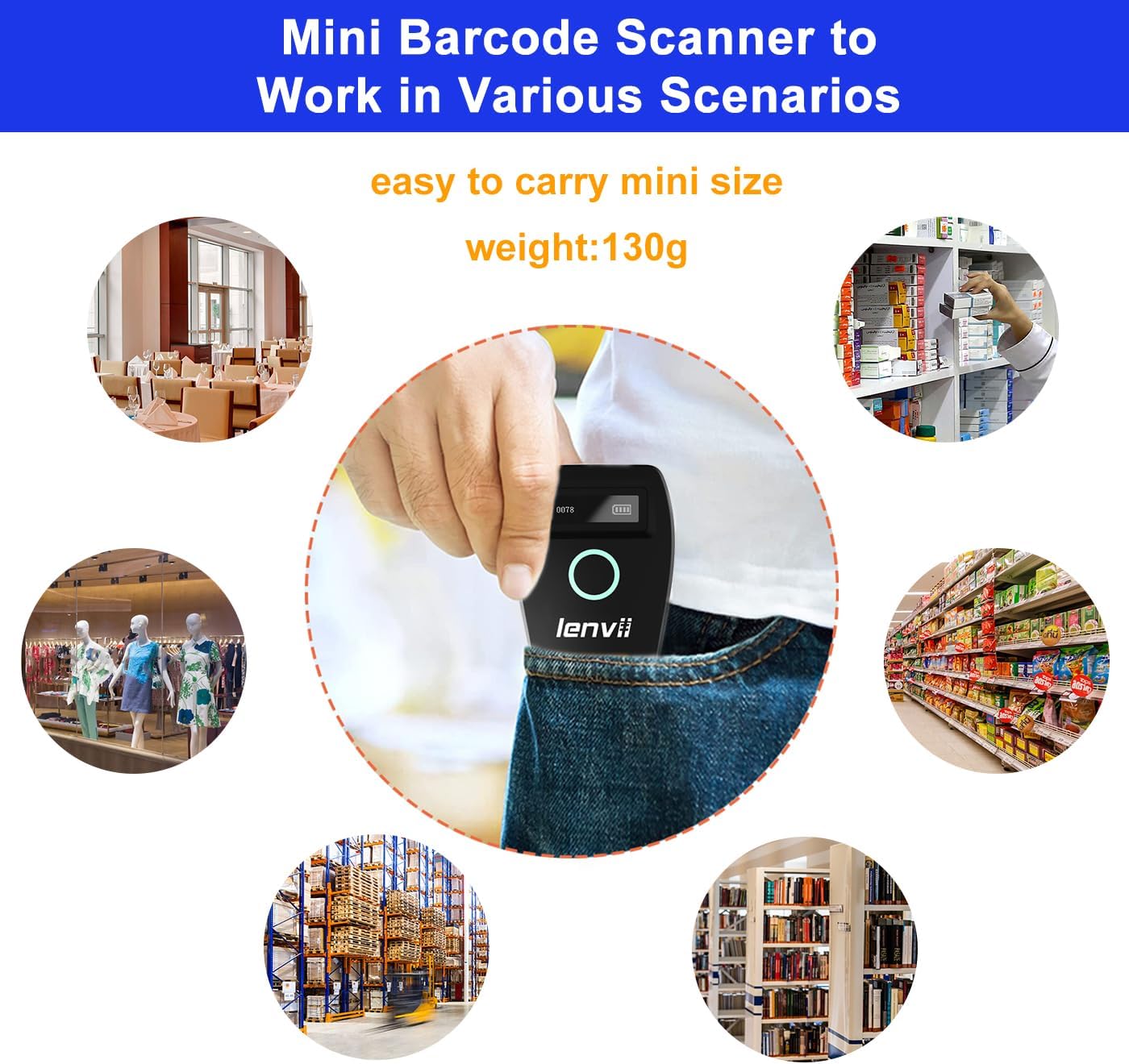
Image 4.3: The compact LENVII R800 scanner shown in different environments, emphasizing its portability and suitability for retail, inventory, and field service.
5. การบำรุงรักษา
- การทำความสะอาด: Use a soft, dry cloth to clean the scanner's exterior. For the scan window, use a soft, lint-free cloth lightly dampล้างออกด้วยน้ำยาทำความสะอาดที่ไม่รุนแรงและไม่ทำให้เกิดรอยขีดข่วน หลีกเลี่ยงสารเคมีรุนแรงหรือวัสดุที่มีฤทธิ์กัดกร่อน
- พื้นที่จัดเก็บ: เก็บเครื่องสแกนเนอร์ไว้ในที่แห้งและเย็น หลีกเลี่ยงแสงแดดโดยตรงและอุณหภูมิที่สูงหรือต่ำเกินไป
- การดูแลแบตเตอรี่ เพื่อยืดอายุการใช้งานแบตเตอรี่ ควรหลีกเลี่ยงการปล่อยประจุแบตเตอรี่จนหมดบ่อยๆ หากเก็บรักษาเป็นเวลานาน ควรชาร์จแบตเตอรี่ประมาณ 50% แล้วชาร์จใหม่ทุกๆ สองสามเดือน
- การป้องกันทางกายภาพ: While designed to withstand drops from 2 meters, avoid unnecessary impacts.
6 การแก้ไขปัญหา
-
สแกนเนอร์ไม่เปิดเครื่อง:
- Ensure the battery is charged. Connect the scanner to a power source using the Type-C cable.
-
เครื่องสแกนไม่สามารถเชื่อมต่อกับอุปกรณ์ได้:
- สำหรับระบบไร้สาย 2.4G: Ensure the USB receiver is properly inserted and the scanner is within range.
- สำหรับบลูทูธ: Ensure Bluetooth is enabled on your host device, the scanner is in pairing mode, and you have selected the correct device from the Bluetooth list.
- สำหรับ Wired: ตรวจสอบการเชื่อมต่อสาย USB ลองใช้พอร์ต USB หรือสายอื่น
-
เครื่องสแกนไม่สามารถอ่านบาร์โค้ดได้:
- Ensure the barcode is clean, undamaged, and within the scanner's reading range.
- ตรวจสอบว่าเครื่องสแกนรองรับบาร์โค้ดประเภทนั้นหรือไม่
- Ensure there is sufficient lighting on the barcode.
- Clean the scan window if it is dirty.
-
ข้อมูลที่สแกนแล้วไม่ปรากฏบนหน้าจอ:
- Ensure the scanner is successfully connected to your host device.
- Verify that an active input field or application is open on your host device to receive the data.
- Check if the scanner is in 'Storage Mode'. If so, switch to 'Instant Upload Mode' or upload stored data.
7. ข้อมูลจำเพาะ
| พารามิเตอร์ | รายละเอียด |
|---|---|
| Image (pixels) | 640 pixels (horizontal) * 480 pixels (vertical) |
| แหล่งกำเนิดแสง | Aiming: 617 nm LED; Illumination: 4000K LED |
| เซ็นเซอร์รับภาพ | ซีมอส |
| ความเร็วในการสแกน | 30 เฟรมต่อวินาที |
| Filling Depth | 40-200mm @ UPC / EAN13mil PCS = 90%; 20-250mm @ QR 20mil PCS = 100% |
| มุมการสแกน | Elevation angle 65°, Tilt angle 30°, Deflection angle 55° |
| ทุ่งแห่ง View | แนวนอน 34°, แนวตั้ง 28° |
| ความละเอียดในการอ่าน | Exceeds 5 million |
| ความคมชัดในการพิมพ์ | Exceeds 25% |
| ตัวบ่งชี้ทางภาพ | Blue LED light, Red charging light, and Buzzer |
| โหมดการสื่อสาร | 2.4G, Bluetooth BLE4.0, and Type-C (Wired) |
| ระยะห่างการสื่อสาร | 2.4G: 100 meters (open air), Bluetooth: 40 meters (open air) |
| ความจุหน่วยความจำ | Up to 512,000 bits (approx. 35,000 EAN 13 codes) |
| ขนาด (กว้าง*ยาว*สูง) | 135มม. * 51มม. * 40มม. |
| น้ำหนัก | 104 กรัม |
| วัสดุ | เอบีเอส+พีซี |
| สายเคเบิล | สายเคเบิล Type-C |
| อินพุต Voltage | 5VDC ± 10% |
| กระแสไฟฟ้าทำงาน | 400มิลลิแอมป์ |
| แบตเตอรี่ | แบตเตอรี่ลิเธียมแบบชาร์จไฟ 1500mAh |
| วิธีการชาร์จ | สายชาร์จ Type-C |
| ความทนทานต่อการตก | Can withstand a drop of 2 meters |
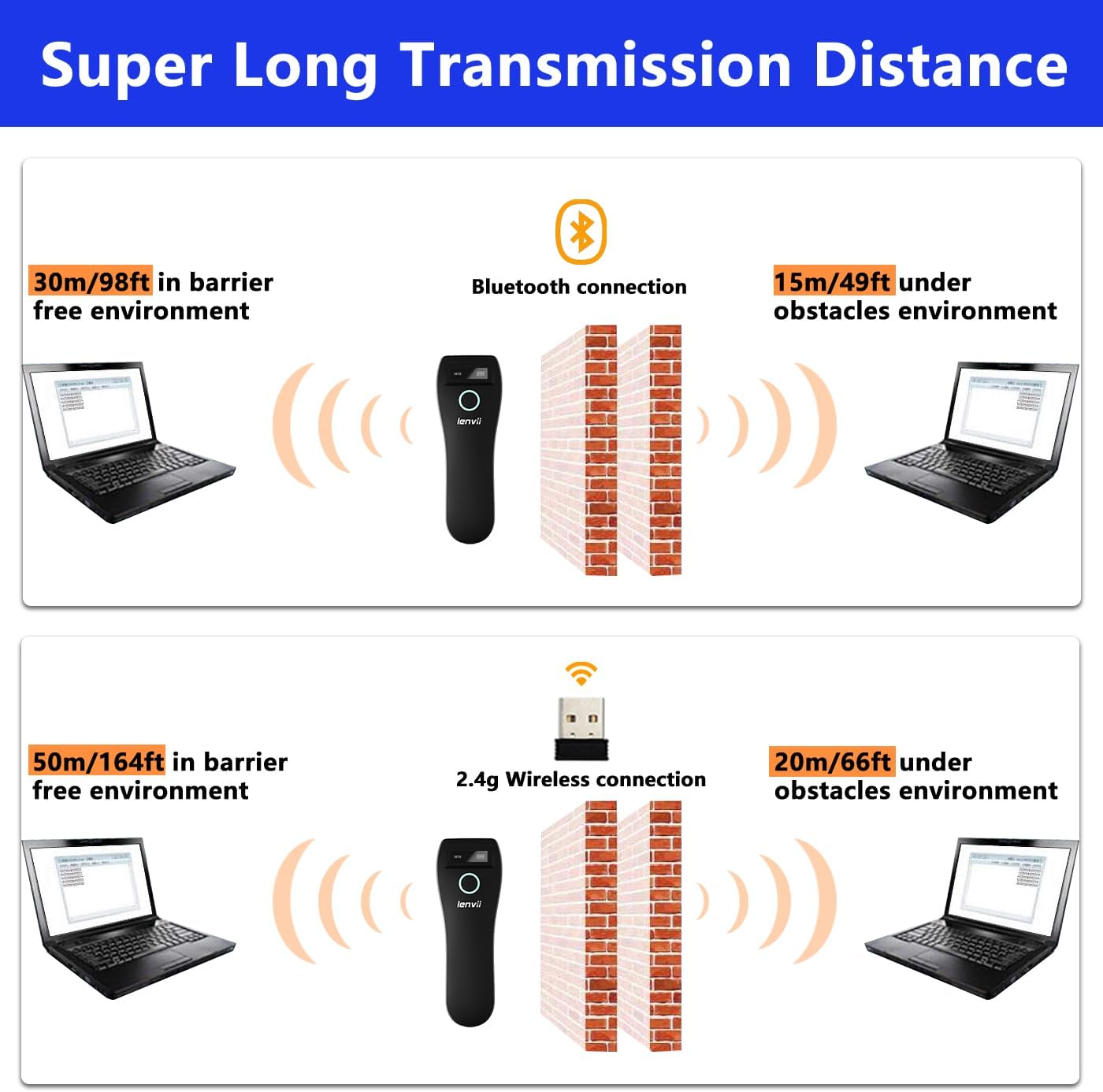
Image 7.1: Comparison of Bluetooth and 2.4G wireless transmission distances in barrier-free and obstacle environments.
8. การรับประกันและการสนับสนุน
LENVII products are manufactured to high-quality standards. For warranty information, please refer to the documentation included with your purchase or contact your retailer. For technical support or inquiries, please visit the official LENVII webเว็บไซต์หรือติดต่อฝ่ายบริการลูกค้าของพวกเขา
คุณสามารถค้นหาข้อมูลเพิ่มเติมและทรัพยากรสนับสนุนได้โดยไปที่ LENVII Store on Amazon.