
1. บทนำ
The American Lifetime Digital Dementia Clock is designed to provide clear and easy-to-read time, day, and date information, particularly beneficial for seniors and individuals with memory challenges. Its large, high-resolution display and intuitive features aim to enhance daily orientation and independence.
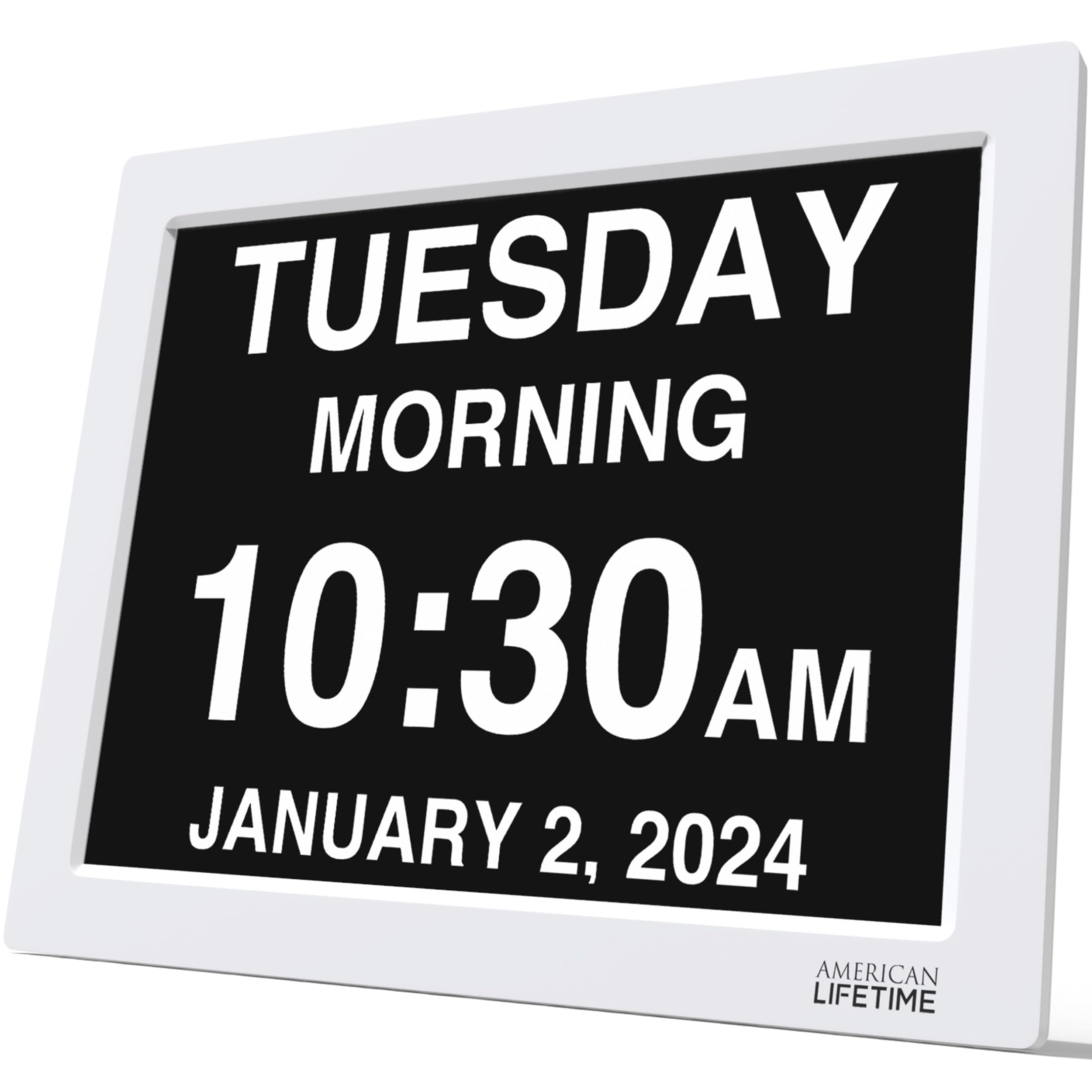
Figure 1: American Lifetime 15-inch Digital Dementia Clock (White)
2. การตั้งค่า
2.1 การแกะและการจัดวาง
Carefully remove the clock from its packaging. The clock can be placed on a tabletop using its integrated stand or mounted on a wall. Ensure the chosen location has a stable surface or secure wall mounting, and is within reach of a power outlet.

Figure 2: Dimensions of the 15-inch Digital Dementia Clock
2.2 การเชื่อมต่อสายไฟ
Connect the provided power cord to the DC IN port on the back of the clock and then plug it into a standard electrical outlet. The clock will automatically power on and display the current time and date. The clock includes a backup option to retain settings during power outagใช่
3. คู่มือการใช้งาน
3.1 คุณสมบัติการแสดงผล
- จอแสดงผลขนาดใหญ่และชัดเจน: The clock features a high-resolution display that clearly spells out the time, period of the day (e.g., Morning, Afternoon), full day of the week, month, and date in large, unambiguous letters.
- ลดแสงอัตโนมัติ: The display automatically adjusts its brightness to match the ambient light conditions in the room, ensuring readability without being overly bright at night.
- ตัวเลือกการแสดงผลหลายแบบ: The clock supports various time formats (12-hour or 24-hour) and date modes (Month-Day-Year, Day-Month-Year).

รูปที่ 3: คุณสมบัติหลักของหน้าจอแสดงผล
3.2 การตั้งเวลาและวันที่
Use the control buttons located on the back of the clock to navigate the menu and adjust settings. Refer to the included quick start guide for detailed button functions.
- Press the 'Menu' button to access settings.
- Use the Up/Down arrows to select 'Set Time' or 'Set Date'.
- Use the Left/Right arrows to adjust the values.
- Press 'OK' to confirm changes and 'Back' to exit the menu.
3.3 นาฬิกาปลุกและการแจ้งเตือน
The clock supports up to 5 customizable daily alarms. These can be set for important events such as medication times or appointments. You can also customize the alarm message.
- From the menu, select 'Alarms'.
- Choose an 'Alarm Time' to set.
- Adjust the time and select a pre-set message (e.g., 'TAKE YOUR MEDICINE') or create a custom message.
- Ensure the alarm is set to 'ON'.

Figure 4: Customizable Alarms and Multi-language Support
3.4 การรองรับหลายภาษา
The clock supports multiple languages, making it accessible to a wider range of users. The language setting can be changed via the menu.
4. การบำรุงรักษา
- การทำความสะอาด: ใช้ผ้าแห้งเนื้อนุ่มเช็ดทำความสะอาดหน้าจอและกรอบ หลีกเลี่ยงการใช้สารทำความสะอาดที่มีฤทธิ์กัดกร่อนหรือตัวทำละลาย
- ความทนทาน: The clock is designed with durable materials to withstand daily use. However, avoid dropping or subjecting it to excessive force.
5 การแก้ไขปัญหา
| ปัญหา | วิธีแก้ปัญหาที่เป็นไปได้ |
|---|---|
| นาฬิกาไม่เปิดเครื่อง | Ensure the power cord is securely plugged into both the clock and a working electrical outlet. |
| Incorrect time/date displayed | Access the 'Set Time' and 'Set Date' options in the menu to manually adjust. |
| หน้าจอแสดงผลสว่าง/มืดเกินไป | The clock has an auto-dimming feature. Ensure it is enabled in the settings. If issues persist, contact customer support. |
| เสียงสัญญาณเตือนไม่ดัง | Verify that the alarm time is correctly set and the alarm is enabled ('ON') in the 'Alarms' menu. Check volume settings if applicable. |
6. ข้อมูลจำเพาะ
- ยี่ห้อ: อายุการใช้งานของชาวอเมริกัน
- หมายเลขรุ่น: ดีซี-01
- สี: สีขาว
- ประเภทจอภาพ: ดิจิตอล
- ขนาด: 15 นิ้ว
- ขนาดสินค้า : กว้าง 15 นิ้ว x สูง 13.5 นิ้ว
- น้ำหนักสินค้า: 4.62 ปอนด์
- แหล่งพลังงาน: Power Cord (Electrical Operation)
- คุณสมบัติพิเศษ: Corded, Auto-Dimming, Custom Alarms, Multi-Language Support, Battery Backup
- ประเภทการติดตั้ง: โต๊ะ, ติดผนัง
- วัสดุ: พลาสติก
7. การรับประกันและการสนับสนุน
American Lifetime offers a รับประกัน 1 ปี on this product. Additionally, you can return the product for free within the first 30 days, no questions asked.
For any questions or support needs, please contact the American Lifetime customer service team. They are available Monday-Friday, 9 AM - 5 PM EST.
อีเมล: contact@americanlifetime.com