
1. บทนำ
Thank you for choosing the ABBREE AR-M6 CB Radio. This mobile CB radio is designed to provide reliable long-distance communication, making it ideal for truck drivers and anyone needing robust two-way radio capabilities. It features 40 channels, dual AM/FM modes, instant access to emergency channels, and advanced noise reduction functions.
คุณสมบัติหลัก:
- 40 CB Channels for comprehensive coverage.
- Dual-Mode AM/FM for versatile communication.
- Instant Channel 9 (Emergency) and Channel 19 (Trucker) access.
- ASQ/SQ Control for manual and automatic squelch.
- VOX Function for hands-free operation.
- Compact design with a high-quality speaker microphone.
FCC ID: 2BDQ3AR-M6
2. เนื้อหาบรรจุภัณฑ์
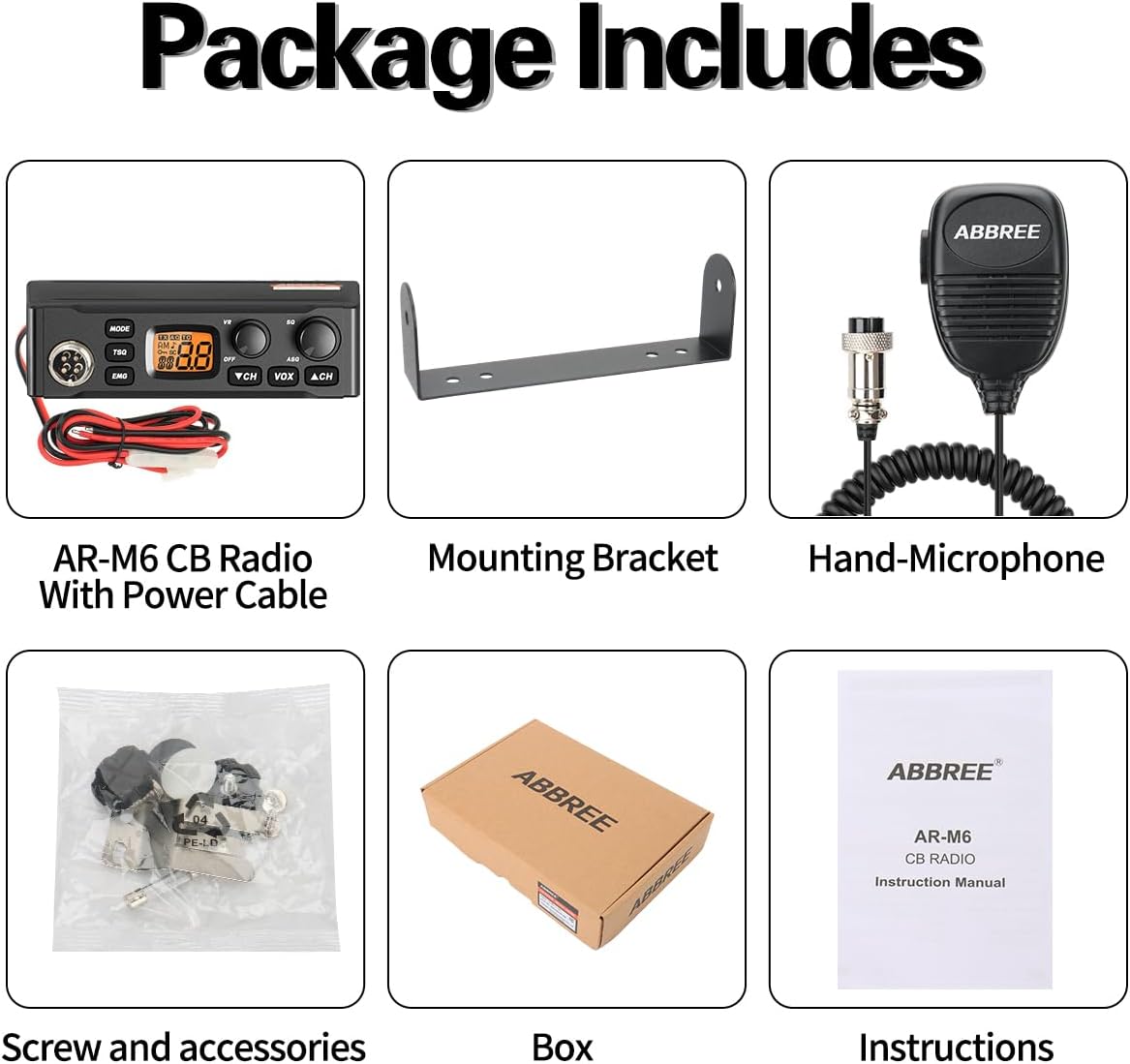
โปรดตรวจสอบว่าสินค้าทั้งหมดที่ระบุไว้ด้านล่างอยู่ในบรรจุภัณฑ์ของคุณครบถ้วน หากมีสินค้าใดขาดหายหรือเสียหาย โปรดติดต่อผู้ค้าปลีกของคุณ
- 1 x ABBREE AR-M6 CB Radio with Power Cable
- ไมโครโฟนแบบมือถือ 1 ตัว
- 1 x วงเล็บยึด
- 1 x Screw and Accessories Set
- 1 x คู่มือการใช้งาน
3. สินค้าหมดview
Familiarize yourself with the various components and controls of your AR-M6 CB Radio.
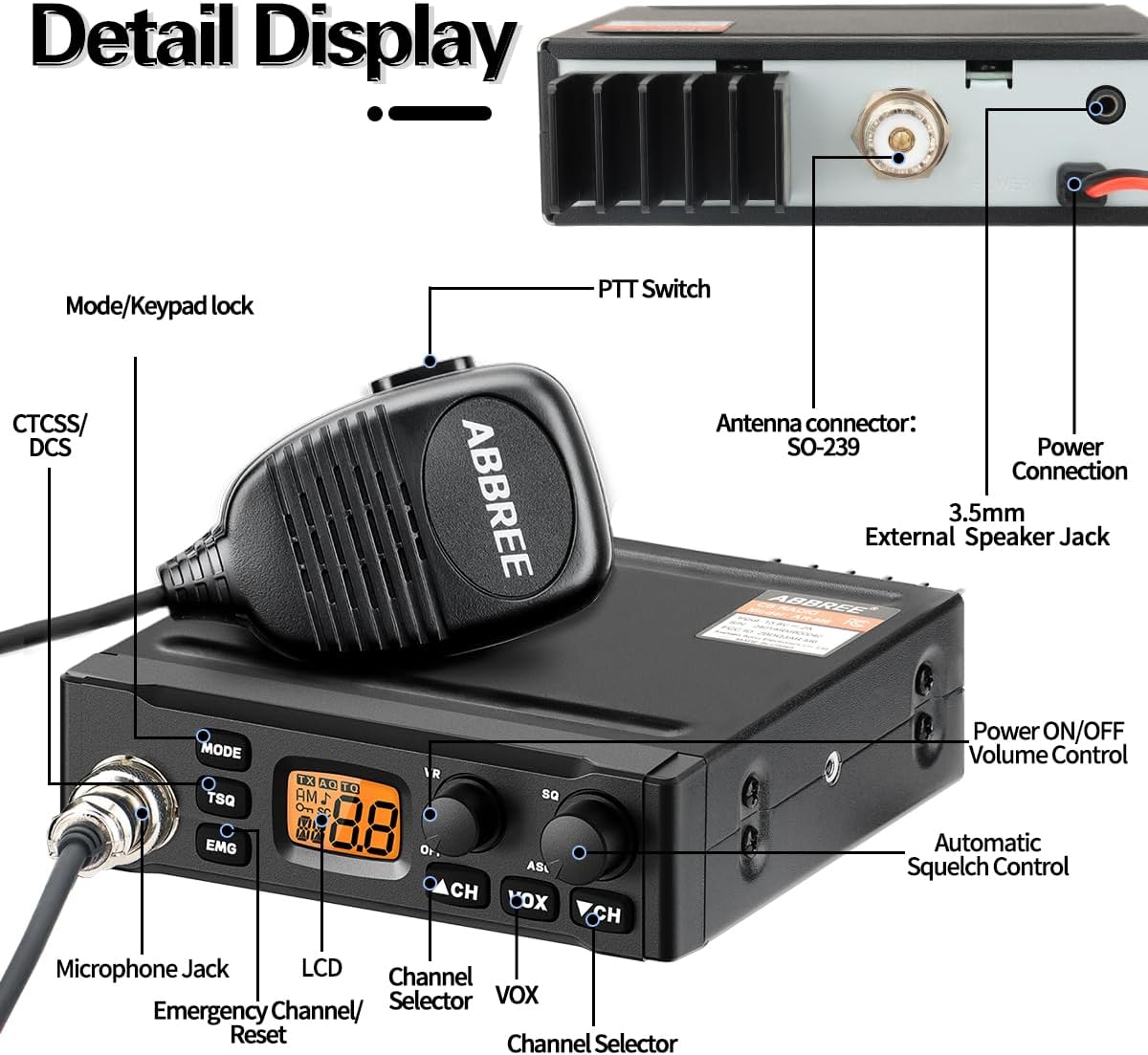
แผงควบคุมด้านหน้า:
- ปุ่มโหมด: Toggles between AM and FM modulation.
- TSQ Button: Toggles the Tone Squelch (CTCSS/DCS) function.
- ปุ่ม EMG: Provides instant access to Emergency Channel 9 and Trucker Channel 19.
- VR Knob (Volume/Power): เปิด/ปิดวิทยุและปรับระดับเสียง
- SQ Knob (Squelch): Adjusts the manual squelch level to eliminate background noise.
- ASQ Button (Automatic Squelch): Activates or deactivates the automatic squelch function.
- VOX Button: Activates or deactivates the Voice Operated Exchange (VOX) function.
- CH ▲/▼ Buttons: เลือกช่องทางการสื่อสารที่ต้องการ
- จอแสดงผล LCD: Shows current channel, mode, and other operational indicators.
การเชื่อมต่อแผงด้านหลัง:
- ขั้วต่อเสาอากาศ (SO-239): For connecting your external CB antenna.
- การเชื่อมต่อไฟฟ้า: For connecting the 13.8V DC power cable.
- 3.5mm External Speaker Jack: สำหรับเชื่อมต่อลำโพงภายนอก (อุปกรณ์เสริม)
ไมโครโฟน:
- แจ็คไมโครโฟน: Connects the included hand microphone.
- สวิตซ์ PTT : ปุ่มกดเพื่อพูด (Push-To-Talk) สำหรับการส่งสัญญาณ
4. การตั้งค่า
Follow these steps to properly set up your ABBREE AR-M6 CB Radio for optimal performance.
4.1 การติดตั้งวิทยุ
- Choose a secure and accessible location in your vehicle, away from direct sunlight or excessive heat.
- ใช้ตัวยึดที่ให้มาเป็นแม่แบบในการทำเครื่องหมายตำแหน่งการเจาะ
- เจาะรูนำร่องและยึดขายึดด้วยสกรูที่ให้มา
- Slide the radio into the mounting bracket and secure it with the side knobs.
4.2 การเชื่อมต่อสายไฟ
- โปรดตรวจสอบให้แน่ใจว่าได้ปิดสวิตช์กุญแจรถแล้ว
- Connect the red wire of the power cable to a positive (+) 13.8V DC power source (e.g., vehicle battery or fuse box). It is recommended to connect to a switched power source to prevent battery drain.
- Connect the black wire of the power cable to a negative (-) ground point on the vehicle chassis.
- Plug the power cable connector into the Power Connection port on the rear of the radio.
4.3 การเชื่อมต่อเสาอากาศ
- Connect your external CB antenna (not included) to the SO-239 Antenna Connector on the rear of the radio.
- Ensure the antenna is properly tuned (low SWR) for optimal performance and to prevent damage to the radio. Consult your antenna's manual for tuning instructions.
4.4 การเชื่อมต่อไมโครโฟน
- Plug the microphone connector firmly into the Microphone Jack on the front of the radio.
5. คู่มือการใช้งาน
This section details the functions and operations of your AR-M6 CB Radio.
5.1 การเปิด/ปิดเครื่องและการควบคุมระดับเสียง
หมุน VR knob clockwise to turn the radio on. Continue rotating clockwise to increase the volume. Rotate counter-clockwise to decrease the volume and fully counter-clockwise to turn the radio off.
5.2 การเลือกช่องสัญญาณ
กดปุ่ม ช. ▲ or ช ▼ buttons to select your desired communication channel (1-40). The selected channel number will be displayed on the LCD.
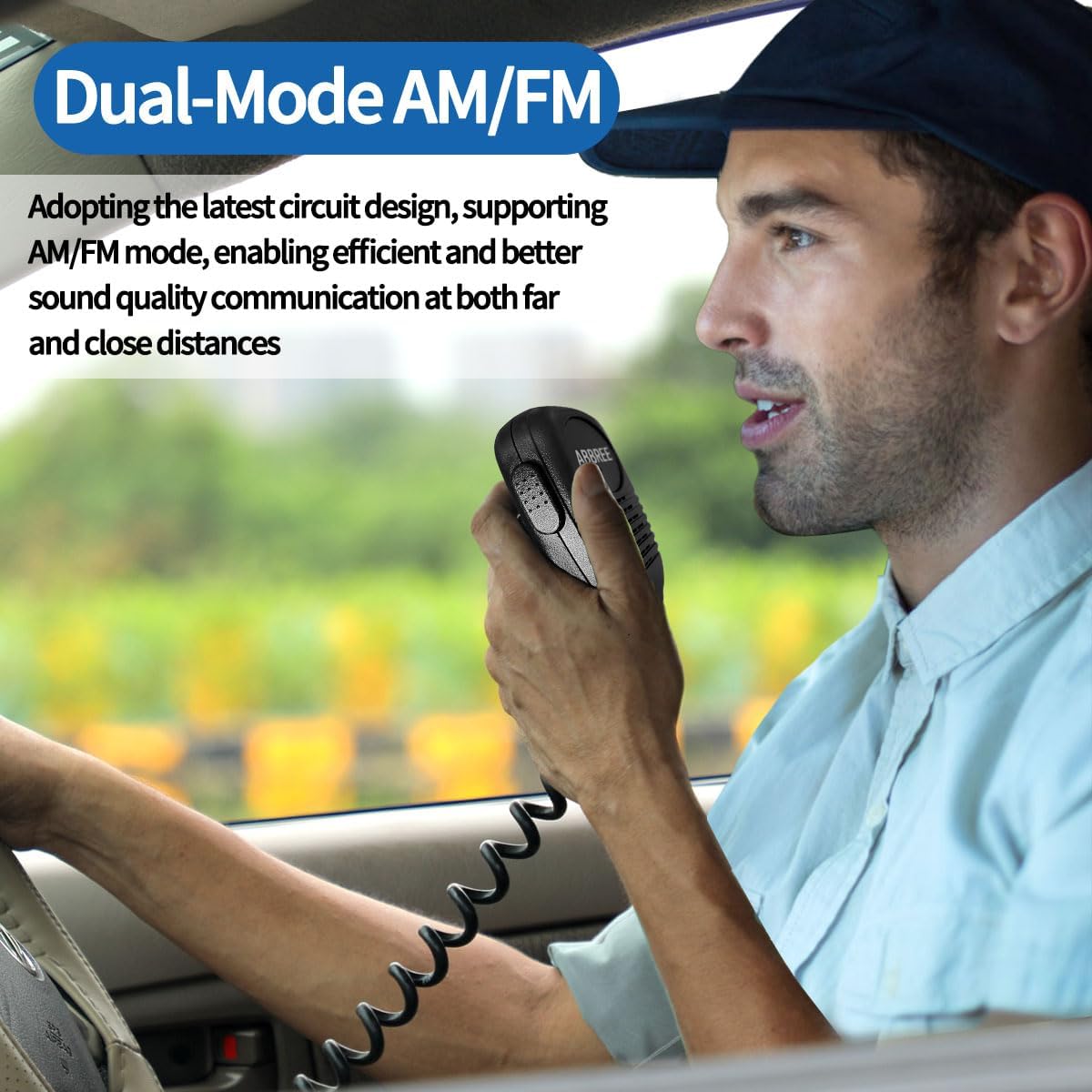
5.3 การเลือกโหมด AM/FM
กดปุ่ม โหมด ปุ่มสำหรับสลับระหว่าง AM (Amplitude Modulation) and FM (Frequency Modulation) modes. The selected mode will be indicated on the LCD. FM mode generally offers clearer audio quality over shorter distances, while AM is standard for most CB communications.
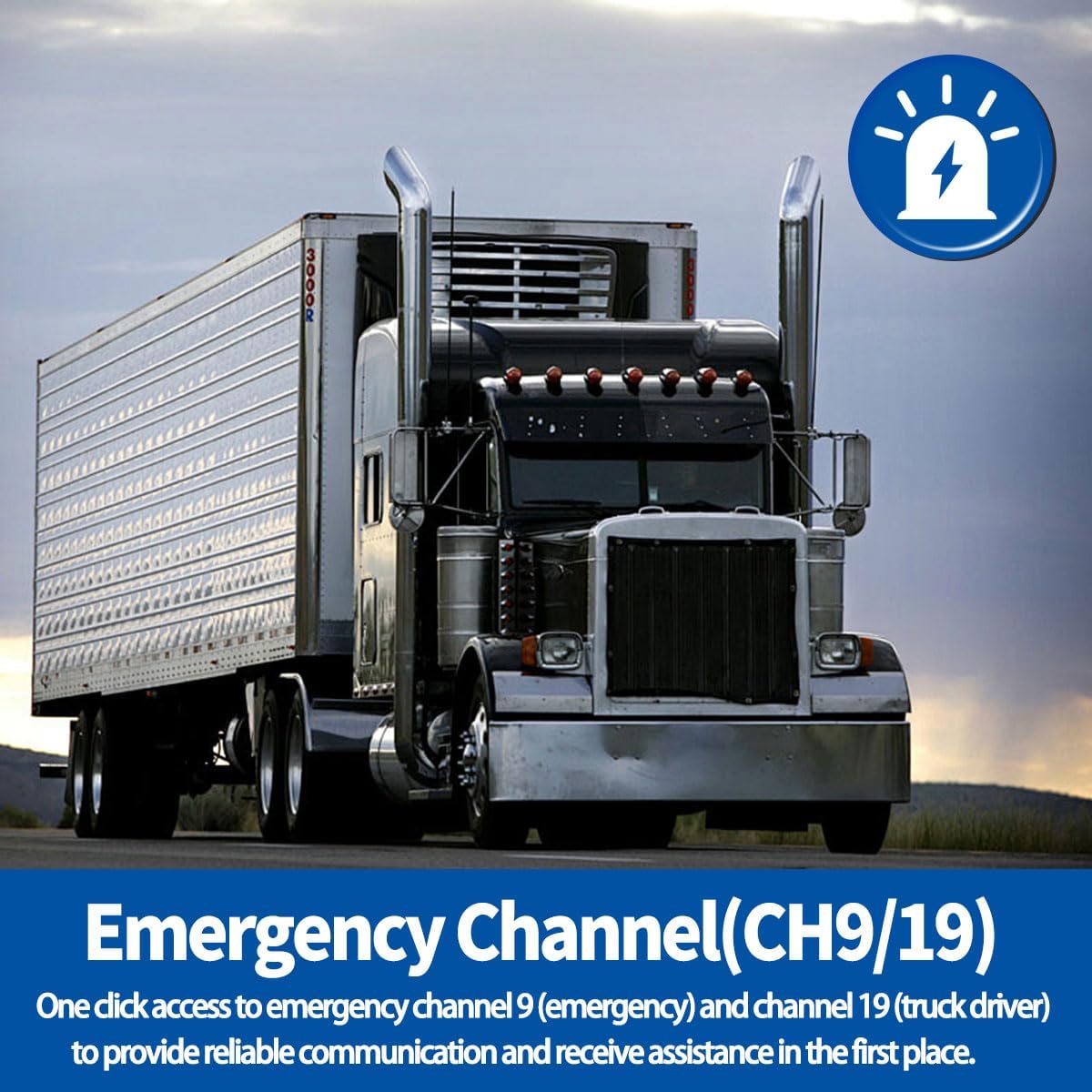
5.4 Emergency Channel Access (CH9/19)
กดปุ่ม อีเอ็มจี button for instant access to Channel 9 (Emergency) or Channel 19 (Trucker). This allows for quick communication in critical situations or with other truck drivers.
5.5 การควบคุมสเกลช์ (SQ/ASQ)
Squelch eliminates background noise when no signal is being received.
- Manual Squelch (SQ Knob): หมุน SQ knob clockwise until the background noise disappears. Do not set it too high, as it may block weak signals.
- Automatic Squelch (ASQ Button): กดปุ่ม ASQ button to activate the automatic squelch function. This feature automatically adjusts the squelch level for optimal performance. Press again to deactivate.

5.6 ฟังก์ชัน VOX (การแลกเปลี่ยนด้วยเสียง)
The VOX function allows you to transmit by speaking into the microphone without pressing the PTT button. Press the ปุ่ม VOX to activate or deactivate this feature. Adjust VOX sensitivity as needed to prevent accidental transmissions or missed voice activations.
5.7 ล็อคปุ่มกด
The keypad lock feature prevents accidental changes to settings. Refer to the specific instructions in your manual for activating and deactivating the keypad lock, usually by pressing and holding a combination of buttons.
5.8 Full Channel Scan
The scan feature allows the radio to automatically scan through all available channels and stop on an active one. Consult your manual for the specific button or sequence to initiate and stop the scan function.
5.9 CTCSS & DCS (Tone Squelch)
The AR-M6 supports 38 CTCSS (Continuous Tone-Coded Squelch System) and 104 DCS (Digital Coded Squelch) codes. These codes allow you to filter out unwanted conversations and only hear transmissions from users who are using the same CTCSS/DCS code. This feature is typically available in FM mode. Refer to your manual for instructions on setting and using CTCSS/DCS codes.
6. การบำรุงรักษา
Proper care and maintenance will ensure the longevity and optimal performance of your CB radio.
- การทำความสะอาด: ใช้แบบนุ่มๆamp ใช้ผ้าเช็ดทำความสะอาดภายนอกวิทยุ ห้ามใช้สารทำความสะอาดที่มีฤทธิ์กัดกร่อนหรือตัวทำละลาย
- เสาอากาศ: Regularly check your antenna and its connections for any damage or corrosion. Ensure it is securely mounted and properly tuned.
- การเชื่อมต่อ: ตรวจสอบการเชื่อมต่อสายเคเบิลทั้งหมด (สายไฟ สายเสาอากาศ สายไมโครโฟน) เป็นระยะ เพื่อให้แน่ใจว่าแน่นหนาดีแล้ว
- สิ่งแวดล้อม: ควรหลีกเลี่ยงการวางวิทยุไว้ในที่ที่มีอุณหภูมิสูงหรือต่ำเกินไป แสงแดดส่องโดยตรงเป็นเวลานาน หรือความชื้นมากเกินไป
7 การแก้ไขปัญหา
If you encounter issues with your AR-M6 CB Radio, refer to the following common problems and solutions.
| ปัญหา | สาเหตุที่เป็นไปได้ | สารละลาย |
|---|---|---|
| วิทยุไม่สามารถเปิดได้ | ไม่มีการเชื่อมต่อไฟ; ฟิวส์ขาด; การเดินสายไฟไม่ถูกต้อง | Check power cable connections; Check vehicle fuse; Verify correct polarity (+/-). |
| No reception or transmission. | Antenna not connected; High SWR; Squelch set too high; Incorrect channel/mode. | Ensure antenna is connected; Check SWR; Adjust SQ knob; Verify channel and AM/FM mode. |
| Poor audio quality (static/noise). | Squelch not properly adjusted; Interference; Weak signal. | Adjust SQ knob or activate ASQ; Move away from interference sources; Check antenna tuning. |
| ไมโครโฟนไม่ทำงาน | Microphone not fully plugged in; Damaged microphone cable. | Ensure microphone is securely connected; Inspect cable for damage. |
8. ข้อมูลจำเพาะ
Detailed technical specifications for the ABBREE AR-M6 CB Radio.
| คุณสมบัติ | ข้อมูลจำเพาะ |
|---|---|
| ยี่ห้อ | อับเบรีย |
| แบบอย่าง | เออาร์-เอ็ม6 |
| จำนวนช่องสัญญาณ | 40 |
| ช่วงความถี่ | 26.965-27.405 เมกะเฮิรตซ์ |
| เทคโนโลยีจูนเนอร์ | วิทยุ AM/FM ระบบคู่ |
| กำลังขับ | 4 วัตต์ |
| อินพุต Voltage | 13.8 โวลต์ |
| CTCSS & DCS | 38 CTCSS และ 104 DCS |
| คุณสมบัติพิเศษ | Long Distance, Automatic Squelch, Keypad Lock, VOX Function, Full Channel Scan, Emergency Radio (CH9/19) |
| อุปกรณ์ที่รองรับ | ยานพาหนะต่างๆ |
| ระดับความต้านทานต่อน้ำ | ไม่ทนน้ำ |
| Item Dimensions (Package) | 25.4 x 17.6 x 5.6 ซม. |
| น้ำหนักสินค้า (บรรจุภัณฑ์) | 930 กรัม |
9. การรับประกันและการสนับสนุน
For warranty information and customer support, please refer to the documentation provided with your purchase or contact the retailer/manufacturer directly. ABBREE is committed to providing quality products and support.
โปรดเก็บหลักฐานการซื้อไว้เพื่อใช้ในกรณีเรียกร้องการรับประกัน