
MAXDONE PH960W-1 Trail Camera User Manual
Model: PH960W-1
Brand: MAXDONE
1. บทนำ
This user manual provides detailed instructions for setting up, operating, and maintaining your MAXDONE PH960W-1 Trail Camera. This camera is designed for wildlife monitoring, hunting, and security applications, featuring advanced Wi-Fi and Bluetooth connectivity, high-resolution imaging, and robust night vision capabilities.
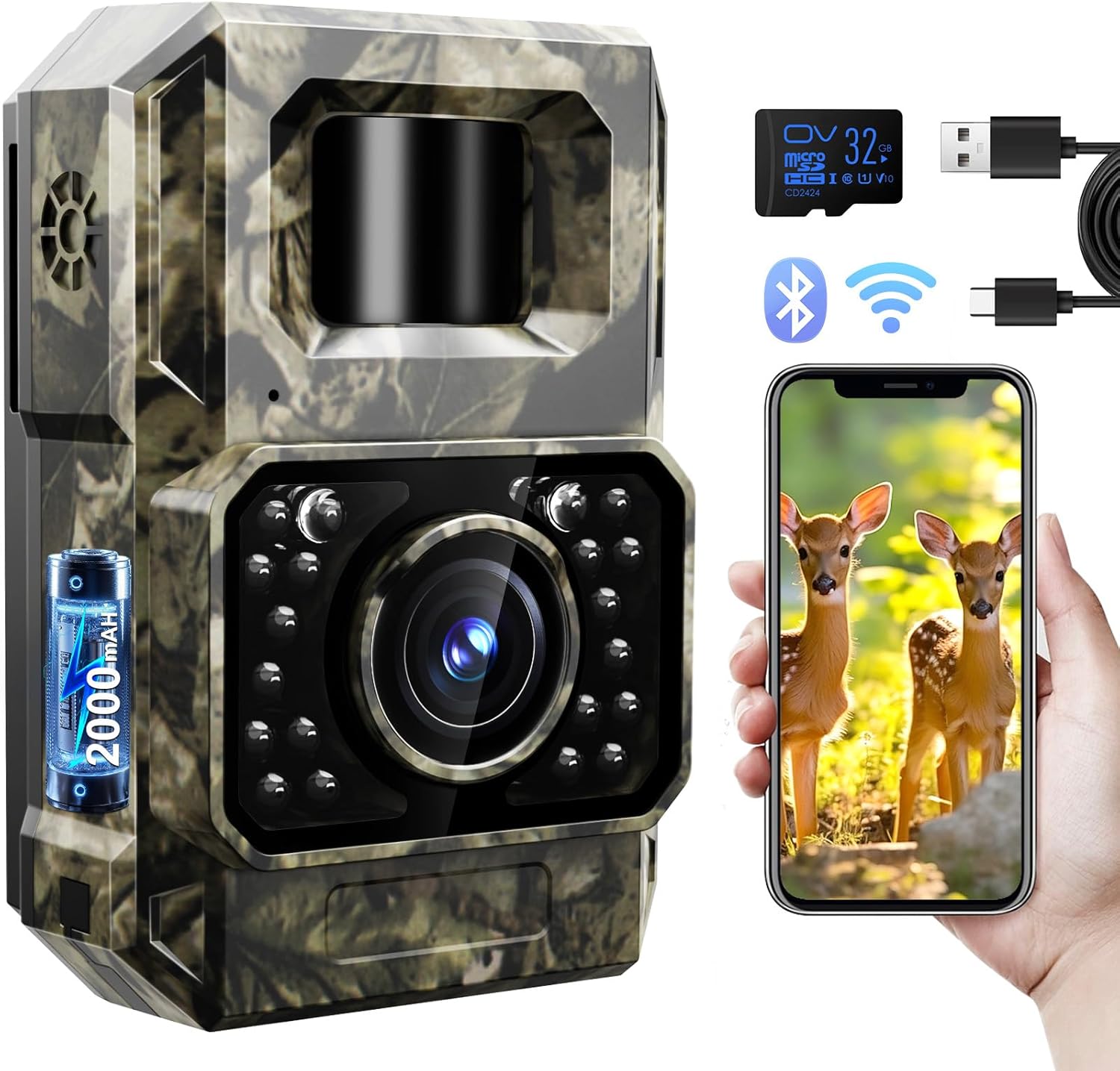
Figure 1.1: MAXDONE PH960W-1 Trail Camera, showcasing its compact design and camouflage finish.
2. อะไรอยู่ในกล่อง
เมื่อเปิดบรรจุภัณฑ์ โปรดตรวจสอบว่าประกอบด้วยสิ่งของต่อไปนี้ทั้งหมด:
- MAXDONE PH960W-1 Trail Camera
- สายรัดสำหรับติดตั้ง
- ขายึดแบบปรับได้
- สกรูยึด (3x)
- สายชาร์จ USB
- การ์ด Micro SD 32GB
- คู่มือการใช้งาน

Figure 2.1: All components included in the MAXDONE PH960W-1 Trail Camera package.
3. การตั้งค่า
3.1. การชาร์จกล้อง
The PH960W-1 Trail Camera features a built-in 2000 mAh rechargeable battery. Before initial use, fully charge the camera using the provided USB charging cable. Connect the small end of the USB cable to the camera's charging port (located under the waterproof cover) and the other end to a 5V 1A charging adapter (not included) or a computer USB port. Ensure the camera is in the OFF position during charging.

Figure 3.1: Illustration of the camera's rechargeable battery and charging method compared to traditional disposable batteries.
3.2. การใส่การ์ด Micro SD
Locate the Micro SD card slot under the waterproof cover on the side of the camera. Insert the provided 32GB Micro SD card into the slot until it clicks into place. Ensure the card is inserted in the correct orientation. It is recommended to format the SD card before first use via the TrailCam GO app for optimal performance.
3.3. การติดตั้งกล้อง
The camera can be mounted using the included strap or the adjustable mounting bracket and screws. Choose a stable location that provides a clear view of the desired monitoring area. For optimal motion detection, position the camera approximately 3 to 5 feet off the ground. The adjustable bracket allows for precise angling.

Figure 3.2: The MAXDONE PH960W-1 Trail Camera mounted on a tree using the provided strap, demonstrating its camouflage design.
4. คู่มือการใช้งาน
4.1. การเปิดและปิดเครื่อง
To power on the camera, slide the switch located under the waterproof cover from "OFF" to "ON". To power off, slide the switch back to "OFF".
4.2. Connecting via Wi-Fi and Bluetooth (TrailCam GO App)
The PH960W-1 Trail Camera utilizes ultra-low power Wi-Fi and Bluetooth for seamless connection with your smartphone via the free "TrailCam GO" app. This app allows for remote viewing, settings adjustment, and media download.
- Download the "TrailCam GO" app from your smartphone's app store (available for Android and iOS).
- ตรวจสอบให้แน่ใจว่ากล้องเปิดอยู่
- Open the "TrailCam GO" app on your smartphone.
- Follow the in-app instructions to connect to the camera via Bluetooth, then switch to Wi-Fi for faster data transfer.
Note: The effective connection distance between your phone and the camera is limited to approximately 55 feet (15 meters) and requires a clear line of sight. Obstructions may affect connectivity.

Figure 4.1: Connecting the camera to a smartphone via the TrailCam GO app for setup and media viewการไอเอ็นจี
วิดีโอ 4.1: จบแล้วview of the PH960W trail camera, demonstrating its features and connectivity.
5. คุณสมบัติ
5.1. High-Resolution Imaging
The PH960W-1 captures stunning 48MP still images and records 1080P video at 30 frames per second. Its advanced image sensor and wide 100° view angle ensure comprehensive coverage and clear visuals. Videos are encoded with H.264 technology, allowing direct sharing to social media without conversion.

Figure 5.1: Visual representation of the camera's 1080P video quality, effective both day and night.
5.2. Low Glow Night Vision
Equipped with enhanced 850 nm low glow infrared technology, the camera provides stealthy operation and brilliant night vision up to 65 feet. Adaptive illumination technology prevents overexposure or overly dim images, ensuring clear captures in low-light conditions.

Figure 5.2: Depiction of the camera's super night vision capability, capturing clear images up to 65 feet in darkness.
5.3. Wide Angle PIR Detection
The camera features a 100° wide-angle Passive Infrared (PIR) detection system with a rapid 0.1-second trigger speed. This ensures that motion is quickly detected and captured, minimizing missed events.
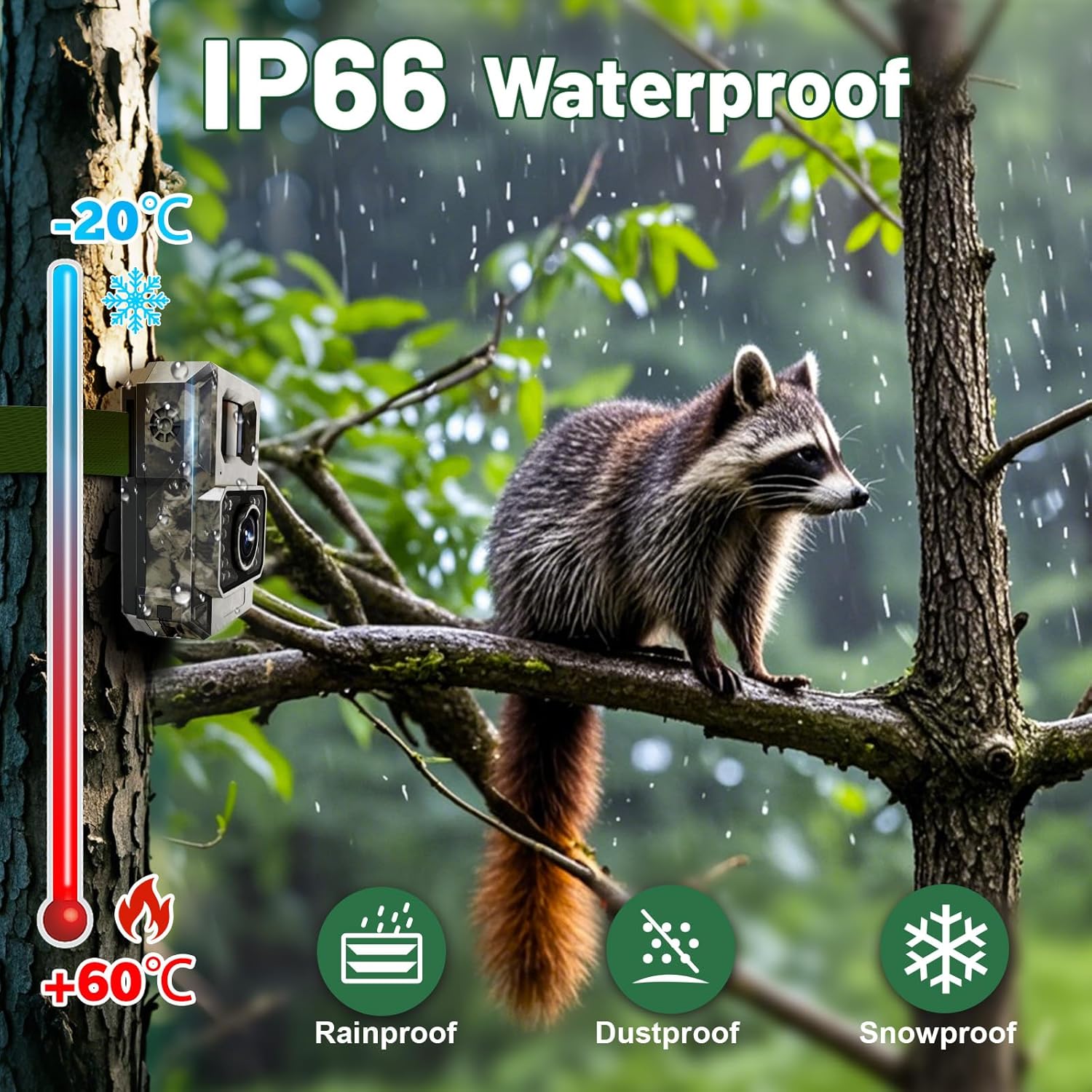
Figure 5.3: Illustration of the camera's 100° wide-angle PIR detection, capturing a broad area with a fast trigger speed.
5.4. การออกแบบกันน้ำระดับ IP66
The PH960W-1 is built with an IP66 waterproof rating, making it resistant to rain, dust, and snow. This robust construction ensures reliable operation in various outdoor weather conditions, from -20°C to +60°C.

Figure 5.4: The camera's IP66 waterproof rating ensures durability against rain, dust, and snow across a wide temperature range.
5.5. Location Tracking and Custom Detection Area
The TrailCam GO app allows you to mark the camera's location on a map for precise positioning and navigation. You can also define custom detection areas within the app to avoid invalid recordings, saving power and storage space.

Figure 5.5: The TrailCam GO app's features for location tracking and customizing the detection area to optimize recording.
6. การบำรุงรักษา
- การทำความสะอาด: ใช้ผ้านุ่มและแห้งเช็ดเลนส์และตัวกล้อง หลีกเลี่ยงน้ำยาทำความสะอาดหรือสารละลายที่มีฤทธิ์กัดกร่อน
- การดูแลแบตเตอรี่ Recharge the built-in battery regularly, especially if the camera will be stored for an extended period.
- การจัดการการ์ด SD: รีเป็นระยะๆview และลบสิ่งที่ไม่จำเป็นออก files from the Micro SD card to free up space and maintain optimal recording performance. Format the SD card regularly (e.g., monthly) to prevent data corruption.
- อัพเดตเฟิร์มแวร์: Check the TrailCam GO app for any available firmware updates to ensure your camera has the latest features and bug fixes.
- พื้นที่จัดเก็บ: เมื่อไม่ใช้งาน ควรเก็บกล้องไว้ในที่แห้งและเย็น หลีกเลี่ยงแสงแดดโดยตรงและอุณหภูมิที่สูงหรือต่ำเกินไป
7 การแก้ไขปัญหา
| ปัญหา | สาเหตุที่เป็นไปได้ | สารละลาย |
|---|---|---|
| กล้องไม่สามารถเปิดได้ | Low battery; switch in OFF position. | Fully charge the battery. Ensure the power switch is set to "ON". |
| ไม่สามารถเชื่อมต่อกับแอปได้ | Out of range; obstructions; app not updated. | Move closer to the camera (within 55ft). Ensure no major obstructions. Update the TrailCam GO app. Restart both camera and phone. |
| คุณภาพรูปภาพ/วิดีโอไม่ดี | เลนส์สกปรก สภาพแสงน้อย การตั้งค่าไม่ถูกต้อง | Clean the lens. Ensure adequate lighting or proper night vision settings. Adjust photo/video resolution in the app. |
| No recordings. | SD card full/corrupted; motion detection sensitivity too low; camera in wrong mode. | Format or replace SD card. Increase motion detection sensitivity. Ensure camera is in photo or video mode. |
| Night vision images are overexposed/too dim. | Adaptive illumination not functioning optimally. | Ensure the camera is not too close to reflective surfaces. Check for firmware updates. |
8. ข้อมูลจำเพาะ
| คุณสมบัติ | รายละเอียด |
|---|---|
| แบบอย่าง | PH960W-1 |
| ความละเอียดภาพนิ่ง | 48 MP Effective |
| ความละเอียดวิดีโอ | 1080P @ 30fps (H.264) |
| การเชื่อมต่อ | Wi-Fi, Bluetooth (via TrailCam GO App) |
| แบตเตอรี่ | Built-in 2000 mAh Rechargeable Lithium Polymer |
| ช่วงการมองเห็นตอนกลางคืน | Up to 65 feet (850 nm Low Glow IR) |
| มุมตรวจจับ PIR | 100 องศา |
| ความเร็วในการเรียก | 0.1 วินาที |
| ระดับการกันน้ำ | IP66 |
| อุณหภูมิในการทำงาน | -20°C ถึง +60°C |
| พื้นที่จัดเก็บ | Micro SD Card (up to 32GB included) |
| ขนาด (กว้าง x ยาว x สูง) | 2.76 x 1.57 x 4.13 นิ้ว |
| น้ำหนัก | 12 ออนซ์ |
9. การรับประกันและการสนับสนุน
The MAXDONE PH960W-1 Trail Camera comes with a 1-year warranty. For technical support, warranty claims, or any inquiries, please contact MAXDONE customer service. Refer to the contact information provided in the product packaging or on the official MAXDONE webเว็บไซต์.
โปรดเก็บใบเสร็จรับเงินของคุณไว้เพื่อวัตถุประสงค์การรับประกัน