
1. บทนำ
This manual provides detailed instructions for the assembly, operation, and maintenance of your ErGear EGESD63B electric standing desk. Please read this manual thoroughly before assembly and use to ensure proper function and safety. Keep this manual for future reference.

Image 1.1: The ErGear EGESD63B electric standing desk in a typical office setup.
2. ข้อมูลด้านความปลอดภัย
เพื่อให้การใช้งานปลอดภัยและป้องกันการบาดเจ็บหรือความเสียหาย โปรดปฏิบัติตามข้อควรปฏิบัติด้านความปลอดภัยดังต่อไปนี้:
- Do not exceed the weight limit of 250 pounds (113 kg) on the desktop.
- Ensure the desk is properly anchored to the floor to prevent tipping, especially when at maximum height.
- Avoid use near water or in humid conditions to prevent electrical hazards.
- โปรดกันเด็กและสัตว์เลี้ยงให้อยู่ห่างจากโต๊ะทำงานขณะทำการผ่าตัด
- ตรวจสอบให้แน่ใจว่าไม่มีสิ่งกีดขวางใดๆ ในเส้นทางการเคลื่อนที่ของโต๊ะขณะปรับระดับความสูง
- โปรดใช้เฉพาะอะแดปเตอร์แปลงไฟและอุปกรณ์ที่ให้มาเท่านั้น
3. เนื้อหาบรรจุภัณฑ์
Verify that all components are present and undamaged before beginning assembly. If any parts are missing or damaged, contact ErGear customer service.
- Desktop (One-piece)
- ขาโต๊ะ (2)
- Crossbar/Frame
- แผงควบคุม
- อะแดปเตอร์แปลงไฟและสายเคเบิล
- ถาดการจัดการสายเคเบิล
- Hardware Kit (screws, bolts, washers)
- เครื่องมือประกอบ
- คู่มือการใช้งานโดยละเอียด
4. การติดตั้งและการประกอบ
Assembly requires one person and includes all necessary tools. Follow these general steps for setup:
- แกะส่วนประกอบ: นำชิ้นส่วนทั้งหมดออกจากบรรจุภัณฑ์อย่างระมัดระวัง และวางเรียงบนพื้นผิวที่สะอาดและนุ่ม เพื่อป้องกันรอยขีดข่วน
- ประกอบโครงโต๊ะ: Attach the desk legs to the crossbar according to the diagrams in the detailed manual. Ensure all screws are tightened securely.
- แนบเดสก์ท็อป: Place the one-piece desktop upside down on the soft surface. Carefully align the assembled frame with the pre-drilled holes on the desktop and secure it using the provided screws. The one-piece desktop design simplifies this step, allowing for faster installation.
- Install Control Panel and Cable Management: Mount the control panel to the underside of the desktop in the designated area. Attach the cable management tray.
- การเชื่อมต่อสายไฟ: Connect the motor cables from the legs to the control box, and then connect the control panel to the control box. Finally, connect the power adapter to the control box and plug it into a power outlet.
- Initial Power-On and Calibration: Refer to the detailed manual for initial power-on and calibration steps, which typically involve pressing and holding a button to reset the desk to its lowest position.
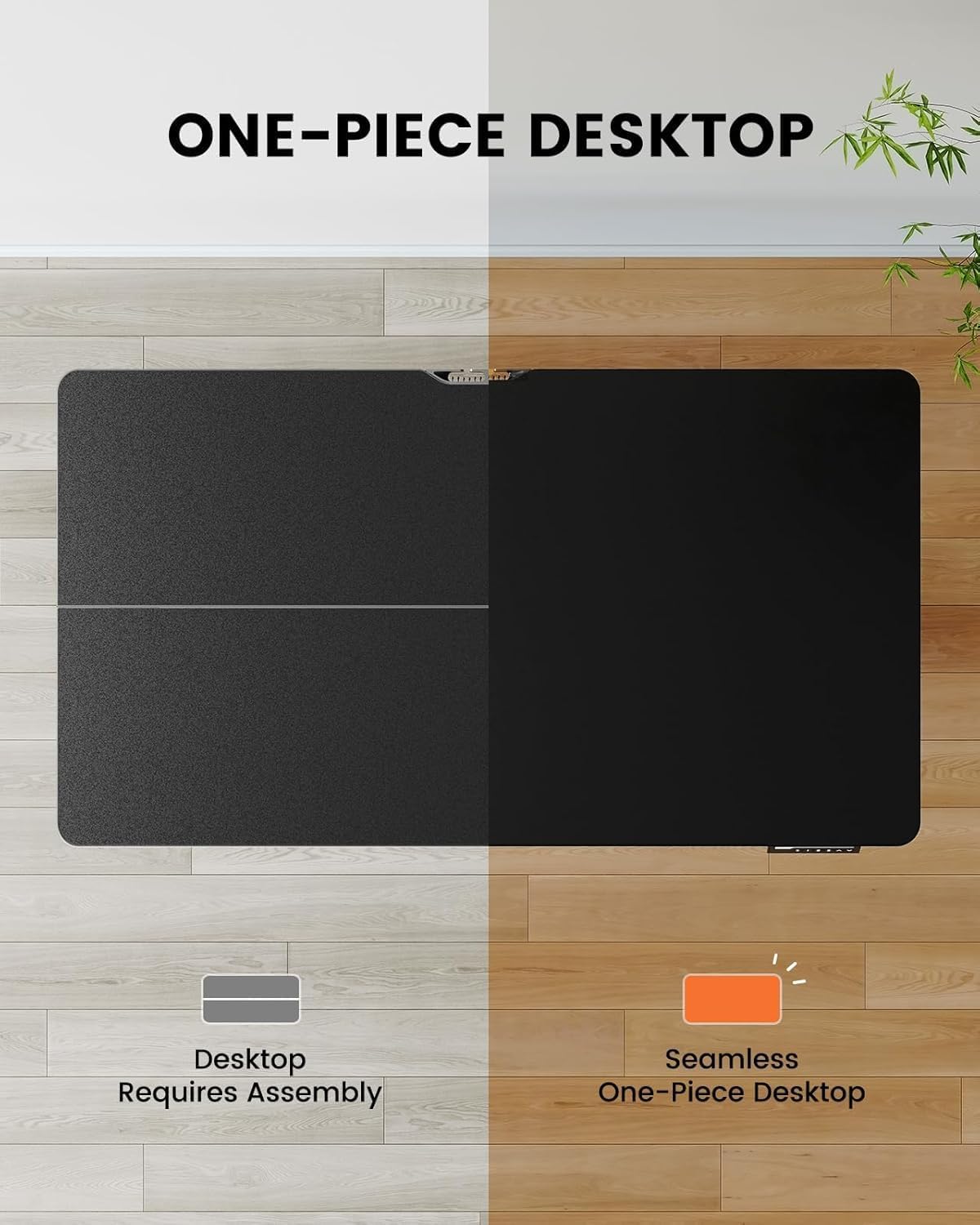
Image 4.1: Hassle-free assembly with the one-piece desktop.

Image 4.2: The ErGear EGESD63B features a seamless one-piece desktop for easier setup.
5. คู่มือการใช้งาน
Your ErGear EGESD63B electric standing desk is designed for easy height adjustment to switch between sitting and standing positions.
5.1. การปรับความสูง
- ปุ่มขึ้น/ลง: Use the ▲ (Up) and ▼ (Down) buttons on the control panel to smoothly raise or lower the desk to your desired height. The desk adjusts from 27.9 inches to 46.9 inches.
5.2. การตั้งค่าหน่วยความจำล่วงหน้า
The control panel features three memory preset buttons (1, 2, 3) to store and recall your preferred sitting and standing heights.
- To Set a Preset: Adjust the desk to your desired height using the Up/Down buttons. Press the 'M' button, then immediately press one of the number buttons (1, 2, or 3) to save the current height to that preset. The display will show 'S-' followed by the number to confirm.
- ในการเรียกคืนพรีเซ็ต: Simply press the corresponding number button (1, 2, or 3). The desk will automatically move to the saved height.

Image 5.1: Adjust the desk for sit and stand comfort.
6. การบำรุงรักษา
Regular maintenance helps ensure the longevity and smooth operation of your standing desk.
- การทำความสะอาด: เช็ดพื้นเดสก์ท็อปและกรอบด้วยผ้าเนื้อนุ่มamp ผ้า หลีกเลี่ยงสารเคมีรุนแรงหรือน้ำยาทำความสะอาดที่มีฤทธิ์กัดกร่อน
- ตรวจสอบการเชื่อมต่อ: Periodically check all screws and electrical connections to ensure they are secure. Tighten any loose screws.
- การจัดการสายเคเบิล: Ensure cables are neatly organized within the cable management tray to prevent snagging during height adjustments.
7 การแก้ไขปัญหา
If you encounter issues with your ErGear EGESD63B desk, refer to the following common troubleshooting steps:
- โต๊ะไม่เคลื่อนไหว:
- ตรวจสอบว่าสายไฟเสียบเข้ากับโต๊ะและเต้ารับที่ผนังอย่างแน่นหนาแล้ว
- Ensure there are no obstructions preventing movement.
- Perform a reset: Unplug the power for 10 seconds, then plug it back in. Press and hold the 'Down' button until the desk reaches its lowest point and slightly rebounds.
- รหัสข้อผิดพลาดบนจอแสดงผล:
- If an error code appears, refer to the detailed manual for specific code meanings and solutions. Often, a reset (as described above) can resolve minor errors.
- การเคลื่อนไหวที่ไม่สม่ำเสมอ:
- ตรวจสอบให้แน่ใจว่าโต๊ะอยู่บนพื้นผิวเรียบ
- Check that all frame connections are tight.
If problems persist after attempting these steps, contact ErGear customer support for assistance.
8. ข้อมูลจำเพาะ
| คุณสมบัติ | ข้อมูลจำเพาะ |
|---|---|
| ยี่ห้อ | เออร์เกียร์ |
| แบบอย่าง | EGESD63B |
| ขนาดของโต๊ะทำงาน (ยาว x กว้าง) | 40 x 24 นิ้ว (101.6 x 61 ซม.) |
| ช่วงการปรับความสูง | 27.9 - 46.9 นิ้ว (70.9 - 119.1 เซนติเมตร) |
| ความจุน้ำหนัก | 250 ปอนด์ (113 กก.) |
| ประเภทมอเตอร์ | มอเตอร์ไฟฟ้า |
| จำนวนตำแหน่งสูง | 3 (ค่าที่ตั้งไว้ล่วงหน้าสำหรับหน่วยความจำ) |
| วัสดุเดสก์ท็อป | ไม้แปรรูป |
| วัสดุกรอบ | สแตนเลส |
| สี | สีดำ |
| จำเป็นต้องประกอบ | Yes, with included tools |

Image 8.1: Product dimensions of the ErGear EGESD63B desk.
9. การรับประกันและการสนับสนุน
ErGear provides a comprehensive warranty for your EGESD63B electric standing desk:
- การรับประกันจำกัด 2 ปี: Covers the motor, controller, and cables.
- การรับประกันจำกัด 5 ปี: Covers the desktop, frame, and other parts.
For warranty claims, technical support, or any questions regarding your product, please contact ErGear customer service through their official website or the retailer where the product was purchased. Please have your model number (EGESD63B) and proof of purchase ready.