
การแนะนำ
Thank you for choosing the TECKNET Wireless Rechargeable Silent Mouse. This manual provides detailed instructions to help you get the most out of your new device. Please read it carefully before use and keep it for future reference.
เนื้อหาแพ็คเกจ
- TECKNET Wireless Rechargeable Silent Mouse
- ตัวรับสัญญาณ USB
- สายชาร์จ USB-C
- คู่มือการใช้งาน (เอกสารนี้)
สินค้าเกินview
ศึกษาทำความเข้าใจส่วนประกอบต่างๆ ของเมาส์ให้ดี:
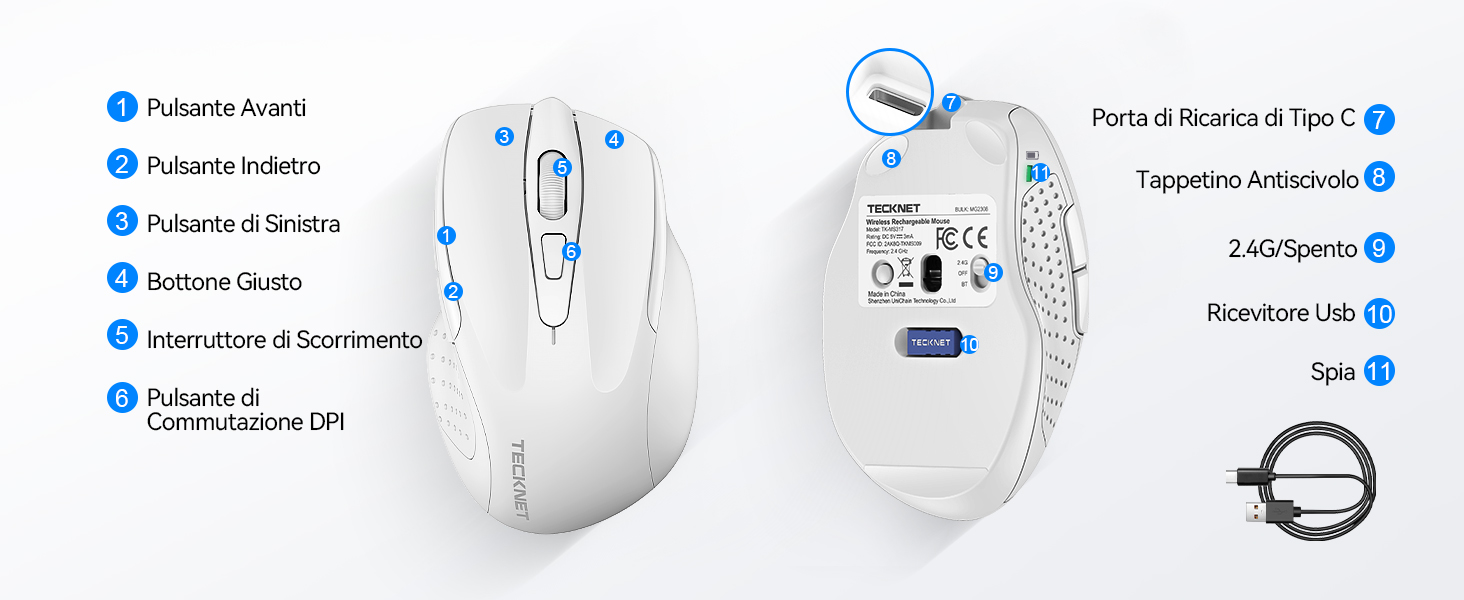
Figure 1: Mouse Components Diagram
- ปุ่มเดินหน้า
- ปุ่มย้อนกลับ
- ปุ่มซ้าย
- ปุ่มขวา
- ล้อเลื่อน
- ปุ่มสวิตช์ DPI
- พอร์ตการชาร์จ Type-C
- แผ่นกันลื่น
- 2.4G/Off Switch
- ที่เก็บข้อมูลตัวรับ USB
- ไฟแสดงสถานะ
คำแนะนำการตั้งค่า
1. การชาร์จเมาส์
Before first use, it is recommended to fully charge the mouse. Connect the provided USB-C charging cable to the mouse's Type-C charging port and the other end to a USB power source (e.g., computer USB port, USB wall adapter).

The mouse features a 700mAh built-in battery, providing extended usage on a single charge. The indicator light will show charging status.
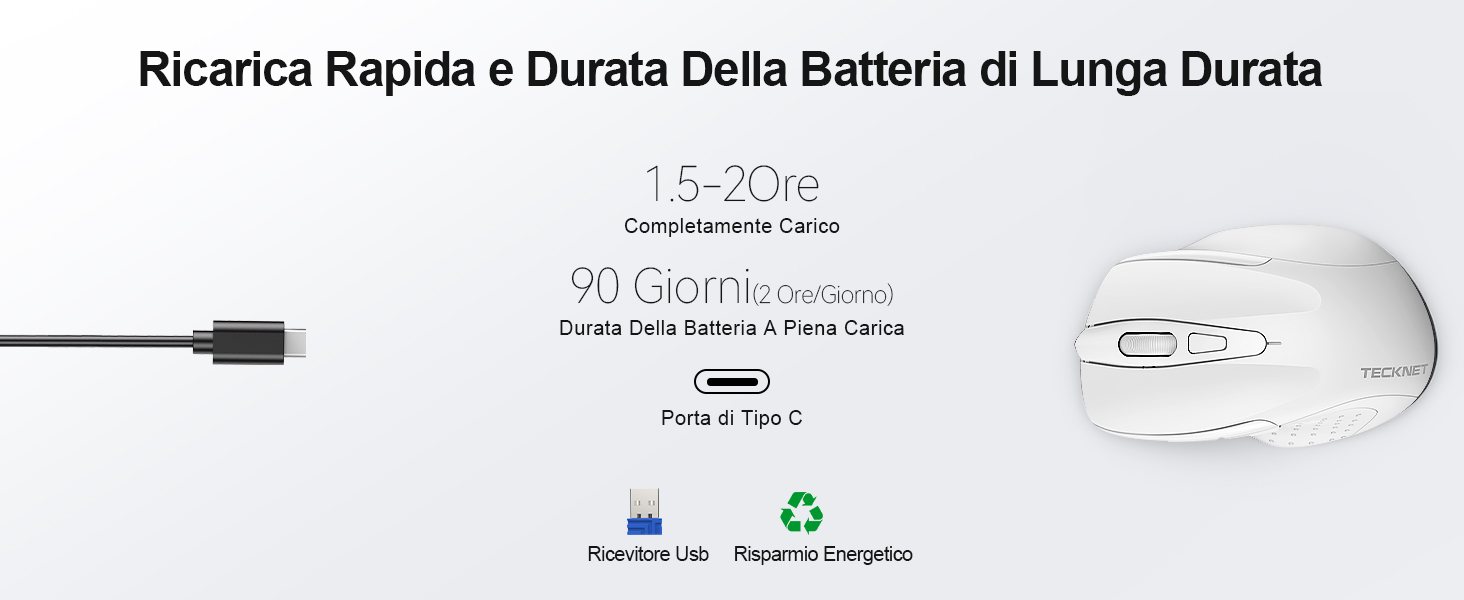
A full charge takes approximately 1.5-2 hours and can last up to 90 days (based on 2 hours/day usage).
2. การเชื่อมต่อตัวรับสัญญาณ USB
The mouse uses a 2.4GHz wireless connection for reliable data transmission.
- ค้นหาตัวรับสัญญาณ USB ที่เก็บไว้ในช่องด้านล่างของเมาส์
- Plug the USB receiver into an available USB port on your computer (PC, laptop, Chromebook, etc.).
- Turn on the mouse using the 2.4G/Off switch located on the underside.
- Your computer should automatically detect and install the necessary drivers. The mouse is plug-and-play, requiring no additional software.

The effective working distance is up to 15 meters.

Ensure the mouse is switched on after plugging in the receiver.
คำแนะนำการใช้งาน
การปรับ DPI
The mouse features 6 adjustable DPI levels (800/1200/1600/2400/3200/4800) to suit various tasks, from precise targeting to fast gaming movements. Press the DPI switch button (Component 6 in Figure 1) to cycle through the DPI settings.

Adjust DPI for optimal cursor speed and precision.
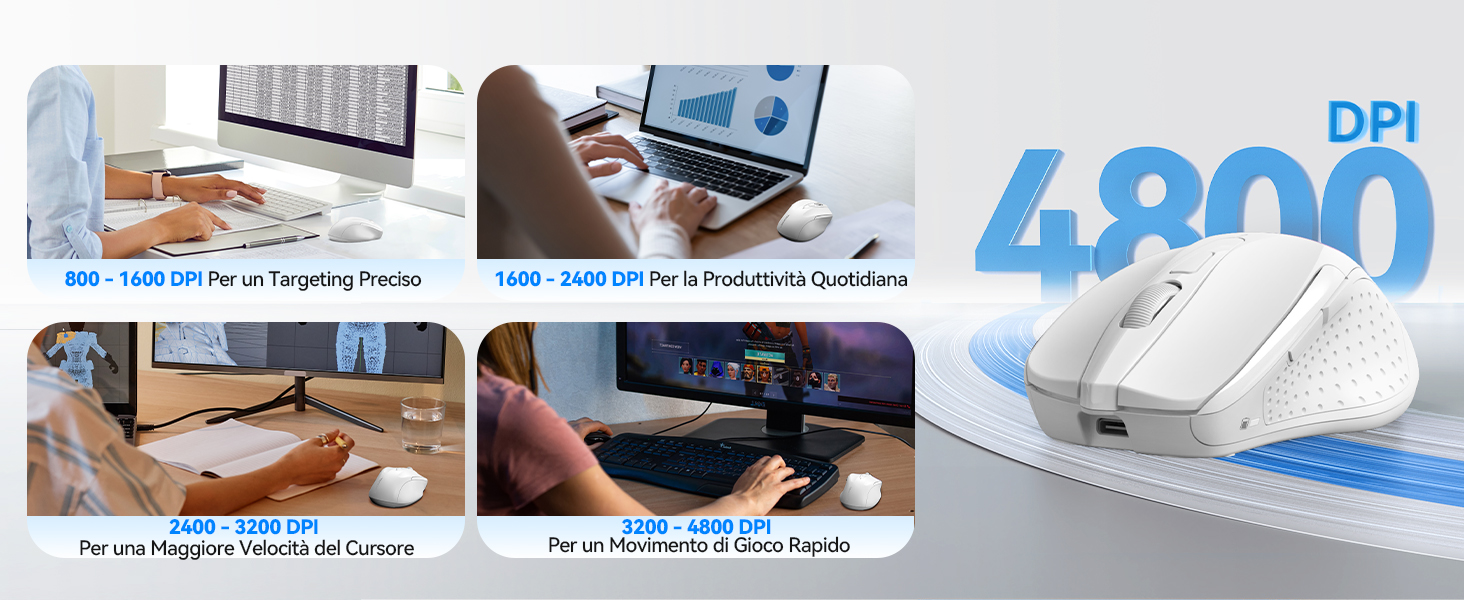
DPI settings for different usage scenarios.
คุณสมบัติการคลิกเงียบ
The mouse is designed for silent operation, reducing click noise by up to 90%. This allows for a quiet working environment without disturbing others.

Enjoy a quiet working experience.
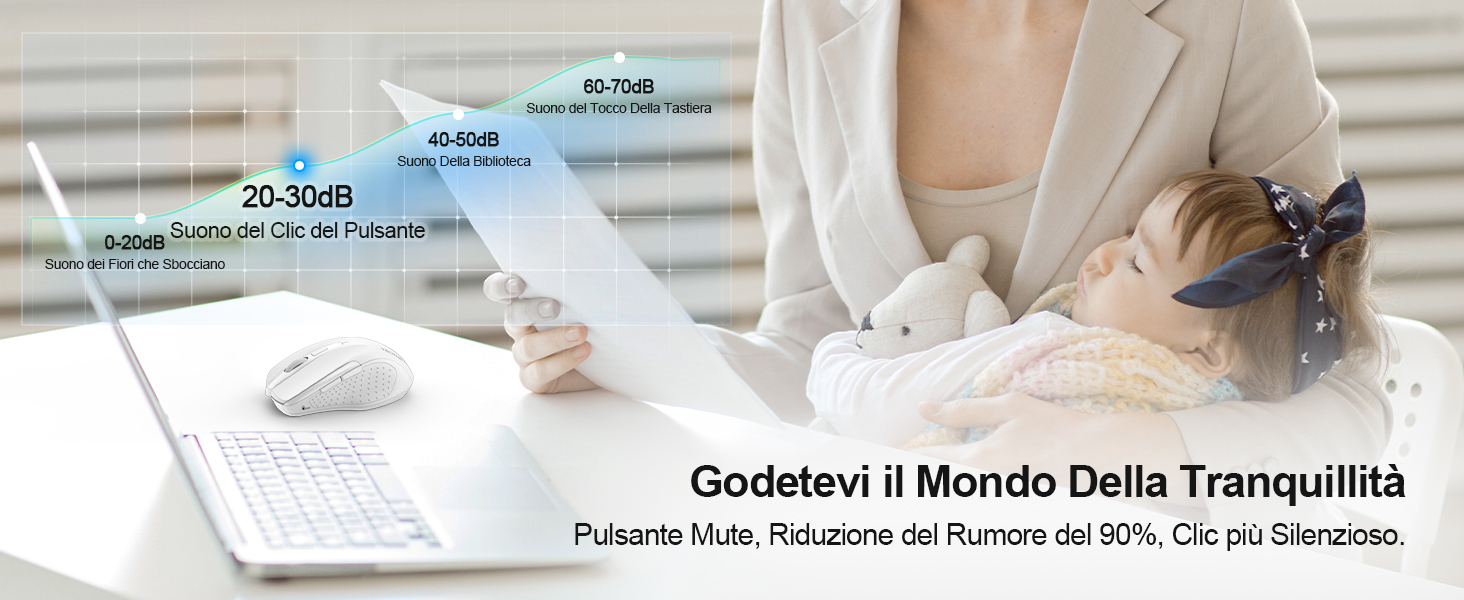
Sound level comparison demonstrating reduced click noise.
การออกแบบตามหลักสรีรศาสตร์
The mouse is ergonomically designed to fit the natural curvature of your hand, reducing muscle pressure by up to 30% and ensuring comfortable use for extended periods. Soft natural rubber grips on the sides provide a secure and comfortable hold.

Ergonomic shape for comfortable use.
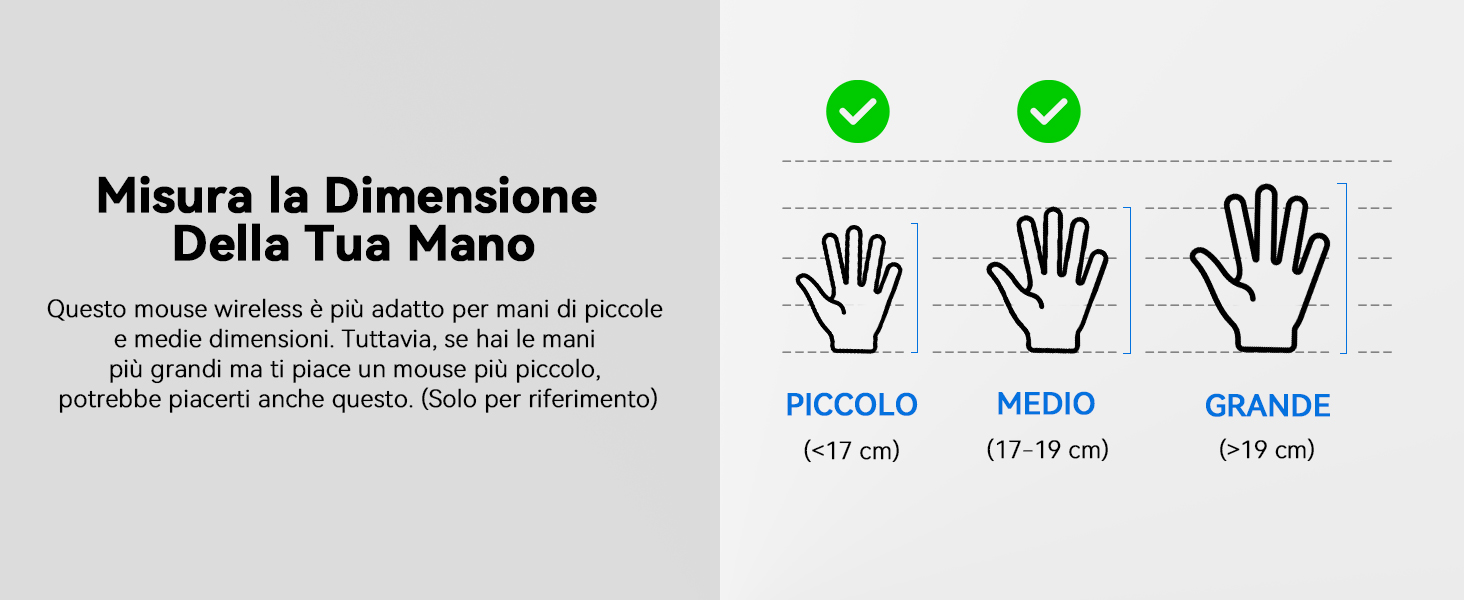
This mouse is suitable for small to medium hand sizes. Refer to the guide for reference.
คุณสมบัติการประหยัดพลังงาน
The mouse includes intelligent power-saving features:
- โหมดสลีปอัตโนมัติ: If inactive for 10 seconds, the mouse enters standby mode. After 10 minutes of inactivity, it enters deep sleep mode to conserve battery.
- ฟังก์ชันปลุก: กดปุ่มใดก็ได้เพื่อปลุกเมาส์จากโหมดสลีป
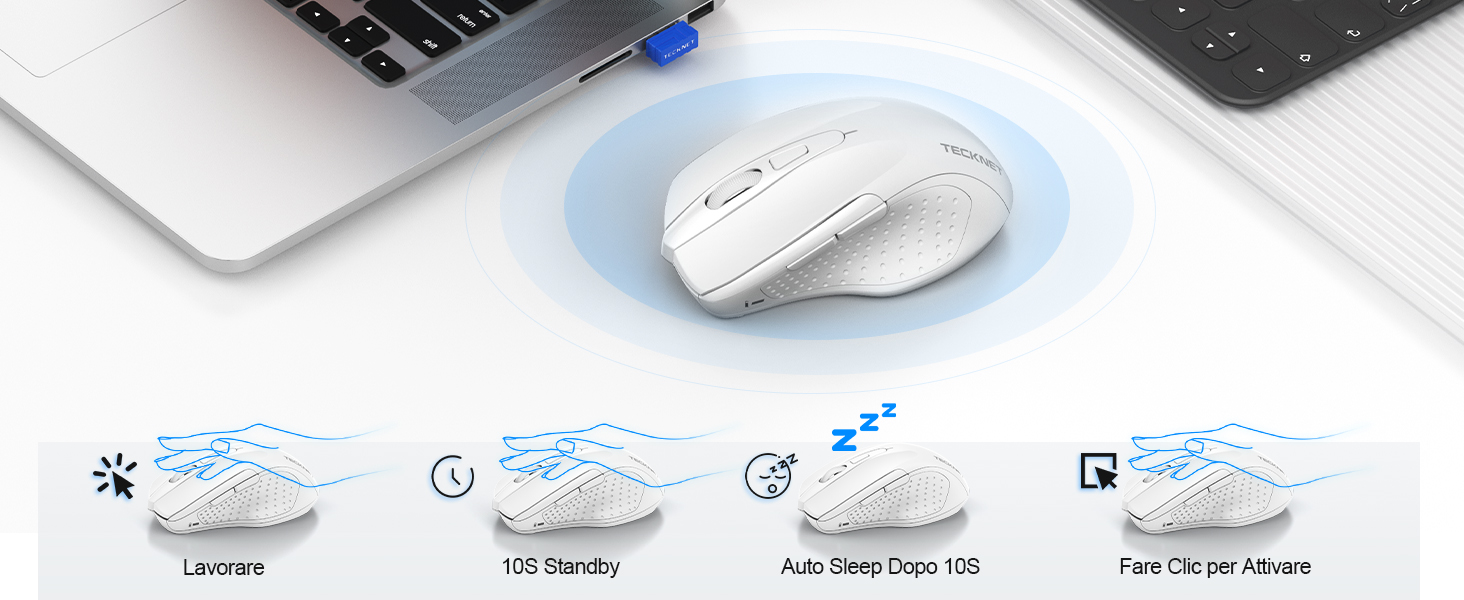
Power saving modes for extended battery life.
การซ่อมบำรุง
- การทำความสะอาด: ใช้ผ้านุ่มและแห้งเช็ดทำความสะอาดเมาส์ สำหรับคราบฝังแน่น ให้เช็ดเบาๆamp สามารถใช้ผ้าได้เพื่อให้แน่ใจว่าไม่มีความชื้นเข้าไปในอุปกรณ์
- การชาร์จ: Recharge the mouse when the indicator light signals low battery. Avoid completely draining the battery frequently to prolong its lifespan.
- พื้นที่จัดเก็บ: When not in use for extended periods, turn off the mouse and store the USB receiver in its designated compartment.
การแก้ไขปัญหา
| ปัญหา | สาเหตุที่เป็นไปได้ | สารละลาย |
|---|---|---|
| เมาส์ไม่ตอบสนอง | Low battery; USB receiver not connected; Mouse switched off; Driver issue. | Charge the mouse; Ensure USB receiver is securely plugged in; Turn on the mouse; Try a different USB port; Restart computer. |
| การเชื่อมต่อไม่เสถียรหรือมีอาการหน่วง | Interference from other wireless devices; Distance from receiver; Obstructions. | Move closer to the receiver; Remove obstructions; Avoid using near other 2.4GHz devices; Try a different USB port. |
| การเคลื่อนที่ของเคอร์เซอร์ผิดปกติหรือไม่แม่นยำ | เซ็นเซอร์รับภาพสกปรก; พื้นผิวไม่เหมาะสม; การตั้งค่า DPI ไม่ถูกต้อง | Clean the optical sensor; Use a mouse pad or a smooth, non-reflective surface; Adjust DPI settings. |
| Mouse does not charge | Faulty charging cable; Faulty USB port; Mouse issue. | Try a different USB-C cable; Try a different USB power source; Contact customer support if the issue persists. |
ข้อมูลจำเพาะ
| ยี่ห้อ | TECKNET |
| หมายเลขรุ่น | ทีเค-MS009 |
| สี | สีขาว |
| เทคโนโลยีการเชื่อมต่อ | ไร้สาย 2.4GHz (ตัวรับสัญญาณ USB) |
| คุณสมบัติพิเศษ | Rechargeable, Long Battery Life, Silent Click, Ergonomic Design |
| เทคโนโลยีตรวจจับการเคลื่อนไหว | ออฟติคอล |
| จำนวนปุ่ม | 6 |
| การวางแนวมือ | ถนัดขวา |
| อุปกรณ์ที่รองรับ | Laptop, PC, Chromebook, Computer |
| ระบบปฏิบัติการ | Windows 11/10/8.1/8/7/Vista/XP, Linux, Mac OS (side buttons not available on Mac OS) |
| อายุการใช้งานแบตเตอรี่โดยเฉลี่ย | 1050 Hours (approx. 1-2 months on 2-hour charge) |
| ความไวสูงสุด | 4800 จุดต่อนิ้ว |
| ช่วงสาย | 15 เมตร |
| ขนาด (ยาว x กว้าง) | 10.6L x 6.8W ซม. |
| วัสดุ | พลาสติก |
การรับประกันและการสนับสนุน
TECKNET นำเสนอ รับประกัน 36 เดือน for registered users. If you encounter any issues during the use of your mouse, please contact our professional customer service team as soon as possible. We are committed to assisting you in resolving any problems.
หากต้องการความช่วยเหลือ โปรดเยี่ยมชมเว็บไซต์อย่างเป็นทางการของ TECKNET webไซต์หรือดูข้อมูลการติดต่อที่ให้มาพร้อมกับบรรจุภัณฑ์ผลิตภัณฑ์ของคุณ
แหล่งข้อมูลออนไลน์: