
1. บทนำ
ขอบคุณสำหรับการซื้อasing the T&G TG-516 Portable Bluetooth Speaker. This device is designed for high-quality audio playback and portability, featuring Bluetooth 5.3 connectivity, TF card and USB drive support, FM radio, and a built-in microphone for hands-free calls. Its waterproof design makes it suitable for various environments. Please read this manual carefully to ensure proper use and to maximize your speaker's performance.
2. คุณสมบัติของผลิตภัณฑ์
- พกพาสะดวกและมีน้ำหนักเบา: ออกแบบมาเพื่อให้พกพาสะดวกและใช้งานได้ง่ายขณะเดินทาง
- การเชื่อมต่อบลูทูธ 5.3: Provides a stable and fast wireless connection up to 10 meters.
- โหมดการเล่นหลายโหมด: Supports TF (Micro SD) cards, USB drives, FM radio, and AUX input.
- การโทรแบบแฮนด์ฟรี: Built-in microphone allows for answering calls directly through the speaker.
- ฟังก์ชัน TWS: Connect two TG-516 speakers wirelessly for enhanced stereo sound.
- การออกแบบกันน้ำ: IPX5 rating protects against splashes and light rain, making it suitable for outdoor activities.
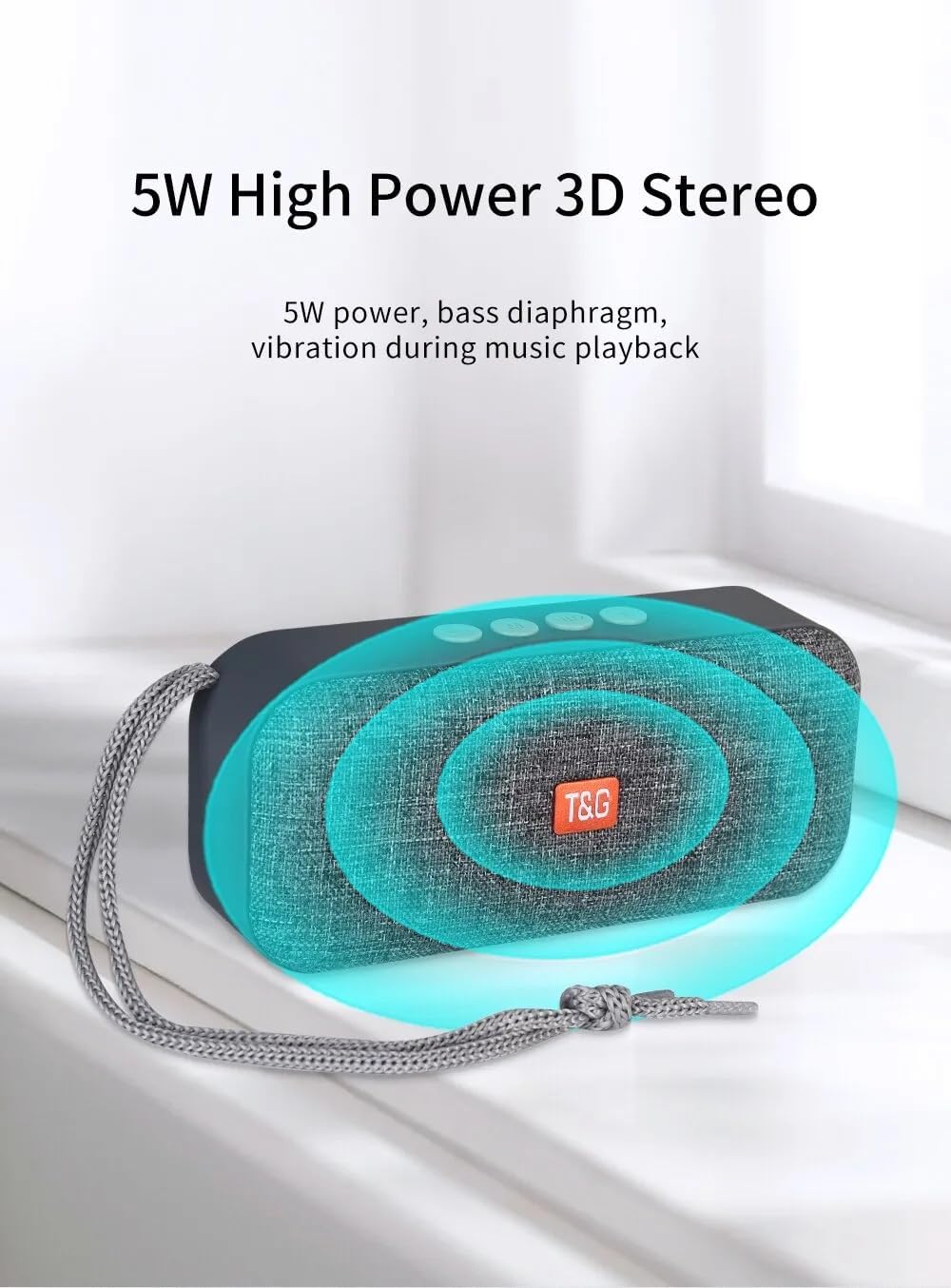
- 5W High Power 3D Stereo: Delivers clear audio with a bass diaphragm for enhanced sound.
- แบตเตอรี่ใช้งานได้ยาวนาน: Integrated 500mAh battery provides approximately 1 hour of playback at moderate volume.

3. เนื้อหาบรรจุภัณฑ์
- 1 x T&G TG-516 Portable Bluetooth Speaker
- สายชาร์จ USB 1 เส้น
4. การจัดวางอุปกรณ์และการควบคุม

- ลดระดับเสียง/เพลงก่อนหน้า: Short press for previous track (in music mode), long press to decrease volume.
- สวิตช์โหมด: Short press to switch between modes (USB drive, TF card, FM radio, Bluetooth, LINE IN). Long press for hard searching in FM mode.
- Play/Pause / Call Control: Short press to play/pause music. In Bluetooth mode, short press to answer a call, long press to end a call. In FM mode, short press to automatically search for radio stations, and short press during search to cancel.
- เพิ่มระดับเสียง / แทร็กถัดไป: Short press for next track (in music mode), long press to increase volume.
- สวิตช์เปิด/ปิด: ปุ่มเปิด/ปิด
- อินเทอร์เฟซจ่ายไฟ DC 5V: พอร์ตชาร์จไมโคร USB
- TF Card Input Interface: Decodes MP3 format audio playback when a TF card is inserted.
- อินเทอร์เฟซอินพุต AUX: 3.5mm audio jack for external audio input.
- USB Drive Input Interface: Decodes MP3 format audio playback when a USB drive is inserted.
5. การตั้งค่าและการใช้งานเบื้องต้น
5.1 การชาร์จลำโพง
Before first use, fully charge the speaker. Connect the provided USB charging cable to the DC 5V power interface (6) on the speaker and the other end to a USB power source (e.g., computer, USB wall adapter). The charging indicator light will illuminate during charging and turn off when fully charged.

5.2 การเปิด/ปิดเครื่อง
To power on the speaker, slide the ON/OFF switch (5) to the "ON" position. To power off, slide it to the "OFF" position.
5.3 การจับคู่บลูทูธ
- Ensure the speaker is powered on and in Bluetooth mode (indicated by a flashing blue light). If not, short press the Mode Switch button (2) until it enters Bluetooth mode.
- บนอุปกรณ์เคลื่อนที่ของคุณ (สมาร์ทโฟน แท็บเล็ต ฯลฯ) เปิดใช้งานบลูทูธและค้นหาอุปกรณ์ที่มีอยู่
- Select "TG-516" from the list of devices.
- Once paired, the speaker will emit a confirmation sound, and the blue light will stop flashing.

การจับคู่ 5.4 TWS (True Wireless Stereo)
To connect two TG-516 speakers for a stereo experience:
- Ensure both TG-516 speakers are powered on and in Bluetooth mode, but not yet paired with any device.
- On one of the speakers (this will be the primary speaker), long press the Play/Pause button (3) for a few seconds until you hear a pairing tone.
- ลำโพงทั้งสองจะเชื่อมต่อกันโดยอัตโนมัติ เมื่อเชื่อมต่อแล้ว คุณจะได้ยินเสียงยืนยัน
- Now, pair your mobile device with the primary speaker as described in section 5.3. Audio will play through both speakers in stereo.

6. คู่มือการใช้งาน
6.1 การสลับโหมดการเล่น
Short press the Mode Switch button (2) to cycle through available modes: Bluetooth, TF Card, USB Drive, FM Radio, and AUX Input. The speaker will announce the current mode.
6.2 การเล่นเพลง
- เล่น/หยุดชั่วคราว: กดปุ่มเล่น/หยุดชั่วคราวสั้นๆ (3)
- เพลงถัดไป: Short press the Volume Up / Next Track button (4).
- แทร็กก่อนหน้า: Short press the Volume Down / Previous Track button (1).
- การปรับระดับเสียง: Long press the Volume Up / Next Track button (4) to increase volume. Long press the Volume Down / Previous Track button (1) to decrease volume.
การใช้งานวิทยุ FM 6.3
- Switch to FM Radio mode using the Mode Switch button (2).
- For better reception, connect the USB charging cable to the speaker; it acts as an antenna.
- ค้นหาสถานีอัตโนมัติ: Short press the Play/Pause button (3) to start an automatic search for radio stations. The speaker will scan and save available stations. Short press again during the search to cancel.
- วิธีการนำทางไปยังสถานีต่างๆ: Short press the Volume Up / Next Track button (4) or Volume Down / Previous Track button (1) to switch between saved stations.
6.4 การโทรแบบแฮนด์ฟรี
When connected via Bluetooth to your phone:
- รับสาย: Short press the Play/Pause button (3) when an incoming call rings.
- วางสาย: Long press the Play/Pause button (3) during a call to end it.
- ปฏิเสธสาย: Long press the Play/Pause button (3) when an incoming call rings to reject it.

7. การบำรุงรักษา
- การทำความสะอาด: ใช้ผ้าแห้งนุ่มๆ เช็ดทำความสะอาดลำโพง ห้ามใช้สารเคมีรุนแรงหรือน้ำยาทำความสะอาดที่มีฤทธิ์กัดกร่อน
- ความต้านทานน้ำ: The speaker is IPX5 waterproof, meaning it is protected against low-pressure water jets from any direction. Do not submerge the speaker in water or expose it to heavy rain for extended periods. Ensure all port covers are securely closed before exposure to water.
- การดูแลแบตเตอรี่ To prolong battery life, avoid fully discharging the speaker frequently. Charge it regularly, even if not in use for extended periods. Store in a cool, dry place.
- พื้นที่จัดเก็บ: เมื่อไม่ใช้งาน ควรเก็บลำโพงไว้ในที่แห้งและเย็น หลีกเลี่ยงแสงแดดโดยตรงและอุณหภูมิที่สูงหรือต่ำเกินไป
8 การแก้ไขปัญหา
| ปัญหา | สาเหตุที่เป็นไปได้ | สารละลาย |
|---|---|---|
| ลําโพงไม่เปิดขึ้น | แบตเตอรี่หมด | ชาร์จลำโพงโดยใช้สาย USB ที่ให้มา |
| ไม่สามารถจับคู่ผ่านบลูทูธได้ | ลำโพงไม่ได้อยู่ในโหมดจับคู่หรืออยู่ห่างจากอุปกรณ์มากเกินไป | Ensure speaker is in Bluetooth mode (flashing blue light). Move speaker closer to your device. Turn off and on Bluetooth on your device. |
| ไม่มีเสียง. | ระดับเสียงเบาเกินไปหรือปิดเสียงไว้ เลือกโหมดไม่ถูกต้อง | Increase volume on both speaker and connected device. Ensure correct playback mode (Bluetooth, TF, USB, AUX) is selected. |
| การรับสัญญาณวิทยุ FM ไม่ดี | No antenna connected or weak signal. | Connect the USB charging cable to the speaker; it acts as an antenna. Try moving to a location with better signal. |
| การจับคู่ TWS ล้มเหลว | Speakers already paired to a device or not in TWS pairing mode. | Ensure both speakers are not connected to any device. Follow TWS pairing steps carefully (Section 5.4). |
9. ข้อมูลจำเพาะ
| แบบอย่าง: | ทีจี-516 |
| เวอร์ชันบลูทูธ: | วี5.3 |
| ระยะทางไร้สาย: | สูงถึง 10 เมตร (33 ฟุต) |
| ขนาดลำโพง: | 5.2 cm (Woofer) |
| กำลังขับ: | 5 วัตต์ |
| การตอบสนองความถี่: | 50 เฮิรตซ์ - 20 กิโลเฮิรตซ์ |
| อัตราส่วนสัญญาณต่อเสียงรบกวน: | ≥ 85 เดซิเบล |
| แบตเตอรี่: | 3.7 โวลต์, 500 มิลลิแอมป์ |
| Playback Time (moderate volume): | ประมาณ 1 ชั่วโมง |
| ขนาด : | 145 มม. x 46.5 มม. x 66 มม. (5.7 x 1.8 x 2.6 นิ้ว) |
| น้ำหนัก: | 210 กรัม (0.46 ปอนด์) |
| ระดับการกันน้ำ: | IPX5 |
| สื่อที่รองรับ: | Bluetooth, TF Card, USB Drive, AUX, FM Radio |
10. การรับประกันและการสนับสนุน
The T&G TG-516 Portable Bluetooth Speaker comes with a manufacturer's warranty. Please refer to your purchase documentation or contact your retailer for specific warranty terms and conditions. For technical support or further assistance, please contact the vendor or manufacturer directly.