
1. บทนำ
Thank you for choosing the HETP Magnetic Portable Charger Power Bank. This compact and powerful device is designed to provide convenient and reliable charging for your iPhone 15/14/13/12 series and other USB-C compatible devices. Featuring strong magnetic attachment, wireless charging, and a clear LCD display, it ensures you stay powered on the go. Please read this manual carefully before use to ensure optimal performance and safety.
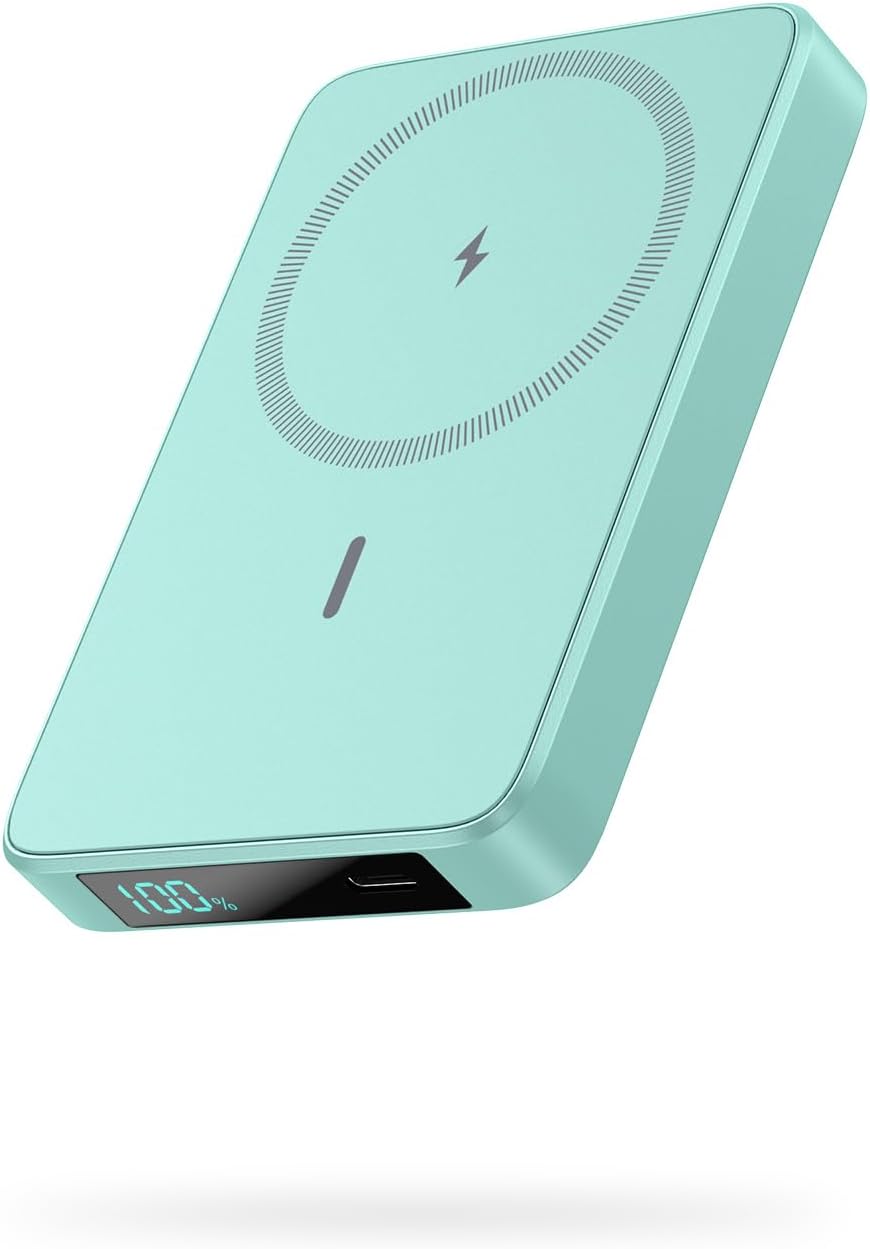
Image: The HETP Magnetic Portable Charger Power Bank in green, showcasinด้วยดีไซน์ที่ทันสมัยและจอแสดงผล LCD
2. เนื้อหาบรรจุภัณฑ์
กรุณาตรวจสอบแพ็คเกจสำหรับรายการต่อไปนี้:
- 1 x HETP Magnetic Wireless Power Bank (10800mAh)
- สายชาร์จ 1 x USB-C
- 1 x คู่มือผู้ใช้
- 1 x Dust-proof Portable Storage Bag
3. คุณสมบัติของผลิตภัณฑ์
- การชาร์จแบบไร้สายด้วยแม่เหล็ก: Specifically designed for iPhone 15/14/13/12 series and MagSafe compatible cases, providing 7.5W magnetic wireless charging.
- ความจุสูง: Built-in 10800mAh battery capacity, capable of fully charging an iPhone 15 Pro up to 1.9 times.
- เอาต์พุต USB-C PD 20W: Fast charging for various devices via USB-C cable.
- จอแสดงผล LCD: Clear digital display showing remaining battery percentage.
- ขนาดกะทัดรัดและพกพาสะดวก: Ultra-slim design (3.99 x 2.59 x 0.78 inches, 0.39 lb) for easy portability.
- การชาร์จแบบพาสทรู: Charge your phone wirelessly or via USB-C while simultaneously recharging the power bank.
- ระบบความปลอดภัย Multi-Protect: รวมถึงปริมาณเกินtage, การชาร์จเกิน, กระแสเกินและการป้องกันการลัดวงจร
4. การเริ่มต้น
4.1 ค่าบริการเริ่มต้น
Before first use, fully charge your HETP Magnetic Portable Charger Power Bank. Connect the provided USB-C cable to the power bank's USB-C port and the other end to a compatible USB wall adapter (not included).
4.2 การตรวจสอบระดับแบตเตอรี่
The LCD display on the power bank will show the current battery percentage. It will illuminate automatically when charging or when a device is connected.
5. คู่มือการใช้งาน
5.1 การชาร์จพาวเวอร์แบงค์
- Connect the USB-C charging cable to the power bank's USB-C port.
- Connect the other end of the cable to a USB-C wall charger or a computer's USB-C port.
- หน้าจอ LCD จะแสดงความคืบหน้าการชาร์จ โดยระบุเปอร์เซ็นต์ของแบตเตอรี่tagอี อินซีร์asing.
5.2 Wireless Magnetic Charging (for iPhone 15/14/13/12 Series)
- Ensure your iPhone is a 15/14/13/12 series model or is equipped with a MagSafe compatible case.
- Align the back of your iPhone with the magnetic charging area of the power bank. The magnets will firmly snap into place.
- Wireless charging will begin automatically. The LCD display on the power bank will show the battery percentage.

Image: The power bank magnetically attaching to the back of an iPhone, demonstrating the "Power in a Snap" feature.
บันทึก: For optimal magnetic attachment and charging, use with bare iPhone 15/14/13/12 series or MagSafe compatible cases. Non-magnetic cases may prevent proper attachment and charging.

Image: Illustration showing that the power bank charges effectively through magnetic cases, but not through non-magnetic cases.
5.3 การชาร์จแบบใช้สาย USB-C
- Connect your device (e.g., smartphone, tablet) to the power bank's USB-C port using a compatible USB-C cable.
- The power bank will automatically detect the device and begin charging.

Image: Demonstrates simultaneous wireless charging and wired USB-C charging from the power bank, highlighting its versatility.
5.4 การชาร์จแบบผ่าน
The power bank supports pass-through charging, allowing you to charge your phone (wirelessly or via USB-C) while the power bank itself is being recharged. Simply connect the power bank to a power source and then connect your phone to the power bank.
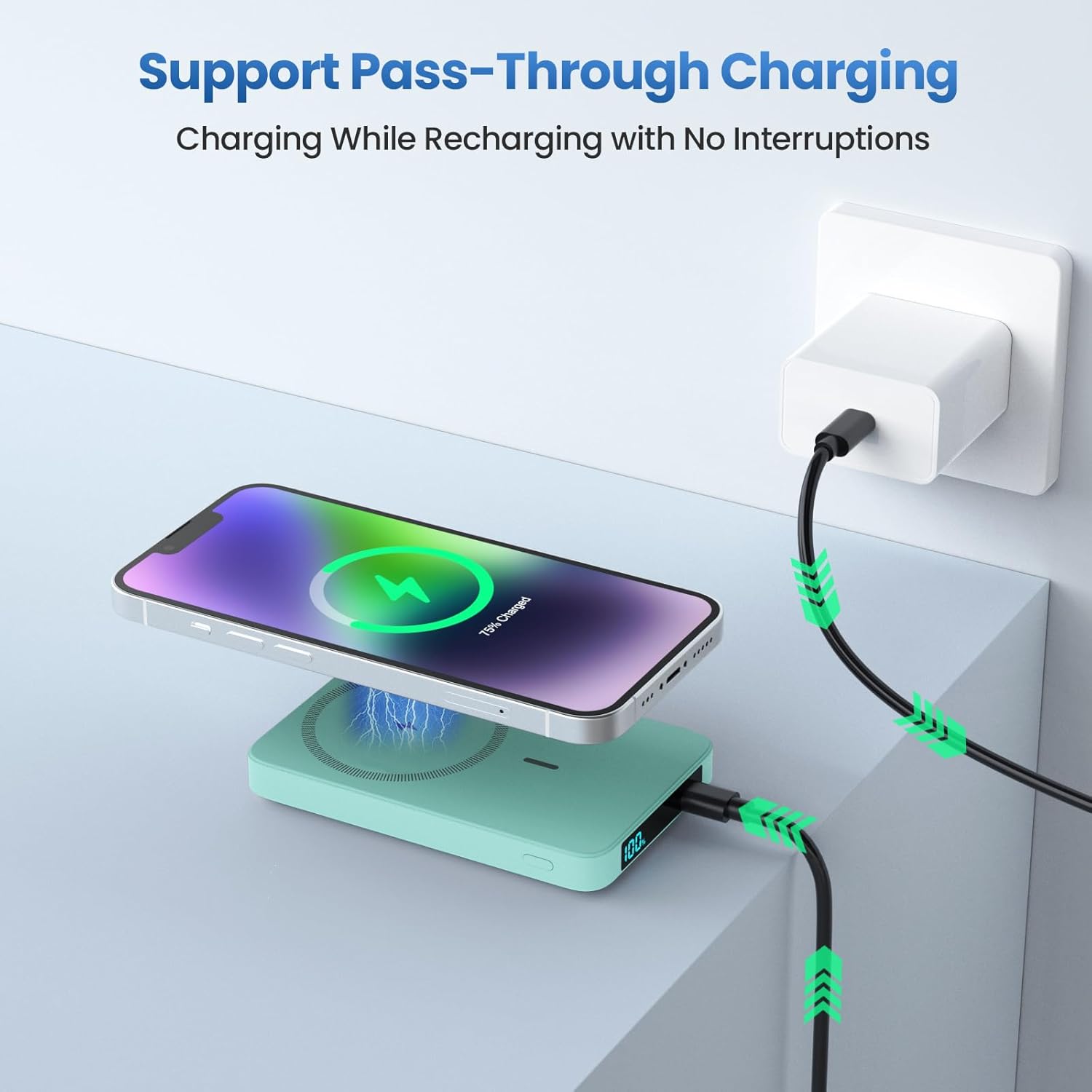
Image: Shows the power bank connected to a wall adapter for recharging, while simultaneously wirelessly charging an iPhone, illustrating the pass-through charging capability.
6. ข้อมูลด้านความปลอดภัย
- ห้ามให้พาวเวอร์แบงค์โดนอุณหภูมิที่สูงหรือต่ำเกินไป (ร้อนหรือเย็นเกินไป) แสงแดดโดยตรง หรือความชื้นสูง
- ห้ามถอดประกอบ ดัดแปลง หรือซ่อมแซมอุปกรณ์ด้วยตนเอง โปรดติดต่อช่างผู้ชำนาญการ
- เก็บให้ห่างจากน้ำและของเหลวอื่นๆ
- หลีกเลี่ยงการทำพาวเวอร์แบงค์ตกหรือกระแทกแรงๆ
- ห้ามใช้หากพาวเวอร์แบงค์ชำรุดหรือบวม
- เก็บให้พ้นจากมือเด็ก
- Dispose of the power bank responsibly according to local regulations. Do not dispose of with household waste.
7. การบำรุงรักษาและการดูแล
- ทำความสะอาดพาวเวอร์แบงค์ด้วยผ้านุ่มและแห้ง ห้ามใช้น้ำยาทำความสะอาดหรือสารละลายที่มีฤทธิ์กัดกร่อน
- เก็บพาวเวอร์แบงค์ไว้ในที่แห้งและเย็นเมื่อไม่ใช้งาน
- For optimal battery longevity, fully charge and discharge the power bank at least once every three months if not used regularly.
8 การแก้ไขปัญหา
| ปัญหา | สาเหตุที่เป็นไปได้ | สารละลาย |
|---|---|---|
| พาวเวอร์แบงค์ไม่ชาร์จ | ปัญหาอาจเกิดจากสายเคเบิลหรืออะแดปเตอร์ หรือพาวเวอร์แบงค์แบตหมดเกลี้ยง | Try a different USB-C cable or wall adapter. Ensure connections are secure. Allow a few minutes for the LCD to light up if fully discharged. |
| อุปกรณ์ไม่ชาร์จแบบไร้สาย | Misalignment; non-MagSafe case; device incompatibility. | Ensure proper alignment. Remove non-MagSafe cases. Confirm your device supports wireless charging. |
| อุปกรณ์ไม่ชาร์จผ่าน USB-C | Cable issue; power bank low on battery. | Try a different USB-C cable. Ensure the power bank has sufficient charge. |
| จอ LCD ไม่ทำงาน | พาวเวอร์แบงค์แบตหมดเกลี้ยง เกิดข้อผิดพลาดภายใน | ชาร์จพาวเวอร์แบงค์ หากปัญหายังคงอยู่ โปรดติดต่อฝ่ายบริการลูกค้า |
9. ข้อมูลจำเพาะ
- แบบอย่าง: HX100M7
- ความจุแบตเตอรี่: 10800mAh
- เอาท์พุตแบบไร้สาย: 7.5W (Magnetic)
- อินพุต/เอาต์พุต USB-C: 20W PD (ระบบจ่ายไฟ)
- ขนาด : 3.99 x 2.59 x 0.78 นิ้ว (ประมาณ 10.1 x 6.6 x 2.0 ซม.)
- น้ำหนัก: 0.39 ปอนด์ (ประมาณ 177 กรัม)
- ประเภทแบตเตอรี่: ลิเธียมโพลีเมอร์
10. การรับประกันและการสนับสนุน
HETP provides a worry-free 24-month warranty and lifetime technical support for this product. If you encounter any issues or have questions, please do not hesitate to contact our friendly customer service team. Refer to the contact information provided on the product packaging or the official HETP webเว็บไซต์.
Thank you for choosing HETP.