
1. บทนำ
The Foscam FNA108HE is an 8-channel Network Video Recorder (NVR) designed for surveillance systems. It supports up to 8 PoE (Power over Ethernet) IP cameras, allowing for simplified installation with power and data transmission over a single Ethernet cable. This NVR records video at up to 8MP resolution per channel and utilizes H.264+ video compression for efficient storage. It offers continuous, motion-detection, and scheduled recording options, and supports a hard drive up to 16TB (not included) for extensive storage. View and manage your surveillance system locally via HDMI/VGA monitor or remotely through a web อินเทอร์เฟซ
2. เนื้อหาบรรจุภัณฑ์
- Foscam FNA108HE 8-Channel PoE NVR
- อะแดปเตอร์แปลงไฟ
- USB Mouse
- สายเคเบิลอีเทอร์เน็ต
- คู่มือเริ่มต้นอย่างรวดเร็ว
- Mounting Screws for HDD (Hard Disk Drive not included)
3. สินค้าหมดview
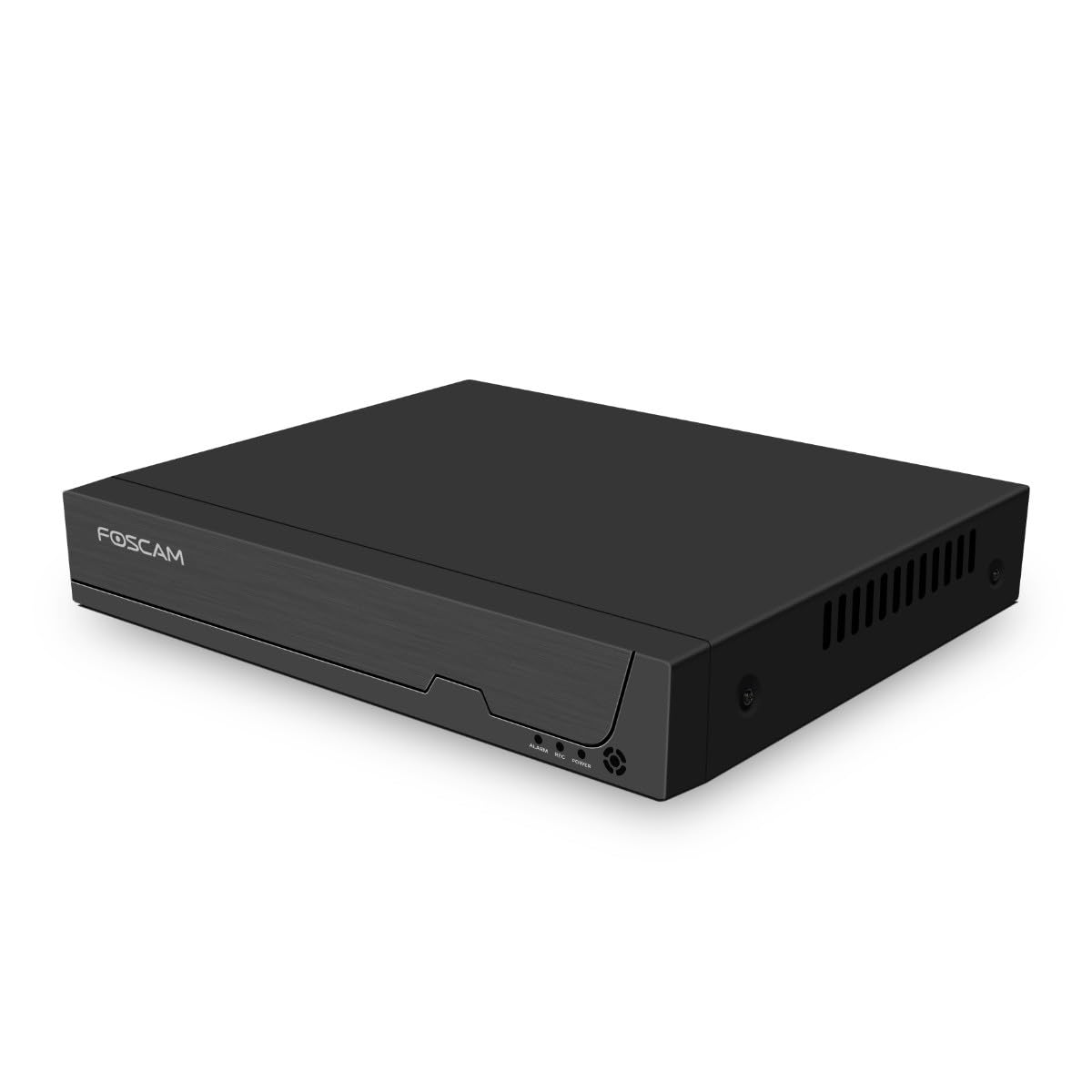
รูปที่ 3.1: แผงด้านหน้า
This image shows the front of the Foscam FNA108HE NVR, featuring the Foscam logo on the left and indicator lights (ALARM, REC, POWER) on the right, along with a navigation button.

รูปที่ 3.2: มุม View
An angled perspective of the Foscam FNA108HE NVR, highlighting its compact design and the Foscam branding.

รูปที่ 3.3: แผงด้านหลัง
This image displays the rear panel of the Foscam FNA108HE NVR, showing various ports including the power switch, DC 48V power input, 8 PoE ports, LAN port, A-OUT (audio output), VGA port, HD-OUT (HDMI port), and two USB ports.
3.1 ไฟแสดงสถานะที่แผงด้านหน้า
- พลัง: Indicates the NVR is powered on.
- บันทึก: Flashes when video is being recorded.
- เตือน: Illuminates when an alarm event (e.g., motion detection) is triggered.
3.2 พอร์ตแผงด้านหลัง
- สวิตช์เปิด/ปิด: Powers the NVR on or off.
- กระแสตรง 48V: ช่องเสียบไฟสำหรับเครื่องบันทึกวิดีโอเครือข่าย (NVR)
- พอร์ต PoE (1-8): Connect PoE IP cameras. These ports provide both power and data.
- พอร์ต LAN: Connects the NVR to your local network/router for internet access and remote viewการไอเอ็นจี
- A-OUT (ช่องสัญญาณเสียงออก): Connects to an external speaker for audio output.
- พอร์ต VGA: Connects to a VGA monitor for local display.
- HD-OUT (HDMI Port): Connects to an HDMI monitor or TV for local display.
- พอร์ต USB (x2): Connect a USB mouse for local control and for USB backup devices.
4. การตั้งค่า
4.1 Hard Drive Installation (Optional, HDD not included)
For video recording, a 3.5-inch SATA hard drive is required. Ensure the NVR is powered off before installation.
- คลายเกลียวและถอดฝาครอบด้านบนของ NVR
- เชื่อมต่อสายเคเบิลข้อมูล SATA และสายไฟจาก NVR เข้ากับฮาร์ดไดรฟ์
- ยึดฮาร์ดไดรฟ์เข้ากับตัวเครื่อง NVR โดยใช้สกรูที่ให้มา
- ปิดฝาด้านบนกลับเข้าที่และยึดด้วยสกรู
4.2 การเชื่อมต่อฮาร์ดแวร์
- Connect your PoE IP cameras to the PoE ports (1-8) on the NVR's rear panel using Ethernet cables.
- Connect a monitor to the NVR's HD-OUT (HDMI) or VGA port.
- เชื่อมต่อเมาส์ USB เข้ากับพอร์ต USB ของ NVR พอร์ตใดพอร์ตหนึ่ง
- เชื่อมต่อพอร์ต LAN ของ NVR เข้ากับเราเตอร์หรือสวิตช์เครือข่ายโดยใช้สายอีเธอร์เน็ต
- Connect the power adapter to the DC 48V input on the NVR and then plug it into a power outlet.
- Press the ON/OFF switch to power on the NVR.
5. ปฏิบัติการ
5.1 Initial Setup and Access
Upon first boot, the NVR will guide you through an initial setup wizard (password creation, network settings, etc.). You can access the NVR interface locally via the connected monitor and mouse, or remotely via a web เบราว์เซอร์บนคอมพิวเตอร์ที่เชื่อมต่อกับเครือข่ายเดียวกัน
5.2 สด View
After logging in, the NVR will display the live video feeds from connected cameras. You can switch between single-camera viewกริดกล้องหลายตัว viewและปรับแต่งรูปแบบการแสดงผลได้ตามต้องการ
5.3 โหมดการบันทึก
The NVR supports the following recording modes:
- การบันทึกต่อเนื่อง: Records 24/7 without interruption.
- การบันทึกการตรวจจับความเคลื่อนไหว: บันทึกเฉพาะเมื่อกล้องตรวจจับการเคลื่อนไหวได้เท่านั้น
- การบันทึกตามกำหนดเวลา: Records according to a predefined schedule (e.g., specific hours of the day).
Configure these settings in the NVR's menu under 'Record' or 'Schedule'.
5.4 การเล่นซ้ำ
เพื่อview บันทึกเสียงฟูtage:
- Access the 'Playback' menu on the NVR interface.
- เลือกกล้องที่ต้องการและช่วงวันที่/เวลา
- Use the timeline to navigate through recordings and play back events.
5.5 การเข้าถึงระยะไกล
การเข้าถึง NVR จากระยะไกล:
- ตรวจสอบให้แน่ใจว่า NVR เชื่อมต่อกับอินเทอร์เน็ต
- Configure network settings (e.g., port forwarding) on your router if necessary, or use Foscam's cloud service/P2P feature if available.
- Use the Foscam web interface or mobile application to view live feeds and manage settings from anywhere.
6. การบำรุงรักษา
6.1 การจัดการฮาร์ดไดรฟ์
Regularly check the status of your hard drive in the NVR's storage settings. If the hard drive is new or has issues, it may need to be formatted through the NVR interface. Ensure sufficient free space for continuous recording.
การอัปเดตเฟิร์มแวร์ 6.2 รายการ
Periodically check the Foscam official website for firmware updates. Keeping your NVR's firmware updated ensures optimal performance, security, and access to new features. Follow the instructions provided with the firmware update carefully.
7 การแก้ไขปัญหา
- ไม่มีการแสดงวิดีโอ: Check HDMI/VGA cable connections, ensure monitor is on and set to correct input. Verify NVR is powered on.
- Cameras Not Showing: Ensure cameras are properly connected to PoE ports. Check camera power and network status. Verify camera IP addresses are within the NVR's range.
- ไม่มีการบันทึก: Confirm a hard drive is installed and formatted. Check recording schedules and motion detection settings. Ensure HDD has free space.
- ปัญหาการเข้าถึงระยะไกล: Verify NVR has internet access. Check network settings, port forwarding, or P2P status. Ensure correct login credentials.
- NVR Not Powering On: Check power adapter connection and power outlet. Ensure the ON/OFF switch is in the 'ON' position.
8. ข้อมูลจำเพาะ
| คุณสมบัติ | ข้อมูลจำเพาะ |
|---|---|
| หมายเลขรุ่น | FNA108HE |
| ยี่ห้อ | ฟอสแคม |
| จำนวนช่องสัญญาณ | 8 |
| ความจุในการจัดเก็บสูงสุด | 16 TB (Hard Drive not included) |
| การบีบอัดวิดีโอ | H.264 + |
| ประเภทอินพุตวิดีโอ | กล้อง PoE IP |
| เอาท์พุตวิดีโอ | hdmi, vga |
| เอาท์พุตเสียง | เอ-เอาท์ |
| พอร์ต USB | 2 |
| เทคโนโลยีการเชื่อมต่อ | HDMI, USB, VGA, Ethernet (LAN, PoE) |
| อุปกรณ์ที่รองรับ | Camera, Smartphone, Television |
| น้ำหนักสินค้า | 880 กรัม |
| ความพร้อมของอะไหล่ | 1 ปี |
9. การรับประกันและการสนับสนุน
This Foscam NVR (Model FNA108HE) typically comes with a manufacturer's warranty. Spare parts are available for 1 year. For detailed warranty information, technical support, or service inquiries, please refer to the official Foscam webหรือติดต่อฝ่ายสนับสนุนลูกค้าโดยตรง เก็บใบเสร็จรับเงินไว้เพื่อใช้ในการเคลมประกัน