
LIECTROUX HCR-09
LIECTROUX HCR-09 Window Cleaning Robot User Manual
Model: HCR-09
การแนะนำ
The LIECTROUX HCR-09 Window Cleaning Robot is an intelligent home appliance designed to automate the cleaning of various smooth surfaces, including windows, tiles, and glass floors. It features powerful suction and intelligent navigation to provide efficient and safe cleaning, freeing you from the tedious task of manual window washing.

Image: The LIECTROUX HCR-09 Window Cleaning Robot shown with its remote control, highlighting its compact design.
ข้อควรระวังเพื่อความปลอดภัย
- Always connect the robot to a power source during operation.
- Ensure the safety rope is securely attached to a fixed anchor point before starting the robot, especially when cleaning high-rise windows. The robot is equipped with a 4m professional safety rope.
- The built-in UPS (Uninterrupted Power System) battery provides approximately 25 minutes of backup power in case of a power outage, allowing the robot to remain adhered to the surface and sound an alarm. Retrieve the robot promptly during a power interruption.
- ห้ามใช้หุ่นยนต์บนพื้นผิวกระจกที่แตกหรือชำรุด
- ให้เก็บมือและเสื้อผ้าที่หลวมๆ ให้ห่างจากชิ้นส่วนที่กำลังเคลื่อนไหวในระหว่างการทำงาน
- Use only recommended cleaning solutions and microfiber cloths.

Image: Illustration demonstrating the robust 200kg.f safety rope, essential for secure operation, especially on high windows.

Image: Visual representation of the 20-minute power-off protection feature, indicating the robot's ability to remain attached and alert the user during power interruptions.
เนื้อหาแพ็คเกจ
ตรวจสอบว่ามีส่วนประกอบทั้งหมดอยู่ในแพ็คเกจ:
- LIECTROUX HCR-09 Window Cleaning Robot
- รีโมทคอนโทรล
- Power Adapter and Cord (5.2m adapter cable)
- Safety Rope (4m professional safety rope)
- Microfiber Cleaning Cloths (multiple pairs recommended for optimal use)
- คู่มือการใช้งาน (เอกสารนี้)
การตั้งค่า
- เตรียมพื้นผิว: Ensure the window or surface is free from large debris or loose particles that could scratch the glass or impede the robot's movement.
- แนบผ้าทำความสะอาด: Securely attach clean microfiber cleaning cloths to the dual spiral cleaning heads on the underside of the robot. Ensure they are properly aligned and cover the cleaning pads.
- เชื่อมต่อพลังงาน: Plug the power adapter into a wall outlet and connect the power cord to the robot. The robot requires continuous power during operation.
- เชือกนิรภัยที่ปลอดภัย: Attach one end of the 4-meter safety rope to the designated attachment point on the robot. Secure the other end of the safety rope to a strong, fixed anchor point indoors, such as a sturdy furniture leg or a window frame.
- ใช้สารทำความสะอาด: Lightly spray a suitable window cleaning solution onto the microfiber cloths or directly onto the surface to be cleaned. Do not oversaturate.
คำแนะนำการใช้งาน
การเริ่มต้นหุ่นยนต์
- Place the robot on the surface to be cleaned, ensuring it is flat against the glass.
- Press the power button on the robot or the remote control. The robot will activate its suction motor (2800PA strong suction) and adhere to the surface. Wait for the robot to firmly attach before releasing มัน
- Once attached, select a cleaning mode using the remote control.
โหมดการทำความสะอาด
The LIECTROUX HCR-09 offers multiple cleaning modes for optimal results:
- Automatic Cleaning Modes (3 modes): The robot uses intelligent AI technology to detect window frames and obstacles, automatically adjusting its cleaning path. These modes are ideal for comprehensive cleaning of the entire surface.
- ควบคุมด้วยมือ: Use the directional buttons on the remote control to guide the robot to specific areas for spot cleaning or to navigate around obstacles.
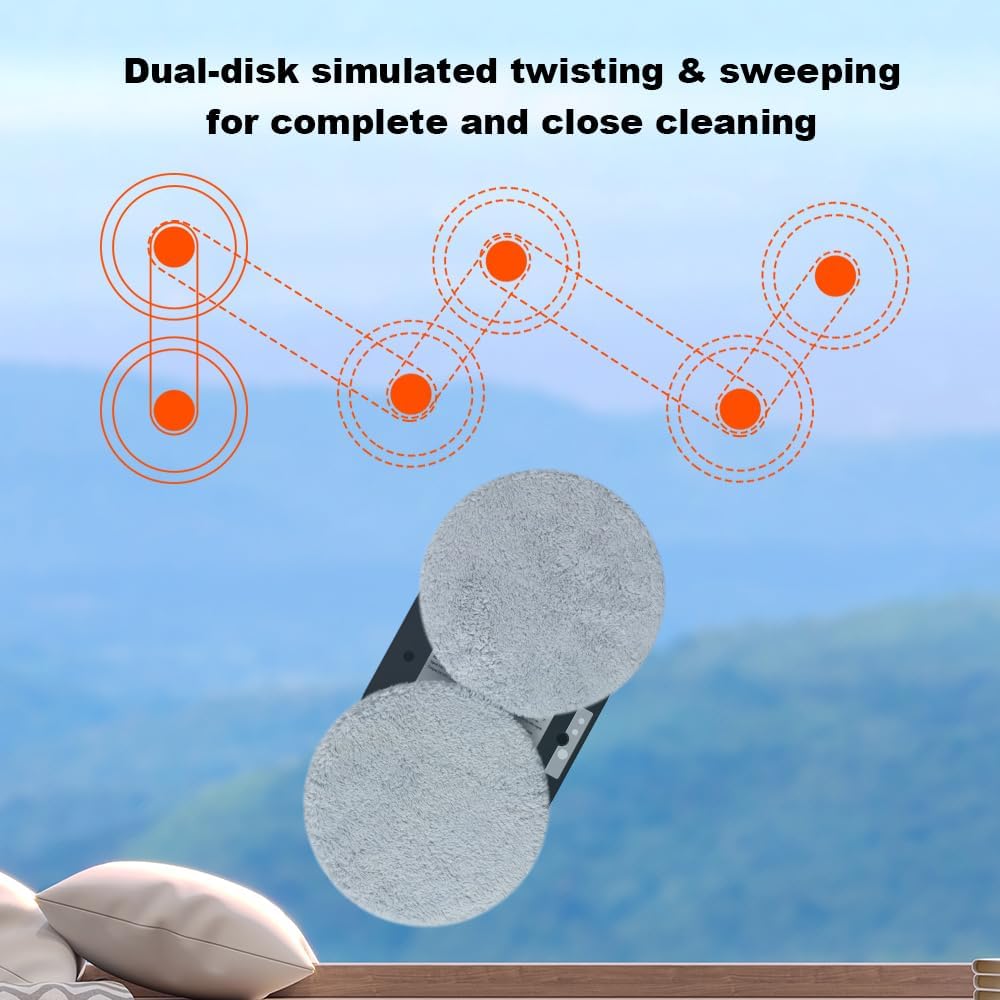
Image: Depiction of the dual-disk simulated twisting and sweeping motion, illustrating how the robot achieves thorough and close cleaning.

Image: Visual explanation of the 2800Pa vacuum suction, demonstrating its power for strong adhesion and smooth, safe movement across surfaces.
Stopping the Robot
To stop the robot, press the stop button on the remote control or the power button on the robot. The robot will cease movement but maintain suction. Carefully grasp the robot and detach it from the surface.
การซ่อมบำรุง
Cleaning Microfiber Cloths
After each use, remove the microfiber cleaning cloths from the robot. Wash them with mild detergent and water, then air dry completely before reuse. Replace cloths when they show signs of wear or reduced cleaning effectiveness.
Cleaning the Robot Body
เช็ดทำความสะอาดภายนอกของหุ่นยนต์ด้วยผ้าเนื้อนุ่มและแห้งamp cloth. Do not use abrasive cleaners or immerse the robot in water. Ensure the suction vents are clear of dust and debris.
พื้นที่จัดเก็บ
Store the robot in a cool, dry place away from direct sunlight and extreme temperatures. Ensure the power cord and safety rope are neatly coiled to prevent damage.
การแก้ไขปัญหา
| ปัญหา | สาเหตุที่เป็นไปได้ | สารละลาย |
|---|---|---|
| Robot does not adhere to surface. | Insufficient suction; power not connected; surface too dirty or uneven. | Ensure power cord is securely connected. Clean the surface and the robot's suction area. Check for obstructions. |
| หุ่นยนต์ทิ้งรอยไว้ | Dirty cleaning cloths; too much cleaning solution; improper solution. | Replace or wash cleaning cloths. Use less cleaning solution. Ensure solution is suitable for glass. |
| Robot stops mid-operation. | Power interruption; low battery (UPS); obstacle detected. | Check power connection. If power cut, retrieve robot within 25 minutes. Clear any obstacles. |
| รีโมทคอนโทรลไม่ตอบสนอง | Dead batteries in remote; signal obstruction. | Replace remote control batteries. Ensure direct line of sight to robot. |
ข้อมูลจำเพาะ
- แบบอย่าง: เอชซีอาร์-09
- ยี่ห้อ: ลิเอคทรูซ์
- พลังดูด: 2800ปาสคาล
- โหมดการทำความสะอาด: 3 Automatic, Manual
- คุณสมบัติด้านความปลอดภัย: Built-in UPS (25 min backup), 4m Professional Safety Rope
- แหล่งพลังงาน: สายไฟ
- ขนาด : กว้าง 27 ยาว 27 สูง 7.8 เซนติเมตร
- Applicable Surfaces: Glass, Windows, Tiles, Glass Floors, Mirrors, Marble Walls
- ส่วนประกอบที่รวมอยู่: Robot, Remote Control, Power Adapter, Safety Rope, Microfiber Cloths
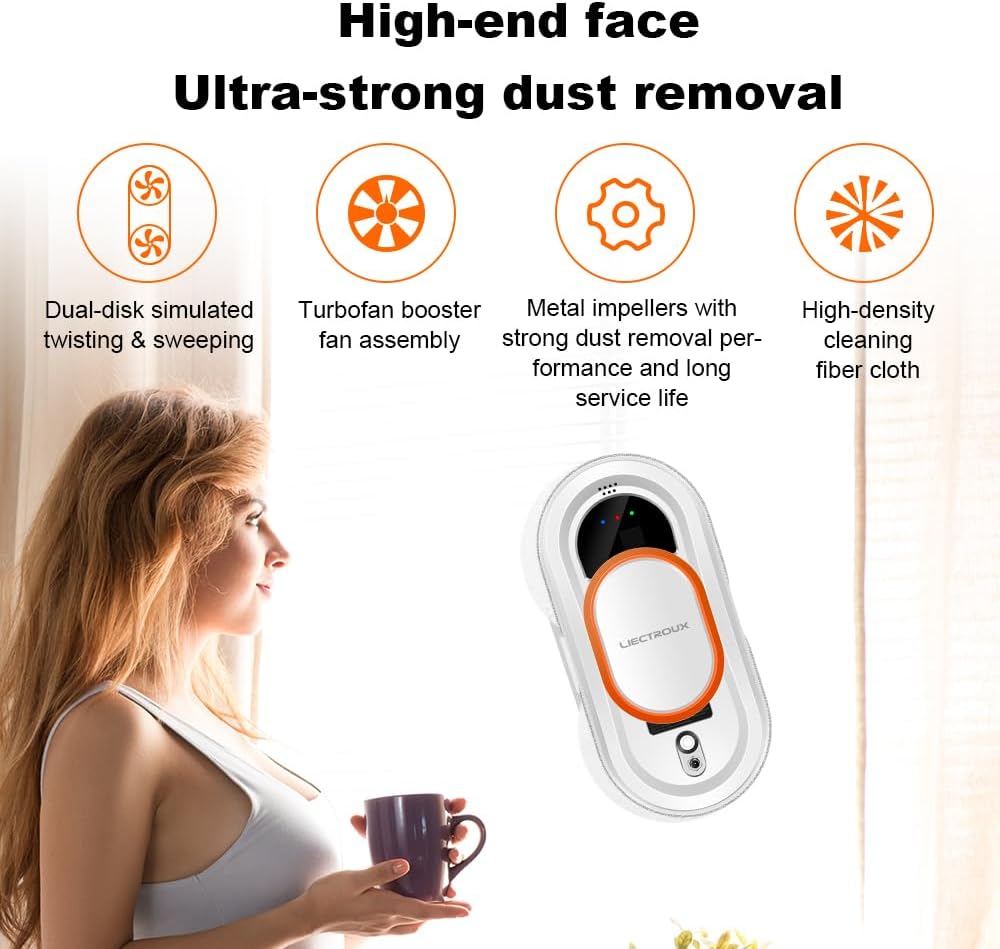
Image: Key features for ultra-strong dust removal, including dual-disk simulated twisting, turbofan booster fan assembly, metal impellers for strong dust removal, and high-density cleaning fiber cloth.

ภาพ: อดีตamples of various surfaces and environments where the LIECTROUX HCR-09 can be effectively used, such as bathroom mirrors, tiled surfaces, windows, and framed glass in different settings.
การรับประกันและการสนับสนุน
For warranty information and technical support, please refer to the official LIECTROUX webหรือติดต่อตัวแทนจำหน่ายในพื้นที่ของคุณ เก็บใบเสร็จรับเงินไว้เป็นหลักฐานการซื้อสำหรับการเรียกร้องการรับประกัน
ผู้ผลิต: ลิเอกทรูซ์
บริการลูกค้า: กรุณาเข้าเยี่ยมชม www.liectroux.com สำหรับรายละเอียดการติดต่อและความช่วยเหลือเพิ่มเติม
Ask a question about this manual
Ask about setup, troubleshooting, compatibility, parts, safety, or missing instructions. Manuals+ will review the question and use this page’s manual context to help answer it.