
Walfront WALFRONTyrz27s9i4p
Walfront 12-Hour Mechanical Outlet Timer User Manual
Model: WALFRONTyrz27s9i4p
การแนะนำ
The Walfront 12-Hour Mechanical Outlet Timer is designed to provide convenient and energy-efficient control over your home appliances. This device allows you to set specific operating times for various electrical items, helping to conserve energy and automate your daily routines. Its simple plug-and-play design and intuitive dial make it easy to use for a wide range of applications.

ภาพ: ด้านหน้า view of the Walfront 12-Hour Mechanical Outlet Timer, showing the 12-hour dial and two-prong plug.
คุณสมบัติหลัก
- โครงสร้างทนทาน: Made with environmental-friendly ABS material for safety and longevity.
- ใช้งานง่าย: Simple plug-and-play design with an intuitive rotary knob for time setting.
- การประหยัดพลังงาน: Allows precise control of appliance operation within a 0-12 hour range, reducing unnecessary power consumption.
- พลังงานสแตนด์บายต่ำ: Consumes less than 1W in standby mode, contributing to energy efficiency.
- การใช้งานที่หลากหลาย: Suitable for controlling various home appliances such as water dispensers, heaters, air conditioners, fans, rice cookers, and more.
- Clear Time Scale: Large, easy-to-read dial for quick and accurate time setting.
คำแนะนำการตั้งค่า
- แกะตัวจับเวลา: Carefully remove the timer from its packaging. Inspect for any visible damage.
- Identify the Dial: Locate the large rotary dial on the front of the timer. This dial is marked with numbers from 0 to 12, representing hours, and an "OFF" position.
- เสียบเข้ากับเต้าเสียบ: Insert the two-prong plug of the timer into a standard wall outlet. Ensure it is securely seated.
- เชื่อมต่ออุปกรณ์: Plug the appliance you wish to control into the timer's socket.

ภาพ: มุมเอียง view of the timer, showing the plug and the dial, ready for setup.
คำแนะนำการใช้งาน
The Walfront Mechanical Outlet Timer operates on a simple 0-12 hour cycle. Follow these steps to set the desired operating time for your appliance:
- Determine Desired ON Duration: Decide how many hours you want your appliance to remain ON. The timer supports durations from 0 to 12 hours.
- หมุนแป้นหมุน: Gently turn the rotary dial clockwise to the desired number of hours. For example, if you want the appliance to run for 3 hours, turn the dial to the '3' mark. The timer will begin counting down immediately.
- ตำแหน่ง "ปิด" : To turn the appliance off immediately, rotate the dial to the "OFF" position.
- ปิดเครื่องอัตโนมัติ: Once the set time has elapsed, the timer will automatically turn off the connected appliance.
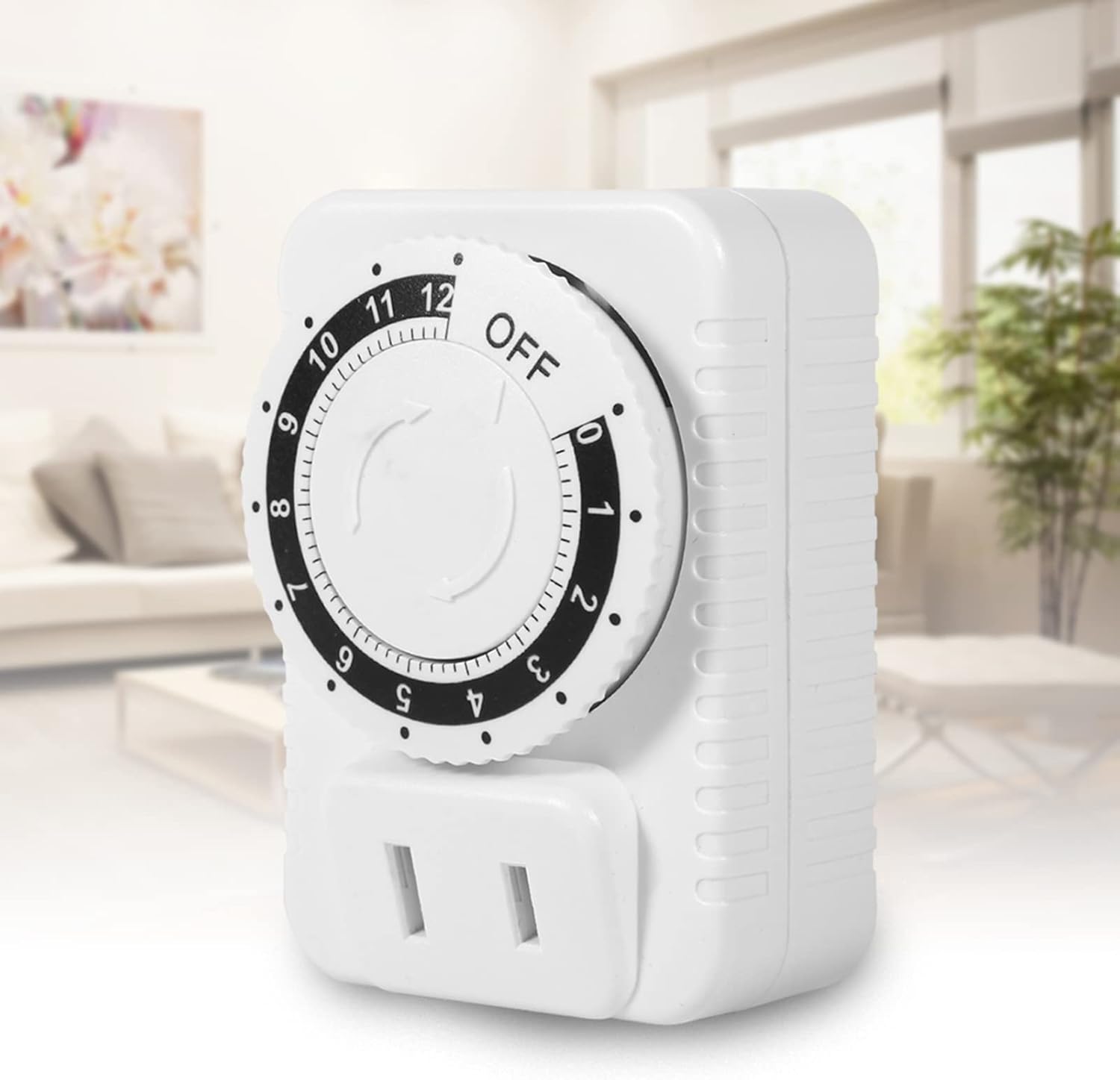
Image: The timer plugged into an outlet in a home environment, demonstrating its practical application.
การซ่อมบำรุง
To ensure the longevity and proper functioning of your Walfront Mechanical Outlet Timer, follow these simple maintenance guidelines:
- การทำความสะอาด: Disconnect the timer from the power outlet before cleaning. Use a soft, dry cloth to wipe the exterior. Do not use liquid cleaners, sprays, or abrasive materials, as these can damage the device.
- พื้นที่จัดเก็บ: เมื่อไม่ได้ใช้งานเป็นเวลานาน ควรเก็บนาฬิกาจับเวลาไว้ในที่แห้งและเย็น หลีกเลี่ยงแสงแดดโดยตรงและอุณหภูมิที่สูงหรือต่ำเกินไป
- หลีกเลี่ยงการโอเวอร์โหลด: Do not connect appliances that exceed the timer's maximum power rating (2500W) or current rating (10A).
- สภาพแวดล้อม : Avoid exposing the timer to water, high humidity, or dusty environments.
การแก้ไขปัญหา
If you encounter issues with your Walfront Mechanical Outlet Timer, refer to the following common problems and solutions:
| ปัญหา | สาเหตุที่เป็นไปได้ | สารละลาย |
|---|---|---|
| ตัวจับเวลาไม่ทำงาน | ไม่มีไฟจากปลั๊กไฟ | Check the wall outlet with another appliance. Ensure the outlet is live. |
| Appliance does not turn on when plugged into the timer. | Timer dial is set to "OFF" or has completed its cycle. Appliance itself is not working. | Rotate the dial to a desired ON time. Check if the appliance works when plugged directly into a wall outlet. |
| Timer does not turn off after set time. | Internal mechanism issue (rare). | Unplug the timer and plug it back in. If the issue persists, contact customer support. |
| ปุ่มหมุนฝืดหรือหมุนยาก | เศษวัสดุเล็กน้อย หรือความคลาดเคลื่อนจากการผลิต | Ensure no foreign objects are obstructing the dial. Apply gentle, consistent pressure. Do not force. |
ข้อมูลจำเพาะทางเทคนิค
| คุณลักษณะ | รายละเอียด |
|---|---|
| หมายเลขรุ่น | WALFRONTyrz27s9i4p |
| ยี่ห้อ | Walfront |
| สี | สีขาว |
| วัสดุของเปลือกหอย | อะคริโลไนไตรล์ บิวทาไดอีน สไตรีน (ABS) |
| เล่มที่tage | ไฟฟ้ากระแสสลับ 250 โวลต์ |
| พลังสูงสุด | 2500วัตต์ |
| กระแสไฟสูงสุด | 10เอ |
| ช่วงการตั้งค่าเวลา | 0-12 ชั่วโมง |
| การใช้พลังงานขณะสแตนด์บาย | น้อยกว่า 1W |
| น้ำหนักสินค้า | 0.5 กิโลกรัม (ประมาณ 1.1 ปอนด์) |
| ขนาดแพ็คเกจ | 3.15 x 2.76 x 1.97 นิ้ว |
| ประเทศต้นกำเนิด | จีน |

ภาพ: ด้านข้าง view of the timer showing approximate dimensions (5cm, 7cm, 4.8cm).
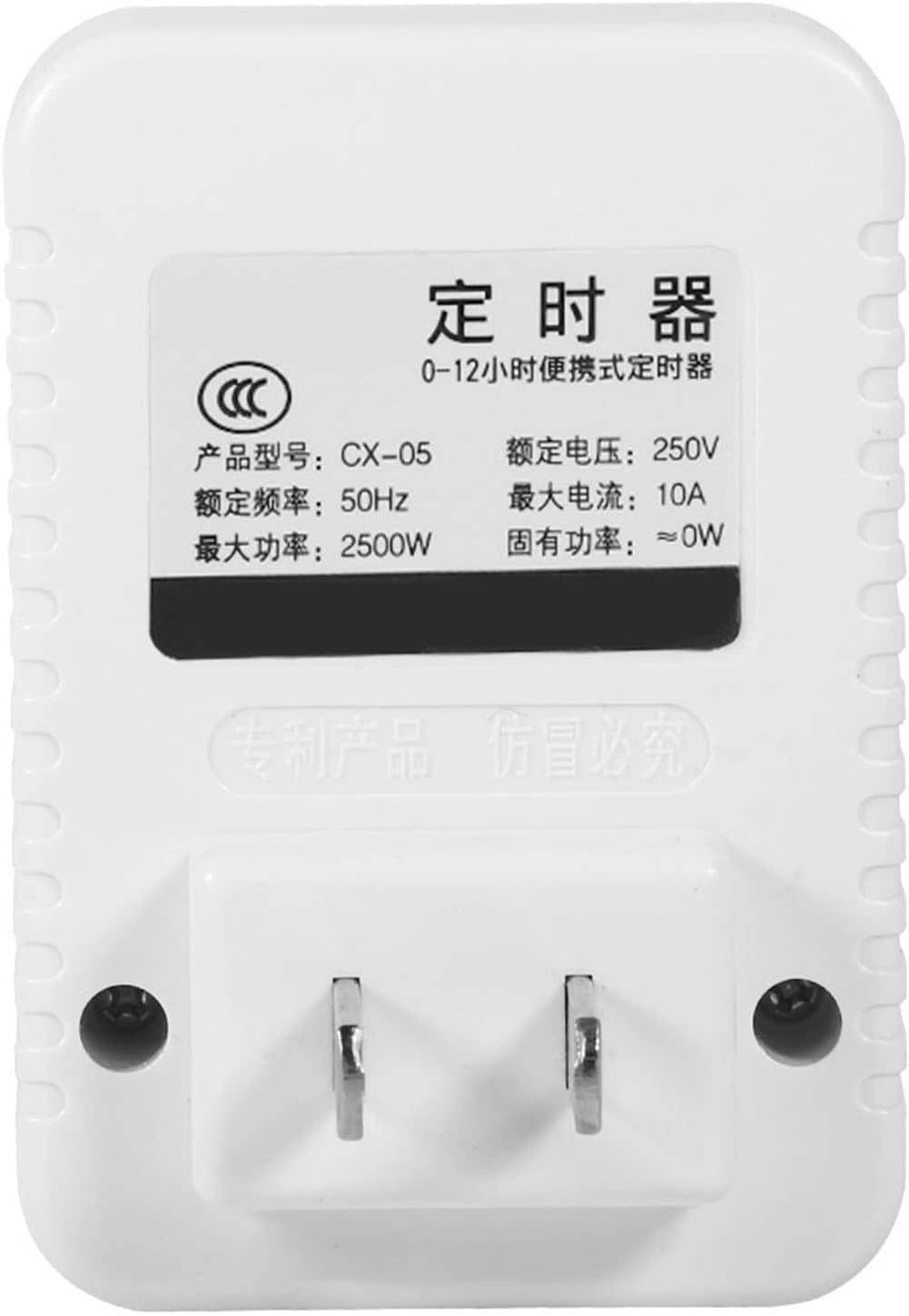
ภาพ: ด้านหลัง view of the timer showing the product label with electrical specifications.
การรับประกันและการสนับสนุน
Walfront products are manufactured to high-quality standards. While specific warranty details are not provided in this manual, please retain your proof of purchase for any warranty claims. For technical support, troubleshooting assistance, or inquiries regarding your Walfront 12-Hour Mechanical Outlet Timer, please refer to the contact information provided with your purchase or visit the official Walfront webเว็บไซต์.
หากต้องการความช่วยเหลือเพิ่มเติม คุณสามารถไปที่ Walfront Store on Amazon.
Ask a question about this manual
Ask about setup, troubleshooting, compatibility, parts, safety, or missing instructions. Manuals+ will review the question and use this page’s manual context to help answer it.