
แรดดี้ RF886
Raddy RF886 Portable Shortwave Radio User Manual
รุ่น: RF886 | ยี่ห้อ: Raddy
การแนะนำ
Thank you for choosing the Raddy RF886 Portable Shortwave Radio. This compact and versatile digital radio offers a wide range of reception capabilities, including AM, FM, Shortwave (SW), and VHF bands. Equipped with Bluetooth connectivity, dual antennas, and essential emergency features like a flashlight and SOS function, the RF886 is designed for both everyday listening and outdoor adventures. This manual provides detailed instructions to help you set up, operate, and maintain your radio for optimal performance.
ข้อมูลด้านความปลอดภัย
- อย่าวางวิทยุไว้ในที่ที่มีอุณหภูมิสูงหรือต่ำเกินไป แสงแดดโดยตรง หรือความชื้นสูง
- ควรหลีกเลี่ยงการทำวิทยุตกหรือกระแทกอย่างแรง
- Keep the radio away from water and other liquids. If it gets wet, power it off immediately and allow it to dry completely before use.
- ห้ามถอดประกอบหรือดัดแปลงวิทยุด้วยตนเอง การกระทำดังกล่าวจะทำให้การรับประกันเป็นโมฆะและอาจทำให้เกิดความเสียหายได้
- Use only the specified charging cable and power adapter (if applicable) to charge the device.
- ทิ้งแบตเตอรี่ตามระเบียบข้อบังคับของท้องถิ่น ห้ามเผาทำลาย
- เก็บให้พ้นจากมือเด็ก
เนื้อหาแพ็คเกจ
กรุณาตรวจสอบแพ็คเกจเพื่อให้แน่ใจว่ามีสินค้าทั้งหมดอยู่และอยู่ในสภาพดี:
- Raddy RF886 Portable Shortwave Radio
- สายชาร์จ USB-C
- 3-meter External Wire Antenna
- คู่มือการใช้งาน (เอกสารนี้)

Image: The Raddy RF886 radio shown with its USB-C charging cable and the 3-meter external wire antenna, illustrating the complete package contents.
สินค้าเกินview
Familiarize yourself with the various parts and controls of your Raddy RF886 radio.

ภาพ: ด้านหน้า view of the Raddy RF886 radio, displaying its digital screen, control buttons, speaker grille, and extended telescopic antenna. The external wire antenna is also shown next to the radio.
คุณสมบัติหลัก:
- จอแสดงผลดิจิตอล: Shows frequency, time, battery level, and other indicators.
- เสาอากาศยืดไสลด์: For FM, SW, and VHF reception.
- External Antenna Port: For connecting the included 3M wire antenna for enhanced reception.
- ปุ่มควบคุม: Power, Lock, Time/Set, Memory/Scan, Band, Channel Up/Down.
- ผู้บรรยาย: ลำโพงในตัวสำหรับส่งสัญญาณเสียงออก
- พอร์ตชาร์จ USB-C: สำหรับชาร์จแบตเตอรี่ภายใน
- แจ็คหูฟัง: สำหรับการฟังส่วนตัว
- ไฟฉาย: มีไฟ LED ในตัวเพื่อการส่องสว่าง
- ฟังก์ชั่น SOS: Emergency alert feature.

Image: The Raddy RF886 radio being held in a hand, illustrating its compact and portable size (124mm x 67mm x 29mm, weighing 150g).
การตั้งค่า
1. การชาร์จแบตเตอรี่
The Raddy RF886 is equipped with a built-in rechargeable Lithium-ion battery. Before first use, fully charge the radio.
- Locate the USB-C charging port on the side or bottom of the radio.
- Connect the provided USB-C cable to the radio's charging port.
- ต่อปลายอีกด้านของสาย USB-C เข้ากับอะแดปเตอร์แปลงไฟ USB มาตรฐาน (ไม่ได้รวมอยู่ในชุด) หรือพอร์ต USB ของคอมพิวเตอร์
- The charging indicator on the display will show charging status. Once fully charged, the indicator will change or turn off.
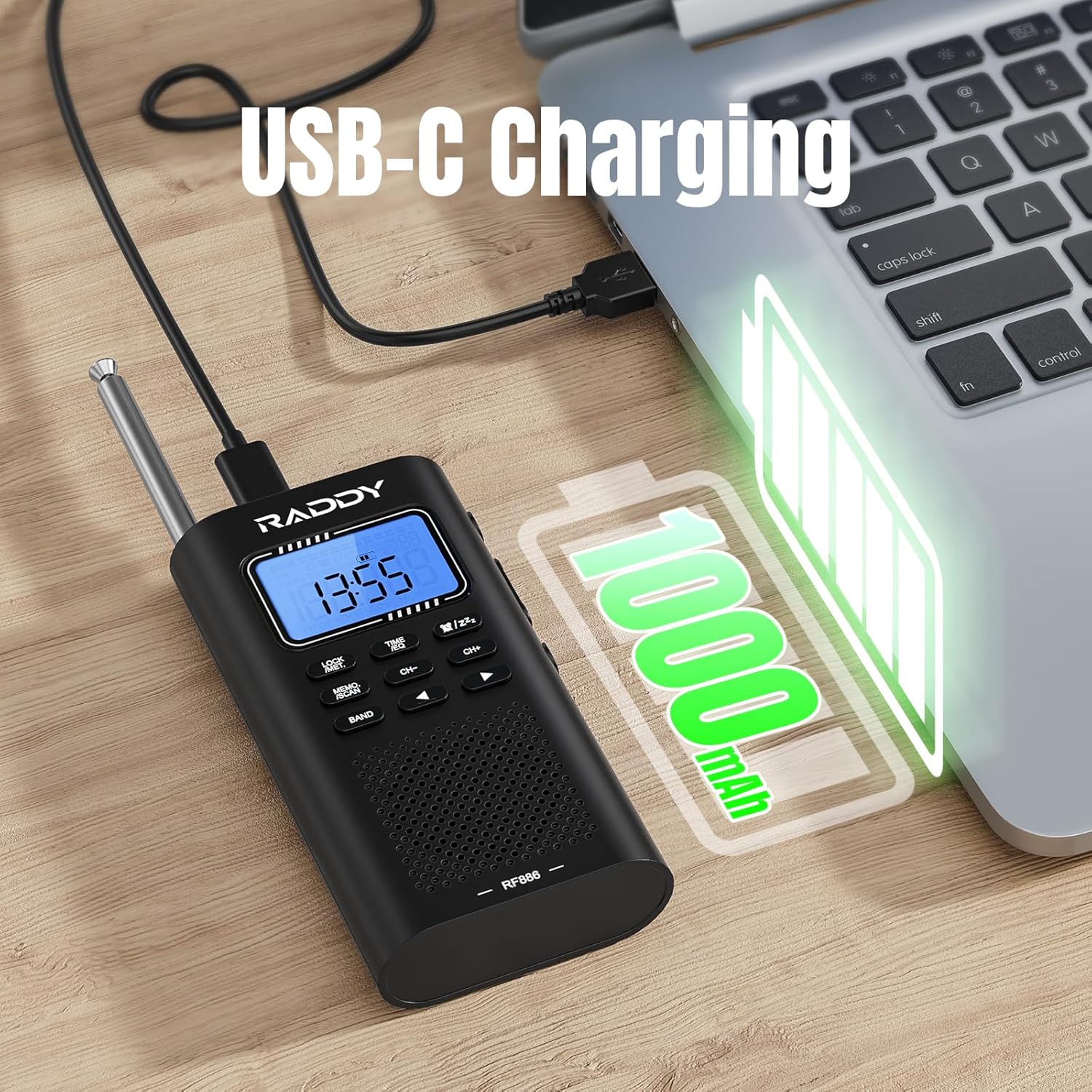
Image: The Raddy RF886 radio connected to a laptop via its USB-C port for charging, with a battery icon indicating a 1000mAh capacity.
2. การตั้งค่าเสาอากาศ
The RF886 features both an integrated telescopic antenna and support for an external wire antenna to optimize reception across different bands.
- เสาอากาศยืดไสลด์: For FM, SW, and VHF reception, extend the telescopic antenna fully for best results. Adjust its direction to improve signal strength.
- External Wire Antenna: For enhanced Shortwave (SW) reception, connect the provided 3-meter external wire antenna to the dedicated antenna port on the radio. Extend the wire antenna as much as possible, ideally hanging it vertically or horizontally in an open area, away from metal objects.
- แผนกต้อนรับ AM: The radio uses a built-in ferrite bar antenna for AM reception. No external antenna is typically needed for AM. Rotate the radio for optimal AM signal.
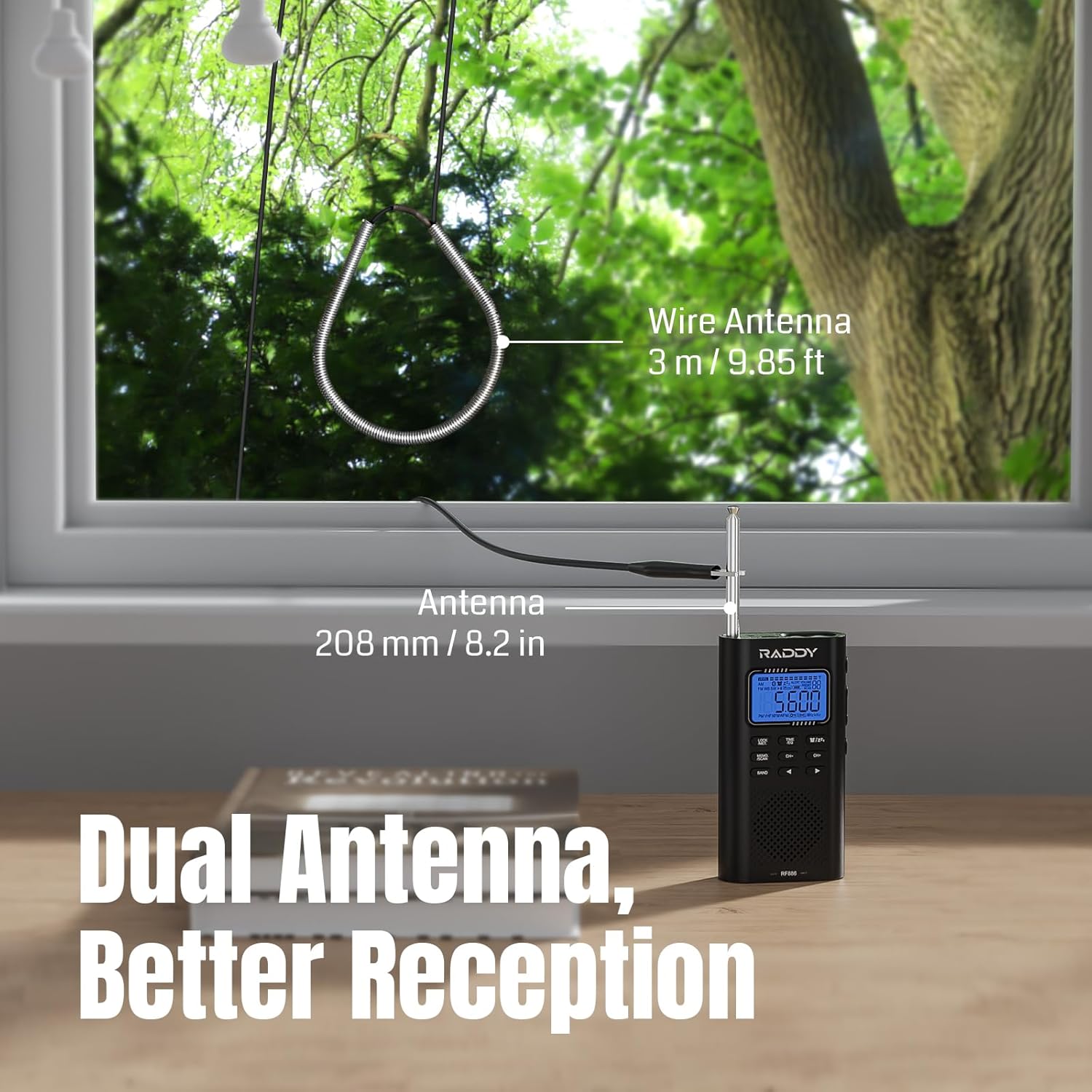
Image: The Raddy RF886 radio positioned near a window, demonstrating the use of both its 208mm (8.2 inch) telescopic antenna and the connected 3-meter (9.85 ft) external wire antenna for improved signal reception.
คำแนะนำการใช้งาน
1. เปิด/ปิดเครื่อง
กดปุ่มค้างไว้ พลัง ปุ่มสำหรับเปิดหรือปิดวิทยุ
2. การเลือกวงดนตรี
กดปุ่ม วงดนตรี button repeatedly to cycle through the available frequency bands: AM, FM, Shortwave (SW), and VHF.

Image: The Raddy RF886 radio displaying its multi-band reception capabilities, including AM, FM, Shortwave (SW), and VHF bands.
3. การปรับจูนและการจัดเก็บสถานี
The RF886 offers precise digital tuning and multiple ways to find and save your favorite stations.
- การปรับด้วยตนเอง: ใช้ CH+ และ ช- buttons to manually adjust the frequency. A short press will fine-tune, while a long press will scan to the next strong station.
- Auto Search & Store: กดปุ่มค้างไว้ MEMO./SCAN button to initiate an automatic scan. The radio will search for and store all strong stations within the current band. Up to 396 stations can be stored.
- Manual Store: To manually save a station, tune to the desired frequency, then short press the MEMO./SCAN button. The display will show a memory location. Use CH+ or ช- to select a memory slot, then press MEMO./SCAN เพื่อยืนยันอีกครั้ง
- การเรียกคืนสถานีที่บันทึกไว้: ในโหมดวิทยุ ให้กด . สั้นๆ MEMO./SCAN จากนั้นจึงใช้งาน CH+ or ช- to navigate through your saved stations.
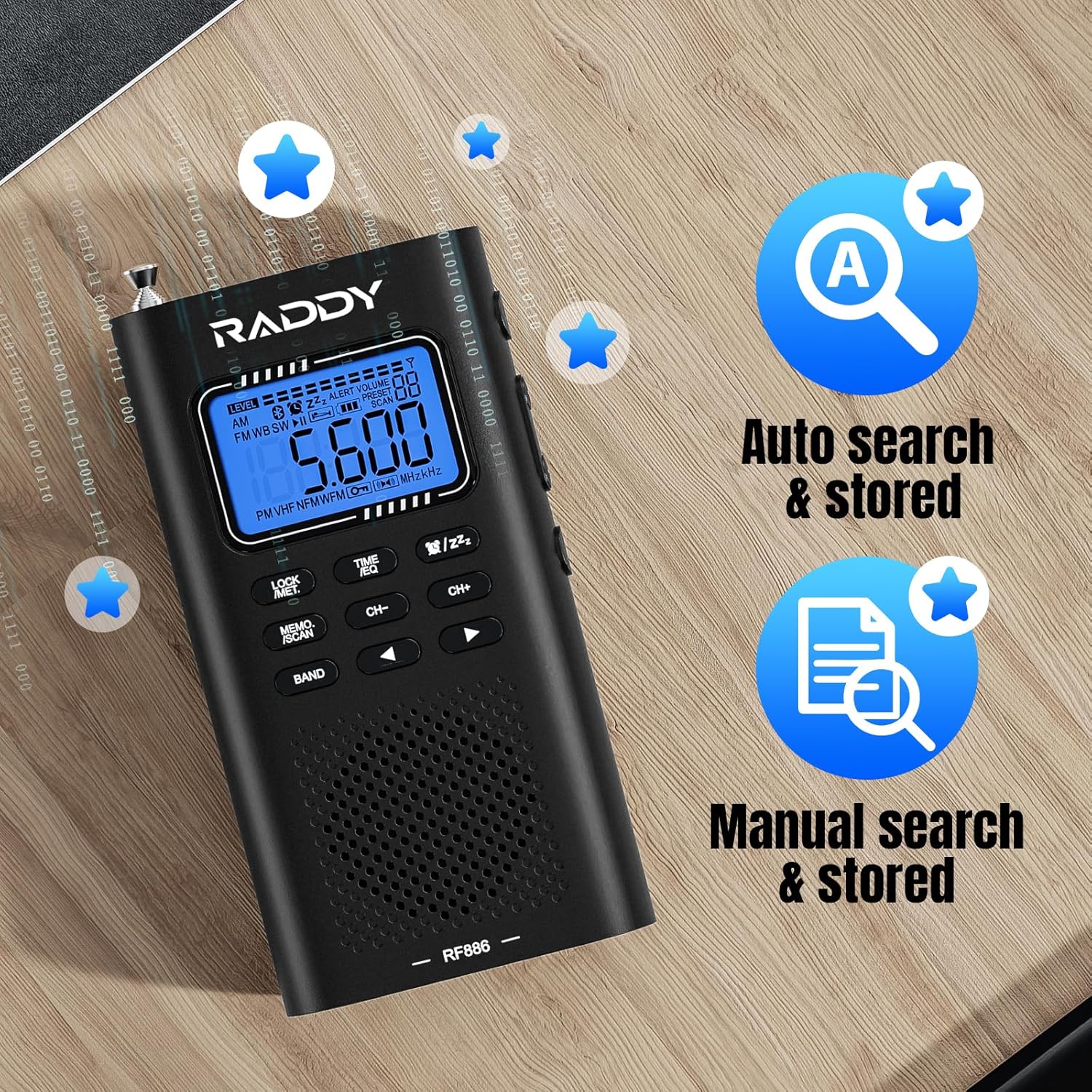
Image: The Raddy RF886 radio's display, highlighting its auto search and store function (icon A) and manual search and store function (icon with document and magnifying glass).
4. การเชื่อมต่อบลูทูธ (BT)
The RF886 can function as a Bluetooth speaker, allowing you to play audio from your smartphone or other Bluetooth-enabled devices.
- เปิดวิทยุ
- กดปุ่ม วงดนตรี button until "BT" mode is displayed. The radio will enter pairing mode, indicated by a flashing Bluetooth icon.
- On your Bluetooth device (e.g., smartphone), enable Bluetooth and search for "Raddy RF886" in the list of available devices.
- Select "Raddy RF886" to pair. Once connected, the Bluetooth icon on the radio's display will become solid, and you will hear a confirmation tone.
- You can now play audio from your device through the radio's speaker.
- In BT mode, you can also connect headphones for private listening and select from six different sound effects.

Image: The Raddy RF886 radio wirelessly connected to a smartphone via Bluetooth 5.0, demonstrating its capability to play music from the phone.
5. การใช้หูฟัง
Plug standard 3.5mm headphones into the headphone jack for private listening. The internal speaker will automatically mute.
6. Flashlight and SOS Function
The RF886 includes a built-in flashlight and an SOS alarm for emergency situations.
- ไฟฉาย: Short press the dedicated flashlight button (refer to product diagram if available) to turn the flashlight on or off.
- สัญญาณเตือน SOS: Long press the SOS button (refer to product diagram if available) to activate the loud emergency alarm and flashing light. Press again to deactivate.
7 การตั้งเวลาและนาฬิกาปลุก
The radio features a built-in clock and alarm function.
- การตั้งเวลา: กดปุ่มค้างไว้ ตั้งเวลา ปุ่ม. ใช้ CH+ และ ช- to adjust hours and minutes. Press ตั้งเวลา อีกครั้งเพื่อยืนยันการตั้งค่าแต่ละอย่าง
- การตั้งปลุก: In time display mode, short press the ตั้งเวลา button to enter alarm setting mode. Use CH+ และ ช- to set the alarm time. Press ตั้งเวลา to confirm. You can also select the alarm source (e.g., buzzer or last played radio station).
- เวลานอน: The radio may include a sleep timer function. Consult the on-screen prompts or quick guide for activation, typically by pressing a dedicated sleep button or a combination of buttons.
การซ่อมบำรุง
- การทำความสะอาด: เช็ดวิทยุด้วยผ้าแห้งนุ่มๆ อย่าใช้สารทำความสะอาดที่มีฤทธิ์กัดกร่อน ตัวทำละลาย หรือสารเคมีรุนแรง เพราะอาจทำให้พื้นผิวเสียหายได้
- พื้นที่จัดเก็บ: เมื่อไม่ได้ใช้งานเป็นเวลานาน ควรเก็บวิทยุไว้ในที่แห้งและเย็น หลีกเลี่ยงแสงแดดโดยตรงและอุณหภูมิที่สูงหรือต่ำเกินไป
- การดูแลแบตเตอรี่ To prolong battery life, avoid fully discharging the battery frequently. Recharge the radio at least once every three months if not used regularly.
การแก้ไขปัญหา
| ปัญหา | สาเหตุที่เป็นไปได้ | สารละลาย |
|---|---|---|
| วิทยุไม่เปิด | แบตเตอรี่หมด | Charge the radio using the USB-C cable. |
| การรับสัญญาณวิทยุไม่ดี | เสาอากาศไม่ได้ยืดออกหรืออยู่ในตำแหน่งที่ถูกต้อง ส่งผลให้สัญญาณอ่อน | Fully extend the telescopic antenna. Connect and properly position the external wire antenna for SW. Rotate the radio for AM. Try moving to a different location. |
| บลูทูธไม่เชื่อมต่อ | Radio not in BT pairing mode; device too far; device already connected to another BT device. | Ensure radio is in BT mode. Make sure your device's Bluetooth is on and within range. Disconnect from other BT devices. Try restarting both the radio and your BT device. |
| ไม่มีเสียงจากลำโพง | Volume too low; headphones connected; radio muted. | Increase volume. Disconnect headphones. Check if radio is muted. |
| ปุ่มต่างๆ ไม่ตอบสนอง | ฟังก์ชันล็อคกุญแจทำงานอยู่ | กดปุ่ม ล็อค button to unlock the keypad. |
ข้อมูลจำเพาะ
| คุณสมบัติ | รายละเอียด |
|---|---|
| ยี่ห้อ | แรดดี้ |
| หมายเลขรุ่น | RF886 |
| สี | สีดำ |
| เทคโนโลยีการเชื่อมต่อ | บลูทูธ |
| คุณสมบัติพิเศษ | Integrated AM antenna, Integrated clock, Integrated flashlight, Portable, Rechargeable |
| อุปกรณ์ที่รองรับ | Headphones, Earphones, MP3 Player, Smartphone, Laptop, Speaker, Tablet |
| องค์ประกอบของแบตเตอรี่ | ลิเธียมไอออน |
| แบตเตอรี่แบบชาร์จไฟได้ | ใช่ |
| ขนาดสินค้า | 124 x 67 x 29 มม. (4.9 x 2.6 x 1.1 นิ้ว) |
| เทคโนโลยีการปรับแต่ง | AM FM VHF SW |
| แถบความถี่วิทยุที่รองรับ | AM, FM, คลื่นสั้น |
| แหล่งพลังงาน | แบตเตอรี่แบบชาร์จไฟได้ |
| ส่วนประกอบที่รวมอยู่ | คู่มือของเจ้าของ |
การรับประกันและการสนับสนุน
For warranty information and technical support, please refer to the official Raddy website or contact their customer service directly. Details are typically available on the product packaging or the manufacturer's official online resources.
ผู้ผลิต: แรดดี้
ประเทศต้นกำเนิด: จีน
ความพร้อมของอะไหล่: ไม่มีข้อมูล
รับประกันการอัปเดตซอฟต์แวร์จนถึง: ไม่มีข้อมูล
Ask a question about this manual
Ask about setup, troubleshooting, compatibility, parts, safety, or missing instructions. Manuals+ will review the question and use this page’s manual context to help answer it.