
Comgrow K1C
Creality K1C 3D Printer User Manual
Brand: Comgrow | Model: K1C
Your guide to seamless 3D printing.
1. การตั้งค่า
This section guides you through the initial setup of your Creality K1C 3D Printer, from unboxing to preparing for your first print.
1.1 การแกะกล่องและการตรวจสอบเบื้องต้น
Carefully remove all components from the packaging. Ensure all parts are present and undamaged. The printer comes pre-assembled for quick setup.

Figure 1: Creality K1C 3D Printer, ready for unboxing.
1.2 Power On and Network Configuration
Connect the power cable and switch on the printer. Follow the on-screen prompts to select your language and configure network settings. The boot-up guide is similar to that of a new smartphone, allowing you to start printing quickly.

Figure 2: Quick start guide and initial power-on steps.
1.3 การสอบเทียบอัตโนมัติ
The Creality K1C features convenient auto-calibration. With one tap, the printer performs auto Z-offset, auto-leveling, and auto input shaping tests, eliminating the need for manual bed leveling.

Figure 3: Auto Calibration with One Tap for hassle-free setup.
1.4 กำลังโหลดเส้นใย
Load your desired filament into the printer. The clog-free direct extruder is enhanced with a bolster spring and a ball plunger, ensuring a tight grip on the filament. The durable steel-tipped copper nozzle is integrated with a titanium alloy heatbreak, preventing heat creep and supporting 300℃ high-temperature printing.
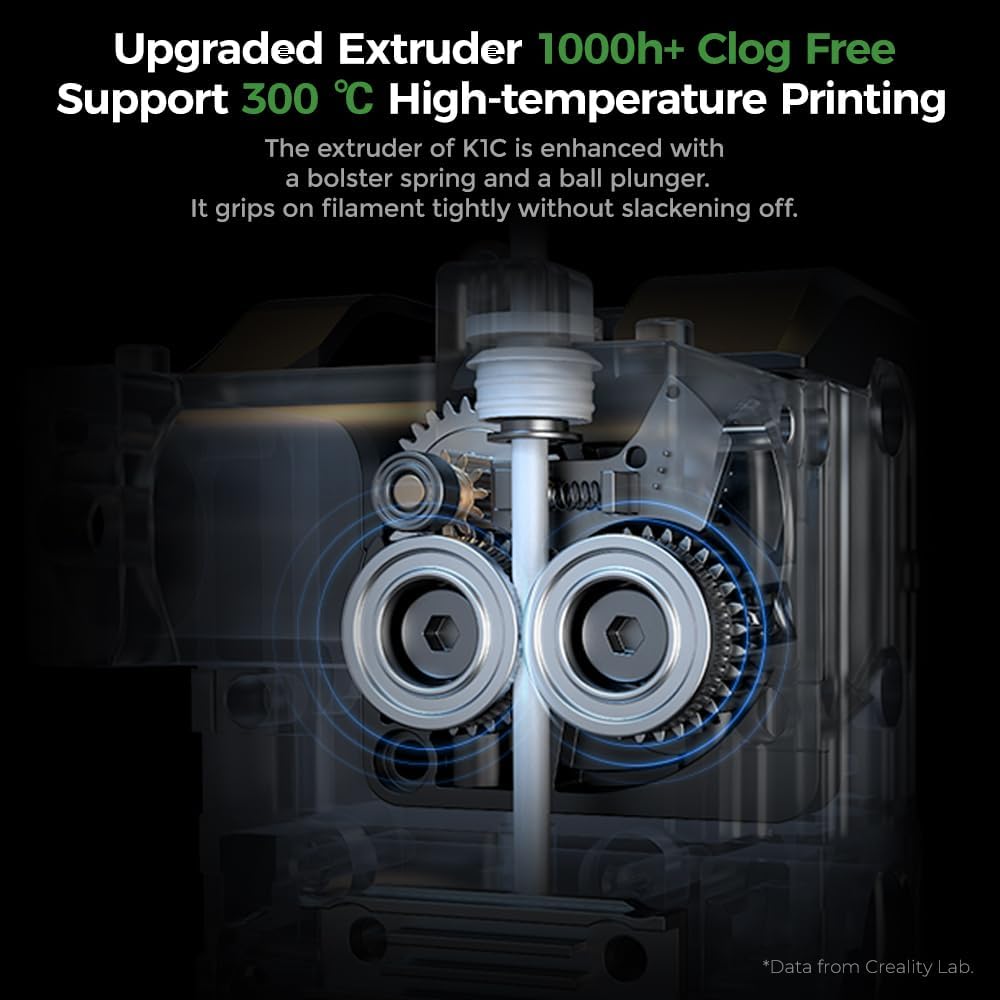
รูปที่ 4: รายละเอียด view of the upgraded clog-free direct extruder.
Video 1: How to assemble, setup, and operate the Creality K1C 3D printer. This video demonstrates the initial setup process, including filament loading.
2. ปฏิบัติการ
Understand the key features that enable efficient and high-quality 3D printing with your K1C.
2.1 การพิมพ์ความเร็วสูง
The Creality K1C boasts a 600mm/s printing speed and 20000mm/s² acceleration, making it significantly faster than many other 3D printers. This allows for rapid model production.
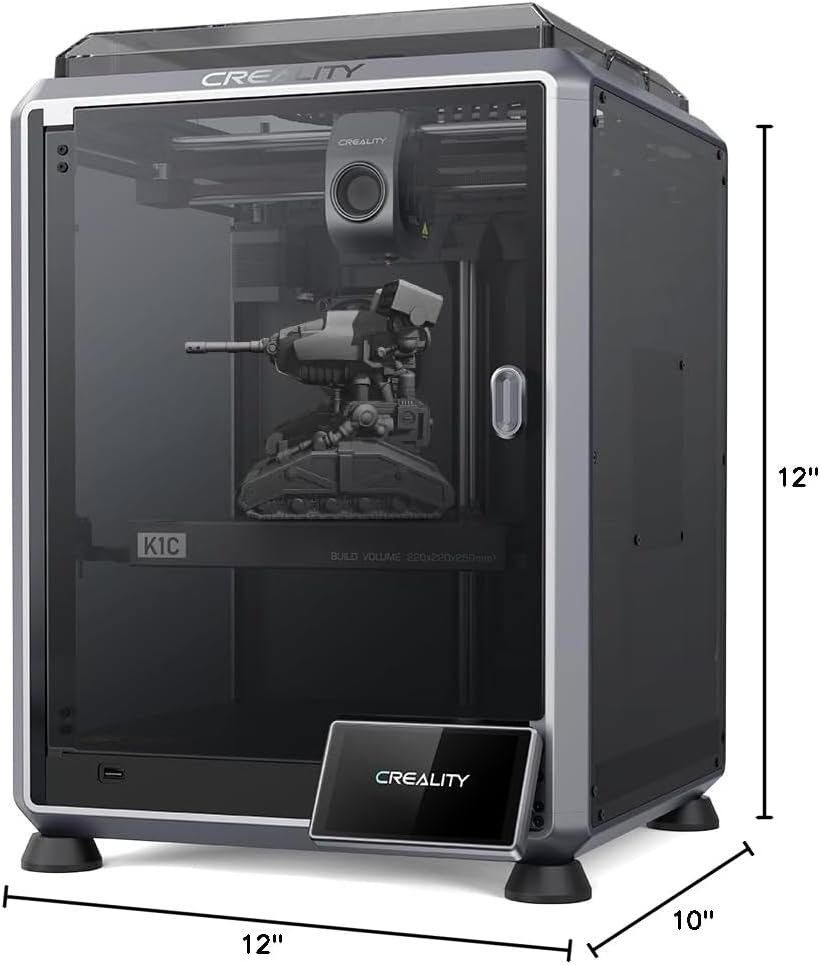
Figure 5: Printing speed comparison and build volume dimensions.
2.2 Smart AI Functions
Equipped with an observant AI Camera, the K1C can recognize common printing failures like 'spaghetti' and foreign matter. It supports real-time monitoring and time-lapse filming, providing visual oversight of your prints.

Figure 6: AI Camera functionality for print monitoring and error detection.
Video 2: Demonstration of printing a Thor's axe model with the Creality K1C 3D printer, showcasing ความสามารถของมัน
2.3 Supported Filaments
The K1C supports a wide range of filaments, including carbon fiber filaments (PLA-CF/PET-CF) for jigs, fixtures, and prototypes requiring amazing mechanical strength and dimensional stability. It also handles common filaments like PLA, ASA, ABS, and TPU for various applications.

รูปที่ 7: อดีตamples of parts printed with carbon fiber filaments.
3. การบำรุงรักษา
Regular maintenance ensures the longevity and optimal performance of your Creality K1C.
3.1 การดูแลรักษาเครื่องอัดรีดและหัวฉีด
The clog-free direct extruder is designed for durability. The steel-tipped copper nozzle with a titanium alloy heatbreak can be swapped easily. Regular inspection and cleaning of the extruder and nozzle are recommended to prevent clogs and ensure consistent print quality.
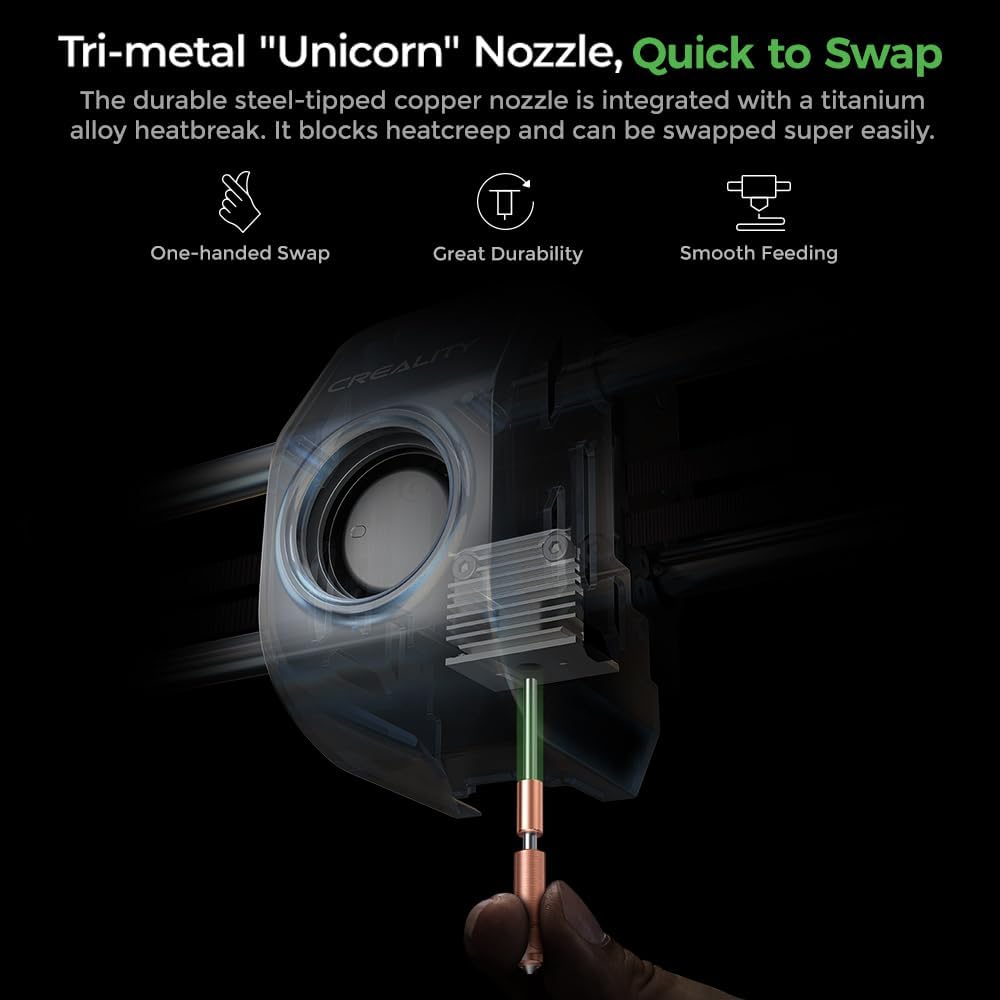
Figure 8: Tri-metal 'Unicorn' Nozzle for quick and easy swapping.
3.2 การบำรุงรักษาระบบทำความเย็น
The upgraded cooling structure includes a hotend fan for minimal heat creep, a part cooling fan for instant hardening of extrusion, and an auxiliary fan for overall print quality. Keep these fans clean and free from obstructions to maintain effective cooling and prevent issues like stringing and warping.

Figure 9: The 'Cooling Trio' system for refining print quality.
3.3 Air Filtration
The K1C employs an active carbon filter to purify compounds and particles arising from molten filaments, ensuring a pleasant printing environment. Periodically check and replace the carbon filter as needed to maintain air quality.

Figure 10: Active carbon filter for pleasant air while printing.
4 การแก้ไขปัญหา
This section provides guidance on resolving common issues you might encounter with your 3D printer.
4.1 ปัญหาคุณภาพการพิมพ์
- Spaghetti Failure: If the AI Camera detects a spaghetti failure, the printer will prompt you to stop or continue. Clear any tangled filament and restart the print.
- การยึดเกาะชั้นแรกไม่ดี: Ensure your build plate is clean and properly calibrated. Re-run the auto-leveling process if necessary. Applying a thin layer of glue stick to the build plate can also improve adhesion.
- Warping/Stringing: Adjust cooling settings and ensure proper chamber temperature. For bridges and overhangs, the auxiliary fan can help minimize these issues.
4.2 Extrusion Problems
- การอุดตัน: If the nozzle is clogged, ensure the filament is properly loaded and the extruder is clean. The easy-swap nozzle allows for quick replacement if the clog persists.
- การอัดขึ้นรูปน้อยเกินไป/มากเกินไป: Check filament diameter settings in your slicing software and ensure the extruder gears are clean and gripping the filament correctly.
4.3 Printer Malfunctions
- Self-Check Errors: If the self-check process fails, review the specific error message on the screen. Ensure the build plate is clear of debris and all components are properly installed.
- ปัญหาการเชื่อมต่อ: Verify your network settings and ensure the printer is connected to your Wi-Fi. If using the Creality Cloud APP, ensure proper binding via the QR code.
5. ข้อมูลจำเพาะ
| คุณสมบัติ | รายละเอียด |
|---|---|
| ขนาดสินค้า | 25 x 15 x 22 นิ้ว |
| น้ำหนักสินค้า | 27.3 ปอนด์ |
| หมายเลขรุ่น | เค1ซี |
| วัสดุ | Glass and Aluminum |
| ผู้ผลิต | ครีเอเรียลลิตี้ 3D |
| อุปกรณ์ที่รองรับ | แล็ปท็อป คอมพิวเตอร์ส่วนบุคคล แท็บเล็ต |
| ความเร็วในการพิมพ์ | สูงถึง 600 มม./วินาที |
| การเร่งความเร็วสูงสุด | 20000มม./วินาที² |
| High-Temp Printing | สูงถึง 300℃ |
| กล้องเอไอ | Yes (Spaghetti failure, foreign matter detection, real-time monitoring, time-lapse filming) |
| ประเภทเครื่องอัดรีด | Clog-free Direct Extruder |
| เส้นใยที่รองรับ | Carbon Fiber (PLA-CF/PET-CF), PLA, ASA, ABS, TPU |
5.1 อะไรอยู่ในกล่อง
- Creality K1C 3D Printer
6. การรับประกันและการสนับสนุน
Comgrow, the brand behind Creality 3D, offers various protection plans for your product. For detailed information on warranty coverage and support options, please visit the official Comgrow store or contact their customer service.
- แผนคุ้มครอง 3 ปี: มีให้เลือกใช้สำหรับการครอบคลุมแบบขยายเวลา
- แผนคุ้มครอง 4 ปี: มีให้เลือกใช้สำหรับการครอบคลุมแบบขยายเวลา
- การปกป้องที่สมบูรณ์: แผนรายเดือนที่ครอบคลุมการซื้อที่เข้าเงื่อนไขในอดีตและอนาคต
หากต้องการความช่วยเหลือเพิ่มเติม คุณสามารถไปที่ Comgrow Store on Amazon.
Ask a question about this manual
Ask about setup, troubleshooting, compatibility, parts, safety, or missing instructions. Manuals+ will review the question and use this page’s manual context to help answer it.