
1. บทนำ
Thank you for choosing the DATOUBOSS 2000W/4000W Pure Sine Wave Inverter. This device is designed to convert 24V DC battery power into stable 230V AC power, suitable for a wide range of household appliances, power tools, and electronic devices. Its pure sine wave output ensures compatibility with sensitive electronics, providing clean and reliable electricity for your home, RV, or outdoor activities.
This manual provides essential information for the safe and efficient operation of your inverter. Please read it thoroughly before use and keep it for future reference.
2. คำแนะนำด้านความปลอดภัย
คำเตือน: การไม่ปฏิบัติตามคำแนะนำด้านความปลอดภัยเหล่านี้ อาจส่งผลให้เกิดไฟฟ้าช็อต ไฟไหม้ การบาดเจ็บสาหัส หรือเสียชีวิตได้
- Ensure the inverter is connected to a 24V DC power source only. Connecting to an incorrect voltagอาจทำให้เครื่องเสียหายได้
- อย่าให้อินเวอร์เตอร์โดนน้ำ ฝน หิมะ หรือสเปรย์
- Operate the inverter in a well-ventilated area. Do not block the ventilation openings.
- Avoid operating the inverter near flammable materials or in environments with explosive gases.
- ห้ามเปิดอินเวอร์เตอร์ casinก. ไม่มีชิ้นส่วนใดที่ผู้ใช้สามารถซ่อมบำรุงเองได้ภายใน แนะนำให้ช่างผู้ชำนาญการซ่อมบำรุงเป็นผู้รับผิดชอบ
- ตรวจสอบให้แน่ใจว่ามีการต่อสายดินของอินเวอร์เตอร์อย่างเหมาะสม
- ถอดอินเวอร์เตอร์ออกจากแบตเตอรี่ก่อนดำเนินการบำรุงรักษาหรือทำความสะอาดใดๆ
- เก็บให้พ้นจากมือเด็ก

ภาพ: ภายใน view of the inverter highlighting various protection mechanisms such as undervoltage, ล้นเกินtage, overload, short circuit, overheating, and reverse polarity protection.
3. เนื้อหาบรรจุภัณฑ์
กรุณาตรวจสอบแพ็คเกจสำหรับรายการต่อไปนี้:
- 1 x DATOUBOSS 2000W Pure Sine Wave Inverter
- 1 x Pair of Battery Cables (Red for Positive, Black for Negative)
- 1 x รีโมทคอนโทรล
- 1 x คู่มือผู้ใช้ (เอกสารนี้)

Image: The inverter unit, remote control, battery connection cables, and a separate LCD display module.
4. สินค้าหมดview
Familiarize yourself with the components of your DATOUBOSS inverter:

Image: Detailed diagram of the inverter's front panel, indicating the LCD display, AC output socket, USB 2.1A port, Type-C port, GND (ground) terminal, and power switch.
- จอแสดงผล LCD: แสดงปริมาณแบตเตอรี่tage, กระแสไฟขาออก voltage, output power, and frequency.
- ซ็อกเก็ตเอาต์พุต AC: Standard European socket for connecting AC appliances.
- พอร์ต USB: Includes USB 2.1A and Type-C ports for charging small electronic devices.
- ขั้วต่อกราวด์ (GND): เพื่อความปลอดภัยในการต่อสายดิน
- สวิตช์ไฟ: To turn the inverter ON/OFF.
- พัดลมระบายความร้อน: Integrated smart fans for heat dissipation.
5. การตั้งค่าและการติดตั้ง
- เลือกตำแหน่ง: Select a dry, well-ventilated area away from direct sunlight, heat sources, and flammable materials. Ensure sufficient space around the inverter for proper airflow.
- การเชื่อมต่อแบตเตอรี่:
- Ensure the inverter is OFF before connecting to the battery.
- เชื่อมต่อ สีแดง สายแบตเตอรี่ไปยัง บวก (+) terminal of the inverter and the บวก (+) ขั้วของแบตเตอรี่ 24V ของคุณ
- เชื่อมต่อ สีดำ สายแบตเตอรี่ไปยัง ลบ (-) terminal of the inverter and the ลบ (-) ขั้วของแบตเตอรี่ 24V ของคุณ
- ตรวจสอบให้แน่ใจว่าการเชื่อมต่อทั้งหมดแน่นหนาและปลอดภัย เพื่อป้องกันการหลวมและการเกิดประกายไฟ
- การต่อลงดิน: Connect the ground terminal of the inverter to a proper earth ground using a suitable grounding wire. This is crucial for safety.
- การเชื่อมต่อการควบคุมระยะไกล: Plug the remote control cable into the designated port on the inverter.

Image: The inverter with devices connected to its AC output and USB/Type-C ports, demonstrating its connectivity.
6. คู่มือการใช้งาน
- เปิดเครื่อง: After all connections are secure, press the power button on the inverter or the ON button on the remote control. The LCD display will light up, showing the battery voltage and output status.
- การเชื่อมต่อเครื่องใช้ไฟฟ้า: Plug your AC appliances into the AC output socket. For USB-powered devices, use the USB or Type-C ports.
- การติดตาม: หน้าจอ LCD แสดงข้อมูลแบบเรียลไทม์:
- ปริมาณแบตเตอรี่tagอี (DC): แสดงปริมาณกระแสไฟฟ้าtage of your 24V battery.
- กระแสไฟขาออกVoltagอี (AC): แสดงปริมาณเอาต์พุตtagอี (เช่น 230V)
- กำลังขับ (วัตต์): บ่งชี้การใช้พลังงานปัจจุบันของอุปกรณ์ที่เชื่อมต่อ
- ความถี่ (Hz): Shows the output frequency (50Hz or 60Hz).
- ปิดเครื่อง: To turn off the inverter, press the power button on the unit or the OFF button on the remote control. Disconnect appliances before turning off the inverter for safety.
สำคัญ: Ensure the total power consumption of your connected devices does not exceed the inverter's continuous power rating (2000W). The inverter has a peak power rating of 4000W for starting inductive loads, but continuous operation should remain within 2000W.
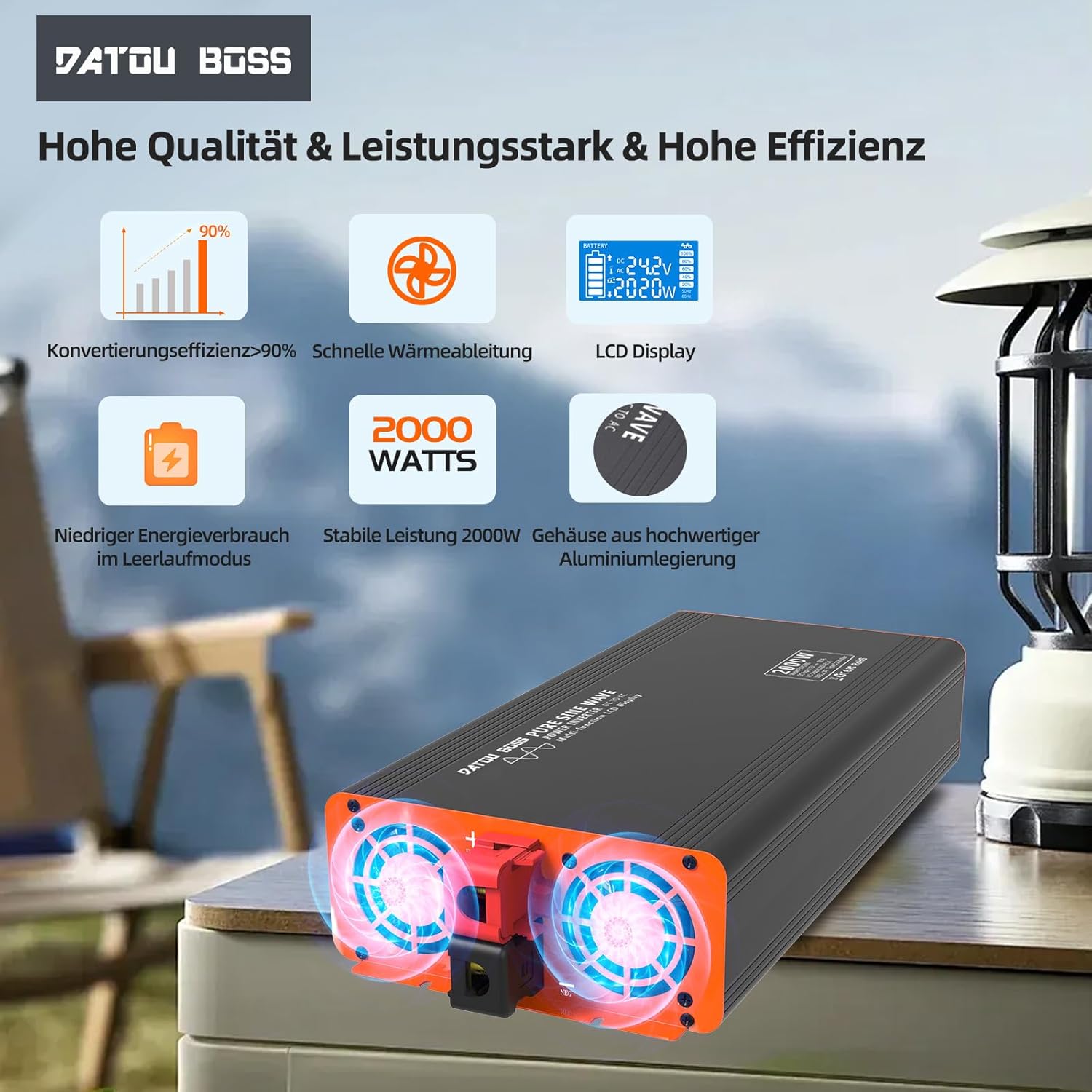
Image: Close-up of the inverter's cooling fans, showing their operation for efficient heat dissipation.
7. การบำรุงรักษา
- การทำความสะอาด: Regularly clean the exterior of the inverter with a soft, dry cloth. Do not use liquid cleaners or solvents.
- การระบายอากาศ : Ensure the cooling vents are free from dust and debris. Blocked vents can lead to overheating.
- การเชื่อมต่อ: Periodically check battery cable connections to ensure they remain tight and free from corrosion.
- พื้นที่จัดเก็บ: หากต้องเก็บรักษาอินเวอร์เตอร์เป็นเวลานาน ควรตัดการเชื่อมต่อจากแบตเตอรี่และเก็บไว้ในที่แห้งและเย็น
8 การแก้ไขปัญหา
| ปัญหา | สาเหตุที่เป็นไปได้ | สารละลาย |
|---|---|---|
| เครื่องแปลงไฟไม่ทำงาน | ไม่มีการเชื่อมต่อแบตเตอรี่ แรงดันไฟฟ้าแบตเตอรี่ต่ำtage, loose cables, blown fuse. | Check battery connections, charge battery, tighten cables, check internal fuses (professional service recommended). |
| ไม่มีเอาต์พุต AC | Overload, short circuit, overheating, low/high battery voltage. | Reduce load, check for short circuits, allow inverter to cool, check battery voltage. |
| Cooling fan constantly running. | อุณหภูมิภายในสูงเนื่องจากบรรทุกของหนักหรือการระบายอากาศไม่ดี | Ensure adequate ventilation, reduce load. Fan activates automatically when temperature exceeds 55°C. |
| หน้าจอ LCD แสดงรหัสข้อผิดพลาด | Specific protection activated (e.g., overvoltage, อันเดอร์โวลtagเช่น การโอเวอร์โหลด) | Refer to the display for the specific error and consult the relevant section of this manual or contact support. |
9. ข้อมูลจำเพาะ
| คุณสมบัติ | ข้อมูลจำเพาะ |
|---|---|
| ชื่อรุ่น | 2000W 24V EU |
| พลังงานต่อเนื่อง | 2000 วัตต์ |
| พลังสูงสุด | 4000 วัตต์ |
| อินพุต Voltage | กระแสตรง 24 โวลต์ |
| ปริมาณการส่งออกtage | AC 230 โวลต์ |
| รูปคลื่นเอาท์พุต | เพียวไซน์เวฟ |
| ประสิทธิภาพการแปลง | > 95% |
| เอาท์พุต USB | USB 2.1A, Type-C |
| ขนาด (กว้าง x ยาว x สูง) | กว้าง 36 ยาว 17 สูง 8 เซนติเมตร |
| การทำให้เย็น | Smart Integrated Fan |
| การคุ้มครอง | ปริมาณต่ำtage, มากกว่า Voltage, Overheat, Overload, Short Circuit, Reverse Polarity |
| การใช้ที่แนะนำ | Office, Home, Vehicle (RV, Camping, Car) |

Image: A clear representation of the LCD display interface, detailing battery level, DC input voltage, กระแสไฟขาออก voltage, power output, and frequency indicators.
10. การรับประกันและการสนับสนุน
DATOUBOSS products are manufactured to high-quality standards. For warranty information, technical support, or service inquiries, please contact your retailer or the manufacturer directly. Keep your purchase receipt as proof of purchase.
For further assistance, please visit the official DATOUBOSS webเว็บไซต์หรือติดต่อฝ่ายบริการลูกค้าของพวกเขา