
FIFINE K688W
ฟิไฟน์ AmpliTank K688W Dynamic USB/XLR Microphone User Manual
Model: K688W | Brand: FIFINE
1. บทนำ
ขอบคุณสำหรับการซื้อasing the FIFINE AmpliTank K688W Dynamic USB/XLR Microphone. This microphone is designed for high-quality audio capture in various applications, including gaming, streaming, podcasting, and professional recording. Please read this manual carefully to ensure proper setup and operation.

ภาพ: เดอะ ไฟน์ AmpliTank K688W microphone demonstrating its sound capture capabilities with a visual representation of sound waves.
2. เนื้อหาบรรจุภัณฑ์
ตรวจสอบว่ารายการทั้งหมดที่ระบุไว้ด้านล่างนี้รวมอยู่ในแพ็คเกจของคุณ:
- ฟิไฟน์ AmpliTank K688W Microphone Body
- สาย USB-C เป็น USB-A (2.5 เมตร)
- อะแดปเตอร์เกลียว 3/8 นิ้ว เป็น 5/8 นิ้ว
- คู่มือผู้ใช้ (ภาษาญี่ปุ่น)
Note: A microphone stand and XLR cable are not included and must be purchased separately.

ภาพ: เดอะ ไฟน์ AmpliTank K688W microphone and its included accessories: USB cable and screw adapter, alongside the user guide.
3. สินค้าหมดview (Components and Controls)
Familiarize yourself with the microphone's components and controls:

ภาพ: ด้านหลัง view ของไฟน์ AmpliTank K688W microphone, highlighting the XLR output terminal and USB connection port.
- XLR Output Terminal: For connecting to audio interfaces, mixers, or other professional audio equipment.
- USB Connection Port (USB Type-C): For direct connection to computers or game consoles.
- แจ็คหูฟัง 3.5 มม.: สำหรับการตรวจสอบเสียงแบบเรียลไทม์
- Microphone Volume Control (Gain Knob): Adjusts the microphone's input sensitivity. (USB mode only)
- Headphone Jack Volume Control: Adjusts the monitoring volume through the 3.5mm headphone jack. (USB mode only)
- ปุ่มปิดเสียงพร้อมไฟ LED: Toggles microphone mute. LED indicates mute status. (USB mode only)
4. การตั้งค่า
4.1 การเชื่อมต่อ USB
For direct connection to a computer (Windows/Mac OS) or game console (PS4/PS5):
- Connect the USB-C end of the provided USB cable to the microphone's USB port.
- Connect the USB-A end of the cable to an available USB port on your computer or game console.
- The device will automatically recognize the microphone.
- Select "FIFINE K688W" as your input and output device in your system's sound settings or application settings.

ภาพ: เดอะ ไฟน์ AmpliTank K688W microphone connected to a laptop via its USB-C port, illustrating plug-and-play functionality.
4.2 การเชื่อมต่อ XLR
For connecting to professional audio equipment (audio interfaces, mixers):
- Connect a standard XLR cable (not included) to the XLR output terminal on the microphone.
- ต่อปลายอีกด้านของสาย XLR เข้ากับช่องรับสัญญาณ XLR บนอินเทอร์เฟซเสียงหรือมิกเซอร์ของคุณ
- ตรวจสอบให้แน่ใจว่าอินเทอร์เฟซเสียงหรือมิกเซอร์ของคุณได้รับการตั้งค่าอย่างถูกต้องเพื่อรับสัญญาณอินพุตจากช่อง XLR ที่เชื่อมต่ออยู่
- ปรับระดับเกนบนอินเทอร์เฟซเสียง/มิกเซอร์ของคุณตามต้องการ

ภาพ: รายละเอียด view ของไฟน์ AmpliTank K688W's connectivity panel, showing both USB and XLR ports for versatile audio setups.
5. คู่มือการใช้งาน
5.1 Gain Control (USB Mode Only)
The gain knob on the microphone allows you to adjust the input sensitivity. Rotate the knob clockwise to increase gain and counter-clockwise to decrease it. Adjust this to achieve an optimal recording level without clipping or distortion.
5.2 Mute Function (USB Mode Only)
Press the touch-sensitive mute button on top of the microphone to instantly mute or unmute the audio input. The LED indicator will change color to show the microphone's status (e.g., green for active, red for muted).
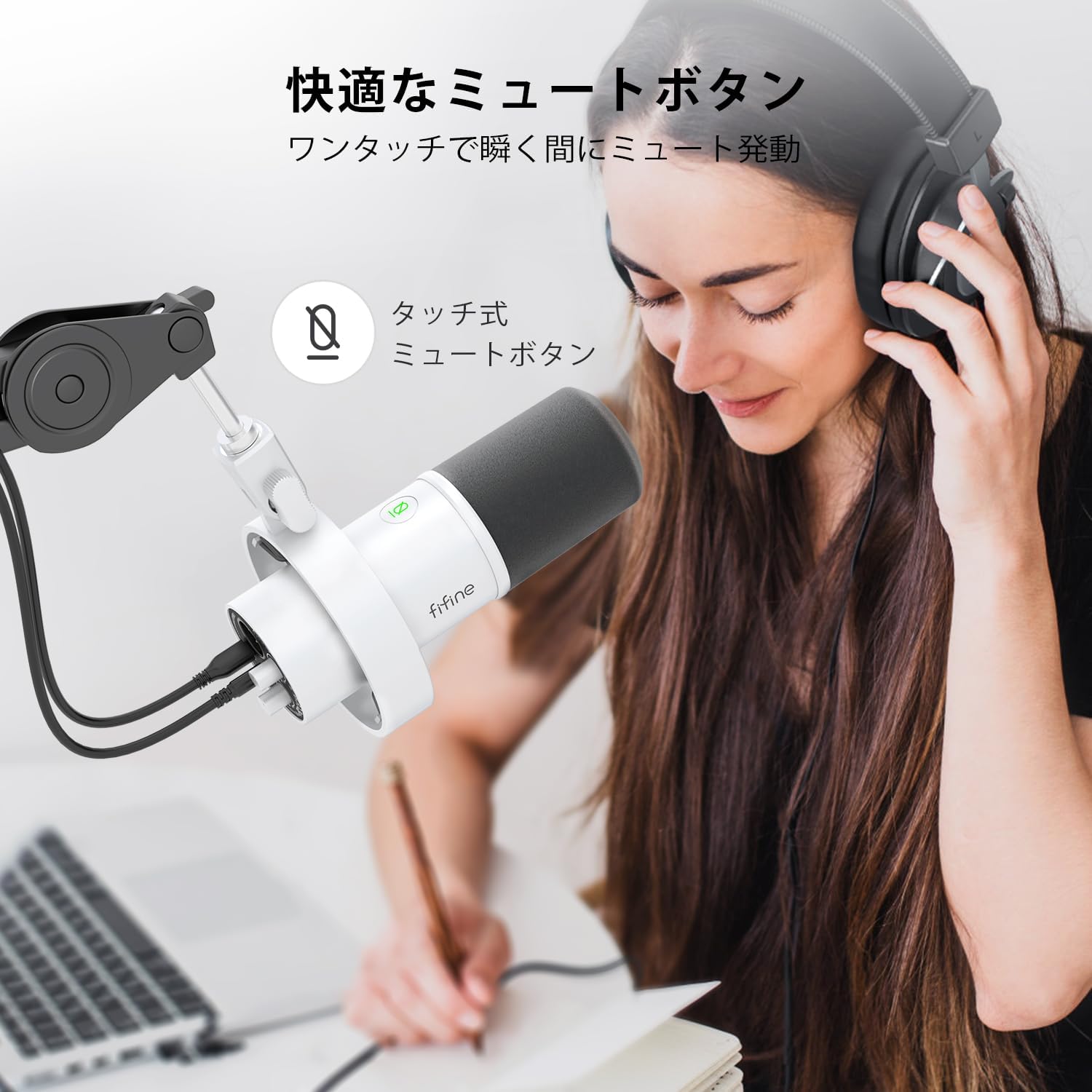
Image: A user interacting with the touch-sensitive mute button on the FIFINE AmpliTank K688W microphone, demonstrating its ease of use.
5.3 Headphone Monitoring (USB Mode Only)
Connect your headphones to the 3.5mm headphone jack on the microphone to monitor your audio in real-time with zero latency. Use the dedicated headphone volume knob to adjust the monitoring level to your preference.
6. การบำรุงรักษา
- ควรทำความสะอาดไมโครโฟนโดยใช้ผ้าแห้งนุ่มๆ เช็ด
- หลีกเลี่ยงการให้ไมโครโฟนสัมผัสกับอุณหภูมิที่สูงหรือความชื้นสูงหรือแสงแดดโดยตรง
- เก็บไมโครโฟนไว้ในกล่องป้องกันเมื่อไม่ได้ใช้งานเพื่อป้องกันฝุ่นและความเสียหาย
- Do not attempt to disassemble the microphone, as this will void the warranty.

ภาพ: เดอะ ไฟน์ AmpliTank K688W microphone mounted on a boom arm, showcasing its integrated metal body design suitable for various recording environments.
7 การแก้ไขปัญหา
| ปัญหา | สาเหตุที่เป็นไปได้ | สารละลาย |
|---|---|---|
| ไม่มีช่องต่อเสียงออก (USB) |
|
|
| ไม่มีช่องต่อสัญญาณเสียงออก (XLR) |
|
|
| เสียงบิดเบี้ยว |
|
|
| เสียงพื้นหลังมากเกินไป |
|
|
8. ข้อมูลจำเพาะ
| คุณสมบัติ | รายละเอียด |
|---|---|
| แบบอย่าง | K688W |
| ยี่ห้อ | ฟิไฟน์ |
| ประเภทไมโครโฟน | พลวัต |
| รูปแบบขั้ว | ทิศทางเดียว (Cardioid) |
| การเชื่อมต่อ | USB (Type-C), XLR |
| การตอบสนองความถี่ | 70Hz - 15KHz |
| อัตราส่วนสัญญาณต่อเสียงรบกวน (S/N) | 75 เดซิเบล |
| ประเภทพลังงาน | สายไฟ (ใช้พลังงาน USB) |
| อุปกรณ์ที่รองรับ | PC (Windows/Mac OS), Game Consoles (PS4/PS5), Audio Mixers, Audio Interfaces, Smartphones (with adapter, not included) |
| คุณสมบัติพิเศษ | Volume Control, Mute Function, Headphone Monitoring |
| สี | สีขาว |
| วัสดุ | พลาสติก, โลหะ |
| ยูพีซี | 850052511821 |
9. การรับประกันและการสนับสนุน
9.1 ข้อมูลการรับประกัน
ผลิตภัณฑ์นี้มาพร้อมกับ การรับประกันจากผู้ผลิต 1 ปี from the date of purchase. The warranty covers defects in materials and workmanship under normal use.
การรับประกันไม่ครอบคลุมถึง:
- ความเสียหายที่เกิดจากการใช้งานผิดวิธี การใช้งานที่ผิดวิธี อุบัติเหตุ หรือการละเลย
- ความเสียหายจากการซ่อมแซมหรือดัดแปลงที่ไม่ได้รับอนุญาต
- การสึกหรอตามปกติ
9.2 การสนับสนุนลูกค้า
If you encounter any issues with your FIFINE AmpliTank K688W microphone, such as packaging damage, color discrepancies, or product defects, please contact FIFINE Japan customer support immediately. Provide your purchase details and a description of the issue for prompt assistance.
For further support, please visit the official FIFINE webเว็บไซต์.

Image: Information regarding FIFINE's customer support process, including steps to contact them via Amazon and their operating hours.
เอกสารที่เกี่ยวข้องK688W


Ask a question about this manual
Ask about setup, troubleshooting, compatibility, parts, safety, or missing instructions. Manuals+ will review the question and use this page’s manual context to help answer it.