
1. บทนำ
This manual provides essential instructions for the safe and effective use of your Canon EF 28-80mm f/3.5-5.6 II lens. Please read this manual thoroughly before using the lens to ensure proper operation and to achieve optimal photographic results. Keep this manual in a safe place for future reference.
2. สินค้าหมดview
The Canon EF 28-80mm f/3.5-5.6 II is a versatile standard zoom lens designed for Canon EF mount cameras. It offers a flexible focal length range suitable for various photographic situations, from wide-angle landscapes to portraits. This lens features manual focus operation and a variable maximum aperture.

รูปที่ 2.1 : ด้านหน้า view of the Canon EF 28-80mm f/3.5-5.6 II lens.
คุณสมบัติที่สำคัญ ได้แก่:
- ระยะโฟกัส: 28-80mm zoom range.
- รูรับแสง: Variable maximum aperture of f/3.5-5.6.
- ภูเขา: Compatible with Canon EF mount cameras.
- จุดสนใจ: โฟกัสแบบแมนนวล
- ออกแบบ: Zoom lens construction.
3. การตั้งค่า
3.1 การติดเลนส์
- ถอดฝาปิดเลนส์ด้านหลังและฝาปิดตัวกล้อง
- จัดตำแหน่งเครื่องหมายสีแดงบนเลนส์ให้ตรงกับเครื่องหมายสีแดงบนตัวกล้อง
- ใส่เลนส์เข้าไปในช่องยึดกล้องแล้วหมุนตามเข็มนาฬิกาจนกระทั่งได้ยินเสียงคลิกเข้าที่
- Ensure the lens is securely locked.
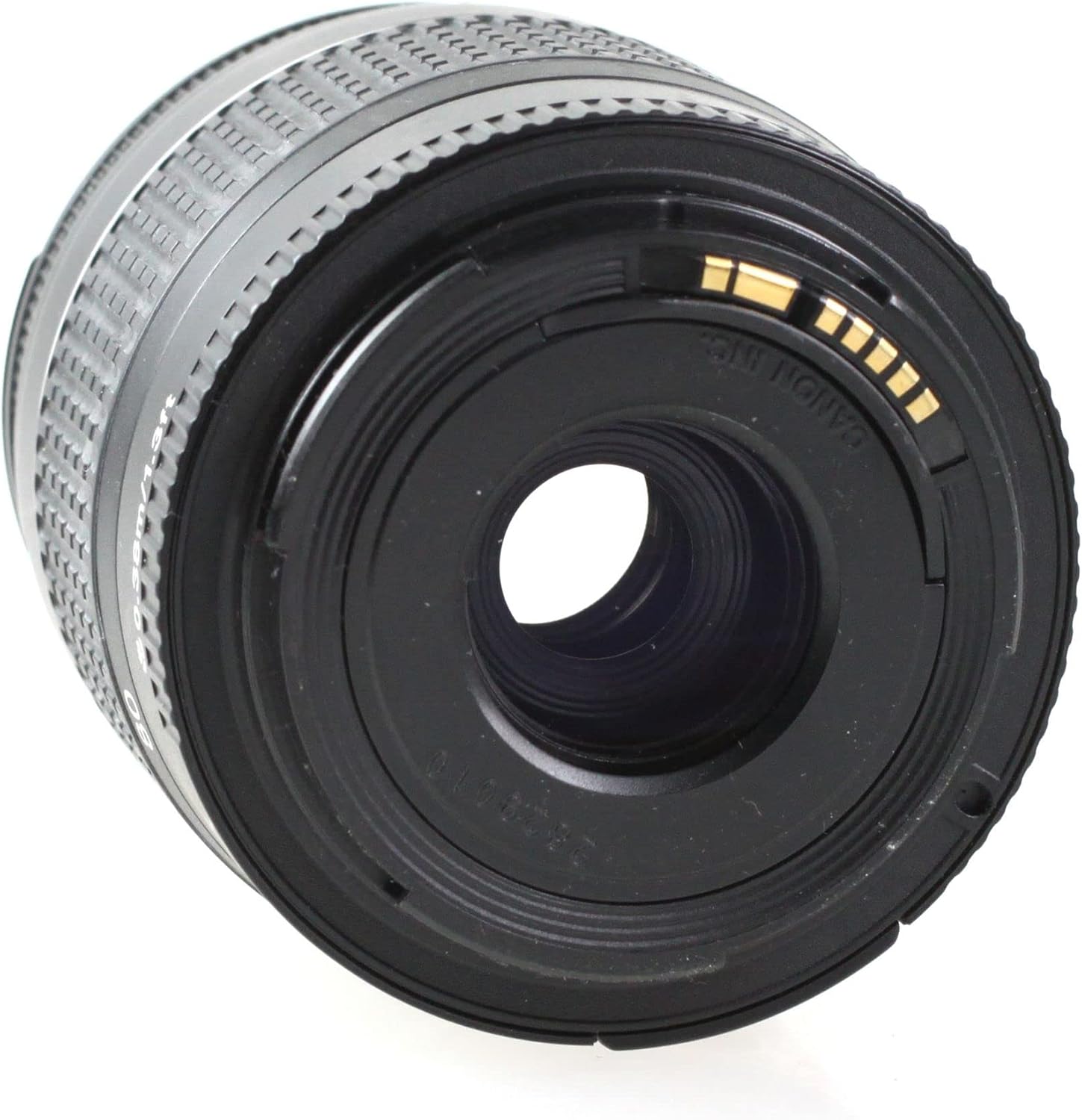
รูปที่ 3.1: ด้านหลัง view of the lens, showing the EF mount.
3.2 การถอดเลนส์
- ปิดกล้อง
- ในขณะที่กดปุ่มปลดเลนส์บนตัวกล้อง ให้หมุนเลนส์ทวนเข็มนาฬิกาจนสุด
- ถอดเลนส์ออกจากกล้อง
- Attach the rear lens cap to the lens and the body cap to the camera.
4. การใช้งานเลนส์
4.1 การซูม
To change the focal length, rotate the zoom ring on the lens. The focal length markings (28, 35, 50, 70, 80mm) indicate the current focal length. Rotate the ring clockwise to zoom in (increase focal length) and counter-clockwise to zoom out (decrease focal length).

Figure 4.1: Zoom ring on the lens.
4.2 Focusing (Manual Focus)
This lens features manual focus. To focus, rotate the focus ring until the subject appears sharp in the viewfinder or on the camera's LCD screen. For precise focusing, use the camera's focus assist features if available.
4.3 การควบคุมรูรับแสง
The aperture of this lens is controlled electronically via the camera body. Refer to your camera's instruction manual for details on how to adjust the aperture settings (f-number).
5. การบำรุงรักษาและการใช้งาน
- การทำความสะอาด: Use a lens blower to remove dust from the lens surface. For smudges, use a soft, clean lens cloth and a specialized lens cleaning solution. Never use organic solvents or harsh chemicals.
- พื้นที่จัดเก็บ: When not in use, attach the front and rear lens caps. Store the lens in a cool, dry, and well-ventilated place, away from direct sunlight and high humidity.
- การจัดการ: Avoid dropping or subjecting the lens to strong impacts. Do not leave the lens in direct sunlight for extended periods, as this can damage internal components.
- ความต้านทานน้ำ: This lens is not water resistant. Avoid exposure to rain, splashes, or high humidity.
6 การแก้ไขปัญหา
If you encounter issues with your lens, please refer to the following common solutions:
- เลนส์ไม่สามารถเชื่อมต่อกับกล้องได้: Ensure the red index marks on both the lens and camera body are aligned, and rotate until it clicks. Check for any obstructions on the mount.
- Difficulty focusing: Ensure you are rotating the focus ring correctly. Check your camera's manual for manual focus assist features.
- Image quality issues: Ensure the lens elements are clean. Check camera settings (e.g., ISO, shutter speed, aperture).
For camera-specific issues or persistent problems, consult your camera's instruction manual or contact Canon customer support.
7. ข้อมูลจำเพาะ
| คุณสมบัติ | คำอธิบาย |
|---|---|
| ยี่ห้อ | แคนนอน |
| ชื่อรุ่น | Canon EF 28-80mm f/3.5-5.6 II |
| คำอธิบายความยาวโฟกัส | 28-80 มิลลิเมตร |
| รูรับแสงสูงสุด | 3.5 ฟ. |
| ความยาวโฟกัสต่ำสุด | 28 มิลลิเมตร |
| ความยาวโฟกัสสูงสุด | 80 มิลลิเมตร |
| ประเภทเลนส์ | มาตรฐาน |
| การติดตั้งที่เข้ากันได้ | แคนนอน อีเอฟ |
| ประเภทโฟกัส | โฟกัสแบบแมนนวล |
| ระบบป้องกันภาพสั่นไหว | ไม่มีระบบป้องกันภาพสั่นไหว |
| จำนวนไดอะแฟรมใบมีด | 3 |
| ยูพีซี | 657768819438 |
| หมายเลขชิ้นส่วนของผู้ผลิต | EF 28-80 1:3,5-5,6 DC-cr |
| ระดับความต้านทานต่อน้ำ | ไม่ทนน้ำ |
8. การรับประกันและการสนับสนุน
This Canon EF 28-80mm f/3.5-5.6 II lens comes with a รับประกันจำกัด 90 วันโปรดเก็บหลักฐานการซื้อไว้เพื่อใช้เรียกร้องการรับประกัน
For technical support, service, or further inquiries, please contact Canon customer support or visit the official Canon website. You may also refer to the Amazon Renewed store for specific return or replacement policies related to renewed products.