
JTEMAN L9-Pink
JTEMAN Cell Phone Stand with Bluetooth Speaker
Model: L9-Pink
1. บทนำ
The JTEMAN Cell Phone Stand with Bluetooth Speaker is a versatile 2-in-1 device designed to enhance your mobile experience. It combines a stable, adjustable phone stand with a high-quality Bluetooth speaker and a built-in microphone for hands-free communication. This product allows you to enjoy audio content with improved clarity and volume while keeping your device securely positioned for comfortable viewการไอเอ็นจี

Image: The JTEMAN Cell Phone Stand with Bluetooth Speaker in pink, showcasing its primary function of holding a smartphone horizontally while playing audio, indicated by musical notes.
2. อะไรอยู่ในกล่อง
กรุณาตรวจสอบสิ่งของภายในบรรจุภัณฑ์เมื่อเปิดออกเพื่อให้แน่ใจว่ามีสินค้าครบทั้งหมด:
- Bluetooth Speaker Phone Holder
- คู่มือการใช้งาน
- USB-A to Type C Charger Cable
3. คุณสมบัติและส่วนประกอบของผลิตภัณฑ์
The JTEMAN Cell Phone Stand with Bluetooth Speaker integrates multiple functionalities into a compact design:
- ลำโพงบลูทูธ: Provides louder and clearer audio output for your device.
- ที่วางโทรศัพท์: Securely holds smartphones, tablets, and e-readers.
- ไมโครโฟนในตัว: Enables hands-free calls and clear voice communication.
- มุมปรับได้: อนุญาตให้มีหลายรายการ viewing angles to suit various needs.
- การออกแบบพับได้: Ensures portability and easy storage.
- Anti-slip Silicone: Covers the contact surfaces to protect your device and prevent sliding.

Image: The JTEMAN device in a yoga setting, illustrating its combined functions as a Bluetooth speaker, phone stand, and microphone.

Image: A visual representation of the JTEMAN stand's adjustable and foldable design, along with its non-slip base for stability.
4. การตั้งค่า
4.1 การชาร์จเริ่มต้น
Before first use, fully charge the device using the provided USB-A to Type C charger cable. Connect the Type C end to the charging port on the speaker and the USB-A end to a compatible power source (e.g., computer USB port, wall adapter).
- ไฟสีแดงบ่งบอกว่าอุปกรณ์กำลังชาร์จ
- A green light indicates that the device is fully charged.
โดยปกติการชาร์จจะใช้เวลาประมาณ 4 ชั่วโมง

Image: Visual guide for charging the device, indicating charging time and battery capacity.
4.2 การกางขาตั้ง
Gently unfold the phone stand component from its compact, folded position. Adjust the angle of the phone holder to your desired viewing preference. The stand is designed to be stable at various angles.
5. คู่มือการใช้งาน
5.1 เปิด/ปิดเครื่อง
Locate the power button on the device. Press and hold the power button to turn the speaker on or off. An indicator light will confirm the power status.
5.2 การจับคู่บลูทูธ
วิธีเชื่อมต่ออุปกรณ์ของคุณผ่านบลูทูธ:
- Ensure the JTEMAN speaker is powered on.
- On your smartphone, tablet, or e-reader, navigate to the Bluetooth settings.
- ค้นหา available devices. The JTEMAN speaker should appear in the list (e.g., as "JTEMAN Speaker" or similar).
- Select the JTEMAN speaker to pair. A confirmation sound or light indicator will signal a successful connection.
The device will automatically attempt to reconnect to the last paired device when powered on.
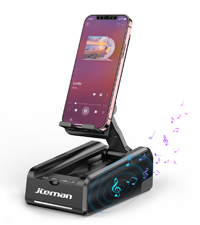
Image: A visual representation of the Bluetooth pairing process on a smartphone.
5.3 การเล่นเสียง
Once paired, audio from your connected device will play through the JTEMAN speaker. The speaker provides loud and clear sound due to its unique design and precision diaphragm technology. Adjust the volume directly from your connected phone or tablet.

Image: The JTEMAN speaker in use, demonstrating its loud and clear sound output during music playback.
5.4 การโทรแบบแฮนด์ฟรี
The built-in microphone allows for hands-free calling. When a call comes in, the audio will be routed through the speaker, and you can speak into the microphone for clear communication. This feature is particularly beneficial for individuals who may have difficulty hearing phone audio directly.
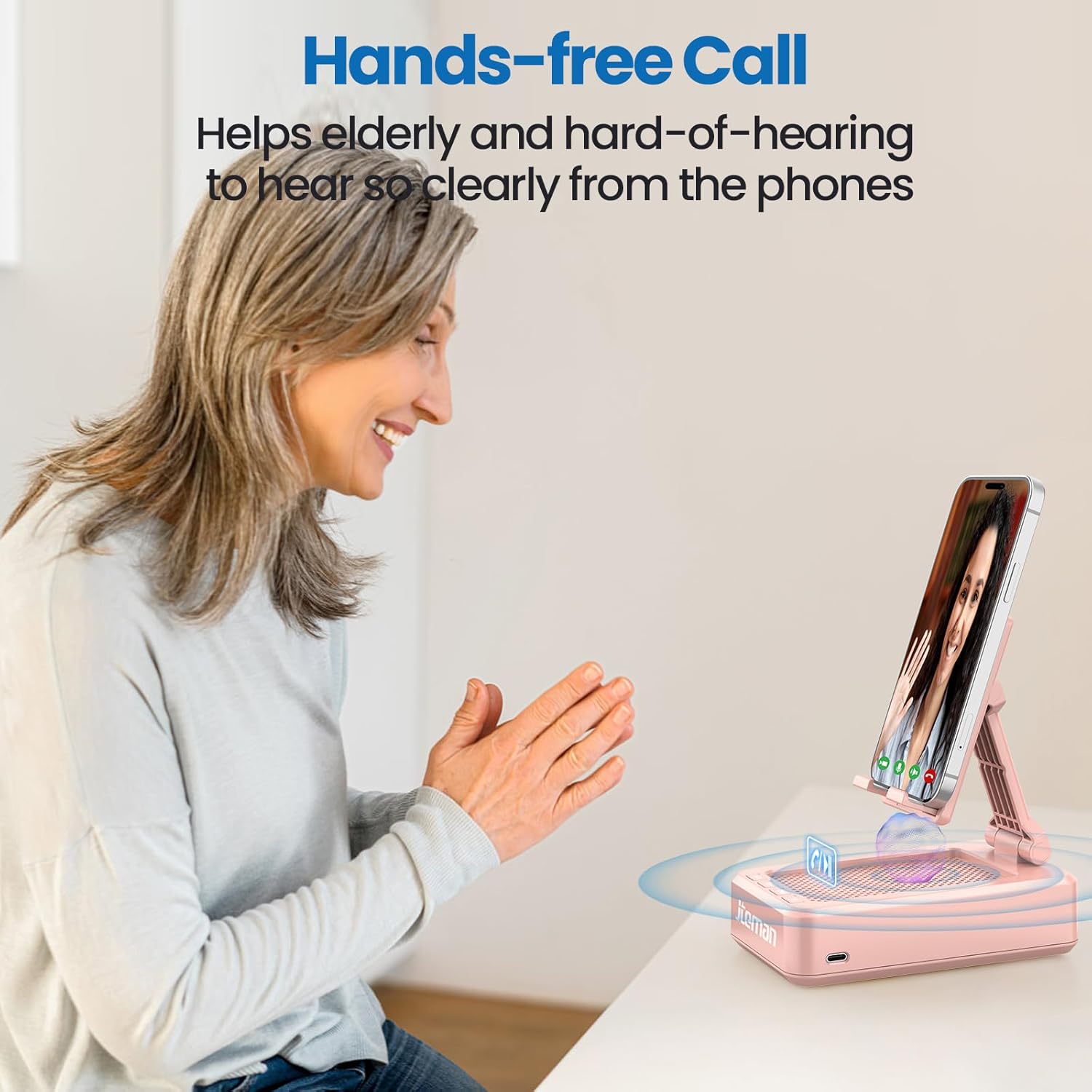
Image: An elderly woman utilizing the JTEMAN device for a hands-free call, highlighting its benefit for clear communication.
5.5 Using the Phone Stand
Place your smartphone, tablet, or e-reader onto the stand. The adjustable hinge allows you to set the device at various viewing angles, making it ideal for watching videos, participating in video calls, or following recipes in the kitchen. The anti-slip silicone ensures your device remains secure.
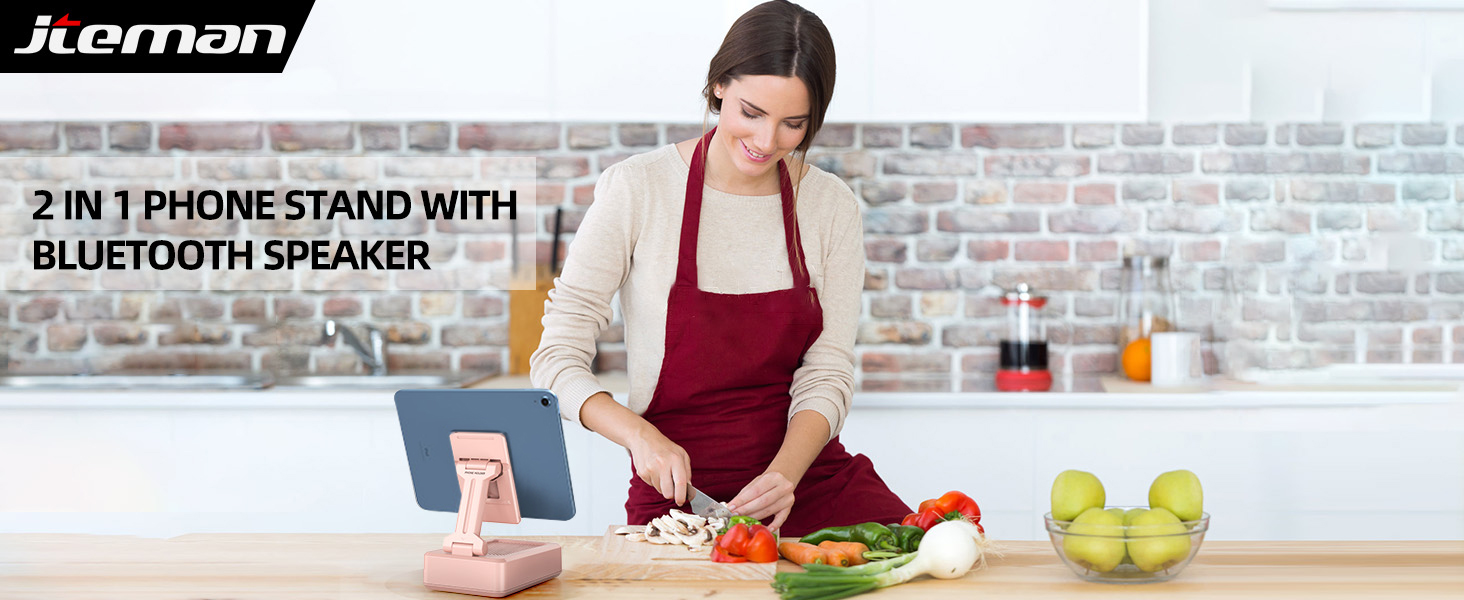
Image: A woman using the JTEMAN device in a kitchen, illustrating its practical use for hands-free viewในขณะปรุงอาหาร
6. ความเข้ากันได้
The JTEMAN Cell Phone Stand with Bluetooth Speaker is widely compatible with most 4-13 inch smartphones, tablets, and e-readers that support Bluetooth functionality. The device hook can accommodate devices up to 0.59 inches (15 mm) thick.
อุปกรณ์ที่รองรับได้แก่ (แต่ไม่จำกัดเพียงเท่านี้):
- Smartphones (e.g., iPhone 16, 15, 14, 13 Pro, XS, 8 Plus; Samsung Galaxy S25, S24, S23, Note 20)
- Tablets (e.g., Mini iPad)
- E-readers with Bluetooth capability

Image: The JTEMAN device demonstrating its ability to hold various sizes of smartphones and tablets, highlighting its wide compatibility.
7. การบำรุงรักษา
To ensure the longevity and optimal performance of your JTEMAN Cell Phone Stand with Bluetooth Speaker, follow these maintenance guidelines:
- การทำความสะอาด: Wipe the device with a soft, dry cloth. For stubborn marks, a slightly damp cloth can be used, but ensure the device is completely dry before use or charging. Avoid using abrasive cleaners or solvents.
- พื้นที่จัดเก็บ: When not in use, fold the stand to its compact form to save space and protect the components. Store in a cool, dry place away from direct sunlight and extreme temperatures.
- การป้องกัน: The anti-slip silicone surfaces are designed to protect your device. Keep these surfaces clean and free of debris to maintain their grip.
- หลีกเลี่ยงการหยด: While durable, avoid dropping the device, as this can damage internal components or the folding mechanism.
8 การแก้ไขปัญหา
If you encounter issues with your JTEMAN Cell Phone Stand with Bluetooth Speaker, please refer to the following common solutions:
| ปัญหา | สาเหตุที่เป็นไปได้ | สารละลาย |
|---|---|---|
| ไม่มีไฟ/อุปกรณ์ไม่เปิดใช้งาน | แบตเตอรี่ต่ำ | ชาร์จอุปกรณ์ให้เต็มโดยใช้สาย USB-C ที่ให้มา |
| ไม่สามารถจับคู่ผ่านบลูทูธได้ | Bluetooth not enabled on phone; Device out of range; Speaker not in pairing mode; Interference | Ensure Bluetooth is on for your phone. Move devices closer. Turn the speaker off and on again. Disconnect from other Bluetooth devices. |
| ไม่มีเสียงหรือเสียงเบา | Phone volume too low; Speaker not connected; Audio source issue | Increase volume on your phone. Ensure the speaker is successfully paired. Check if audio is playing from the correct app/source. |
| Audio skipping or distortion | สัญญาณรบกวน; อุปกรณ์อยู่ไกลเกินไป; แบตเตอรี่เหลือน้อย | Move closer to the speaker. Ensure no strong Wi-Fi signals or other Bluetooth devices are causing interference. Charge the speaker. |
| Phone stand unstable | Device too heavy/thick; Stand not fully extended; Surface uneven | Ensure your device is within the compatible size/thickness. Fully extend and lock the stand into position. Place the stand on a flat, stable surface. |
If the problem persists after trying these solutions, please contact JTEMAN customer support for further assistance.
9. ข้อมูลจำเพาะ
Below are the technical specifications for the JTEMAN Cell Phone Stand with Bluetooth Speaker (Model L9-Pink):
| คุณสมบัติ | รายละเอียด |
|---|---|
| ขนาดสินค้า | 5.35 x 3.5 x 1.89 นิ้ว |
| น้ำหนักสินค้า | 12.3 ออนซ์ |
| หมายเลขรุ่น | L9-Pink |
| แบตเตอรี่ | ต้องใช้แบตเตอรี่ลิเธียมไอออน 1 ก้อน (รวมอยู่ด้วย) |
| เวอร์ชันบลูทูธ | Bluetooth 5.0 (inferred from A+ content) |
| เวลาเล่น | 8-10 hours (at medium volume) |
| เวลาในการชาร์จ | ประมาณ 4 ชั่วโมง |
| อุปกรณ์ที่รองรับ | Smartphones, Tablets, E-readers (4-13 inches) |
| Max Device Thickness | 0.59 นิ้ว (15 มม.) |
| สี | สีชมพู |
| ฟอร์มแฟกเตอร์ | พับได้ |
| ผู้ผลิต | เจตมัน |
| วันที่พร้อมใช้งานครั้งแรก | วันที่ 4 ธันวาคม 2023 |
Image: Detailed product dimensions for the JTEMAN Cell Phone Stand with Bluetooth Speaker.
10. การรับประกันและการสนับสนุน
JTEMAN products are designed for reliability and performance. For information regarding warranty coverage, please refer to the warranty card included with your purchase or visit the official JTEMAN website. If you require technical support or have questions about your device, please contact JTEMAN customer service through their official channels.
Ask a question about this manual
Ask about setup, troubleshooting, compatibility, parts, safety, or missing instructions. Manuals+ will review the question and use this page’s manual context to help answer it.