
การแนะนำ
This manual provides essential information for setting up, operating, and maintaining your Amazon Basics 24-inch FHD 1080p monitor. Please read these instructions carefully before use and retain them for future reference.

The Amazon Basics 24-inch FHD 1080p monitor, featuring a sleek design and integrated speakers.
การตั้งค่า
1. แกะกล่องและตรวจสอบส่วนประกอบ
นำส่วนประกอบทั้งหมดออกจากบรรจุภัณฑ์อย่างระมัดระวัง ตรวจสอบให้แน่ใจว่ามีอุปกรณ์ครบตามรายการด้านล่าง:
- จอภาพแสดงผล
- ฐานขาตั้งจอภาพ
- ขาตั้งคอมอนิเตอร์
- อะแดปเตอร์แปลงไฟ
- สาย HDMI
- คู่มือการใช้งาน (เอกสารนี้)

Included accessories: stand base, stand neck, power adapter, and HDMI cable.
2. การประกอบขาตั้ง
- Attach the stand neck to the stand base. Secure it with the screw provided, usually located on the underside of the base.
- Carefully attach the assembled stand to the back of the monitor panel. Ensure it clicks securely into place or is fastened with screws if applicable.
IMPORTANT: Remove the protective film (with the date code) from the panel surface before use. This film protects against scratches during shipping.
3. การเชื่อมต่อกับอุปกรณ์
The monitor supports HDMI and DisplayPort (DP) connections. It also features integrated speakers and VESA compatibility for wall mounting.
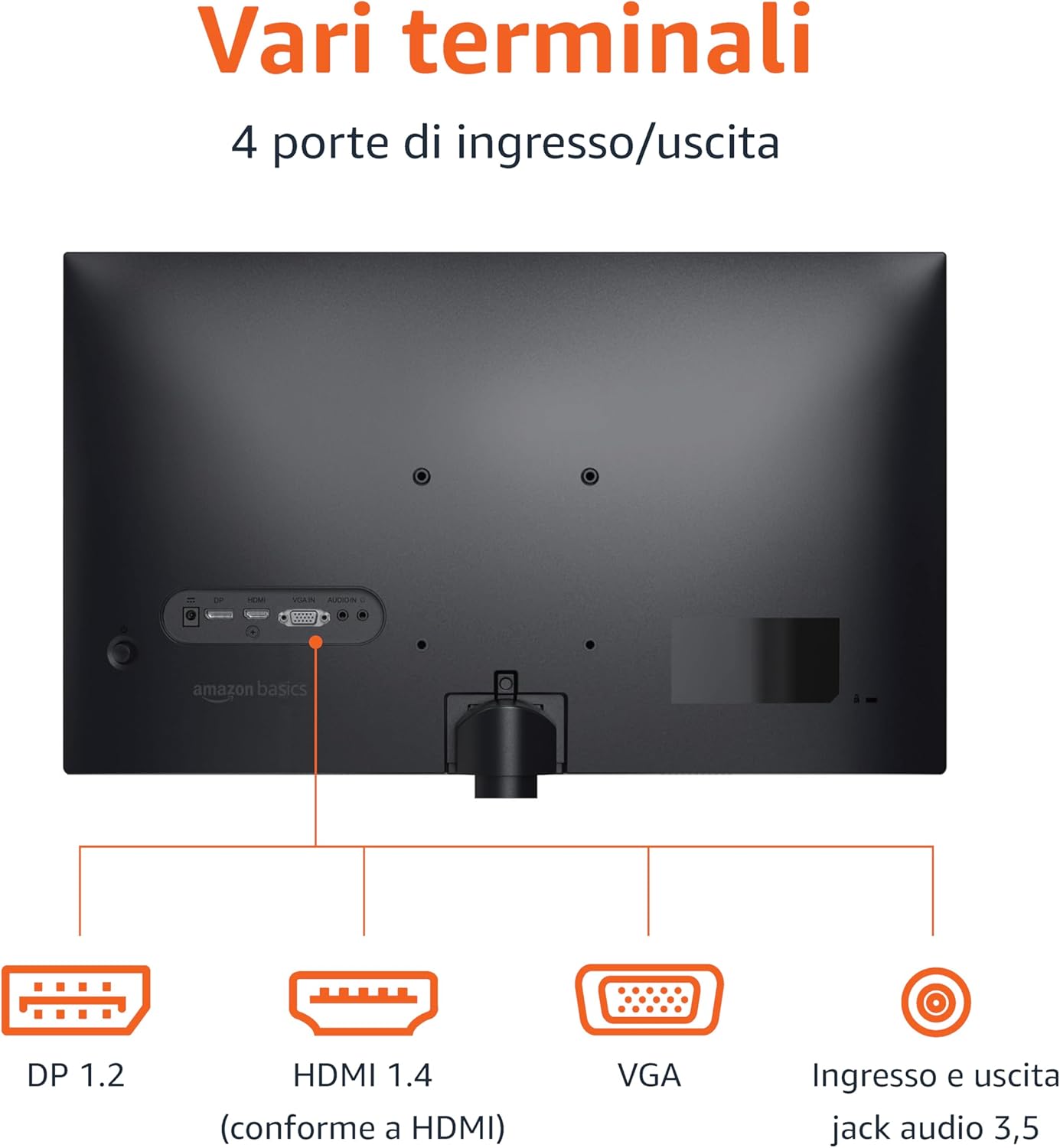
Rear panel connections: DP 1.2, HDMI 1.4, VGA, and 3.5mm audio input/output ports.
- การเชื่อมต่อ HDMI: Connect one end of the HDMI cable to the HDMI port on your computer or device and the other end to the HDMI 1.4 port on the monitor.
- การเชื่อมต่อ DisplayPort (DP): Connect one end of the DP cable (not included) to the DP port on your computer or device and the other end to the DP 1.2 port on the monitor.
- การเชื่อมต่อวีจีเอ: Connect one end of the VGA cable (not included) to the VGA port on your computer or device and the other end to the VGA port on the monitor.
- การเชื่อมต่อเสียง: If using a VGA connection or an external audio source, connect a 3.5mm audio cable from your device's audio output to the monitor's audio input.
- การเชื่อมต่อไฟฟ้า: ต่ออะแดปเตอร์แปลงไฟเข้ากับช่องเสียบไฟของจอภาพ จากนั้นเสียบอะแดปเตอร์เข้ากับเต้ารับไฟฟ้า
4. การติดตั้งแบบ VESA (ตัวเลือกเสริม)
This monitor is VESA compatible, allowing it to be mounted on a wall or an adjustable arm. Refer to your VESA mount's instructions for installation. Ensure the mount supports the monitor's weight and VESA pattern.

The monitor stand allows for tilt adjustment from -5° to 20°.
คำแนะนำการใช้งาน
1. เปิด/ปิดเครื่อง
กดปุ่มเปิด/ปิดเครื่อง ซึ่งโดยปกติจะอยู่ที่ด้านขวาล่างหรือด้านหลังของจอภาพ เพื่อเปิดหรือปิดเครื่อง ไฟแสดงสถานะเปิด/ปิดเครื่องจะสว่างขึ้นเมื่อจอภาพเปิดอยู่
2. เมนูการแสดงผลบนหน้าจอ (OSD)
Use the control buttons (typically located on the bottom right or rear) to navigate the OSD menu. The OSD allows you to adjust various settings:
- ความสว่าง/คอนทราสต์: Adjust image luminance and contrast levels.
- การตั้งค่าสี: ปรับอุณหภูมิสี เฉดสี และความอิ่มตัวของสี
- การเลือกอินพุต: สลับการใช้งานระหว่างอินพุต HDMI, DisplayPort และ VGA ด้วยตนเอง
- การตั้งค่าเสียง: ควบคุมระดับเสียงสำหรับลำโพงในตัวหรือหูฟังที่เชื่อมต่ออยู่
- โหมดภาพ: Select preset display modes (e.g., Standard, Movie, Game).
- อัตราการรีเฟรช: Ensure your device is configured to output at 100Hz for the smoothest experience. This setting is usually adjusted in your computer's display settings.
3. ลำโพงในตัว
The monitor includes integrated speakers for audio output. Adjust the volume through the OSD menu or your connected device's audio controls.
การซ่อมบำรุง
1. การทำความสะอาดหน้าจอ
- ควรปิดจอภาพและถอดสายไฟออกก่อนทำความสะอาดทุกครั้ง
- ใช้ผ้านุ่มไม่เป็นขุยเช็ดเล็กน้อยampเคลือบด้วยน้ำหรือน้ำยาทำความสะอาดหน้าจอโดยเฉพาะ
- ห้ามฉีดน้ำยาทำความสะอาดลงบนหน้าจอโดยตรง
- หลีกเลี่ยงการใช้สารทำความสะอาดที่มีฤทธิ์กัดกร่อน ขี้ผึ้งหรือตัวทำละลาย
2. การดูแลทั่วไป
- เก็บจอภาพให้ห่างจากแสงแดดโดยตรง แหล่งความร้อน และฝุ่นละอองจำนวนมาก
- ตรวจสอบให้แน่ใจว่ามีการระบายอากาศที่เหมาะสมรอบ ๆ จอภาพ
- ห้ามวางวัตถุหนักบนจอภาพหรือสายเคเบิล
การแก้ไขปัญหา
| ปัญหา | วิธีแก้ปัญหาที่เป็นไปได้ |
|---|---|
| ไม่มีไฟฟ้า |
|
| ไม่มีสัญญาณ / หน้าจอว่างเปล่า |
|
| ภาพกระพริบหรือภาพบิดเบี้ยว |
|
| No Audio from Built-in Speakers |
|
ข้อมูลจำเพาะ
| คุณสมบัติ | รายละเอียด |
|---|---|
| ยี่ห้อ | พื้นฐานของ Amazon |
| หมายเลขรุ่น | C24M2020DEU |
| ขนาดหน้าจอ | 24 นิ้ว |
| ปณิธาน | FHD 1080p (1920 x 1080) |
| อัตราการรีเฟรช | สูงสุด 100 เฮิรตซ์ |
| ประเภทแผง | ไอพีเอส |
| อัตราส่วนภาพ | 16:9 น. |
| อัตราส่วนคอนทราสต์ | 1500:1 น. |
| พื้นผิวหน้าจอ | มันเงา |
| การเชื่อมต่อ | HDMI, DisplayPort (DP), VGA |
| คุณสมบัติพิเศษ | Built-in Speakers, VESA Compatible |
| น้ำหนัก | 3 กิโลกรัม |
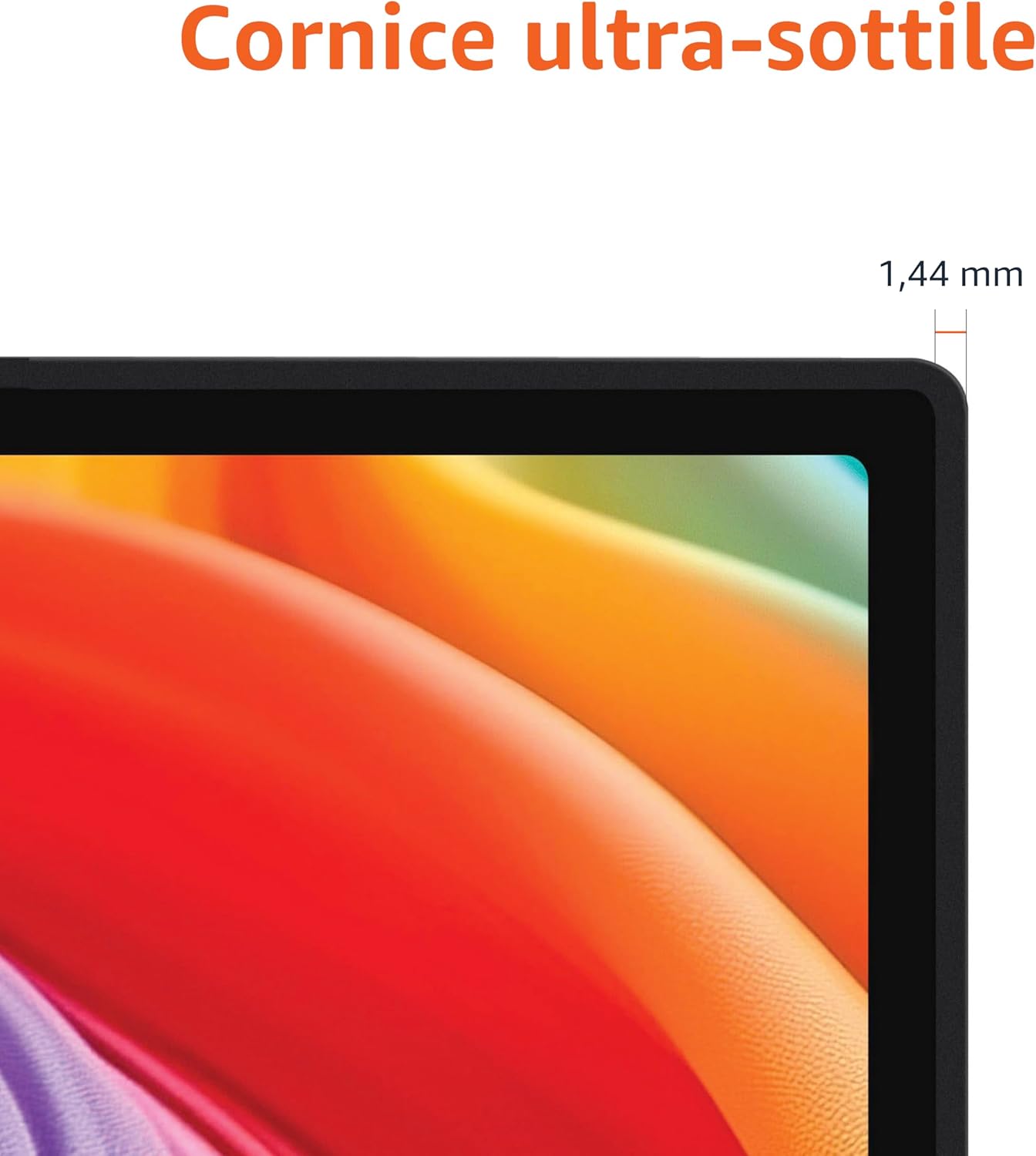
Approximate monitor dimensions (width x height x depth).
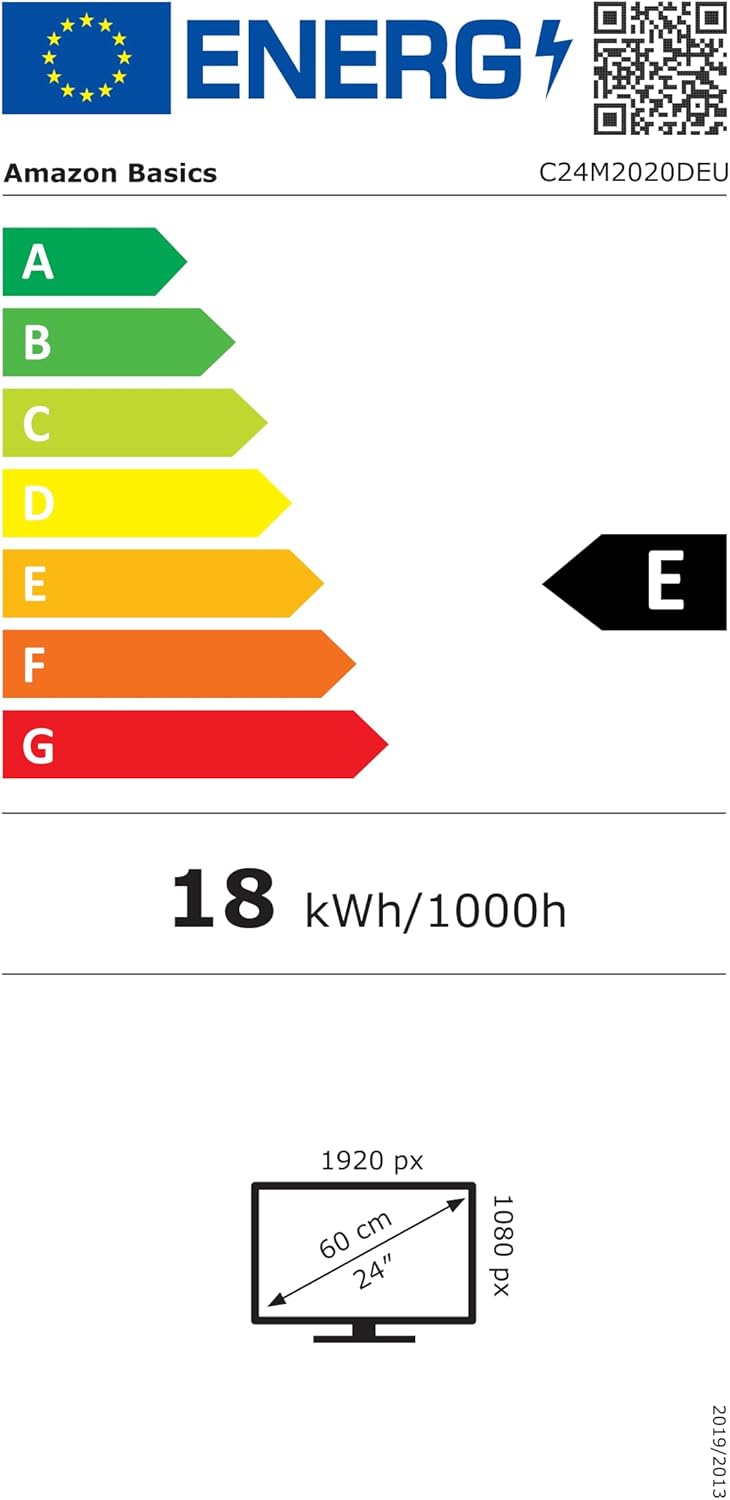
EU Energy Label for model C24M2020DEU. For more details, visit the ฐานข้อมูล EPREL.
ข้อมูลการรับประกัน
ผลิตภัณฑ์นี้มาพร้อมกับ รับประกันจำกัด 1 ปี. For specific terms and conditions, please refer to the warranty documentation provided with your purchase or contact Amazon Basics customer support.
สนับสนุน
For technical assistance, troubleshooting, or warranty claims, please contact Amazon Basics customer support through the Amazon webไซต์หรือแพลตฟอร์มการซื้อของคุณ
You can also refer to the official Amazon Basics store for additional product information and support resources: ร้านค้า Amazon Basics