
FLYINGVOICE FTA5102E2
คู่มือผู้ใช้ FLYINGVOICE FTA5102E2 อะแดปเตอร์โทรศัพท์อนาล็อก
Model: FTA5102E2
1. บทนำ
The FLYINGVOICE FTA5102E2 is a high-performance Analog Telephone Adapter (ATA) designed to facilitate the transition from traditional analog telephony to Voice over IP (VoIP) for small to medium businesses (SMBs). This device offers robust features for reliable and cost-effective communication.

Figure 1: FLYINGVOICE FTA5102E2 Analog Telephone Adapter. This image shows the top-front view of the black adapter with green indicator lights for FXS1, FXS2, WAN, LAN1, LAN2, and PWR.
คุณสมบัติที่สำคัญ ได้แก่:
- Cost-Effective VoIP Solution: Supports dual SIP lines, T.38, T.30, and G.711 fax standards, reducing communication expenses.
- ประสิทธิภาพการทำงานที่เพิ่มขึ้น: Features a 38% faster processing CPU and double the flash memory for improved stability and advanced VoIP functionalities.
- Simple Deployment: Operates as a stand-alone device, requiring no PC for internal calls, ensuring straightforward setup and integration.
- ความเข้ากันได้ในวงกว้าง: Supports SIP V2 protocol, ensuring compatibility with most VoIP service providers.
- การเชื่อมต่อแบบยืดหยุ่น: Equipped with 2 FXS ports for analog phones/fax machines and 2 LAN ports for network devices.
Video 1: Introduction to the FLYINGVOICE FTA5102E2 High-performance 2 FXS VoIP Adapter. This video provides an overview of the adapter's features and capabilities.
2. เนื้อหาบรรจุภัณฑ์
ตรวจสอบว่ามีรายการทั้งหมดอยู่ในแพ็คเกจของคุณ:
- 1x FLYINGVOICE FTA5102E2 Analog Telephone Adapter
- 2x สายเคเบิล RJ11
- 1x คู่มือการติดตั้งแบบด่วน
- 1x อะแดปเตอร์แปลงไฟ
- 1x สายเคเบิล RJ45 Ethernet

Figure 2: Contents of the FTA5102E2 package. This image displays the FTA5102E2 adapter along with two RJ11 cables, a quick installation guide, a power adapter, and an RJ45 Ethernet cable.
3. การตั้งค่าและการติดตั้ง
Follow these steps to set up your FTA5102E2 adapter:
- เชื่อมต่อกับเครือข่าย:
Connect one end of the provided RJ45 Ethernet cable to the WAN port (blue) on the back of the FTA5102E2 and the other end to your router or modem's LAN port.
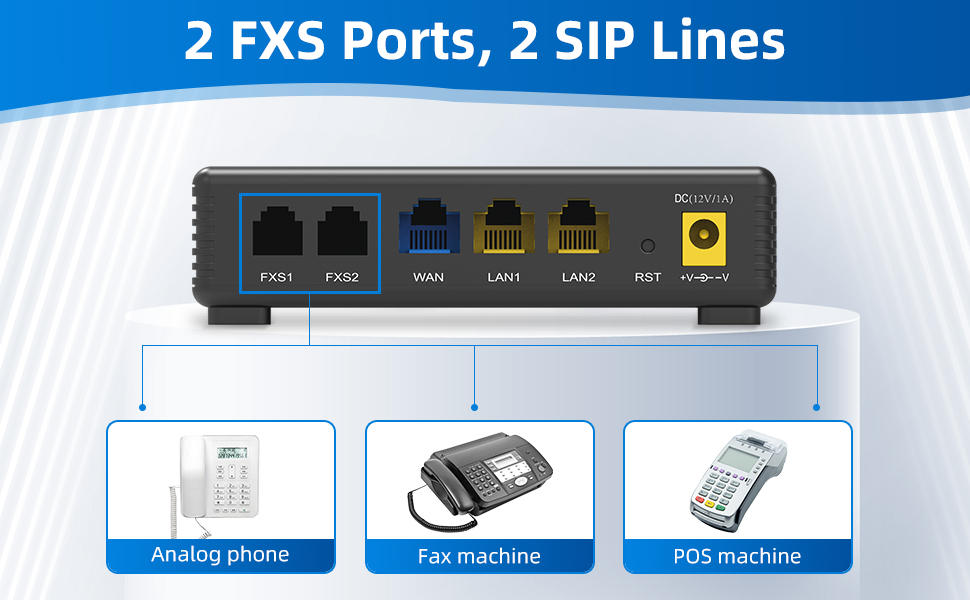
รูปที่ 3: ด้านหลัง view of the FTA5102E2 showing the FXS, WAN, LAN, RST, and DC ports. The WAN port is highlighted in blue.
- เชื่อมต่ออุปกรณ์อนาล็อก:
Connect your analog phone(s) or fax machine(s) to the FXS1 and/or FXS2 ports (black) on the back of the FTA5102E2 using the RJ11 cables.
รูปที่ 4: ด้านหลัง view of the FTA5102E2 showing the FXS ports. These ports are used to connect analog phones, fax machines, or POS machines.
- Connect LAN Devices (Optional):
If needed, connect additional network devices like computers or printers to the LAN1 and LAN2 ports (yellow) using Ethernet cables.

รูปที่ 5: ด้านหลัง view of the FTA5102E2 highlighting the LAN ports. These ports can be used to connect devices such as computers, printers, or IPTVs.
- เปิดเครื่อง:
Connect the power adapter to the DC 12V/1A port on the back of the FTA5102E2 and then plug it into a power outlet. The PWR indicator light on the front panel will illuminate.
หมายเหตุสำคัญ:
The FTA5102E2 is compatible with most VoIP service providers. However, it is NOT compatible with AT&T, Verizon, Magic Jack, Ooma, or Google Voice. Please verify compatibility with your service provider if they are not listed.
4. คู่มือการใช้งาน
4.1 การโทรออกและรับสาย
Once the adapter is successfully configured with your VoIP service provider, you can use your connected analog phone as usual:
- ในการโทรออก: Pick up the handset, wait for the dial tone, and dial the desired phone number.
- วิธีรับสาย: The phone will ring. Pick up the handset to answer.
4.2 Three-Way Conference
The FTA5102E2 supports 3-way conference calls. Consult your VoIP service provider's specific instructions for initiating a three-way conference, as the exact dialing sequence may vary.
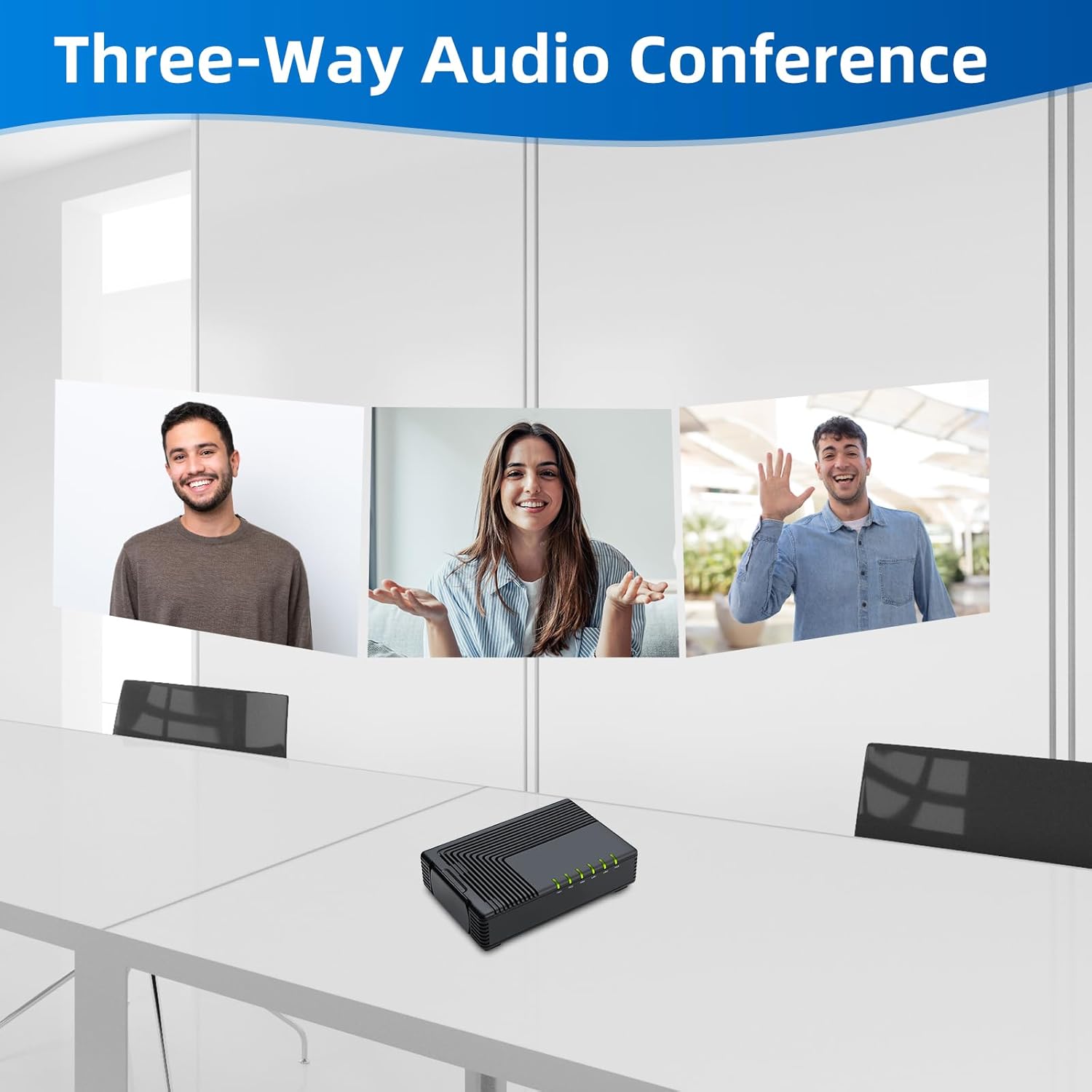
Figure 6: Illustration of a three-way audio conference call, demonstrating the adapter's capability to support multiple participants.
4.3 Fax Over IP (FoIP)
The FTA5102E2 supports T.38, T.30, and G.711 fax standards, allowing you to send and receive faxes over your VoIP connection using a connected fax machine.

Figure 7: Visual representation of the adapter supporting T.38 and T.30 fax protocols, indicating its compatibility with fax machines for reliable fax over IP.
5. การบำรุงรักษา
To ensure optimal performance and longevity of your FTA5102E2 adapter:
- ควรเก็บอุปกรณ์ไว้ในที่แห้งและเย็น หลีกเลี่ยงแสงแดดโดยตรงและความร้อนสูงเกินไป
- ควรหลีกเลี่ยงการนำอุปกรณ์ไปสัมผัสกับน้ำหรือความชื้นสูง
- ทำความสะอาดภายนอกด้วยผ้านุ่มและแห้ง ห้ามใช้น้ำยาทำความสะอาดชนิดน้ำหรือสเปรย์
- ตรวจสอบให้แน่ใจว่ามีการระบายอากาศที่เหมาะสม โดยอย่าปิดกั้นช่องระบายอากาศบนอุปกรณ์
- Periodically check for firmware updates from the FLYINGVOICE website to ensure the latest features and security patches.
5.1 การจัดการระยะไกล
The FTA5102E2 supports advanced management protocols such as TR-069 and SNMP, allowing for unified deployment and centralized management by network administrators.

Figure 8: Depiction of easy management capabilities, showing a desktop and laptop with "TR-069" and "SNMP" displayed, indicating support for these remote management protocols.
6 การแก้ไขปัญหา
If you encounter issues with your FTA5102E2, refer to the following common problems and solutions:
| ปัญหา | สาเหตุที่เป็นไปได้ | สารละลาย |
|---|---|---|
| No dial tone on analog phone. |
|
|
| ไม่สามารถโทรออกหรือรับสายได้ |
|
|
| Poor call quality (choppy audio, echo). |
|
|
If the issue persists, please refer to the official FLYINGVOICE support resources or contact your VoIP service provider.
7. ข้อมูลจำเพาะ
| คุณสมบัติ | รายละเอียด |
|---|---|
| หมายเลขรุ่น | FTA5102E2 |
| พอร์ต FXS | 2 |
| สาย SIP | 2 |
| พอร์ตอีเทอร์เน็ต | 1x WAN, 2x LAN (10/100 Mbps) |
| สนับสนุนโทรสาร | T.38, T.30, G.711 |
| การประชุมทางโทรศัพท์ | 3 ทาง |
| Management Protocols | TR-069, SNMP |
| ขนาด (กว้าง x ยาว x สูง) | 4.72 x 3.15 x 1.26 นิ้ว |
| น้ำหนัก | 14.4 ออนซ์ |
| สี | สีดำ |
| กำลังไฟเข้า | กระแสตรง 12V/1A |
8. การรับประกันและการสนับสนุน
For warranty information and technical support, please refer to the official FLYINGVOICE webหรือติดต่อฝ่ายบริการลูกค้า เก็บใบเสร็จรับเงินไว้เพื่อใช้ในการเคลมประกัน
You can also find additional resources and a PDF user guide at the following link:
Ask a question about this manual
Ask about setup, troubleshooting, compatibility, parts, safety, or missing instructions. Manuals+ will review the question and use this page’s manual context to help answer it.