
1. บทนำและเรื่องอื่นๆview
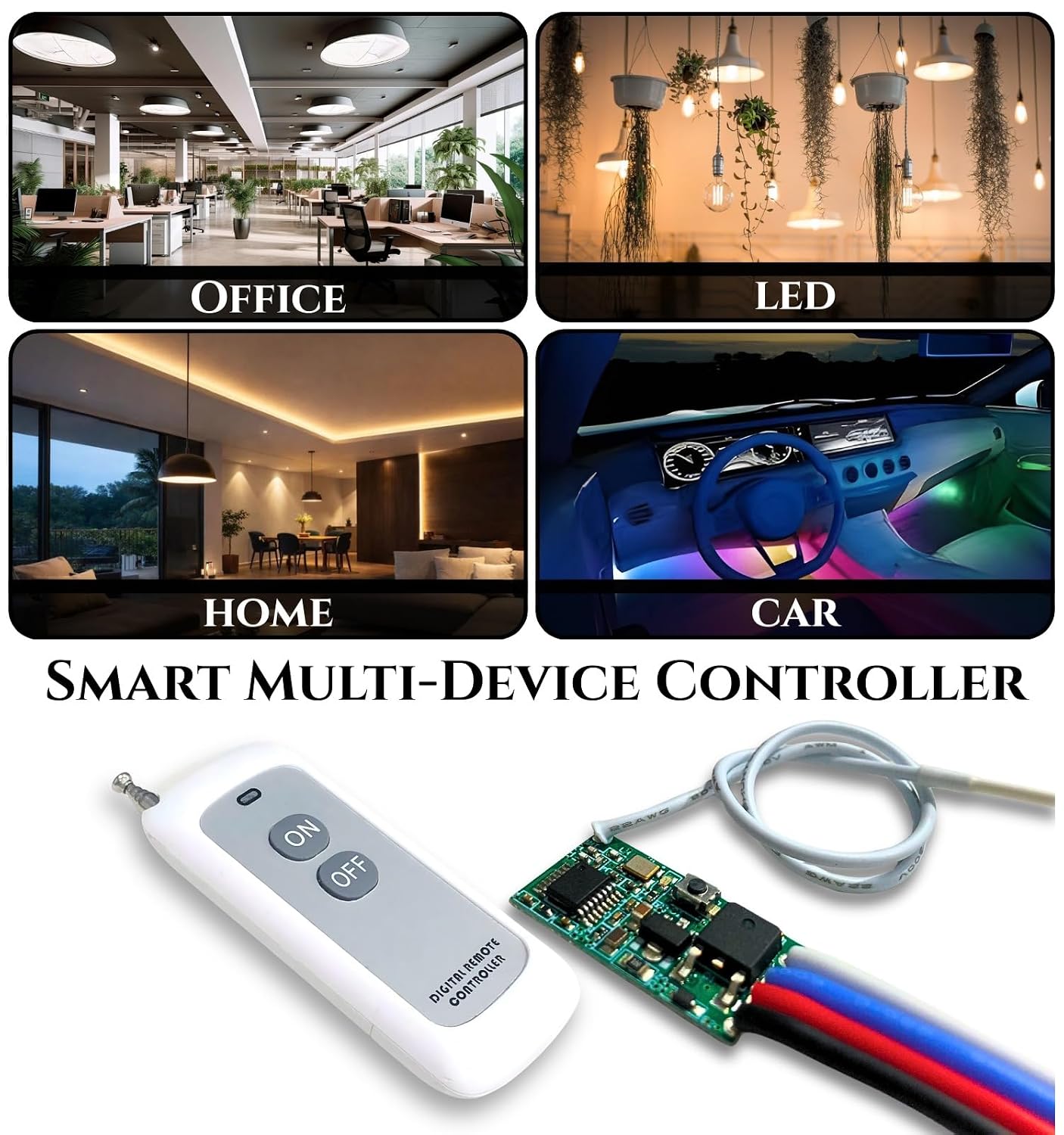
The ROBOWAY QIACHIP Wireless 433Mhz RF Module with Mosfet and 2 Button White Remote (RW-RF037) is a versatile wireless control system designed for various applications. It features a compact design, high sensitivity, and non-directional wireless encoding technology to prevent interference. This module operates within a DC3.6V-DC24V range and supports a maximum load of 2A, making it suitable for controlling LED lights, fans, and other devices.

2. คุณสมบัติของผลิตภัณฑ์
- การดำเนินงานที่ยืดหยุ่น: Small size and high sensitivity for various control needs.
- ความต้านทานการรบกวน: Utilizes non-directional wireless encoding technology for independent control.
- ฉบับกว้างtagอีสนับสนุน: Operates with DC3.6V-DC24V input.
- ความสามารถในการรับน้ำหนักสูง: Supports a maximum load of 2A.
- สัญญาณ RF แรง: Capable of passing through walls, floors, and doors, with a reliable range of up to 200 meters (984ft with no obstacle).
- Multiple Work Modes: Supports Momentary, Toggle, Latched, and Delay modes.
- ง่ายต่อการใช้: Simple learning and control process.
- การใช้งานที่หลากหลาย: Ideal for DIY projects, LED lights, lamp beads, Christmas tree light strings, and light control switches.

3. การตั้งค่าและการติดตั้ง
Follow these steps to set up your ROBOWAY QIACHIP Wireless RF Module:
- เชื่อมต่อพลังงาน: Connect the input wires (IN+ and IN-) to a DC power source within the 3.6V to 24V range. Ensure correct polarity.
- เชื่อมต่อโหลด: Connect your device (e.g., LED, fan) to the output wires (OUT+ and OUT-).
- เสาอากาศ: Ensure the antenna wire is properly extended for optimal signal reception.
- การจับคู่รีโมท: The module typically comes pre-paired. If re-pairing or pairing a new remote is needed, locate the 'Learning Button' on the PCB board. Press and hold the learning button until the indicator LED responds (e.g., flashes). Then, press a button on the remote control to pair it. Refer to the specific mode setting instructions for detailed pairing procedures for each mode.


4. โหมดการทำงาน
The ROBOWAY QIACHIP RF Module supports four distinct operating modes. The specific method to configure these modes typically involves pressing the learning button a certain number of times or for a specific duration. Please refer to the product packaging or additional documentation for precise mode setting instructions.
- โหมดชั่วขณะ: The output is active only while the remote button is pressed. Releasing the button turns the output off.
- โหมดสลับ: Pressing the remote button once turns the output ON. Pressing the same button again turns the output OFF.
- โหมดสลัก: Pressing one button on the remote turns the output ON. Pressing another button on the remote turns the output OFF. (Requires a remote with at least two distinct buttons for ON/OFF functionality).
- โหมดหน่วงเวลา: The output remains ON for a preset duration after the remote button is pressed, then automatically turns OFF. The delay time is usually configurable.
5. ข้อมูลจำเพาะ
| คุณสมบัติ | ข้อมูลจำเพาะ |
|---|---|
| ยี่ห้อ | ROBOWAY |
| หมายเลขรุ่น | RW-RF037 |
| ปฏิบัติการฉบับที่tage | DC3.6V-DC24V |
| โหลดสูงสุดในปัจจุบัน | 2A |
| ความถี่ไร้สาย | 433เมกะเฮิรตซ์ |
| ช่วงการควบคุม | Up to 200 meters (984ft with no obstacle) |
| ประเภทตัวควบคุม | ปุ่มควบคุม |
| Button Quantity (Remote) | 2 |
| เทคโนโลยีการเชื่อมต่อเครือข่าย | ความถี่วิทยุ |
| ขนาดรายการ (ยาว x กว้าง x สูง) | กว้าง 7 ยาว 5 สูง 10 เซนติเมตร |
| น้ำหนักสินค้า | 200 กรัม |
| ประเทศต้นกำเนิด | จีน |
6 การแก้ไขปัญหา
- อุปกรณ์ไม่ตอบสนอง:
- Check if the module is receiving power (DC3.6V-DC24V) and if the polarity is correct.
- Ensure the load device is properly connected and functional.
- Verify that the remote control battery is not depleted.
- Confirm that the remote is correctly paired with the module. If unsure, attempt re-pairing.
- Reduced Range or Intermittent Control:
- Ensure the antenna on the module is fully extended and unobstructed.
- Minimize physical obstructions (thick walls, metal objects) between the remote and the module.
- ตรวจสอบแหล่งกำเนิดสัญญาณรบกวนแม่เหล็กไฟฟ้าที่รุนแรงในบริเวณใกล้เคียง
- ปุ่มรีโมทใช้งานไม่ได้:
- Replace the remote control battery (Alkaline type).
- Re-pair the remote with the module.
If you encounter any persistent problems during use, please contact ROBOWAY customer support for assistance.
7. การบำรุงรักษา
- Keep the module and remote control in a dry environment, away from moisture and extreme temperatures.
- Clean the devices with a soft, dry cloth. Avoid using harsh chemicals or abrasive cleaners.
- Regularly check the remote control battery and replace it when necessary to ensure optimal performance.
- หลีกเลี่ยงการทำอุปกรณ์ตกหรือได้รับแรงกระแทกรุนแรง
8. การรับประกันและการสนับสนุน
For any product-related inquiries, technical support, or warranty information, please contact ROBOWAY customer service. You can reach them via the contact information provided by the manufacturer or retailer.
ข้อมูลติดต่อผู้ผลิต:
ROBOWAY, New Tech Enterprises, Property No. 8, Khasra No. 672, Kacchi Sadak, Metro Pillar No. 507 Mundka New Delhi, India 110041
Any B2B Enquiry Please Contact Us - 9041412414
ข้อมูลติดต่อผู้นำเข้า:
NEWTECH ENTERPRISES, PROPERTY NUMBER 8, KHASRA NUMBER 672, KACCHI SADAK, METRO PILLAR NUMBER 507 MUNDKA NEW DELHI DELHI India 110041
Any B2B Enquiry Please Contact Us - 9041412414