
การแนะนำ
This manual provides instructions for the proper use and maintenance of your BoxWave AllReader SD Card Reader. Please read this manual thoroughly before using the device to ensure optimal performance and longevity. The AllReader SD Card Reader is designed to facilitate easy file transfer between various devices and SD/microSD cards.
สินค้าเกินview
The BoxWave AllReader SD Card Reader is a compact device featuring multiple interfaces for broad compatibility with various electronic devices. It supports both standard SD cards and microSD cards.
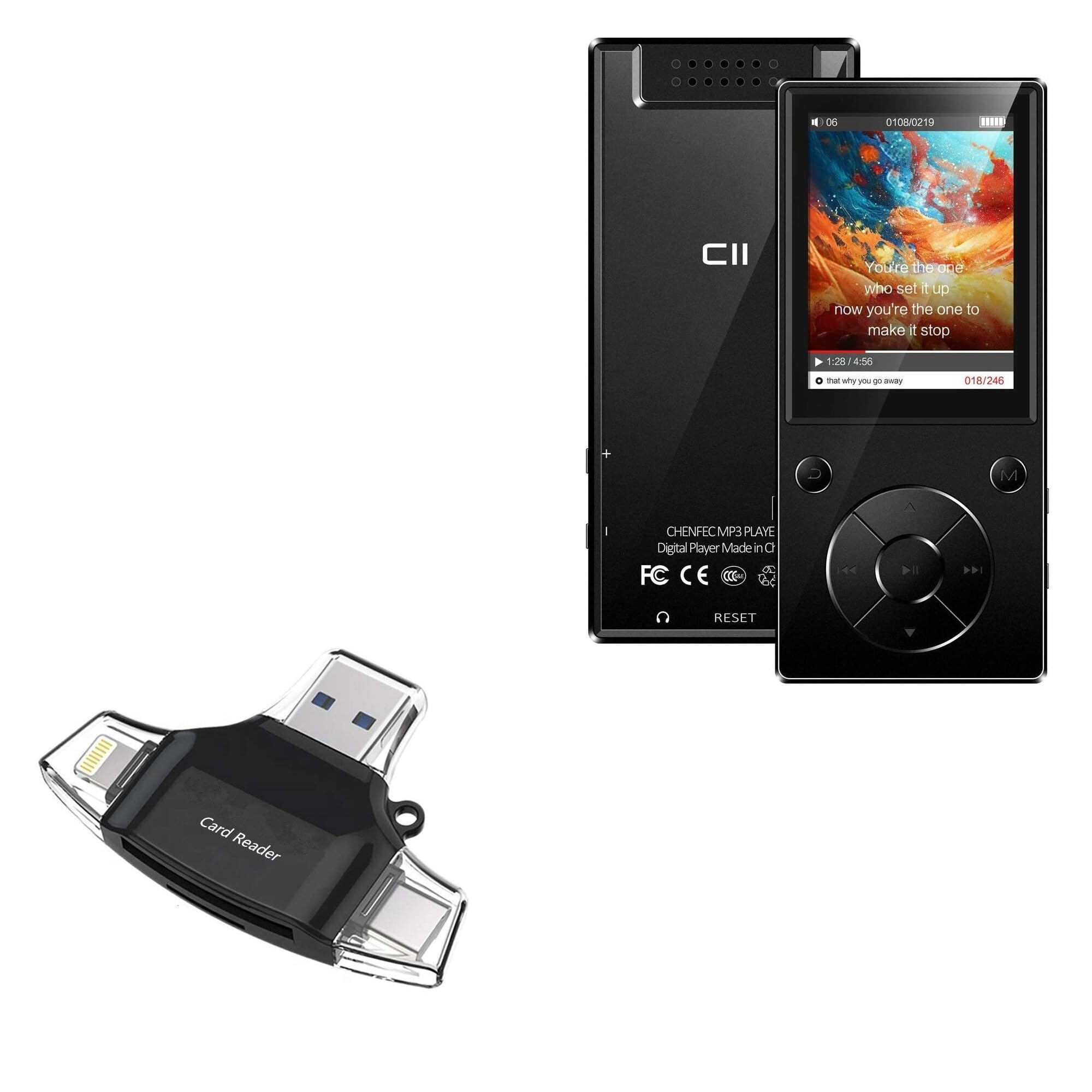
Image: The BoxWave AllReader SD Card Reader, showing its compact design and various connectors.
คุณสมบัติหลัก:
- Four Interfaces: Equipped with USB-C, USB-A, Micro-USB, and Apple (Lightning) connectors for wide device compatibility.
- ง่าย File โอน: Enables direct transfer of files between memory cards and connected devices.
- ปลั๊กแอนด์เพลย์: ไม่จำเป็นต้องติดตั้งไดรเวอร์หรือซอฟต์แวร์ใดๆ สำหรับระบบปฏิบัติการส่วนใหญ่
- การออกแบบที่กะทัดรัด: Small and portable for convenient use on the go.
- รองรับการ์ดหน่วยความจำ: Compatible with both SD and microSD card formats.

ภาพ: รายละเอียด view of the four integrated interfaces: USB-A, USB-C, Apple (Lightning), and Flip-out Micro USB.
การตั้งค่า
- ใส่การ์ดหน่วยความจำ: Gently insert your SD or microSD card into the appropriate slot on the AllReader SD Card Reader until it clicks into place. Ensure the card is inserted in the correct orientation.
- เชื่อมต่อกับอุปกรณ์: Select the appropriate connector (USB-C, USB-A, Micro-USB, or Apple Lightning) for your host device (e.g., smartphone, tablet, laptop, desktop PC). Plug the AllReader into your device's port.
- การรับรู้อุปกรณ์: Your device should automatically detect the card reader and the inserted memory card. A notification or file browser window may appear, indicating that the storage is ready for access.
บันทึก: For some mobile devices, you may need to use a file management application to browse the contents of the connected memory card.

Image: The AllReader with an SD card inserted, connected to a tablet, illustrating the setup for file โอน.
คำแนะนำการใช้งาน
การโอนย้าย Files:
- Ensure the AllReader is properly connected to your device and the memory card is inserted.
- เปิดอุปกรณ์ของคุณ file manager or photo gallery application.
- Locate the external storage device, typically labeled as "USB Storage," "SD Card," or similar.
- Browse to the desired files อยู่ในการ์ดหน่วยความจำ
- เลือก fileคุณต้องการโอน.
- Use the "Copy" or "Move" function within your device's file ผู้จัดการที่จะโอน files to your device's internal storage or another connected storage.
- การถ่ายโอน files from your device to the memory card, reverse the process: select files from your device's storage and copy/move them to the external storage (memory card).

Image: The AllReader connected to various devices including smartphones, tablets, laptops, and desktop PCs, demonstrating its versatility for file โอน.
Safely Removing the Device:
Before disconnecting the AllReader from your computer, always safely eject the device through your operating system's options (e.g., "Safely Remove Hardware" on Windows, "Eject" on macOS). For mobile devices, ensure no file การถ่ายโอนข้อมูลจะทำงานอยู่ก่อนที่จะถอดปลั๊ก
การซ่อมบำรุง
- การทำความสะอาด: ใช้ผ้าแห้งเนื้อนุ่มเช็ดทำความสะอาดภายนอกของเครื่องอ่านบัตร หลีกเลี่ยงการใช้น้ำยาทำความสะอาดหรือสารละลาย
- พื้นที่จัดเก็บ: Store the AllReader in a cool, dry place away from direct sunlight and extreme temperatures.
- การจัดการ: Avoid dropping the device or subjecting it to strong impacts. Do not force memory cards or connectors into slots.
- การดูแลตัวเชื่อมต่อ: Keep the connectors free from dust and debris. If necessary, use a soft brush or compressed air to clean them.
การแก้ไขปัญหา
| ปัญหา | วิธีแก้ปัญหาที่เป็นไปได้ |
|---|---|
| อุปกรณ์ไม่ได้รับการรู้จัก |
|
| ไม่สามารถเข้าถึงได้ files อยู่ในการ์ดหน่วยความจำ |
|
| ช้า file ความเร็วในการถ่ายโอน |
|
ข้อมูลจำเพาะ
- ชื่อรุ่น : AllReader SD Card Reader
- ยี่ห้อ: บ็อกซ์เวฟ
- อินเทอร์เฟซ: USB-C, USB-A, Micro-USB, Apple (Lightning)
- ความเข้ากันได้ของการ์ด: เอสดี, ไมโครเอสดี
- สี: สีดำเจ็ทแบล็ค
- น้ำหนักสินค้า: 6 ออนซ์
- ASIN: B0CNSDX7WD
- วันที่เข้าใช้งานครั้งแรก: 13 พฤศจิกายน 2023
การรับประกันและการสนับสนุน
For warranty information and technical support, please refer to the official BoxWave webหรือติดต่อฝ่ายบริการลูกค้าโดยตรง เก็บใบเสร็จรับเงินไว้เพื่อใช้ในการเคลมประกัน
BoxWave Customer Service: www.boxwave.com/support