
1. บทนำ
Thank you for choosing the Vornado ARA® Oscillating Tower Fan. This manual provides detailed instructions for the safe and efficient use of your new fan. The ARA® fan combines powerful airflow with independent ambient lighting, offering customizable comfort for various indoor environments. Please read this manual thoroughly before operation and retain it for future reference.
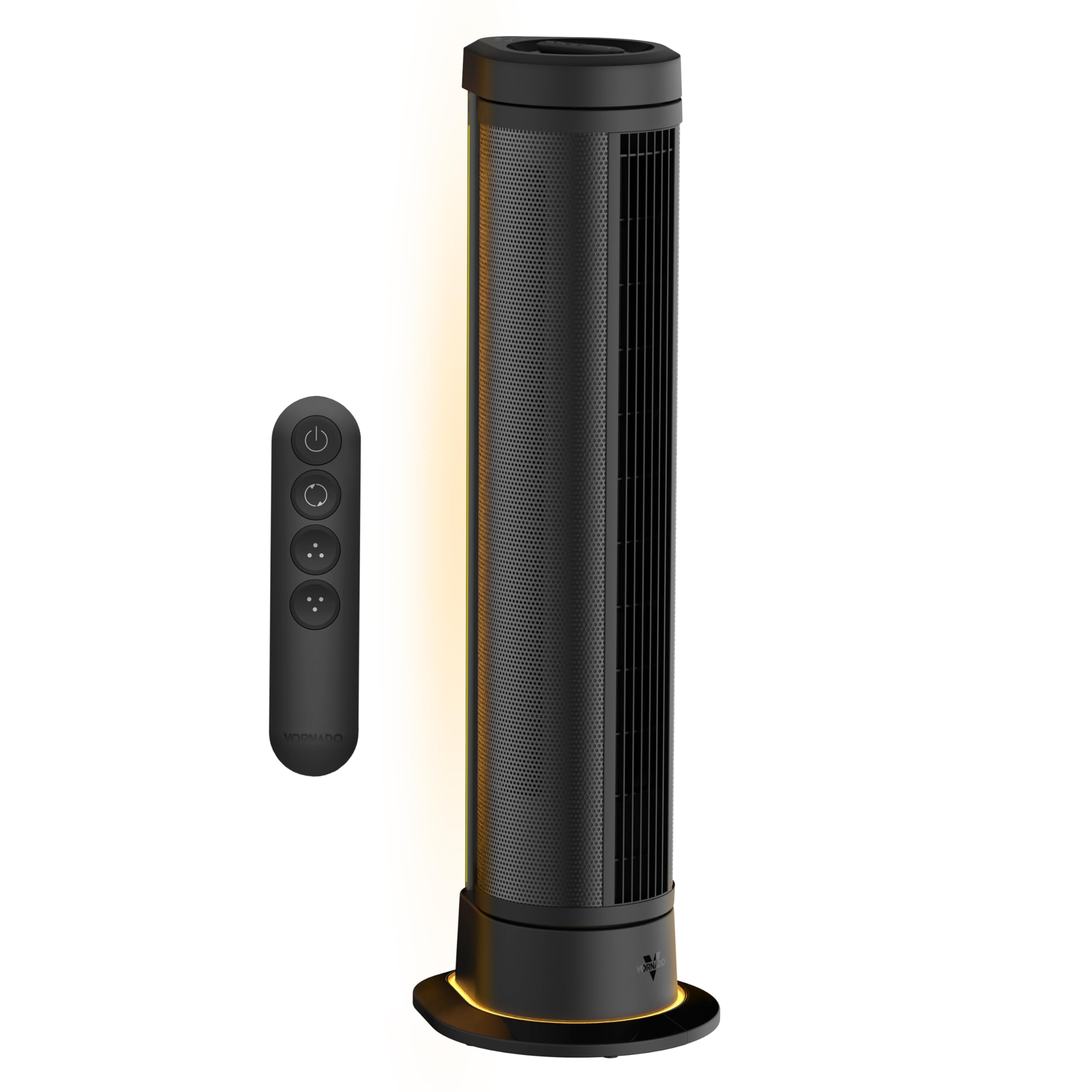
Figure 1: Vornado ARA® Tower Fan with ambient light in a bedroom setting.
2. คำแนะนำด้านความปลอดภัยที่สำคัญ
อ่านคำแนะนำทั้งหมดก่อนใช้พัดลมนี้
- อุปกรณ์นี้มีปลั๊กแบบโพลาไรซ์ (ใบมีดหนึ่งกว้างกว่าอีกใบหนึ่ง) เพื่อลดความเสี่ยงจากไฟฟ้าช็อต ปลั๊กนี้จัดทำขึ้นเพื่อให้พอดีกับเต้ารับแบบโพลาไรซ์ทางเดียวเท่านั้น หากปลั๊กไม่พอดีกับเต้ารับ ให้กลับปลั๊ก หากยังไม่พอดี ให้ติดต่อช่างไฟฟ้าที่ผ่านการรับรอง อย่าพยายามเอาชนะคุณลักษณะด้านความปลอดภัยนี้
- ห้ามใช้งานพัดลมที่มีสายไฟหรือปลั๊กชำรุด ทิ้งพัดลมหรือส่งกลับไปยังศูนย์บริการที่ได้รับอนุญาตเพื่อตรวจสอบและ/หรือซ่อมแซม
- ห้ามเดินสายไฟใต้พรม ห้ามคลุมสายไฟด้วยพรมเช็ดเท้า พรมยาว หรือวัสดุคลุมที่คล้ายกัน ห้ามเดินสายไฟใต้เฟอร์นิเจอร์หรือเครื่องใช้ไฟฟ้า จัดสายไฟให้ห่างจากบริเวณที่มีคนสัญจรไปมาและบริเวณที่สายไฟจะไม่สะดุดล้ม
- To disconnect fan, first turn controls to the OFF position, then remove plug from outlet.
- ห้ามสอดหรือยอมให้นิ้วหรือวัตถุแปลกปลอมเข้าไปในช่องระบายอากาศหรือช่องระบายอากาศใดๆ เนื่องจากอาจทำให้เกิดไฟฟ้าช็อต ไฟไหม้ หรือทำให้พัดลมเสียหายได้
- ห้ามปิดกั้นช่องอากาศเข้าหรือไอเสียไม่ว่าในลักษณะใด ๆ ห้ามใช้กับพื้นผิวที่อ่อนนุ่มเช่นเตียงนอนซึ่งอาจปิดกั้นช่องเปิดได้
- พัดลมนี้เหมาะสำหรับใช้ภายในอาคารเท่านั้น
- This product employs overload protection (fuse). A blown fuse indicates an overload or short-circuit situation. If the fuse blows, unplug the product from the outlet. Replace the fuse as per the servicing instructions (follow product marking for proper fuse rating) and check the product. If the replacement fuse blows, a short-circuit may be present and the product should be discarded or returned to an authorized service facility for examination and/or repair.
- Do not use this fan near water, such as in a wet basement, near a swimming pool, or in a bathroom.
- ห้ามใช้พัดลมนี้กับอุปกรณ์ควบคุมความเร็วแบบโซลิดสเตต
3. การตั้งค่า
3.1 การแกะกล่อง
Carefully remove the Vornado ARA® Tower Fan from its packaging. Ensure all components, including the fan unit, remote control, and owner's guide, are present. Inspect the fan for any signs of damage during transit.
3.2 การจัดวาง
Place the fan on a firm, level surface. For optimal air circulation, position the fan in an area where its airflow will not be obstructed. The fan is designed for indoor use in rooms such as bedrooms, home offices, or living rooms.

Figure 2: Proper placement of the Vornado ARA® Tower Fan in a room.
4. การดำเนินการ
4.1 การควบคุมมากกว่าview
The Vornado ARA® Tower Fan can be operated using the digital touch controls located on the top of the unit or via the omnidirectional RF remote control.
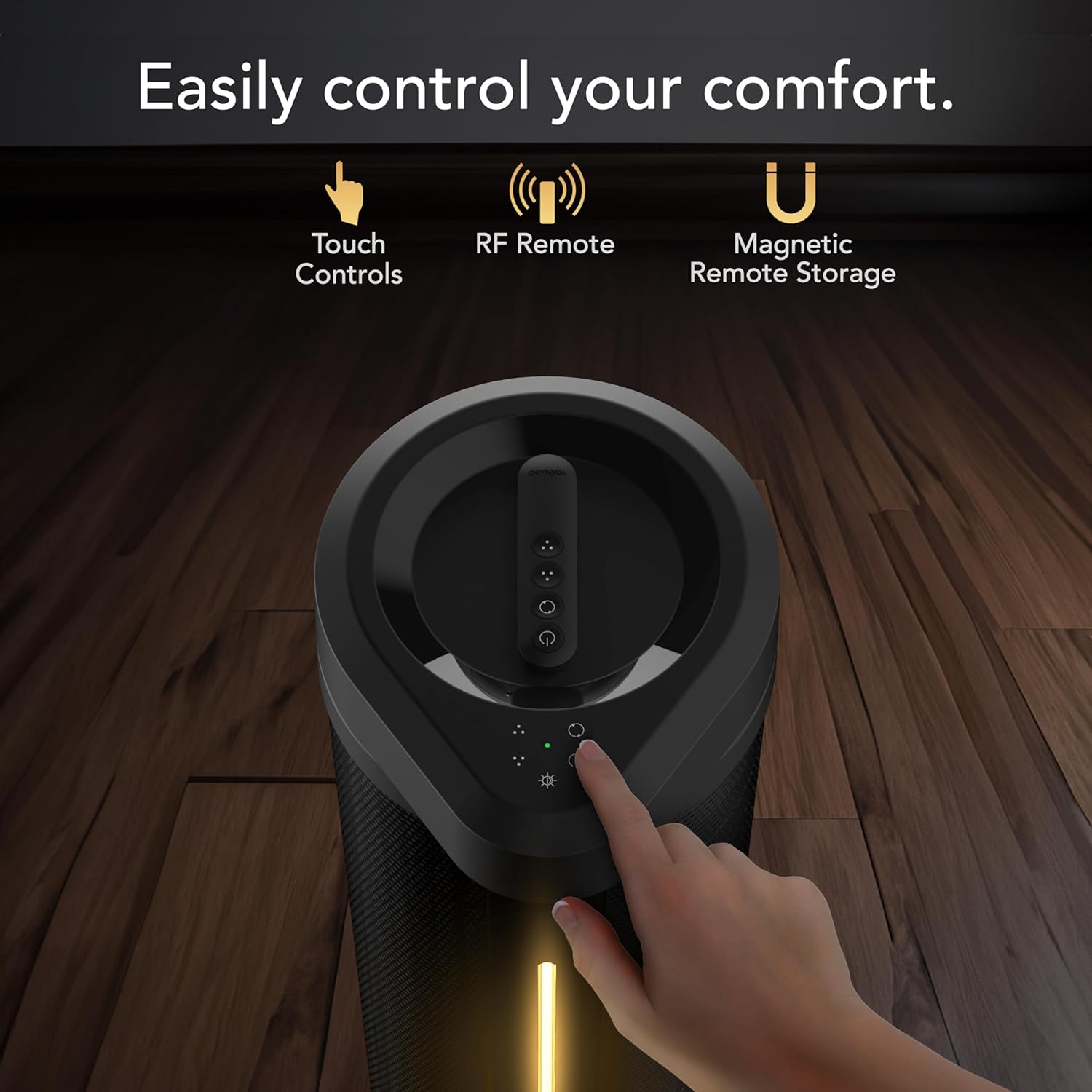
Figure 3: Top panel showing touch controls and remote control.
4.2 เปิด/ปิดเครื่อง
Plug the fan into a standard electrical outlet. Press the power button on the control panel or remote to turn the fan on or off.
4.3 การตั้งค่าความเร็วพัดลม
The fan features 5 speed settings. Use the fan speed control buttons on the unit or remote to adjust the airflow intensity.

Figure 4: Illustration of the fan's powerful whole-room air circulation.
4.4 Oscillation Modes
The ARA® fan offers two oscillation modes: 90° and 180° panoramic oscillation. Press the oscillation button on the control panel or remote to cycle through the modes or turn oscillation off.

Figure 5: Visual representation of the fan's oscillation range options.
4.5 Ambient Light Function
Activate the independent ambient light feature using the light button on the control panel or remote. There are 4 brightness settings available.

Figure 6: The fan's ambient lighting feature in use.
4.6 การควบคุมระยะไกล
The omnidirectional RF remote allows control from anywhere in the room. When not in use, the remote can be magnetically docked to the top of the fan for convenient storage.

Figure 7: Remote control magnetically docked on top of the fan.
4.7 วิดีโอผลิตภัณฑ์อย่างเป็นทางการ
วิดีโอ 1: จบview of the Vornado ARA® Premium Tower Fan with Ambient Light, demonstrating its features and operation.
5. การบำรุงรักษา
Regular cleaning and maintenance will ensure optimal performance and longevity of your Vornado ARA® Tower Fan.
5.1 การทำความสะอาดพัดลม
- ควรถอดปลั๊กพัดลมทุกครั้งก่อนทำความสะอาด
- ใช้แบบนุ่มๆamp ใช้ผ้าเช็ดทำความสะอาดพื้นผิวด้านนอกของพัดลม
- ห้ามใช้น้ำมันเบนซิน ทินเนอร์ ตัวทำละลาย แอมโมเนีย หรือสารเคมีอื่นๆ ในการทำความสะอาด
- Use a vacuum cleaner with the brush attachment to clean any dust from the air intake and exhaust grilles.
- The fan blades are not designed to be removed for cleaning.
5.2 พื้นที่จัดเก็บ
เมื่อไม่ได้ใช้งานเป็นเวลานาน ให้เก็บพัดลมไว้ในบรรจุภัณฑ์เดิมหรือคลุมไว้เพื่อป้องกันฝุ่น เก็บในที่แห้งและเย็น
6 การแก้ไขปัญหา
ก่อนที่จะติดต่อฝ่ายสนับสนุนลูกค้า โปรดดูคำแนะนำในการแก้ไขปัญหาต่อไปนี้สำหรับปัญหาทั่วไป
| ปัญหา | สาเหตุที่เป็นไปได้ | สารละลาย |
|---|---|---|
| Fan fails to power on. |
|
|
| Airflow is weak or restricted. |
|
|
| รีโมทคอนโทรลไม่ทำงาน |
|
|
7. ข้อมูลจำเพาะ
| คุณสมบัติ | รายละเอียด |
|---|---|
| ชื่อรุ่น | ARA® |
| หมายเลขรุ่น | FA1-0208-06 |
| ยี่ห้อ | วอร์นาโด |
| ขนาด (D x W x H) | 13.3" x 11.81" x 39.55" |
| น้ำหนักสินค้า | 12.4 ปอนด์ |
| จำนวนความเร็ว | 5 |
| วัดtage | 64 วัตต์ |
| ความจุการไหลของอากาศ | 1650 ลูกบาศก์ฟุตต่อนาที |
| ความเร็วสูงสุด | 1300 รอบต่อนาที |
| เล่มที่tage | 12.0 โวลต์ |
| ประเภทตัวควบคุม | Remote Control, Electronic Touch Controls |
| คุณสมบัติพิเศษ | LED Light, Oscillating, Remote Controlled |
| ประเภทมอเตอร์ | DC |
| วัสดุ | Metal (body), Plastic (blades) |
| ส่วนประกอบที่รวมอยู่ | ARA Fan Unit, Owner's Guide, Remote Control |
| การใช้งานภายใน/ภายนอกอาคาร | ในร่ม |
8. การรับประกันและการสนับสนุน
8.1 การรับประกันสินค้า
Vornado stands by the quality of its products. The Vornado ARA® Tower Fan is backed by a รับประกันความพึงพอใจ 5 ปี. If the product does not meet your expectations within this period, Vornado will replace it. This warranty is valid for use only in the U.S. and covers products designed and supported in Andover, KS.
8.2 การสนับสนุนลูกค้า
For technical assistance, warranty claims, or general inquiries, please contact Vornado Customer Service. Refer to the official Vornado website or the included owner's guide for current contact information.
การสนับสนุนทางออนไลน์: www.vornado.com/support