
การแนะนำ
This manual provides comprehensive instructions for the setup, operation, and maintenance of your TFA Dostmann 60.2036 Mini Digital Clock. Please read these instructions carefully before using the device to ensure proper function and longevity.
สินค้าเกินview
The TFA Dostmann 60.2036 is a versatile mini digital clock designed for portability and multiple functions, including an alarm, stopwatch, and timer. It features a clear digital display and intuitive controls.
คุณสมบัติหลัก:
- Digital alarm mode with stopwatch and timer functions.
- Compact size, ideal for travel, with a key lock feature to prevent accidental settings changes.
- Multiple mounting options: magnetic attachment or integrated stand.
- Powered by 1 AAA 1.5V alkaline battery (included).
- Can be used as a table clock, stopwatch, timer, or alarm clock in various settings.
ส่วนประกอบ:
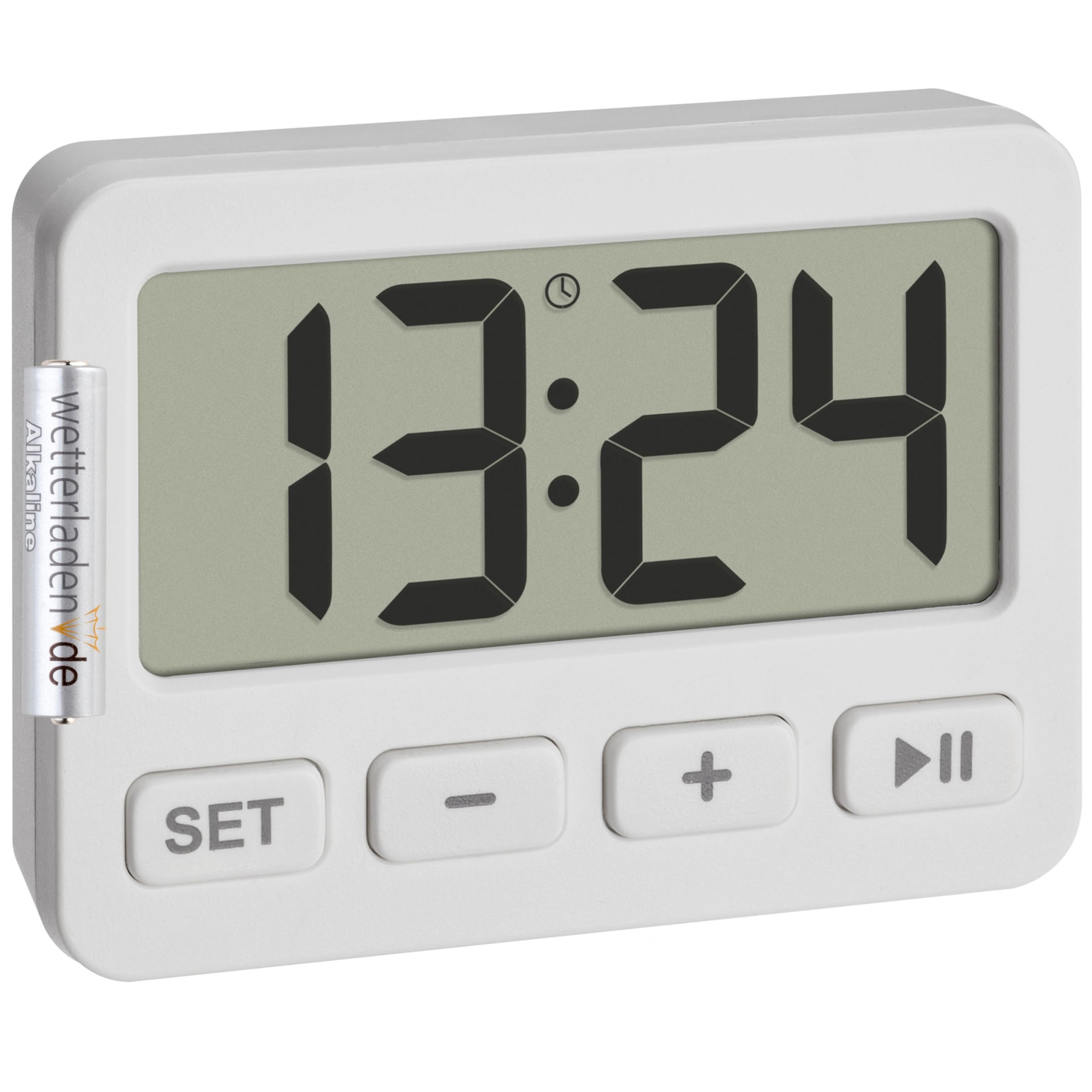
รูปที่ 1 : ด้านหน้า view of the TFA Dostmann 60.2036 Mini Digital Clock. The clock features a large digital display, a 'SET' button, a '-' (minus) button, a '+' (plus) button, and a 'Play/Pause' button. An alarm icon is visible on the display.
- จอแสดงผลดิจิตอล: Shows time, alarm status, stopwatch, or timer.
- ปุ่ม ตลท.: ใช้สำหรับป้อนและยืนยันการตั้งค่า
- - ปุ่ม (ลบ): ลดค่าหรือเลือกตัวเลือกต่างๆ
- + ปุ่ม (บวก): เพิ่มค่าหรือเลือกตัวเลือกต่างๆ
- ปุ่มเล่น/หยุดชั่วคราว: Starts/stops stopwatch or timer, activates/deactivates alarm.
- ช่องใส่แบตเตอรี่ (ด้านหลัง): Holds 1 AAA battery.
- Integrated Stand (Rear): สำหรับวางบนโต๊ะ
- Magnets (Rear): สำหรับยึดติดกับพื้นผิวโลหะ
การตั้งค่า
1. การติดตั้งแบตเตอรี่
- ค้นหาช่องใส่แบตเตอรี่ที่ด้านหลังของอุปกรณ์
- เปิดฝาช่องใส่แบตเตอรี่
- Insert one AAA 1.5V alkaline battery, ensuring correct polarity (+/-). A battery is included with the product.
- ปิดฝาช่องใส่แบตเตอรี่ให้แน่น
2. การตั้งเวลาเริ่มต้น
- After battery installation, the display will show a default time or flash.
- กดปุ่มค้างไว้ ชุด button for a few seconds until the hour digits begin to flash.
- ใช้ + or - ปุ่มเพื่อปรับชั่วโมง
- กดปุ่ม ชุด กดปุ่มอีกครั้งเพื่อยืนยันชั่วโมง แล้วจึงเปลี่ยนไปตั้งค่าเป็นนาที
- ใช้ + or - ปุ่มปรับนาที
- กดปุ่ม ชุด button one last time to confirm the minutes and exit time setting mode.
คำแนะนำการใช้งาน
1. Switching Between Modes (Clock, Alarm, Stopwatch, Timer)
กดปุ่ม ชุด button briefly to cycle through the different modes: Time Display → Alarm Setting → Stopwatch → Timer.
2. การตั้งปลุก
- กด ชุด repeatedly until the alarm time is displayed (often indicated by an alarm icon).
- กดปุ่มค้างไว้ ชุด กดปุ่มจนกว่าตัวเลขชั่วโมงปลุกจะกะพริบ
- ใช้ + or - เพื่อตั้งเวลาปลุกที่ต้องการ
- กด ชุด เพื่อยืนยันชั่วโมงและเปลี่ยนเป็นนาที
- ใช้ + or - เพื่อตั้งค่านาทีปลุกที่ต้องการ
- กด ชุด เพื่อยืนยันและออกจากการตั้งค่าการเตือน
การเปิดใช้งาน/ปิดใช้งานสัญญาณเตือน:
In alarm display mode, press the เล่น/หยุดชั่วคราว button to toggle the alarm ON or OFF. An alarm icon on the display indicates that the alarm is active.
การหยุดการปลุก:
When the alarm sounds, press any button to silence it. The alarm will reset for the next day.
3. การใช้นาฬิกาจับเวลา
- กด ชุด repeatedly until the stopwatch mode is displayed (usually showing "00:00:00").
- กดปุ่ม เล่น/หยุดชั่วคราว ปุ่มสำหรับเริ่มจับเวลา
- กดปุ่ม เล่น/หยุดชั่วคราว กดปุ่มอีกครั้งเพื่อหยุดนาฬิกาจับเวลาชั่วคราว
- หากต้องการดำเนินการต่อ ให้กด เล่น/หยุดชั่วคราว อีกครั้ง.
- หากต้องการรีเซ็ตนาฬิกาจับเวลาเป็นศูนย์ ให้กดปุ่ม - กดปุ่มขณะที่นาฬิกาจับเวลาหยุดชั่วคราว
4. การใช้ตัวจับเวลา (นับถอยหลัง)
- กด ชุด repeatedly until the timer mode is displayed (usually showing "00:00:00" or the last set timer value).
- กดปุ่มค้างไว้ ชุด กดปุ่มจนกว่าตัวเลขชั่วโมงจะกะพริบ
- ใช้ + or - to set the desired timer hour.
- กด ชุด เพื่อยืนยันชั่วโมงและเปลี่ยนเป็นนาที
- ใช้ + or - to set the desired timer minutes.
- กด ชุด to confirm and exit timer setting.
- กดปุ่ม เล่น/หยุดชั่วคราว ปุ่มเพื่อเริ่มนับถอยหลัง
- เมื่อตัวจับเวลาถึงศูนย์ เสียงเตือนจะดังขึ้น กดปุ่มใดก็ได้เพื่อปิดเสียงเตือน
- หากต้องการหยุดตัวจับเวลาชั่วคราว ให้กดปุ่ม เล่น/หยุดชั่วคราว during countdown. Press again to resume.
- To reset the timer to its last set value, press the - button while the timer is paused or has finished.
5. ฟังก์ชันล็อคกุญแจ
To prevent accidental changes to settings, especially during travel, the device features a key lock function.
- To activate the key lock: Press and hold the เล่น/หยุดชั่วคราว button for approximately 3 seconds. A lock icon may appear on the display.
- To deactivate the key lock: Press and hold the เล่น/หยุดชั่วคราว button again for approximately 3 seconds. The lock icon will disappear.
6. ตัวเลือกการติดตั้ง
- ขาตั้งแบบรวม: Pull out the stand located on the back of the clock to place it on any flat surface.
- การติดแม่เหล็ก: Use the integrated magnets on the back of the clock to attach it to metallic surfaces like refrigerators or whiteboards.
การซ่อมบำรุง
การทำความสะอาด:
- ทำความสะอาดอุปกรณ์ด้วยผ้านุ่มแห้ง
- Do not use abrasive cleaners or solvents, as these can damage the display or casing.
- Avoid exposing the device to excessive moisture.
การเปลี่ยนแบตเตอรี่:
When the display becomes dim or the device stops functioning, it is time to replace the battery.
- Follow the battery installation steps outlined in the การตั้งค่า ส่วน.
- Always use a fresh AAA 1.5V alkaline battery.
- ทิ้งแบตเตอรี่เก่าด้วยความรับผิดชอบตามข้อบังคับท้องถิ่น
การแก้ไขปัญหา
| ปัญหา | สาเหตุที่เป็นไปได้ | สารละลาย |
|---|---|---|
| จอแสดงผลว่างเปล่าหรือมืดลง | แบตเตอรี่อ่อนหรือหมด การติดตั้งแบตเตอรี่ไม่ถูกต้อง | Replace the AAA battery. Check battery polarity. |
| ปุ่มต่างๆ ไม่ตอบสนอง | Key lock is activated. | Deactivate the key lock by pressing and holding the เล่น/หยุดชั่วคราว กดปุ่มนี้เป็นเวลา 3 วินาที |
| สัญญาณเตือนภัยไม่ดัง | Alarm is not activated. Alarm volume is too low (if adjustable, though not specified for this model). | Ensure the alarm icon is visible on the display. Check battery level. |
| Time/settings reset unexpectedly. | Battery removed or power interrupted. | Re-enter time and settings. Ensure battery is securely in place. |
ข้อมูลจำเพาะ
- แบบอย่าง: TFA Dostmann 60.2036
- วัสดุ: พลาสติก
- สี: สีขาว
- แหล่งพลังงาน: 1 x AAA 1.5V battery (included)
- Product Dimensions (Depth x Height): 15P x 15H millimeters
- ขนาดแพ็คเกจ: 6.5 x 5 x 3 ซม.
- น้ำหนักสินค้า: 21 กรัม
- ขนาดจอแสดงผล: 55 มิลลิเมตร
- ฟังก์ชั่น: Clock, Alarm, Stopwatch, Timer, Key Lock
การรับประกันและการสนับสนุน
For warranty information and customer support, please refer to the documentation provided with your purchase or visit the official TFA Dostmann webไซต์ เก็บหลักฐานการซื้อของคุณไว้เพื่อใช้ในกรณีเรียกร้องการรับประกัน
ผู้ผลิต: TFA ดอสต์มันน์