
การแนะนำ
Thank you for choosing the Fydeamer Universal Tripod Easel TV Stand. This manual provides essential information for the safe and proper assembly, operation, and maintenance of your new TV stand. Designed to accommodate 32-65 inch LED LCD and flat/curved screens, this stand offers a modern aesthetic, stability, and flexible viewing angles with its swivel and height adjustment features. Please read this manual thoroughly before beginning assembly or use.
ข้อมูลด้านความปลอดภัย
- ความจุน้ำหนัก: Do not exceed the maximum weight capacity of 44 lbs (20 kg). Overloading can result in instability and potential injury or damage.
- ความเข้ากันได้ของขนาดทีวี: This stand is designed for TVs between 32 and 65 inches. Ensure your TV's size and VESA pattern are compatible before assembly.
- พื้นผิวที่มั่นคง: ควรวางขาตั้งทีวีบนพื้นผิวเรียบ มั่นคง และได้ระดับเสมอ เพื่อป้องกันการล้ม
- การประกอบ: Follow all assembly instructions carefully. Incorrect assembly can lead to product failure and injury. It is recommended to have two people for assembly, especially when mounting the TV.
- การจัดการสายเคเบิล: Utilize the integrated cable management features to prevent tripping hazards and ensure a tidy setup.
- เด็กและสัตว์เลี้ยง: Keep children and pets away from the stand during assembly. Do not allow children to climb on or play with the stand or mounted TV.
- การตรวจสอบ: ตรวจสอบสกรูและการเชื่อมต่อทั้งหมดเป็นระยะๆ เพื่อให้แน่ใจว่าแน่นหนาและปลอดภัย
เนื้อหาแพ็คเกจ
Please verify that all components are present and undamaged before beginning assembly. Refer to the parts list provided in your product packaging for a detailed inventory of all included hardware and components.
คำแนะนำในการติดตั้งและประกอบ
Follow these steps carefully to assemble your Fydeamer Universal Tripod Easel TV Stand. It is recommended to have a second person assist with the TV mounting step.
- แกะกล่องและระบุชิ้นส่วน: นำชิ้นส่วนทั้งหมดออกจากบรรจุภัณฑ์อย่างระมัดระวัง วางชิ้นส่วนเหล่านั้นบนพื้นผิวที่นุ่มและสะอาดเพื่อป้องกันรอยขีดข่วน ตรวจสอบระบุชิ้นส่วนแต่ละชิ้นโดยใช้รายการชิ้นส่วนที่ให้มา
- ประกอบฐานขาตั้งกล้อง: Connect the three wooden legs to the central hub of the stand. Ensure they are securely fastened according to the instructions. The design features a sturdy triangle center for enhanced stability.

This image provides key dimensions of the TV stand, such as overall height (57.2 inches) and leg spread (29.5 inches). It also highlights practical features like integrated cable management clips along the legs, non-slip rubber feet to protect floors, and the sturdy triangle center design for enhanced stability.
- Attach the Vertical Support Pole: Secure the main vertical support pole to the tripod base. Ensure it is upright and firmly attached.
- Install TV Mounting Brackets: Attach the horizontal TV mounting brackets to the vertical support pole. These brackets are adjustable to accommodate various VESA patterns (100x100, 200x200, 200x300, 200x400, 300x300, 300x400, 400x400, and 600x400).

This diagram visually explains the stand's 70-degree swivel capability and lists various VESA mounting patterns supported by the stand. It also indicates the stand's compatibility with TVs up to 44 lbs.
- Prepare Your TV: Attach the TV mounting arms to the back of your television using the appropriate screws and spacers for your TV's VESA pattern. Ensure the arms are securely fastened to your TV.
- ติดตั้งทีวี: With assistance, carefully lift your television and hook the TV mounting arms onto the horizontal brackets on the stand. Ensure the TV is level and securely seated. Fasten any safety screws or clips as indicated in the assembly guide.

This graphic shows the range of TV sizes the stand can accommodate, specifically from 32 inches to 65 inches. It visually represents how different TV sizes would fit on the mounting bracket, emphasizing the stand's broad compatibility.
- การจัดการสายเคเบิล: Route all TV and power cables neatly along the back of the stand and down the legs using the provided cable clips. This helps maintain a clean appearance and prevents tangles.
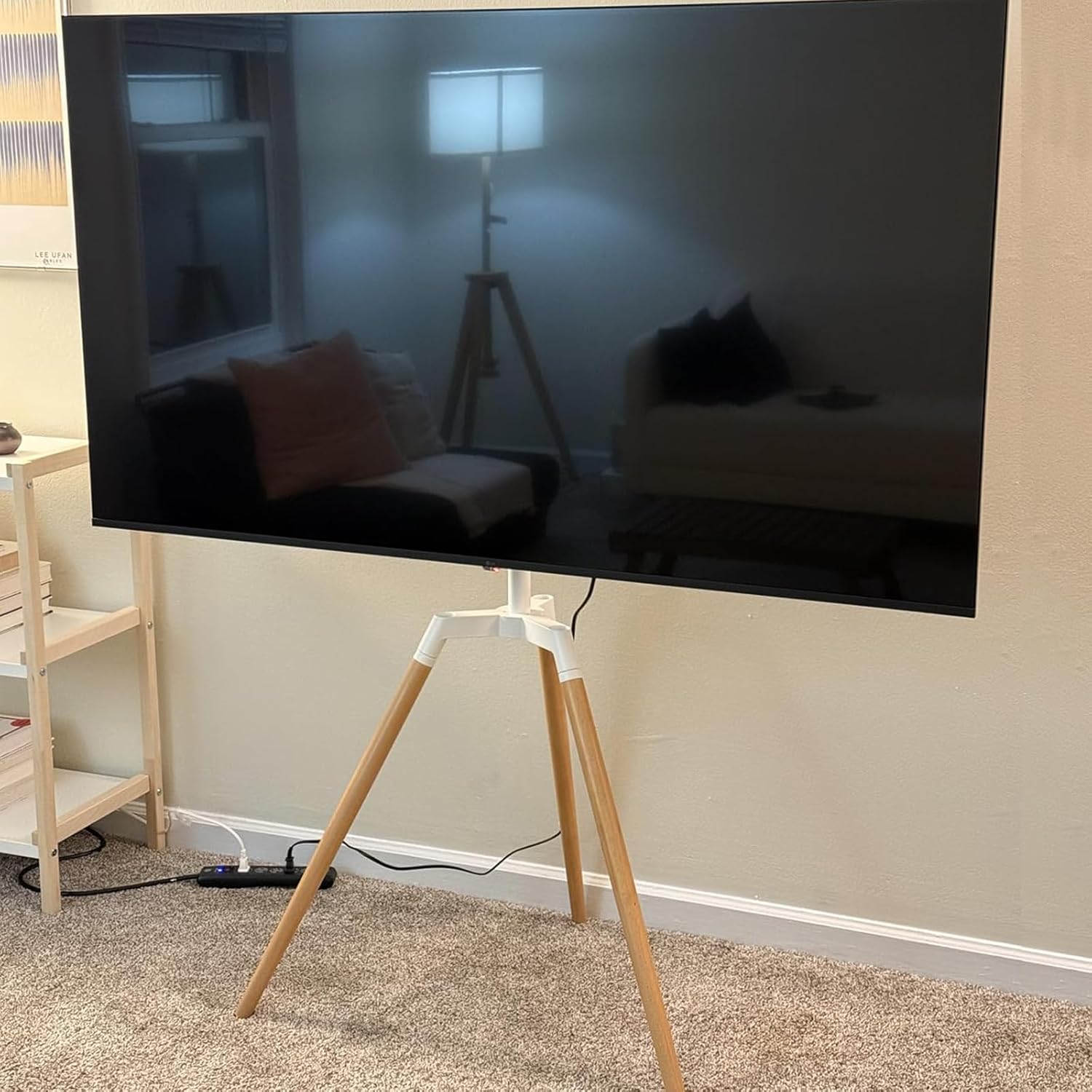
This photograph shows the Fydeamer TV stand fully assembled in a home living room, with a television mounted. The image provides a real-world view of the stand's appearance and how it integrates into a typical interior space, showcasinด้วยดีไซน์ที่ทันสมัย
คำแนะนำการใช้งาน
ฟังก์ชั่นการหมุน
The Fydeamer TV stand allows for a 140° swivel range (+70° to -70°). To adjust the viewing angle, gently grasp the sides of your television and rotate it to the desired position. The swivel mechanism is designed for smooth and easy adjustment, helping you achieve the optimal viewing experience from various points in the room.
การปรับความสูง
The height of the TV can be adjusted from 45.47 inches to 55.51 inches. To adjust the height, loosen the designated height adjustment screws on the vertical pole, carefully slide the TV mounting assembly up or down to the desired height, and then securely tighten the screws. Ensure the TV is level after adjustment.
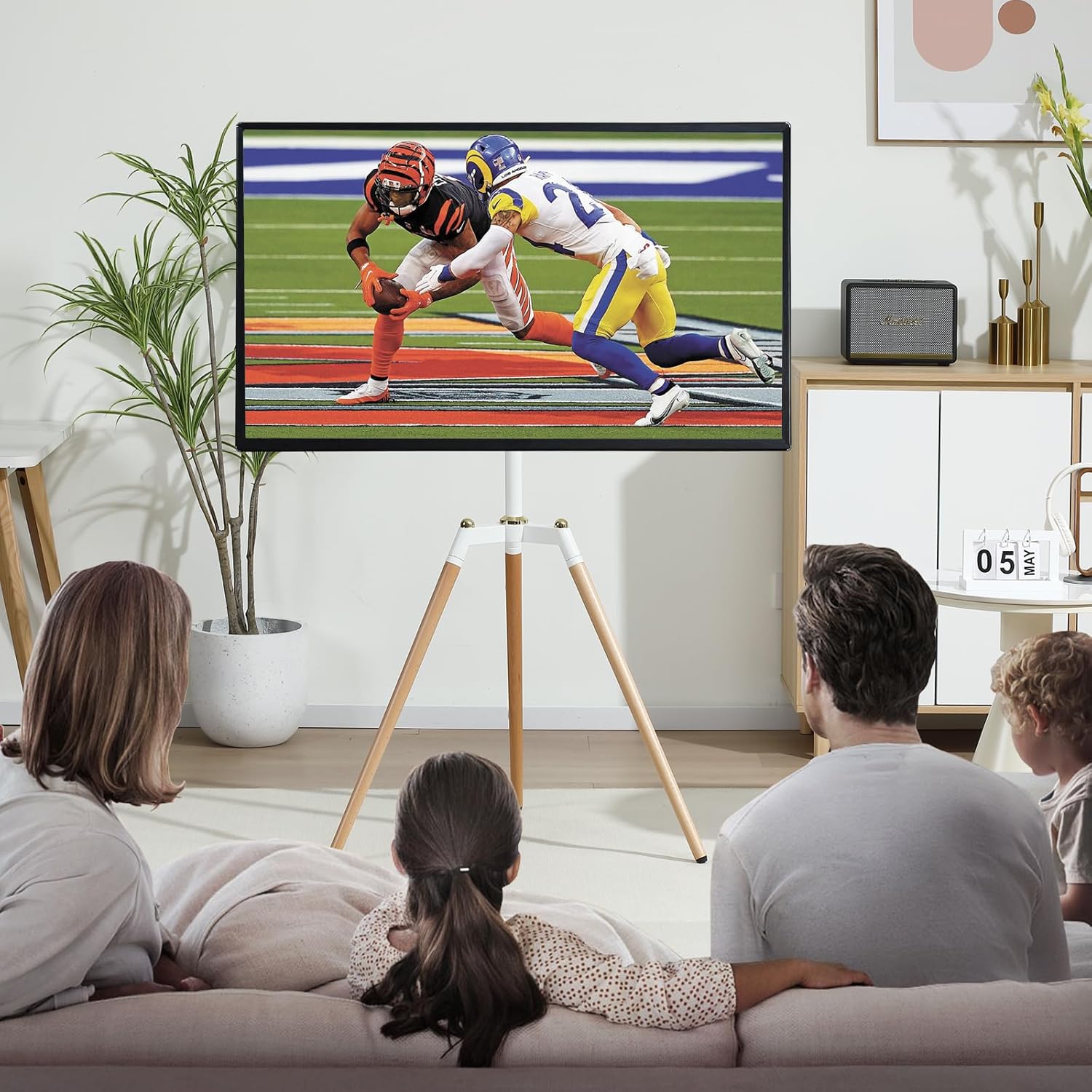
A family is shown comfortably seated on a sofa, watching a football game on a television mounted on the Fydeamer Tripod Easel TV Stand. This illustrates the stand's use in a typical living room setting, emphasizing its stability and viewการสร้างประสบการณ์
การซ่อมบำรุง
To ensure the longevity and proper function of your TV stand, follow these maintenance guidelines:
- การทำความสะอาด: ใช้ผ้าแห้งนุ่มๆ เช็ดทำความสะอาดขาตั้ง สำหรับคราบฝังแน่น ให้ใช้ผ้าชุบน้ำหมาดๆ เช็ดเบาๆamp สามารถใช้ผ้าชุบสบู่เหลวเช็ดทำความสะอาดได้ จากนั้นเช็ดให้แห้งสนิท หลีกเลี่ยงน้ำยาทำความสะอาดที่มีฤทธิ์กัดกร่อนหรือตัวทำละลาย
- การตรวจสอบฮาร์ดแวร์: Periodically (e.g., every 3-6 months) inspect all screws and bolts to ensure they are tight. Re-tighten if necessary.
- การป้องกันขา: The non-slip rubber feet are designed to protect your floor. Ensure they are intact and clean to prevent scratches.
การแก้ไขปัญหา
หากคุณพบปัญหาใดๆ เกี่ยวกับขาตั้งทีวีของคุณ โปรดดูปัญหาทั่วไปและวิธีแก้ไขต่อไปนี้:
| ปัญหา | สาเหตุที่เป็นไปได้ | สารละลาย |
|---|---|---|
| รู้สึกยืนโยกเยกหรือไม่มั่นคง | Loose connections; uneven floor; TV too heavy. | Ensure all screws are tightened. Move stand to a level surface. Verify TV weight is within 44 lbs limit. |
| TV cannot be mounted. | Incorrect VESA pattern; TV too large/small. | Check your TV's VESA pattern against the stand's compatibility. Ensure TV size is between 32-65 inches. |
| Difficulty adjusting height or swivel. | Adjustment screws too tight; mechanism obstructed. | Loosen height adjustment screws before attempting to move. Ensure no cables or objects are obstructing the swivel mechanism. |
ข้อมูลจำเพาะ
| คุณสมบัติ | รายละเอียด |
|---|---|
| ขนาดสินค้า | 34.9 x 19.7 x 54.5 นิ้ว |
| น้ำหนักสินค้า | 13.92 ปอนด์ |
| หมายเลขรุ่น | MYH04001WB |
| ผู้ผลิต | Fydeamer |
| ประเภทการติดตั้ง | ชั้นเมา |
| ประเภทการเคลื่อนไหว | หมุน |
| วัสดุ | เหล็ก |
| ขนาดที่เข้ากันได้สูงสุด | 65 นิ้ว |
| ขนาดขั้นต่ำที่เข้ากันได้ | 32 นิ้ว |
| อุปกรณ์ที่รองรับ | โทรทัศน์ |
| มุมเอียงสูงสุด | หมุนได้ 70 องศา |
| ยูพีซี | 789007859940 |
การรับประกันและการสนับสนุน
For warranty information and customer support, please refer to the documentation included with your purchase or visit the official Fydeamer website. If you have any questions regarding assembly, operation, or troubleshooting that are not covered in this manual, please contact Fydeamer customer service for assistance.