
1. บทนำ
This manual provides detailed instructions for the safe and effective use of your CIGMAN Laser Level and Golf Rangefinder Kit. Please read this manual thoroughly before operating the devices and retain it for future reference. This kit includes two primary tools: a CIGMAN 3x360° 3D Green Cross Line Laser Level for construction and alignment tasks, and a CIGMAN CT-800Y Golf Rangefinder for distance measurement in golfing and other outdoor activities.

Image 1.1: The CIGMAN Laser Level and Golf Rangefinder Kit, showing both devices.
2. ข้อมูลด้านความปลอดภัย
คำเตือน: Laser radiation. Avoid direct eye exposure. Class II laser product.
- อย่าจ้องเข้าไปในลำแสงเลเซอร์โดยตรง
- อย่าเล็งลำแสงเลเซอร์ไปที่คนหรือสัตว์
- Do not disassemble or modify the laser device. Repairs should only be performed by authorized service personnel.
- Keep the devices out of reach of children.
- Use the devices only for their intended purpose as described in this manual.
- Ensure the working environment is safe and free from hazards.
3. CIGMAN 3x360° 3D Green Cross Line Laser Level
3.1. ส่วนประกอบและคุณสมบัติ
- Laser Emitters: One horizontal 360° line and two vertical 360° lines.
- การมองเห็นสูง: Green laser lines are 4x brighter than red beams, offering a working distance of up to 100ft outdoors.
- ฟังก์ชันปรับระดับอัตโนมัติ: Automatically levels within a certain range.
- โหมดแมนนวล: Allows locking the pendulum for angled projection.
- ปุ่มควบคุม: Individual buttons for activating each laser line.
- รีโมทคอนโทรล: For adjusting brightness and activating/deactivating laser lines.
- ตัวเลือกการติดตั้ง: Compatible with tripods and magnetic brackets.

Image 3.1: The CIGMAN Laser Level being operated with its remote control.
3.2. การตั้งค่าและการใช้งาน
- เปิดเครื่อง: Slide the main switch to the 'ON' position. The laser level will enter self-leveling mode.
- โหมดปรับระดับอัตโนมัติ: The laser lines will blink rapidly if the device is outside its self-leveling range. Adjust the position until the lines are stable.
- โหมดแมนนวล (ฟังก์ชันความลาดชัน): To project angled lines, slide the main switch to the 'LOCK' position. The laser lines can now be set at any angle without self-leveling.
- Selecting Laser Lines: Use the dedicated buttons on the device or the remote control to activate or deactivate the horizontal and vertical laser lines individually.
- การติดตั้ง: For precise adjustments, attach the laser level to a compatible tripod. The included tripod allows for accurate precision adjustments.

Image 3.2: The CIGMAN Laser Level mounted on a tripod for fine precision adjustment.
4. CIGMAN CT-800Y Golf Rangefinder
4.1. ส่วนประกอบและคุณสมบัติ
- ช่วงการวัด: 3 to 850 yards with an accuracy of ±1 yard.
- กำลังขยาย: 6x magnification for clear viewการไอเอ็นจี
- Adjustable Diopter: Up to ±6° for precise target focusing.
- จอแสดงผล LCD: Provides clear and fast readings.
- การชดเชยความลาดชัน: Adjusts distance readings for elevation changes (can be turned off for tournament play).
- Flagpole Locking: Vibrates twice when the flagpole is locked.
- Multiple Measuring Modes: Straight distance, flagpole, golf slope compensation, vertical/horizontal distance, and speed measurement.
- แบตเตอรี่แบบชาร์จไฟได้: 750mAh Lithium-Ion battery, USB Type-C rechargeable.
- ขนาดกะทัดรัดและพกพาสะดวก: Ergonomic design for easy handling.

ภาพที่ 4.1: จบแล้วview of essential features of the CIGMAN CT-800Y Golf Rangefinder.
4.2. การตั้งค่าและการใช้งาน
- การชาร์จ: Before first use, fully charge the rangefinder using the provided USB Type-C cable. The 750mAh battery provides extended use.
- เปิด/ปิดเครื่อง: Press the power button to turn the device on. It will automatically power off after a period of inactivity to conserve battery.
- การปรับแก้สายตา: หมุนเลนส์ใกล้ตาเพื่อปรับโฟกัสให้ภาพคมชัด view ผ่านเลนส์
- การเลือกโหมด: Press the 'MODE' button to cycle through the five available measuring modes: Straight Distance, Flagpole, Golf Slope Compensation, Vertical and Horizontal Distance, and Speed Measurement.
- การชดเชยความลาดชัน: Use the dedicated slope switch to turn slope compensation on or off. When off, the device is legal for tournament play.

Image 4.2: Illustration of the slope compensation feature on the CIGMAN CT-800Y Golf Rangefinder.
- Flag Locking: In Flagpole mode, press and hold the power button while swiping the target left and right. The device will vibrate twice when the flagpole is successfully locked, providing the distance to the flag.

Image 4.3: Demonstrating the easy flag locking feature with vibration alert.
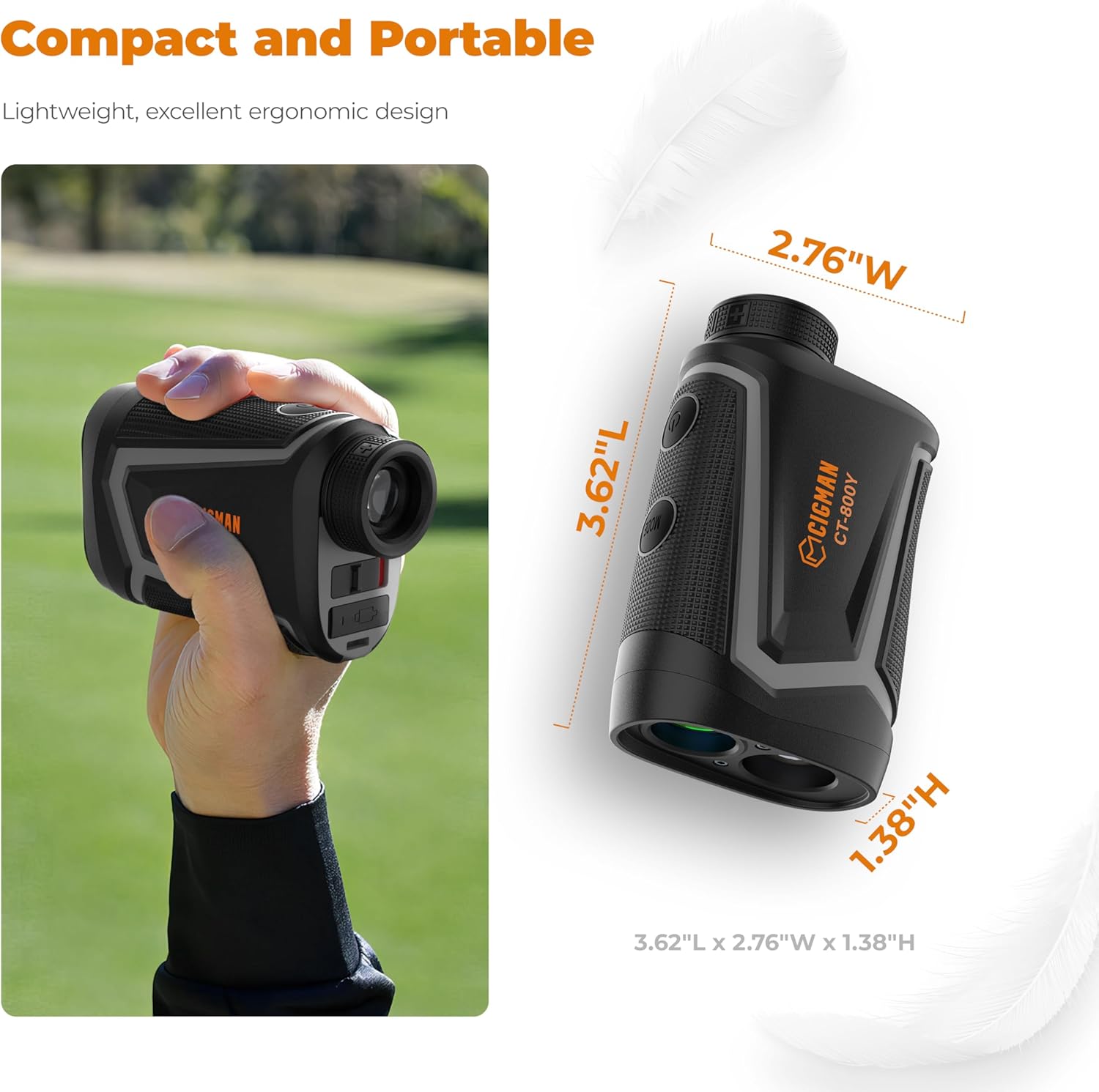
Image 4.4: The CIGMAN CT-800Y Golf Rangefinder offers high precision shooting with 6x magnification.

Image 4.5: The compact and portable design of the CIGMAN CT-800Y Golf Rangefinder.

Image 4.6: The CIGMAN CT-800Y Golf Rangefinder charging via USB-C.
5. การบำรุงรักษา
- การทำความสะอาด: Use a soft, dry cloth to clean the exterior of both devices. For lenses on the rangefinder, use a lens cleaning cloth and solution.
- พื้นที่จัดเก็บ: เก็บอุปกรณ์ไว้ในที่แห้งและเย็น หลีกเลี่ยงแสงแดดโดยตรงและอุณหภูมิที่สูงหรือต่ำเกินไป
- Battery Care (Rangefinder): Recharge the rangefinder regularly, even if not in use, to maintain battery health. Avoid fully discharging the battery for extended periods.
- การป้องกัน: When not in use, keep the laser level in its protective case and the rangefinder in its pouch to prevent damage.
6 การแก้ไขปัญหา
6.1. Laser Level
- Laser lines are blinking: The device is likely out of its self-leveling range. Adjust its position on a flatter surface or tripod until the lines stabilize.
- ไม่มีเส้นเลเซอร์: Ensure the device is powered on and the main switch is not in the 'LOCK' position if self-leveling is desired. Check battery level if applicable.
- การควบคุมระยะไกลไม่ทำงาน: Ensure the remote's battery is functional and there are no obstructions between the remote and the laser level.
6.2. Golf Rangefinder
- No display/device not powering on: The battery may be depleted. Connect the rangefinder to a USB charger.
- การอ่านค่าที่ไม่ถูกต้อง: Ensure the lens is clean. Make sure you are targeting a reflective surface or a clear object. Environmental conditions like fog or heavy rain can affect accuracy.
- Cannot lock onto flag: Ensure you are in Flagpole mode. Try sweeping the target area slowly and steadily. Ensure no obstructions are between the rangefinder and the flag.
- หน้าจอไม่ชัด: Adjust the diopter by rotating the eyepiece until the display is clear.
7. ข้อมูลจำเพาะ
7.1. CIGMAN 3x360° 3D Green Cross Line Laser Level
| คลาสเลเซอร์ | ชั้นประถมศึกษาปีที่ 2 |
| สีเลเซอร์ | สีเขียว |
| เส้นเลเซอร์ | 1x360° Horizontal, 2x360° Vertical |
| ระยะการทำงาน | Up to 100ft (outdoors) |
| ช่วงปรับระดับตัวเอง | อัตโนมัติ |
| วัสดุ | โลหะ, พลาสติก |
7.2. CIGMAN CT-800Y Golf Rangefinder
| ช่วงการวัด | 3 - 850 yards |
| ความแม่นยำ | ±1 หลา |
| การขยายภาพ | 6x |
| การปรับไดออปเตอร์ | สูงสุดถึง ±6° |
| ประเภทแบตเตอรี่ | 750mAh Lithium-Ion (Rechargeable via USB Type-C) |
| โหมดการวัด | Straight Distance, Flagpole, Golf Slope Compensation, Vertical/Horizontal Distance, Speed Measurement |
8. การรับประกันและการสนับสนุน
For warranty information, technical support, or service inquiries, please refer to the official CIGMAN website or contact CIGMAN customer support directly. Please have your product model and purchase date available when contacting support.
CIGMAN Official Webเว็บไซต์: Visit the CIGMAN Store on Amazon