
1. บทนำ
Thank you for choosing the Cecotec Bolero Hexa C126000 Inox Built-in Oven. This manual provides essential information for the safe and efficient use, installation, and maintenance of your new appliance. Please read these instructions thoroughly before operating the oven and keep them for future reference.
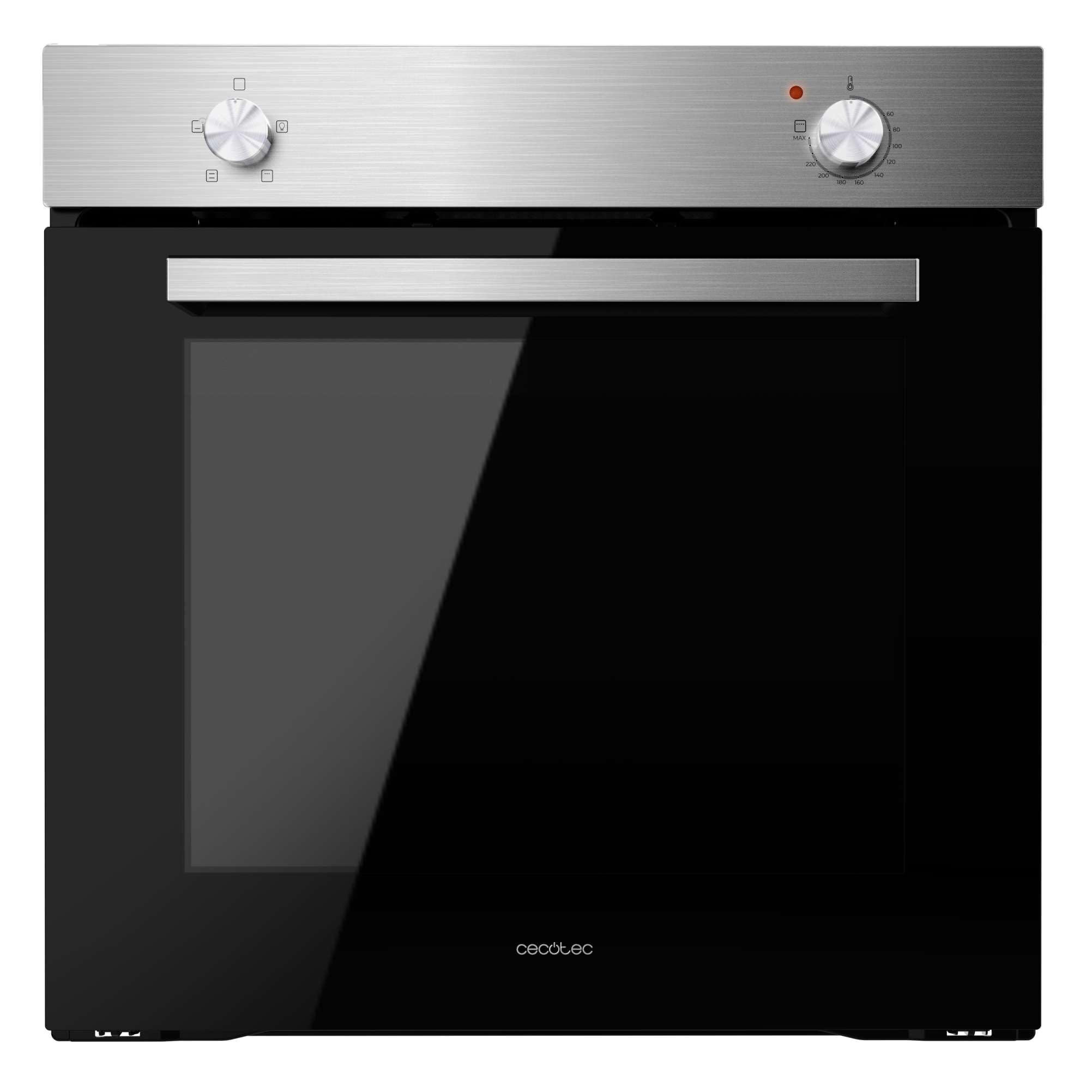
รูปที่ 1 : ด้านหน้า view of the Cecotec Bolero Hexa C126000 Inox Built-in Oven.
2. คำแนะนำด้านความปลอดภัย
To prevent personal injury or damage to the appliance, always follow basic safety precautions, including the following:
- อ่านคำแนะนำทั้งหมดอย่างละเอียดก่อนใช้งาน
- เครื่องใช้ไฟฟ้าชิ้นนี้มีไว้สำหรับใช้ในครัวเรือนเท่านั้น
- ตรวจสอบให้แน่ใจว่าเตาอบได้รับการติดตั้งและต่อสายดินอย่างถูกต้องโดยช่างเทคนิคที่มีคุณสมบัติก่อนใช้งาน
- อย่าสัมผัสพื้นผิวที่ร้อน ใช้ถุงมือสำหรับเตาอบหรือที่จับหม้อ
- ห้ามใช้เตาอบเพื่อทำความร้อนในห้องเด็ดขาด
- ควรกันเด็กให้อยู่ห่างจากเตาอบขณะใช้งานและขณะเตาอบเย็นลง
- อย่าเก็บวัสดุไวไฟในหรือใกล้เตาอบ
- ควรตัดการเชื่อมต่อพลังงานทุกครั้งก่อนทำความสะอาดหรือบำรุงรักษา
- ห้ามใช้สารทำความสะอาดที่มีฤทธิ์กัดกร่อนหรือเครื่องขูดโลหะคมๆ ในการทำความสะอาดกระจกประตูเตาอบ เพราะอาจทำให้พื้นผิวเป็นรอยและแตกได้
3. สินค้าหมดview และคุณสมบัติ
The Cecotec Bolero Hexa C126000 Inox Built-in Oven is designed for efficient and versatile cooking. Key features include:
- ความจุขนาดใหญ่: 77 liters, suitable for cooking for the entire family with 5 grill positions.
- ประสิทธิภาพการใช้พลังงาน: Class A rating for reduced energy consumption.
- การทำความสะอาดด้วยไอน้ำแบบง่าย: A steam-assisted cleaning function that helps loosen dirt and grease for easier manual cleaning.
- Steam Assist: Incorporates steam during cooking to ensure dishes are crispy on the outside and juicy on the inside.
- พัดลมระบายความร้อน: An air ventilation system for rapid cooling of the oven, minimizing condensation and excess temperature between the oven and the hob.
- Triple-Glazed Door: Features three layers of glass to keep the exterior cool to the touch and prevent heat loss, enhancing efficiency.
- 4 ฟังก์ชั่นการปรุงอาหาร: Offers natural convection, forced convection, Steam Assist, and Steam EasyClean, along with an interior light.
- Double Steam Zone (Steam Base X2): A dual steam zone with an XXL capacity of up to 1 liter (500 ml + 500 ml) for optimal use of Steam EasyClean and Steam Assist functions.
- พลังงานสูง: 2800 W for quick and effective cooking results.

Figure 2: The oven's spacious 77-liter interior.

Figure 3: Energy Class A rating for efficient operation.

Figure 4: Control panel illustrating the 4 cooking functions.
4. การตั้งค่าและการติดตั้ง
Proper installation is crucial for the safe and optimal performance of your oven. It is highly recommended that installation be performed by a qualified professional.
4.1. การเชื่อมต่อไฟฟ้า
- ตรวจสอบให้แน่ใจว่าแหล่งจ่ายไฟฟ้าตรงกับระดับเสียงtagค่า e และความถี่ที่ระบุไว้บนแผ่นป้ายข้อมูลจำเพาะของเตาอบ
- The oven must be properly grounded.
- ห้ามใช้สายไฟต่อพ่วงหรือตัวแปลงไฟ
4.2. Built-in Dimensions
Refer to the diagrams below for the correct dimensions for built-in installation. Ensure adequate ventilation around the appliance.

Figure 5: Dimensions for standard built-in installation (52P x 59.2W x 59.6H cm).

Figure 6: Dimensions for tall cabinet built-in installation.
5. คู่มือการใช้งาน
โปรดทำความคุ้นเคยกับปุ่มควบคุมและฟังก์ชันต่างๆ ก่อนใช้งานครั้งแรก
5.1. การใช้ครั้งแรก
- นำวัสดุบรรจุภัณฑ์และอุปกรณ์เสริมทั้งหมดออกจากช่องเตาอบ
- ทำความสะอาดภายในเตาอบด้วยamp ผ้าและผงซักฟอกอ่อนๆ
- ตั้งอุณหภูมิเตาอบเปล่าให้ร้อนสูงสุดประมาณ 30 นาที เพื่อเผาไหม้เศษวัสดุที่เหลือจากการผลิต ควรมีการระบายอากาศที่ดีในระหว่างกระบวนการนี้
5.2. Setting the Cooking Function and Temperature
Your oven features two main control knobs: one for selecting the cooking function and another for setting the temperature.
- ปุ่มฟังก์ชั่น: Rotate this knob to select one of the 4 available cooking functions (Natural Convection, Forced Convection, Steam Assist, Steam EasyClean) or to activate the interior light.
- ปุ่มควบคุมอุณหภูมิ: Rotate this knob to set the desired cooking temperature.
5.3. Using Steam Assist
The Steam Assist function adds moisture to your cooking for enhanced results.
- Pour water into the designated Steam Base X2 reservoir at the bottom of the oven cavity. The total capacity is 1 liter (500 ml + 500 ml).
- วางอาหารของคุณไว้ในเตาอบ
- Select the Steam Assist function using the function knob.
- ตั้งอุณหภูมิและเวลาในการปรุงอาหารที่ต้องการ

รูปที่ 7: อดีตample of food prepared using Steam Assist for optimal texture.

Figure 8: The Double Steam Zone (Steam Base X2) for steam functions.
6. การบำรุงรักษาและการทำความสะอาด
การทำความสะอาดและบำรุงรักษาอย่างสม่ำเสมอจะช่วยยืดอายุการใช้งานของเตาอบและรับประกันการใช้งานที่ถูกสุขอนามัย
6.1. Steam EasyClean Function
This function uses steam to soften food residues, making manual cleaning easier.
- ตรวจสอบให้แน่ใจว่าเตาอบเย็นแล้ว
- Pour approximately 500 ml of water into the Steam Base X2 reservoir.
- Select the Steam EasyClean function using the function knob.
- Allow the cycle to complete (refer to specific timing in the full manual).
- Once the cycle is finished and the oven has cooled, wipe the interior with a soft cloth to remove softened residues.

Figure 9: Steam EasyClean function in action, loosening grime.
6.2. การทำความสะอาดทั่วไป
- Always ensure the oven is switched off and cool before cleaning.
- ทำความสะอาดพื้นผิวภายนอกด้วยผ้านุ่มๆamp ผ้าและผงซักฟอกอ่อน ห้ามใช้น้ำยาทำความสะอาดที่มีฤทธิ์กัดกร่อน
- The oven door features triple glazing. Consult the full manual for instructions on how to safely remove and clean the inner glass panels if necessary.

Figure 10: The triple-glazed door design for safety and efficiency.
7 การแก้ไขปัญหา
ก่อนที่จะติดต่อฝ่ายสนับสนุนลูกค้า โปรดดูปัญหาทั่วไปต่อไปนี้และวิธีแก้ไข:
| ปัญหา | สาเหตุที่เป็นไปได้ | สารละลาย |
|---|---|---|
| เตาไม่ร้อน | ไม่มีแหล่งจ่ายไฟ; การตั้งค่าไม่ถูกต้อง | Check power connection and circuit breaker; ensure function and temperature knobs are correctly set. |
| ทำอาหารไม่สม่ำเสมอ | ตำแหน่งชั้นวางไม่ถูกต้อง เตาอบบรรจุอาหารมากเกินไป | ใช้ตำแหน่งชั้นวางที่แนะนำ หลีกเลี่ยงการวางของในเตาอบมากเกินไป |
| ควันมากเกินไประหว่างการปรุงอาหาร | Food spillage; excessive fat | Clean oven thoroughly; trim excess fat from food. |
| ไฟเตาอบไม่ทำงาน | หลอดไฟเสีย | Replace the oven bulb (refer to full manual for instructions). |
If the problem persists after attempting these solutions, please contact Cecotec customer support.
8. ข้อมูลจำเพาะ
Technical details for the Cecotec Bolero Hexa C126000 Inox Built-in Oven:
| คุณสมบัติ | รายละเอียด |
|---|---|
| ยี่ห้อ | เซโคเทค |
| หมายเลขรุ่น | 02270 |
| สี | สแตนเลส (Inox) |
| ขนาดสินค้า (กว้าง x ยาว x สูง) | 64 x 58 x 65.5 ซม. |
| Installation Dimensions (D x W x H) | ขนาด 52P x 59.2W x 59.6H ซม. |
| น้ำหนักสินค้า | 25.85 กิโลกรัม |
| ความจุ | 77 ลิตร |
| พลัง | 2800 วัตต์ |
| เล่มที่tage | 240โวลต์ |
| วัสดุ | สแตนเลส |
| ชั้นพลังงาน | A |
| คุณสมบัติ | Steam EasyClean, Steam Assist, Cooling Fan, Triple Glass |
| วิธีการให้ความร้อน | เรเดียนท์ |
| ชนิดเชื้อเพลิง | ไฟฟ้า |
| ประเภทการติดตั้ง | บูรณาการ |
| ความพร้อมของอะไหล่ | 10 ปี |
9. การรับประกันและการสนับสนุน
Your Cecotec Bolero Hexa C126000 Inox Built-in Oven comes with a manufacturer's warranty. Please refer to the warranty card included with your purchase for specific terms and conditions.
9.1. การสนับสนุนลูกค้า
For technical assistance, spare parts, or any questions regarding your appliance, please contact Cecotec customer support. Contact details can typically be found on the official Cecotec webไซต์หรือในเอกสารการรับประกันของคุณ
การสนับสนุนทางออนไลน์: เยี่ยมชมเว็บไซต์อย่างเป็นทางการของ Cecotec webเว็บไซต์สำหรับคำถามที่พบบ่อย การลงทะเบียนผลิตภัณฑ์ และการขอรับบริการ
อะไหล่: Spare parts are available for a period of 10 years from the date of purchase.